Campaigner Review (2026): Is It Really Worth Your Money Or Just Hype?
Picking an email marketing tool feels a lot like picking a car. Every brand claims to be the fastest, the smoothest, and the best deal on the lot.
Campaigner is one of those names that keeps popping up in that conversation, especially if your business has a big contact list and you are tired of tools that fall apart the moment you try to scale.
So what makes Campaigner different from the dozen other platforms fighting for your attention?
Good question. In this review, we are going to walk through everything the platform brings to the table, from its automation workflows to its pricing to the stuff real users say once the honeymoon phase wears off.
No fluff, no sales pitch, just an honest look at whether Campaigner deserves a spot in your marketing stack.
Grab a coffee and stick around, because by the end of this article you will know exactly what you are signing up for.
Disclosure: Some of the links I share might be affiliate links. If you click on one and make a purchase, I may earn a small commission as a thank you. But don’t worry, it won’t cost you anything extra. I only recommend stuff I genuinely believe in. Your support helps me keep creating awesome content. You can read my full affiliate disclosure in my disclaimer page.
Campaigner Features
1. Email Marketing Automation
Sending the same email to your entire list and hoping for the best is a strategy from a decade ago.
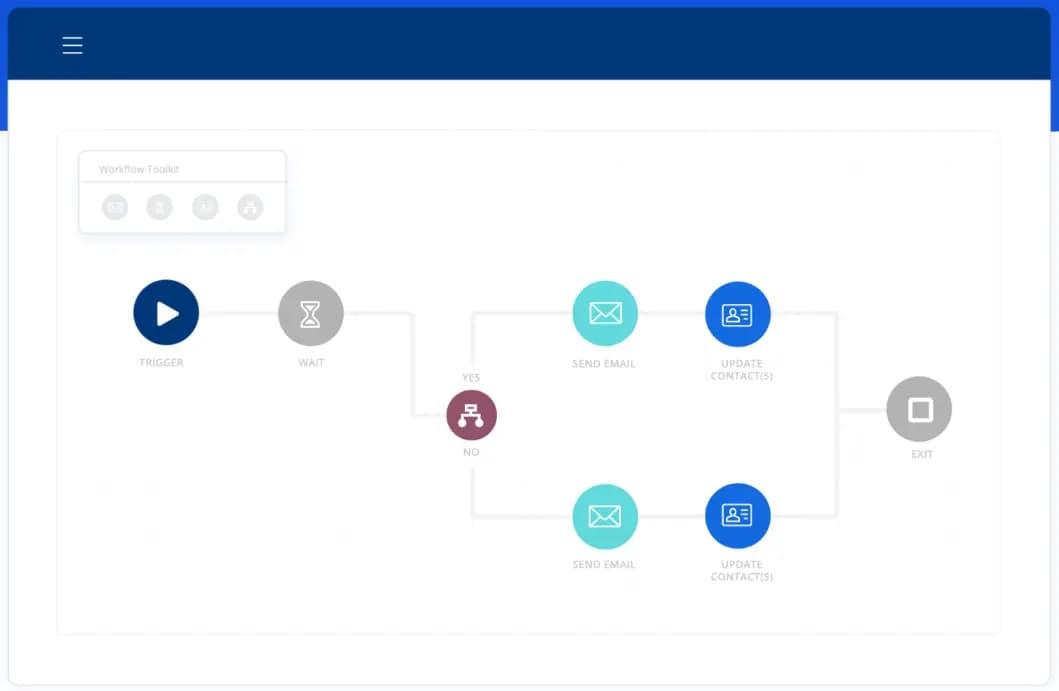
Campaigner takes a smarter approach with its automation workflows, letting you build out entire customer journeys using a drag and drop builder.
You can keep things simple with a basic welcome sequence, or you can go all in and map out a complex path with dozens of branches based on how people react to your emails.
The builder even lets you test your workflow before it goes live, so you are not left guessing whether the logic actually works.
What really sets this apart is how many triggers and conditions you get to work with.
You can set up actions based on email opens, link clicks, or goal completions, so your emails respond to real behavior instead of just a calendar date.
Campaigner also supports conditional logic, meaning you can check things like contact status, custom fields, or even data pulled in from a third party tool before deciding what happens next.
Add in time delays and countdown triggers, and you get a system that can nurture a lead patiently over weeks or push out a time sensitive offer the moment someone shows interest.
Autoresponders round out the automation side of things nicely.
These are quick, action based emails that fire off the second a customer does something, like signing up or making a purchase, and they work great for thank you notes, upsell offers, or promotional nudges.
You can also schedule recurring autoresponders for things like renewal reminders or birthday messages, which helps your brand stay in front of customers without you lifting a finger every time.
On top of that, autoresponders can be tied into your support ticketing system, so customers get an automatic update the moment their ticket status changes, cutting down on frustrating wait times.
Campaigner does not stop at email either. You can extend these same workflows into SMS, letting a single automation reach customers by text and email together.
Companies using both channels tend to see open rates jump by around 30 percent, which makes sense once you consider that most people check a text message within the first three minutes of getting it.
For anyone running an online store, this kind of layered automation makes it much easier to guide a shopper from browsing to buying, and then keep them coming back for more.
2. SMS Marketing
Email gets most of the attention in the marketing world, but text messaging might be the channel your business is sleeping on.
Billions of texts get sent every single day, yet plenty of companies still have not added SMS to their toolkit.
Campaigner lets you fix that by weaving SMS directly into your existing email campaigns, so your messages land somewhere your customers are guaranteed to see them, their phone screen.
The real strength here is combining SMS with email rather than treating them as two separate tools.
Campaigner lets you build workflows where an action can trigger either a text or an email, or both at once depending on how you set things up.
You can even let the system prioritize whichever channel a customer has responded to before, so someone who always clicks through emails keeps getting emails, while a customer who only replies to texts gets reached that way instead.
Switching between the two channels happens automatically based on rules you create, so you are never stuck manually deciding who gets what.
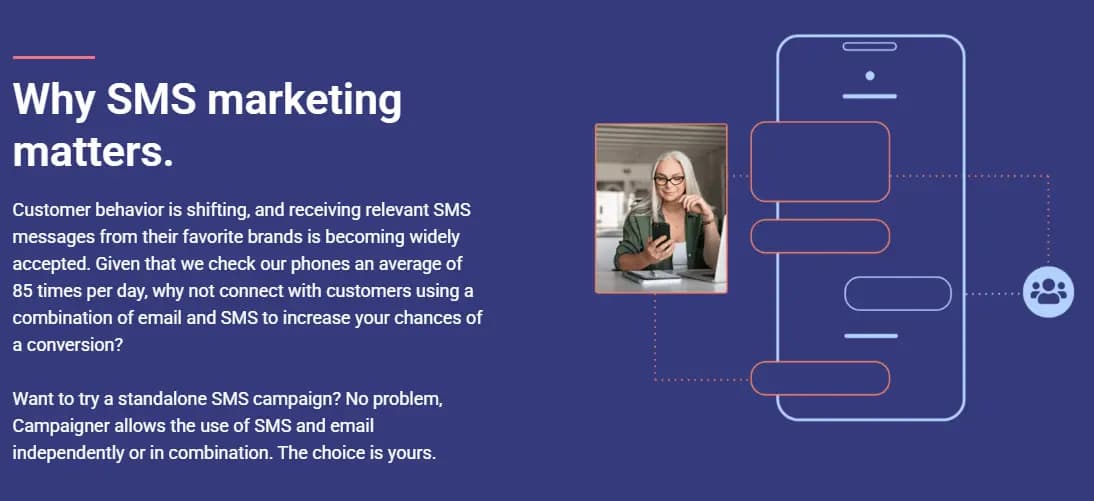
If you would rather keep things simple, standalone SMS campaigns are also on the table.
You do not need to build a full workflow just to send out a quick promotional blast or a limited time discount code.
Growing your SMS list is easy too, thanks to text to subscribe features that let customers opt in by texting a dedicated number, and opting out is just as simple, which keeps your list clean and compliant.
SMS is good for a lot more than flash sales, by the way. Businesses use it for shipping updates, appointment reminders, password reset codes, and even bill payment notifications.
Given that people check their phones dozens of times a day and most consumers say they are fine getting texts from brands they trust, adding SMS to your marketing mix is less of a gamble and more of an easy win.
Combine it with email through Campaigner's workflows, and you get two solid shots at grabbing someone's attention instead of just one.
3. Email Segmentation
Blasting your entire list with one generic email is a fast way to get ignored.
Campaigner's segmentation tools let you slice your audience into smaller, more relevant groups so the messages you send actually match what each person cares about.
You can build segments around email engagement, purchase history, or even where someone lives, and each of these angles opens up a completely different way to talk to your audience.
Engagement based segments are great for treating your most active subscribers differently than the ones who have gone quiet.
Your loyal, high open rate contacts might be ready for a straightforward sales pitch, while your inactive subscribers probably need a gentler nurture campaign to pull them back in.
Purchase behavior works the same way. Someone who bought a product last month might respond well to a related upsell, while a first time buyer might need a bit more trust building before you push another sale.
Campaigner lets you set all of this up using your contact data, so the right offer reaches the right person at the right time.
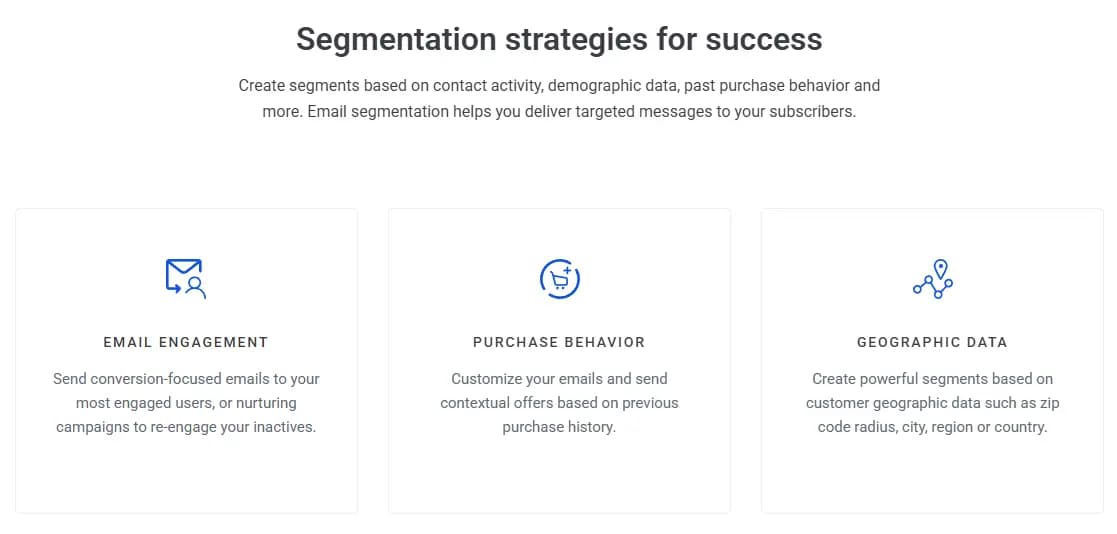
Geographic segmentation adds another useful layer, letting you target customers by zip code, city, region, or even country.
This comes in handy for local promotions, regional events, or anything where location actually matters to the offer you are sending.
You can combine these filters too, so a segment might include someone in a specific city who also made a purchase in the last thirty days and opened your last three emails, giving you a laser focused group to market to.
Once your segments are built, you can take things further by attaching automated workflows to each one.
That means a highly engaged segment can automatically receive a conversion focused email sequence, while a cooling off segment gets pulled into a re-engagement campaign without you doing any extra work.
Pairing smart segmentation with automation is really where Campaigner shines, since it turns a static contact list into a living, responsive part of your marketing strategy.
4. Content Blocks
Nobody wants to feel like just another name on a list, and Campaigner helps you avoid that trap with its content block features.
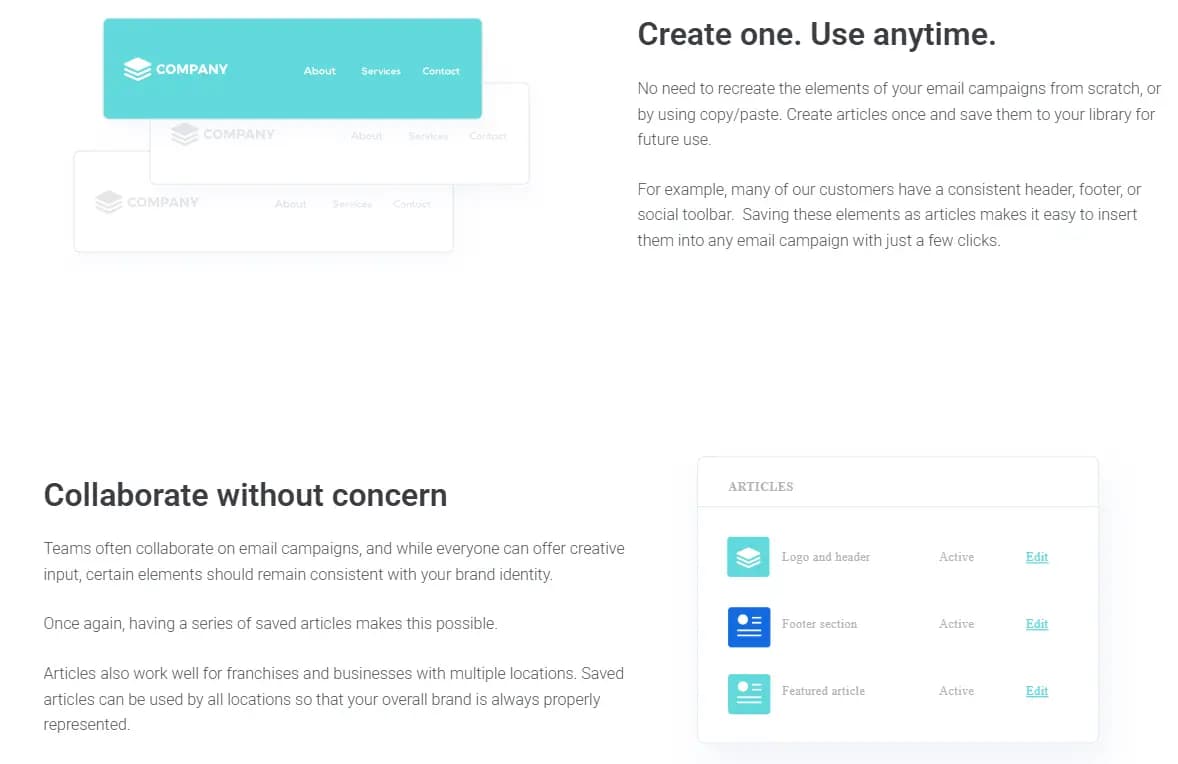
The idea is simple. You build reusable pieces of content, things like your email header, footer, or social media bar, and save them as what Campaigner calls articles.
Once they are saved, you can drop them into any campaign with just a couple clicks instead of rebuilding the same elements over and over or copying and pasting from an old email.
This matters more than it sounds like at first. When you have a team working on campaigns together, or when your business runs multiple locations, keeping everyone on the same page gets tricky fast.
Saved articles solve that problem by making sure every email that goes out still looks and feels like it came from the same brand, even if five different people had a hand in building it.
Franchises benefit a ton from this too, since every location can pull from the same library and still represent the company correctly.
Beyond just saving time on design, Campaigner lets you personalize these emails using real subscriber data.
You can pull in purchase history to recommend products, use demographic details like age or occupation to shape your offer, or even use someone's location down to the zip code to make an email feel like it was written just for them.
Visual maps make the geolocation piece especially easy to work with, letting you zero in on a specific area without digging through spreadsheets.
Location based personalization opens up some fun possibilities too.
You can build content around local holidays or events, adjust things like currency for different regions, or even reference local weather or news to make an email feel more human and less like a mass blast.
Combine all of this with your saved content blocks, and you get emails that stay consistent with your brand while still feeling personal to whoever opens them.
5. Multivariate Testing
Guessing what your audience wants is not a great long term strategy, and Campaigner's testing tools are built to take that guesswork off your plate.
Instead of sending one version of an email and hoping it lands, you can test almost every piece of it, from the subject line down to the actual design, before your full list ever sees it.
This means every campaign you send gets a little smarter than the last one.
Subject lines are usually the first thing people test, and Campaigner makes it painless to run as many variations as you want, emojis included, without leaving the platform.
From there you can test your call to action to see which phrase actually gets people clicking, or compare different from names to figure out whether your audience responds better to a company name or an actual person on your team.
Send time testing rounds things out nicely, letting you figure out the exact window when your subscribers are most likely to open and engage.
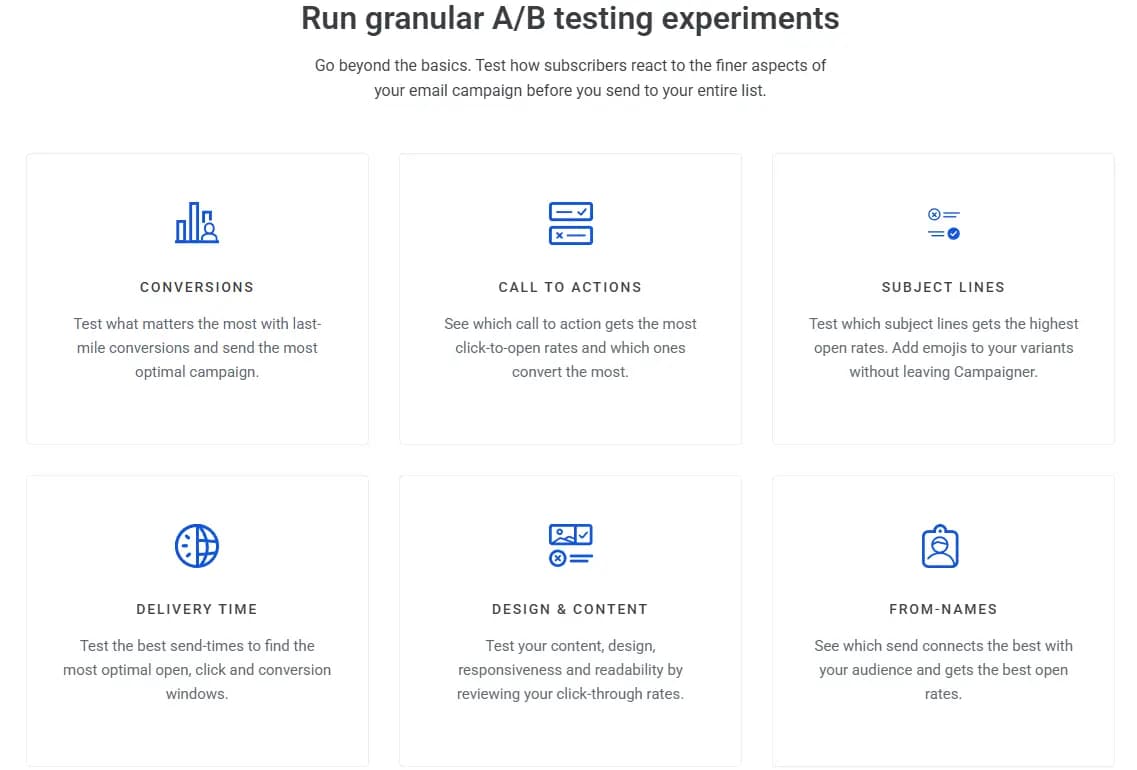
Design and content testing goes a step further by looking at how your subscribers interact with the actual body of your email.
You can compare different layouts, images, or messaging styles and see which version pulls in more clicks.
This is especially useful if you are not totally sure whether your audience prefers something visual and flashy or simple and text heavy, since the data will tell you instead of leaving it up to a guess.
What makes this whole system valuable is how it ties back to conversions, not just opens.
Campaigner lets you test all the way down to the last mile, meaning you are not just chasing a good open rate but actually figuring out what drives someone to buy or sign up.
Over time, running these tests consistently builds up a pretty clear picture of what your specific audience responds to, which makes every future campaign easier to plan.
6. Purchase Behavior
Getting someone to buy once is great, but getting them to buy again and again is where the real money is, and Campaigner's purchase behavior tools are built around exactly that.
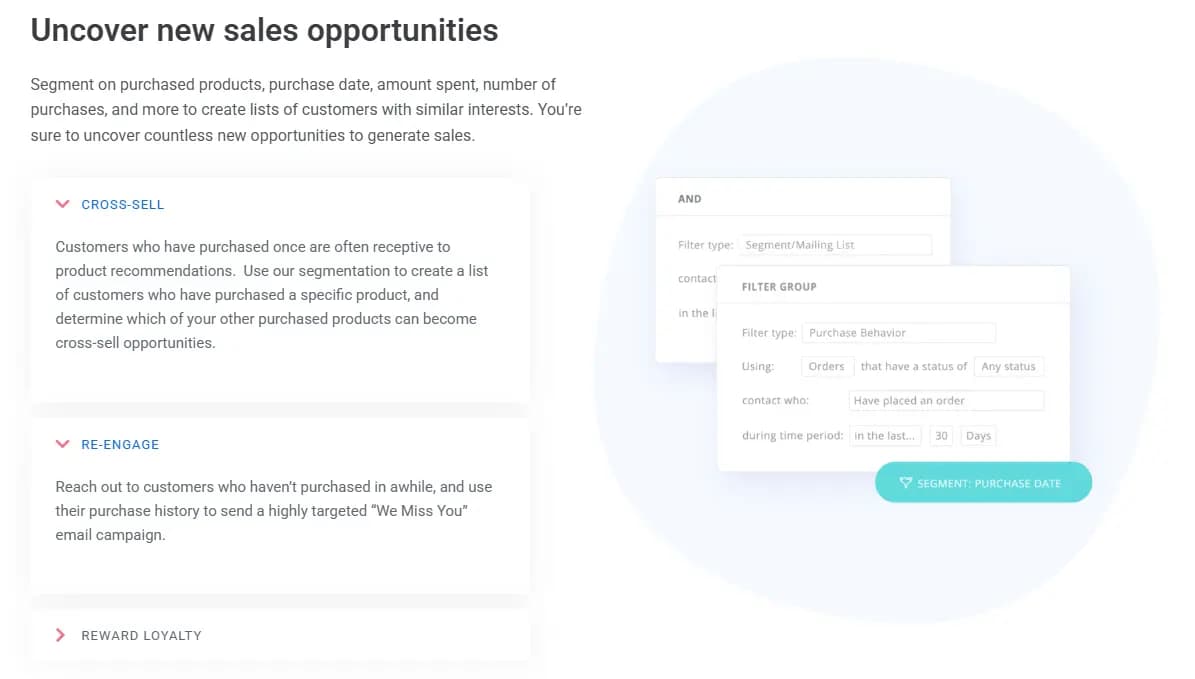
You can segment your customers based on what they bought, when they bought it, how much they spent, and how often they come back, which gives you a pretty detailed picture of who your best customers actually are.
Cross selling becomes a lot easier once you have this kind of data in front of you.
If someone bought a specific product, you can build a segment just for those customers and figure out what else they might want based on that first purchase.
Campaigner also makes it simple to spot customers who have gone quiet, so you can send a targeted "we miss you" style email built around what they bought before, instead of a generic message that ignores their history entirely.
Rewarding loyal customers is another piece of this puzzle.
You can use purchase data to identify your best buyers and send them something special, whether that is an early access offer, a birthday discount, or just a simple thank you for sticking around.
Little touches like this go a long way in turning a regular customer into someone who actually recommends your brand to friends and family.
One of the most practical tools here is the abandoned cart email.
Anytime someone leaves your site without finishing a purchase, Campaigner can automatically trigger a follow up email to bring them back.
Paired with the detailed purchase data Campaigner tracks, things like order ID, time between purchases, and total items ordered, you end up with everything you need to turn window shoppers into repeat customers without having to manually track any of it yourself.
7. Email Design
Building an email that actually looks good used to mean either hiring a designer or wrestling with code you barely understood.
Campaigner clears that hurdle with a drag and drop editor that lets you put together a polished campaign without touching a single line of code.
You can start from a blank canvas or pick from a stack of pre-built templates covering everything from newsletters to product announcements, and from there you just drag in the pieces you want, swap out colors, and drop in your logo until it feels like your brand.
For anyone who actually likes working in code, Campaigner has not left you out either.
A full HTML editor sits right alongside the drag and drop tool, so you can build a campaign from scratch or import HTML you already built somewhere else.
This flexibility means a small team without a designer can still put together something professional, while a more technical user can get as detailed as they want with custom code.
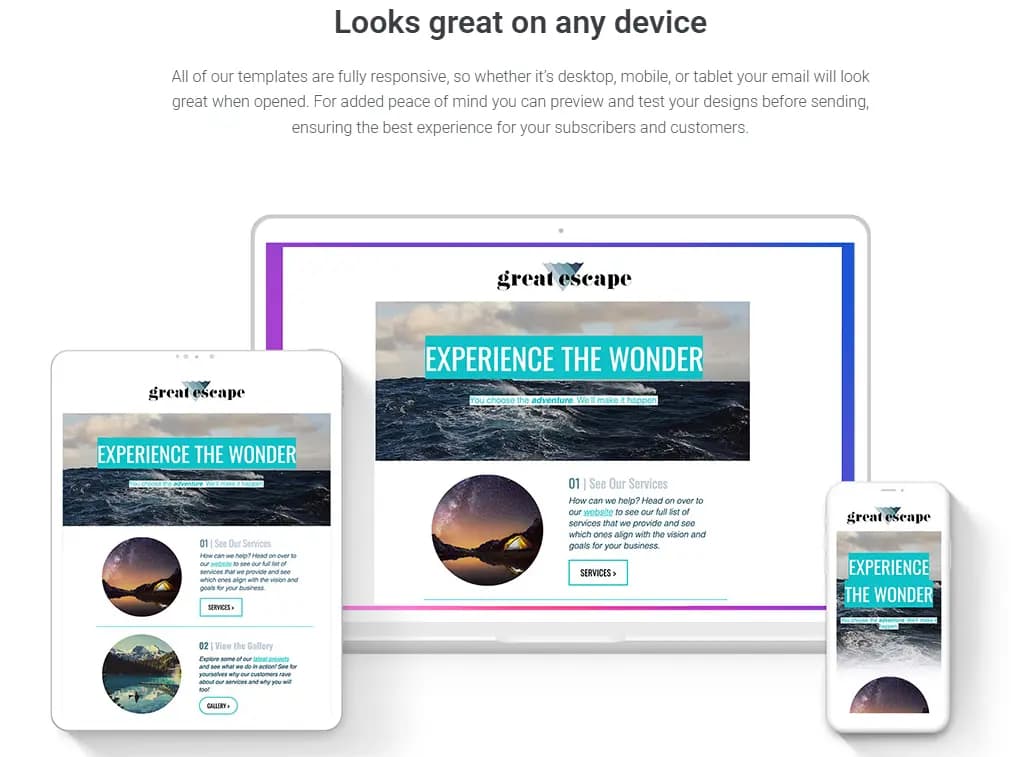
Either path leads to templates that are fully responsive, so your email will look right whether someone opens it on a laptop, a tablet, or their phone during a coffee break.
Keeping everything organized becomes important once your template library starts growing, and Campaigner handles that with a template management system that includes folders, tagging, and restricted access.
This is a lifesaver for teams, since you can control who has access to edit certain templates while still letting everyone pull from the same organized library.
The media library works the same way, giving you a home for all your images and PDFs with nested folders so you are never digging through a messy pile of files trying to find the right logo version.
One detail that often gets overlooked is how well an email's code actually holds up across different email clients, and this is where Campaigner puts in real work behind the scenes.
Every official template goes through a rigorous testing process against a wide range of devices and email clients before it ever reaches you, so you are not left guessing whether your email will render correctly for everyone on your list.
Add in the built in image editor that lets you tweak a photo without leaving the email builder, and you get a design process that stays smooth from start to finish.
8. Audience Insights
Sending emails without understanding who is actually receiving them is a bit like shouting into a crowd and hoping the right people hear you.
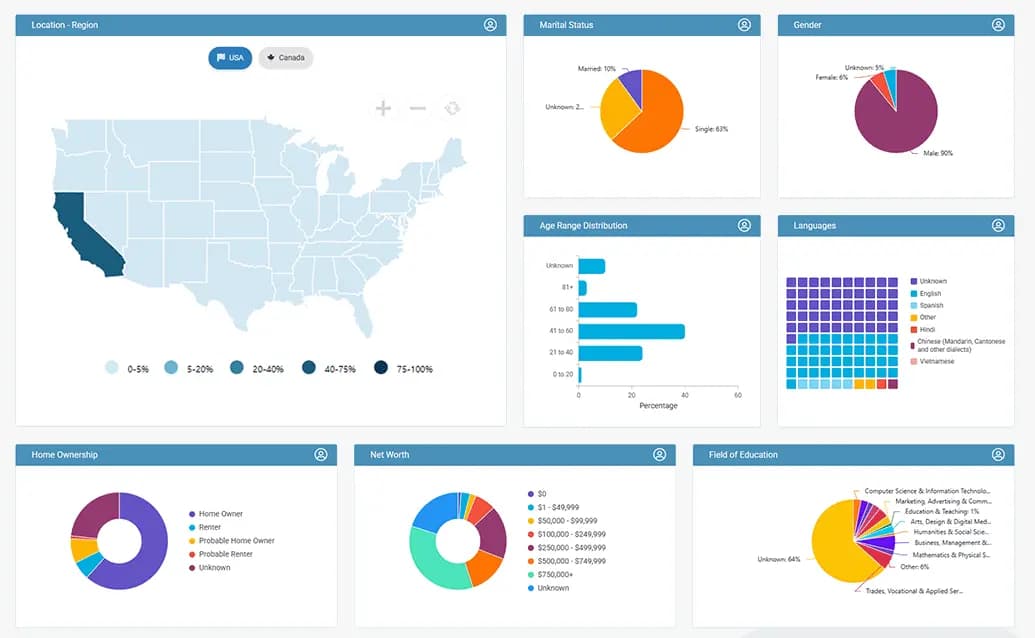
Campaigner's Audience Insights tool fixes that by giving you a visual dashboard that breaks down key traits about your contacts using clear charts instead of raw spreadsheets.
Rather than digging through rows of data trying to spot a pattern, you get a quick, visual snapshot of who is actually on your list.
The reporting goes well beyond just a basic overview too. You can track conversions by assigning a dollar value to your campaign links, so you know exactly how much revenue a specific email actually generated.
Workflow reports let you peek into each stage of your automation, showing you how many contacts are sitting at each step and how many have converted or dropped off along the way.
Pair that with autoresponder reports and experiment reports covering your split tests, and you end up with a full picture of what is working and what needs a second look.
Geolocation and user agent reports add even more depth by showing you how your campaigns perform based on where someone lives or what device and browser they are using to open your emails.
This kind of detail helps you catch small problems you might otherwise miss, like a template that renders poorly on a specific email client, or a region that is consistently engaging more than others.
Knowing this stuff early means you can adjust your strategy before a small issue turns into a bigger one.
What really stands out here is the AI Insight Builder, which takes things a step further by surfacing patterns you might not think to look for yourself, like a group of contacts who share a profession or tend to own their home.
Instead of manually building complicated filters to act on this information, you can just describe the audience you want in plain language, something like people who are likely homeowners, and Campaigner turns that into an actual usable segment.
It takes the guesswork out of segmentation and makes turning raw contact data into a targeted campaign a lot faster.
9. Subscriber Growth
A great email campaign does not mean much if your list is not growing, and Campaigner gives you a solid set of tools to keep new subscribers coming in.
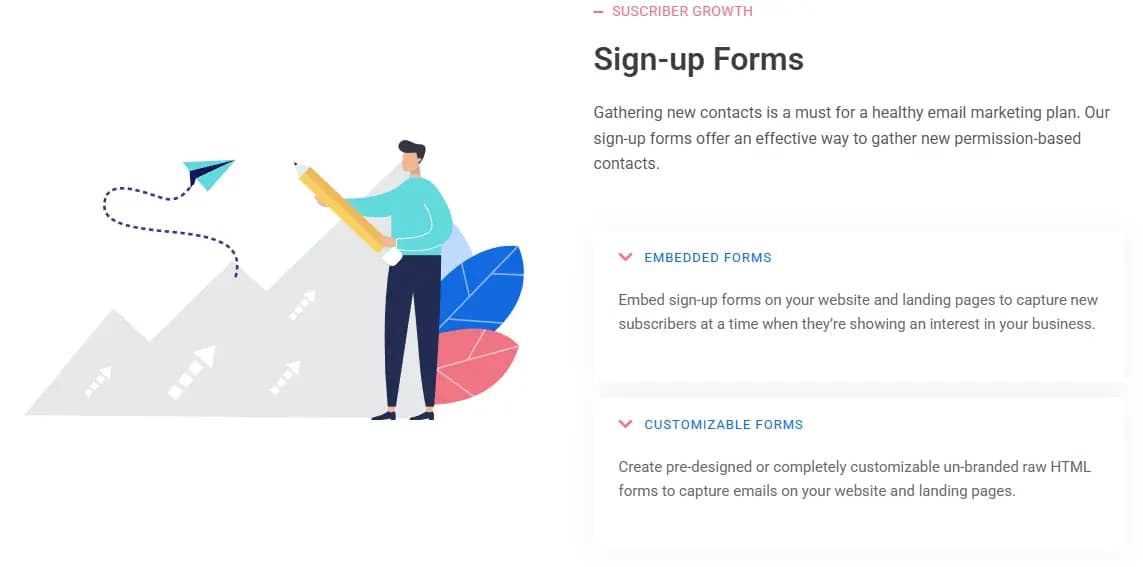
Sign up forms sit at the center of this, letting you capture new contacts directly from your website or a dedicated landing page.
You can go with a pre-designed form to get moving quickly, or build a fully custom, unbranded HTML form if you want complete control over how it looks and functions.
Landing pages work hand in hand with these forms, giving you a dedicated space to host a sign up offer without needing a separate website builder.
Since these pages can share the same messaging and design as your email campaigns, someone clicking through from an email lands somewhere that feels familiar instead of jarring, which keeps the whole experience feeling connected.
You can also embed sign up forms directly into these landing pages, turning them into a dependable source of new subscribers over time.
Growing your list is only half the equation though, since keeping subscribers happy matters just as much.
Campaigner's preference management and subscription forms let people update their own information or adjust what kind of content they want to receive instead of just unsubscribing entirely out of frustration.
Giving subscribers this kind of control tends to keep them around longer, since they are only getting content that actually matches what they signed up for.
These forms can even be customized with extra fields or offered in another language depending on your audience.
A couple of smaller features round out the growth toolkit in a nice way.
The forward to a friend option lets your current subscribers pass along a favorite email to someone else, which is a simple way to pick up new contacts who already have a bit of built in trust in your brand.
Social sharing works similarly, automatically pushing your email content out to social platforms for a bit of extra reach. None of these tools are flashy on their own, but together they create a steady, low effort stream of new subscribers joining your list.
10. Contact Management
Your contact list is the backbone of everything you do in email marketing, and Campaigner gives you real tools to keep that list organized instead of letting it turn into a messy pile of names and addresses.
You can build custom fields to track whatever matters to your business, whether that is a customer's favorite product category or how many times they have made a purchase, and you can populate these fields through file uploads or automatic syncs from other tools you already use.
Computed fields take this a step further by updating themselves automatically based on rules you set, so your data stays current without you manually editing anything.
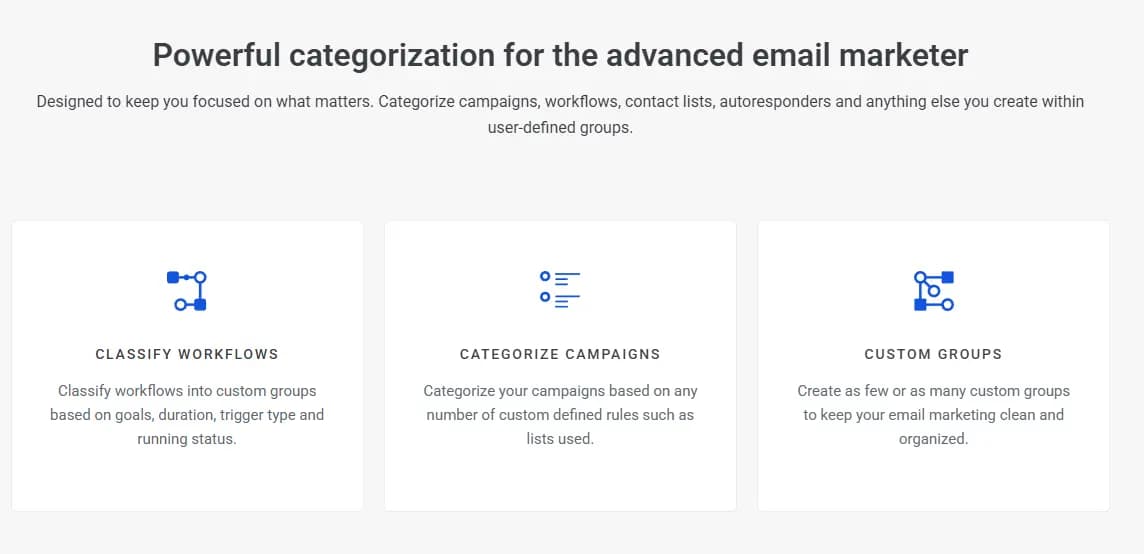
Keeping a list organized also means being able to group contacts in ways that actually make sense for how you run campaigns.
Categories let you sort contacts and segments using your own custom logic, which is helpful once your list grows past a few hundred people and a single unsorted pile stops being useful.
Exclusion lists work alongside this by letting you block certain contacts from receiving a specific campaign based on rules like location or customer type, without permanently removing them from your account.
Suppression lists handle a slightly different job, and honestly, this is one of the more important features here even if it does not sound exciting.
These lists exist to permanently keep certain addresses out of future campaigns, things like hard bounces or people who have unsubscribed.
About 30 percent of people change their email address every single year, so keeping your suppression list updated with these hard bounces is a real factor in protecting your sender reputation.
Campaigner automates a lot of this too, automatically adding bounced addresses and unsubscribes so you are not left cleaning things up by hand.
The difference between suppression and exclusion trips people up sometimes, so it is worth breaking down simply.
Suppression lists are permanent, meant for addresses you never want to email again. Exclusion lists are more situational, just keeping certain people out of one particular send.
Understanding this difference and using both correctly goes a long way toward keeping your emails landing in the inbox instead of getting flagged as spam, and Campaigner's automatic handling takes a lot of the manual guesswork out of that process.
11. Developer Friendly
Not every business wants to click through a visual editor every time they need to send an email, and Campaigner has plenty to offer if your team prefers working with code.
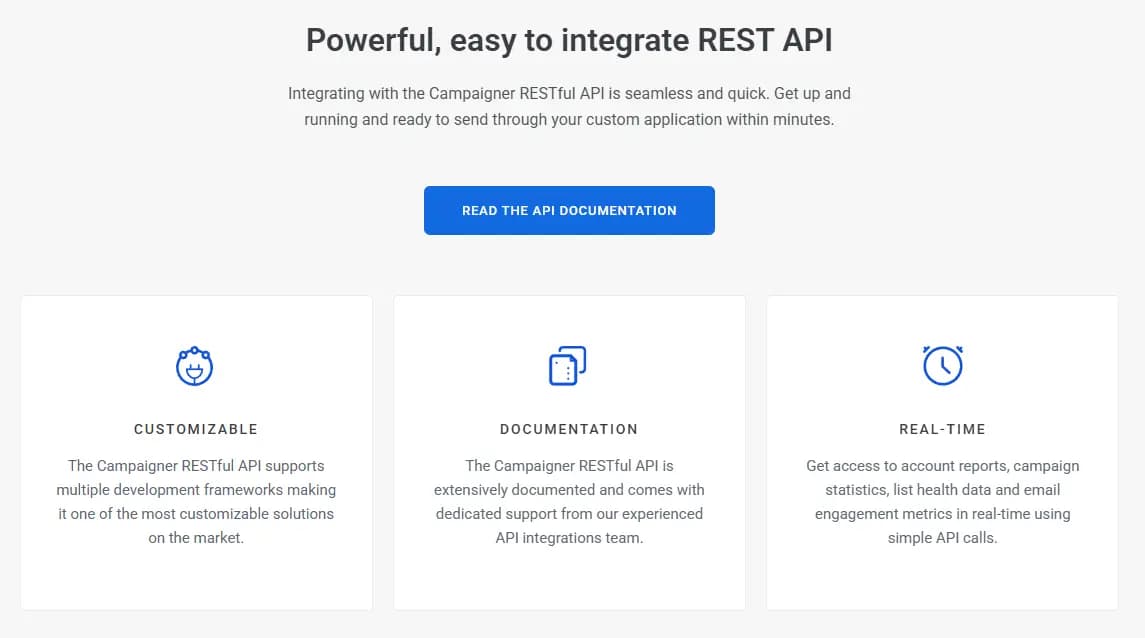
The Campaigner API sits at the center of this, giving developers a way to populate contacts, trigger email sends, or build entirely custom integrations that fit into whatever system your business already runs on.
This is especially useful for companies that need email to be triggered automatically by events happening somewhere else in their tech stack, rather than someone manually pressing send.
For transactional emails, things like order confirmations or password resets, Campaigner offers an SMTP relay service built for speed and reliability.
Instead of your team maintaining its own mail servers, which is a headache most businesses would rather avoid, you can lean on Campaigner's infrastructure to handle delivery while still getting full visibility into whether each email actually reached the customer.
Their team also keeps an eye on deliverability behind the scenes, managing things like authentication and blacklist monitoring so your messages have the best possible shot at landing in the inbox instead of getting filtered out.
Reporting stays strong on the developer side too, with tracking for opens, clicks, and device types, plus a click overlay feature that shows exactly which links people are clicking most within an email.
If your team needs to move contact data in bulk, sFTP support lets you import or export that information securely, which comes in handy for businesses juggling large datasets or syncing with other internal systems on a regular schedule.
Webhooks round out the developer toolkit nicely, letting you set up automatic triggers based on specific events like a campaign being opened, a contact bouncing, or someone unsubscribing from a list.
Once that event happens, the information gets sent straight to Campaigner and can kick off another action automatically.
The whole system runs on a RESTful API, meaning it communicates over standard HTTP and supports common data formats like JSON and XML, so plugging Campaigner into your existing tools should feel familiar if your team has worked with other APIs before.
Campaigner Pricing Plans
Once you get past all the features, pricing is usually the next big question, and Campaigner keeps things pretty transparent here.
The plans are based on how many contacts you have, so you slide a simple bar to select your list size and watch the pricing update in real time.
This makes it easy to see exactly what you would pay before committing to anything, which is honestly refreshing compared to platforms that make you talk to a sales rep just to get a basic number.
At the entry level, the Essentials plan starts at 14 dollars a month for 1,000 contacts, and it covers the core stuff most small businesses actually need to get started.
You get the drag and drop editor, a library of email templates, and detailed campaign reporting, which is plenty if you are just looking to send clean, professional looking emails without a ton of complexity.
It is a solid starting point for anyone new to email marketing or running a smaller list.
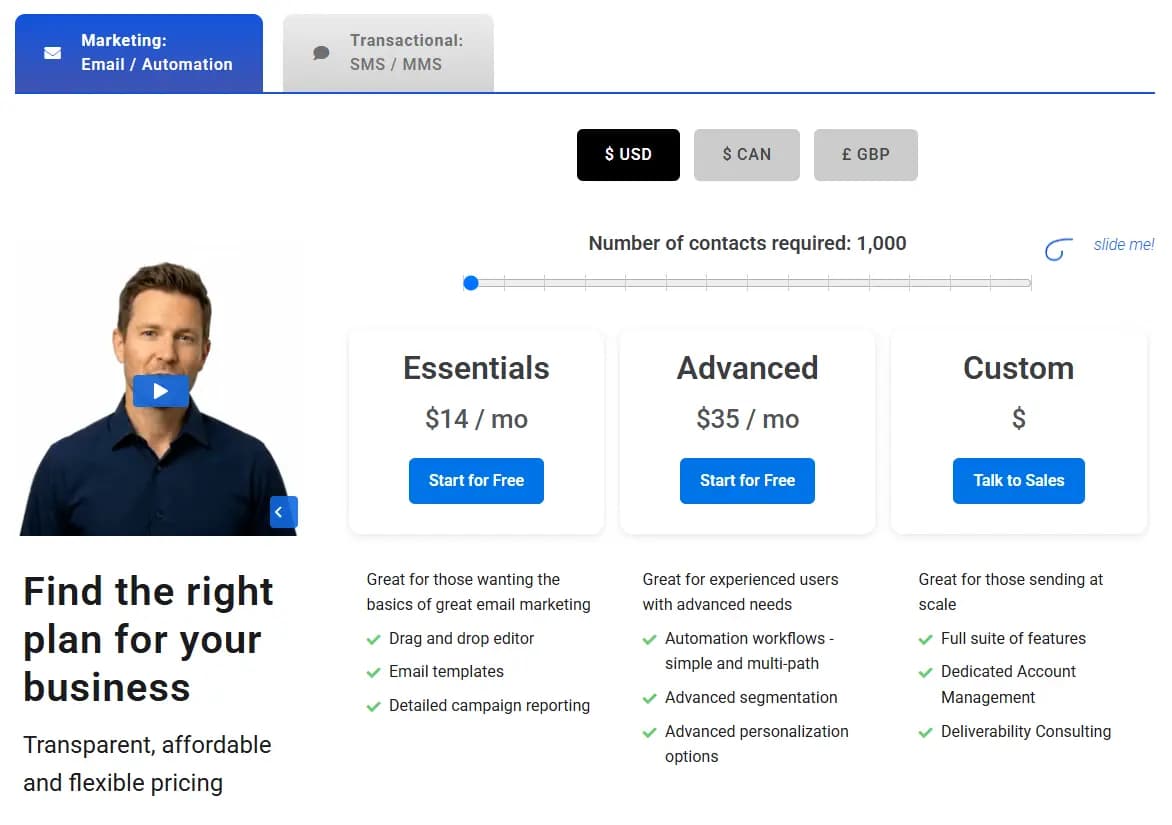
Moving up, the Advanced plan comes in at 35 dollars a month for the same 1,000 contact starting point, and it opens the door to the more powerful tools Campaigner is really known for.
This tier includes automation workflows, both simple and multi path, along with advanced segmentation and deeper personalization options.
If you have already outgrown basic email blasts and want to start building real customer journeys or targeting specific segments with tailored content, this is where you would land.
For businesses sending at a much larger scale, there is a Custom plan that skips the flat pricing entirely and instead connects you directly with the Campaigner sales team.
This tier includes the full suite of features, a dedicated account manager, and deliverability consulting, which makes sense for companies with big lists and a lot riding on their emails actually reaching the inbox.
Pricing is also available in USD, Canadian dollars, or British pounds, so businesses outside the US are not stuck doing currency math on their own.
Overall, the structure feels flexible enough to grow with a business, whether you are just starting out or already running email at a serious scale.
Final Thoughts On Campaigner
After going through everything Campaigner brings to the table, it is pretty clear this platform is built for businesses that are ready to grow past the basics.
The automation workflows let you build out real customer journeys instead of relying on one off email blasts, and adding SMS into the mix gives you a second, highly effective way to reach people who might not always check their inbox.
Combine that with strong segmentation, detailed audience insights, and a design system that works whether you like dragging and dropping or writing your own code, and you get a platform that can genuinely handle a growing business without falling apart at the seams.
Pricing stays fair too, with plans that scale based on your contact list size instead of locking you into a rigid tier that does not fit your needs.
Whether you are just getting started with the Essentials plan or you need the full firepower of the Advanced tier, there is a clear path forward as your list and your strategy grow.
The best part is you do not have to take our word for any of this. Campaigner offers a 30 day free trial that gives you full access to every paid feature, so you can actually test the automation builder, try out SMS, and see how the reporting works before spending a dollar.
If email marketing has been feeling stale or your current tool is holding you back, this is a solid opportunity to see what a more powerful platform feels like.
Go ahead and start your free trial today and see if Campaigner is the right fit for your business.
Campaigner FAQ
1. Is Campaigner free to use?
Campaigner is not free long term, but it does offer a 30 day free trial with full access to paid features.
2. Do I need a credit card to start the free trial?
Yes, Campaigner requires a credit card upfront even for the free trial.
3. How much does Campaigner cost?
Plans start at 14 dollars a month for the Essentials tier and go up based on how many contacts you have.
4. Can I use SMS and email together on Campaigner?
Yes, Campaigner lets you build combined email and SMS workflows or run each channel separately.
5. Does Campaigner offer a drag and drop email builder?
Yes, Campaigner has a drag and drop editor along with a full HTML editor for those who prefer coding.
6. Is Campaigner good for small businesses?
Yes, the Essentials plan is built for smaller businesses just getting started with email marketing.
7. Is Campaigner good for large businesses?
Yes, larger businesses often go with the Advanced or Custom plan for more advanced features and support.
8. Does Campaigner support automation workflows?
Yes, you can build simple or advanced automation workflows using their visual drag and drop builder.
9. Can I integrate Campaigner with other tools?
Yes, Campaigner connects with tools like Google Analytics, Magento, and many others through Zapier.
10. Does Campaigner have an API for developers?
Yes, Campaigner offers a RESTful API along with SMTP relay and webhook support for developers.
11. How is Campaigner pricing structured?
Pricing is based on the number of contacts in your list, with plans ranging from Essentials to Custom.
12. Does Campaigner offer customer support?
Yes, Campaigner provides customer support through phone, chat, and email.
13. Can I segment my email list on Campaigner?
Yes, you can segment contacts by engagement, purchase history, location, and more.
14. Does Campaigner support A/B testing?
Yes, you can test subject lines, from names, send times, and even full email designs.
15. Can I track email opens and clicks with Campaigner?
Yes, Campaigner offers detailed reporting on opens, clicks, conversions, and subscriber activity.
16. Does Campaigner offer landing pages?
Yes, you can build and customize landing pages that connect directly with your Campaigner account.
17. Can subscribers manage their own email preferences?
Yes, Campaigner offers preference and subscription management forms for subscribers to self manage.
18. Does Campaigner clean up bad email addresses automatically?
Yes, it automatically adds hard bounces and unsubscribes to your suppression list.
19. Is Campaigner easy to cancel?
Some users report the cancellation process takes extra steps, so it is worth reviewing their policy before signing up.
20. Does Campaigner support abandoned cart emails?
Yes, you can automatically trigger emails when a shopper leaves items in their cart.