AITuber Review (2026): Faceless AI Video Pricing And Tools
AITuber is an AI video maker for faceless videos. You type a topic, and the tool writes a script, makes the visuals, records a voiceover, and adds captions.
It builds shorts and long-form videos, and long-form runs up to 20 minutes. Most shorts finish in 2 to 5 minutes, and you can close the tab and check back later.
More than 94,000 creators use AITuber. The voice library holds 1,300+ voices in 140+ languages, powered by ElevenLabs.
Templates cover faceless shorts, AI music videos, long-form videos, talking head and UGC ads, skeleton videos, talking objects, and AI video clips. Each one asks for a script, a photo, a track, or a prompt.
An Autopilot mode connects your channels and picks a niche. Then AITuber finds ideas, writes scripts, makes the videos, and posts them to YouTube, TikTok, Instagram, Facebook, Threads, and X.
Pricing runs on credits across seven plans, from Creator at $39 a month to Enterprise at $999 a month. New users get 100 free credits with no credit card.
Disclosure: Some of the links I share might be affiliate links. If you click on one and make a purchase, I may earn a small commission as a thank you. But don’t worry, it won’t cost you anything extra. I only recommend stuff I genuinely believe in. Your support helps me keep creating awesome content. You can read my full affiliate disclosure in my disclaimer page.
If you want to save a lot of hours searching for high-paying affiliate programs, check out our exclusive list of 2500+ affiliate programs. You’ll find all the information about the programs inside the list. This list is perfect for affiliate bloggers and influencers.
AITuber Features
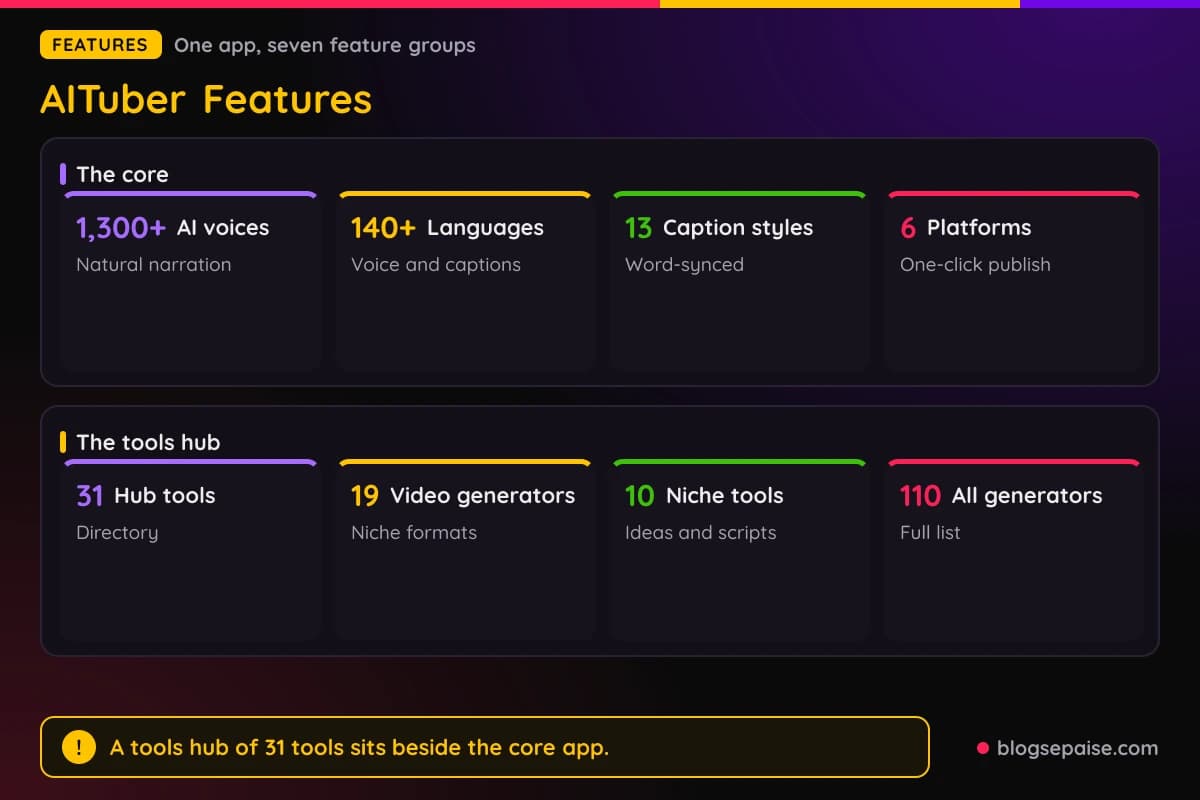
AITuber packs its tools into one app, so you do not need a second program for voices, captions, or music. Every plan includes every template, voice, and style.
The features below follow the order a video moves through the app, from voice and look to publishing. A large tools hub sits at the end with ready-made generators for niche formats.
Credits pay for everything. A 30-second short at Basic quality costs about 35 credits, and longer videos, AI video clips, and higher quality tiers use more credits each.
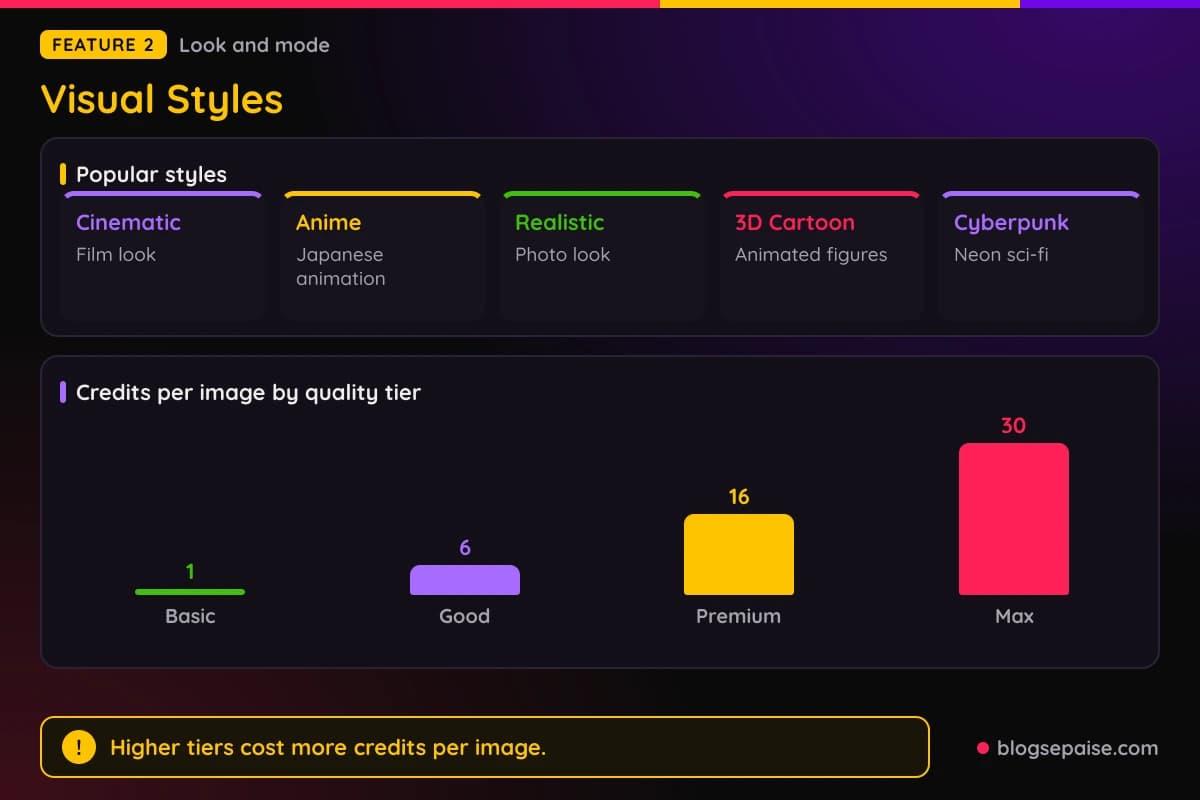
Quality tiers run Basic, Good, Premium, and Max, and they cost 1, 6, 16, and 30 credits per image. Higher tiers add detail and drain your balance faster.
Every tool shares the same core settings. Length starts at 15 seconds, with 5, 10, and 20 minute options, and you pick a voice, a style, a caption look, and optional music.
Aspect ratio is a choice too, with 9:16, 16:9, and 1:1 on offer. Plan your platform first, and the rest of the settings fall into place.
1. AI Voices
Voices are the first thing viewers notice, so AITuber puts them up front. The library holds 1,300+ AI voices in 140+ languages, and each voice carries a tone for your niche.
The voices are powered by ElevenLabs. They sound like real narrators with natural pacing, which matters when one voice carries every second of a faceless video.
Sample voices show the range. Emma is warm, James is deep, Yuki is soft, Carlos is energetic, and Sophie is elegant.
More options cover other moods. Hans is authoritative, Priya is friendly, Lucas is casual, Min-Ji is cheerful, and Marco is passionate.
The list keeps going with Alexei, who is dramatic, Eva, who is clear, Emre, who is bold, Erik, who is calm, and Wei, who is professional. After those 20 samples, 1,280 more voices wait behind them.
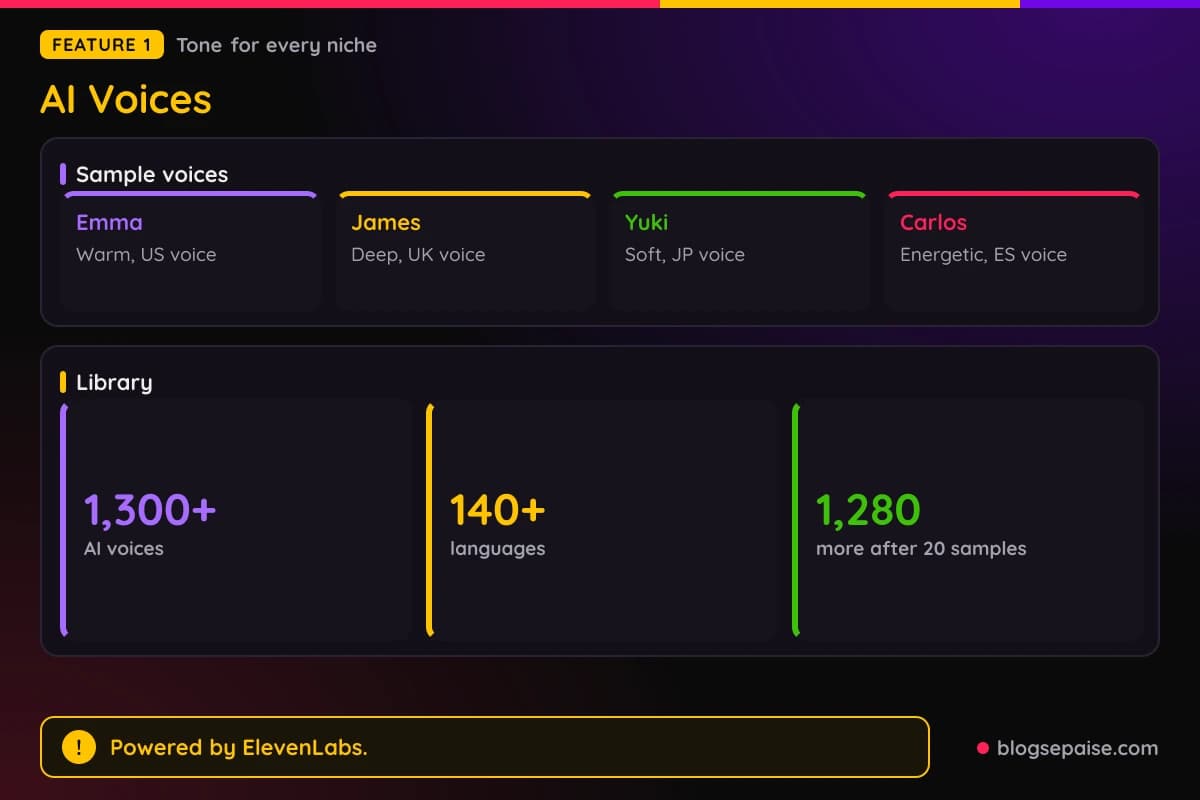
Each voice has a flag and a tone label, so matching a voice to a niche goes fast. A dramatic voice fits true crime, and a calm voice suits history or psychology.
You can filter voices by gender, age, accent, popularity, and name. Voice speed starts at 1.0x, and you can change it to fit your script.
The default voice is Adam, an American narrator. A shortlist of popular voices shows before you sign in, and the full library opens after you make an account.
Picking one voice per channel is a smart habit. Viewers start to recognize a narrator, and that sameness makes a faceless channel feel like a brand.
Tone labels help with fast casting. A cheerful voice like Min-Ji fits lifestyle content, while a bold voice like Emre fits motivation and opinion videos.
Flags point to where each voice is from. Olivia is bright from Australia, Miguel is smooth from Portugal, and Fatima is rich from the United Arab Emirates.
Listen to a few voices on the same line of script before you commit. A voice that sounds fine alone can feel wrong when it reads a full two minute story.
Captions follow the voice word by word, so timing stays tied to the narration. A new voice means a new rhythm, and the captions line up with it.
AITuber does not state a limit on how many voices you can use, and every plan opens the full library. Voice choice becomes a creative call and not a pricing call.
The free start of 100 credits covers one short video. Choose your voice with care, since a second test costs another 35 credits at Basic quality.
2. Visual Styles
Style sets the mood of a video. AITuber offers more than two dozen visual styles, so a horror story and a kids lesson do not have to look alike.
Named styles include Cinematic, Anime, Realistic, 3D Cartoon, Cyberpunk, Fantasy, Noir, Watercolor, Comic Book, and Flat Explainer.
Others include Pencil Sketch, Oil Painting, Pixel Art, Claymation, Storybook, and Paper Cutout. Dark Gothic, Surrealist, and Neon Outline suit moody or edgy niches.
Isometric Tech, Low Poly 3D, and Glassmorphism suit technology and product topics. Digital Art, Pop Art, and Impressionist give artful looks for culture and history channels.
Some styles lean on a known look. Kurzgesagt style gives flat explainer animation, Film Noir gives black and white shadows, and Retro Anime 90s gives old school colors.
Skeleton and character looks sit beside the standard styles. Skeleton videos use a translucent 3D skeleton for body and health topics, while character videos use animated 3D figures.
Style pairs with a visual mode, and AITuber has four. They are AI images, AI video clips, stock footage, and avatars.
AI images use Moving Images, which adds a pan and zoom to still scenes. AI Video makes full motion for each scene, and Stock Video drops in real footage per scene.
Avatars give you a talking presenter built from a photo. That suits ad style and UGC content, and the talking head template builds on this mode.
Image quality tiers decide how much detail each picture has. Basic costs 1 credit per image, Good costs 6, Premium costs 16, and Max costs 30.
Those tiers change your costs fast. Twelve Max scenes would run 360 credits, while twelve Basic scenes run 12.
Aspect ratio is a separate choice. Pick 9:16 for TikTok, Reels, and Shorts, 16:9 for YouTube, or 1:1 for feeds on Instagram and Facebook.
Pick a style from the audience and not from your taste. Kids lessons work with Storybook or Claymation, and finance explainers work with Flat Explainer or Minimalist.
Style consistency matters across a series. Reusing one look on a channel helps viewers spot your videos in a crowded feed.
The style count shifts slightly between tools, so check the picker when you sign up. Some templates, such as skeleton videos, also use a look of their own.
3. Multilingual Voiceover And Captions
AITuber makes voiceover and captions in 140+ languages. That opens a video to audiences who would never find an English channel.
Flags in the interface include English, Spanish, Japanese, German, French, Portuguese, Korean, and Hindi. Another 134 languages sit behind those eight.
Captions sync word by word to the narration. The effect keeps eyes on the screen, which helps when many people watch with the sound off.
AITuber has 13 caption styles, and each is a preset. Names include Wrap, Hormozi, Beast, Noah, Handwritten, Subtitle, Impact, Pop, Chronicle, Cyber, Grit, Luxe, and Terminal.
Wrap is the default and groups words with an active highlight. Hormozi and Beast use bold, high contrast text that mimics popular creator looks.
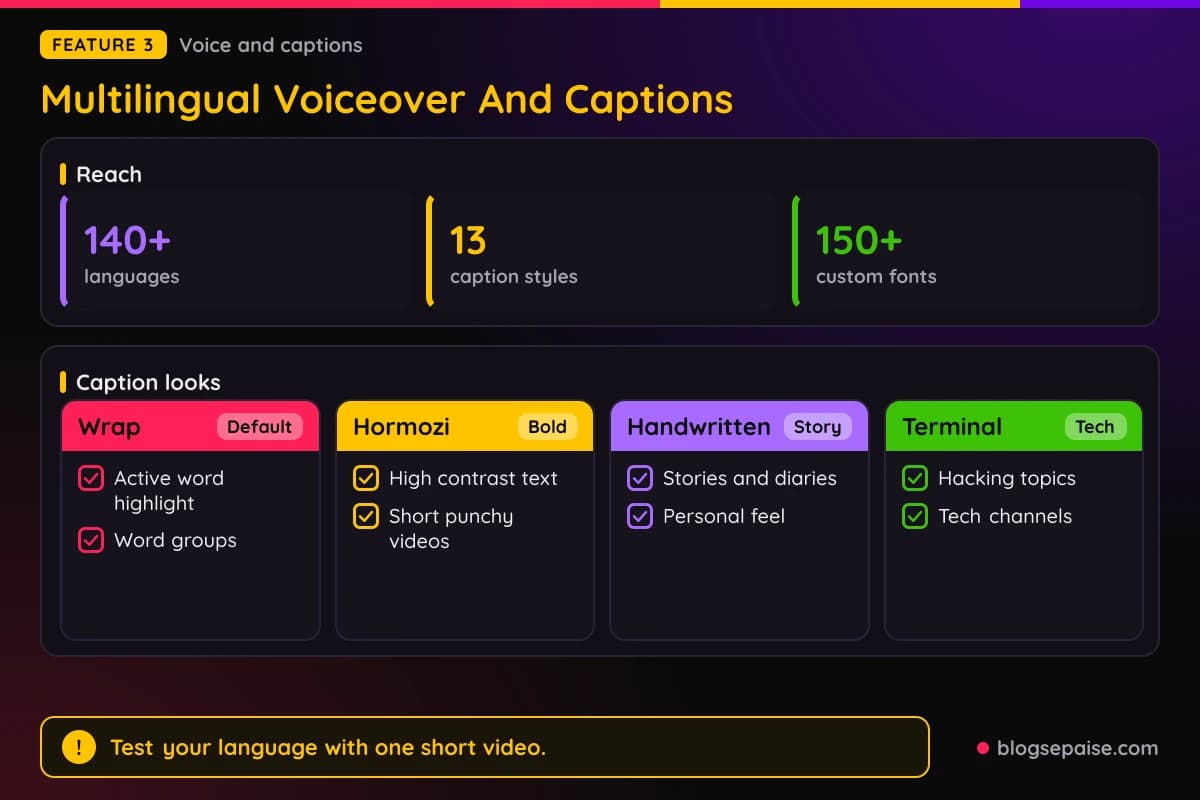
You can also design your own caption look with 150+ fonts. Custom fonts open after you sign up, which helps when you want to match a brand.
Voice and caption language work as a pair. The captions stay synced to each spoken word, whatever the language.
Handwritten and Terminal give captions a niche feel. Handwritten fits stories and diaries, and Terminal fits hacking and tech topics.
Chronicle, Cyber, Grit, and Luxe cover other moods, from documentary text to rough looks and polished luxury looks.
Voice speed pairs with captions. A faster read fits short, punchy videos, and a slower read suits long documentaries.
Language reach lets one idea go further. A true crime short in English can become a Portuguese version for Brazil, with a Brazilian voice and matching captions.
Scripts can be written in other languages too. The skeleton generator, for example, supports videos in languages besides English.
Language counts vary by tool, and AITuber does not publish one full language list. Test your language with a short video before you plan a series.
Caption styling matters more than most people expect. Bold, centered captions with a highlighted active word keep short videos readable on a phone.
4. Ideas And Scripts
Running out of ideas ends many faceless channels. AITuber includes an ideas finder and a script writer to fix that.
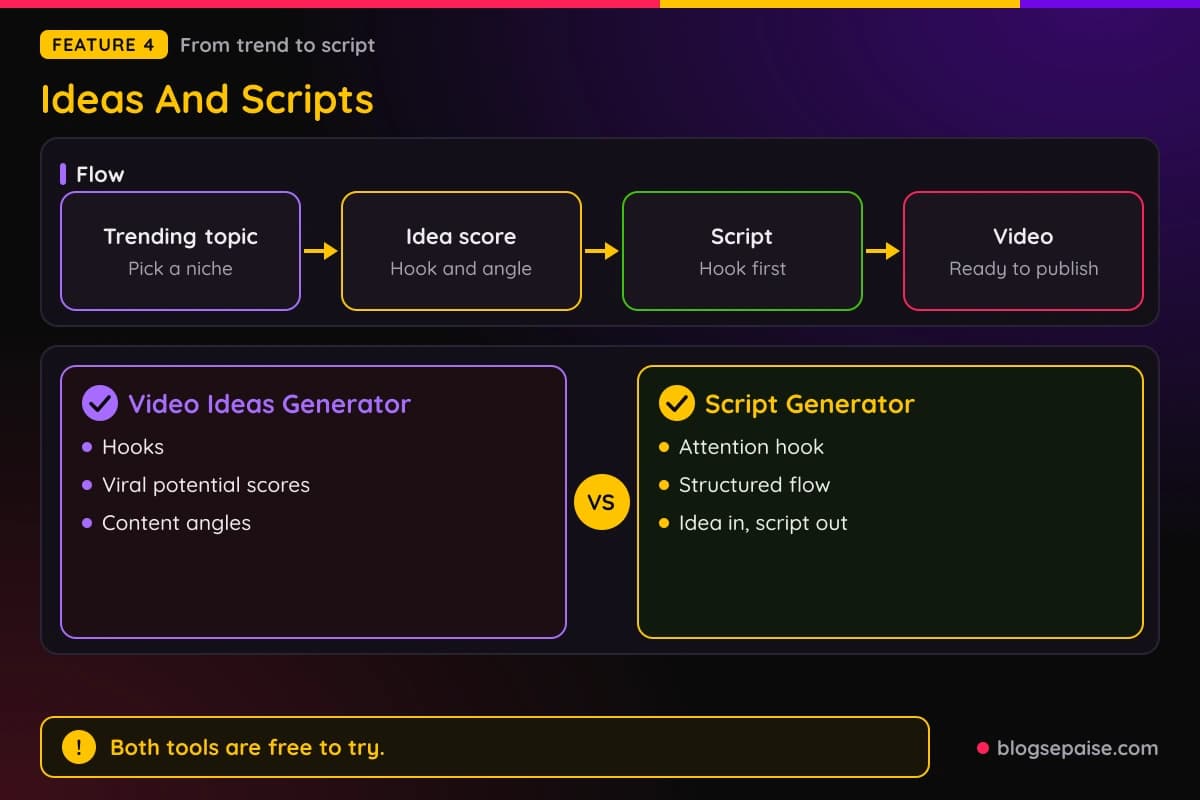
The Ideas tab lists trending topics for your niche. Each idea comes with a hook, a viral potential score, and a content angle.
The Scripts tab turns any idea into a ready-to-record script. Scripts open with an attention-grabbing hook and follow a structured flow.
Both tools also live in the tools hub as free tools, the Video Ideas Generator and the Script Generator. They are free to use, so you can test them before you pay.
Hook-first writing matters most for short video. Guidance for TikTok stresses the first 3 seconds, so scripts lead with the strongest line.
You can paste your own script instead. The true crime, AI video, and text to video tools all take a finished script and skip the writing step.
Text to Video AI takes pasted text such as articles, blog posts, newsletters, threads, course notes, and product descriptions. Under 300 words works for a Short, since 300 words run about 60 seconds.
Longer YouTube videos can use several thousand words. AITuber sets no strict text limit.
Niche idea tools cover five topics. True Crime, History, Psychology, Mythology, and Reddit Stories each get an ideas tool and a script generator.
Each pair follows the same pattern, ideas for the niche and a script in that niche's tone. That makes ten niche tools in the hub.
Content angles help you avoid sameness. Two videos on one topic can take different angles, such as a timeline, a myth buster, or a what-if.
Viral potential scores are a guide and not a promise. Use them to rank your list, then trust your own sense of your audience.
A mythology script reads differently from a Reddit story script. The niche tools match the tone of each category.
Use the ideas finder on a weekly schedule. Pick a batch of ideas, write scripts for the best ones, and queue a week of videos in one sitting.
A week of content can take under an hour once ideas and scripts are ready. The saved time is the real payoff of this feature.
5. Scene Regeneration
AI rarely gets every scene right on the first try. Scene regeneration lets you re-roll one scene in seconds, without redoing the whole video.
The idea is to keep what works and fix what does not. That saves credits and time compared with generating a full video again.
A scene can go wrong in small ways. A face looks odd, a prop is wrong, or the picture does not match the narration.
Regenerate that scene only, and the rest of the video stays as it was. You fix one problem without risking the parts you already like.
Text to Video AI lets you adjust scenes, visuals, voice, and captions before export. Review the preview before you download, and fix weak scenes while the project is open.
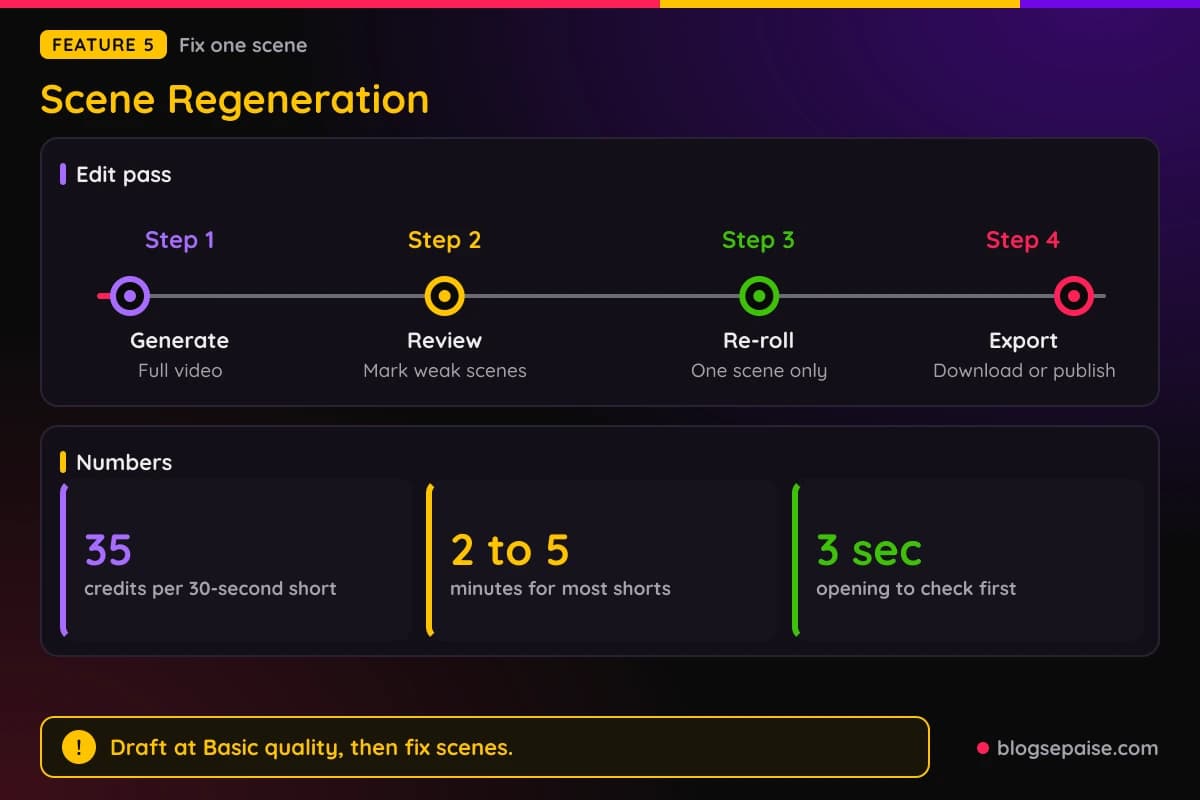
AITuber does not list a flat price for a re-roll. Image tiers run 1, 6, 16, and 30 credits per image, so test at Basic first.
A sensible habit is to draft at Basic quality and check the story. Spend credits on higher tiers only for the final version.
Scene control matters for niche formats with strict visuals. Skeleton videos need the skeleton to look right, and true crime videos need a tone that fits the story.
Regeneration also helps with consistency. A skeleton video keeps one character across scenes, and one bad scene can spoil that look.
Think of it as a quick edit pass. Play the video, mark the weak scenes, and re-roll them one by one.
Plan a small credit buffer per video for fixes, since new images draw from your balance. A buffer keeps one bad scene from blocking an upload.
Check scenes in order. The first three seconds decide if a viewer stays, so fix the opening scene first.
6. 4K Publishing
A finished video has to leave the app. AITuber exports in up to 4K and publishes to six platforms: YouTube, TikTok, Instagram, Facebook, Threads, and X.
Download is always an option. Pull the file at 9:16, 16:9, or 1:1, and upload it by hand wherever you like.
Direct publishing needs a one-time link between AITuber and each account. After that, one click sends a video to the platform.
Publishing for YouTube can include titles, descriptions, tags, and thumbnails. Scheduling lets you plan posts ahead.
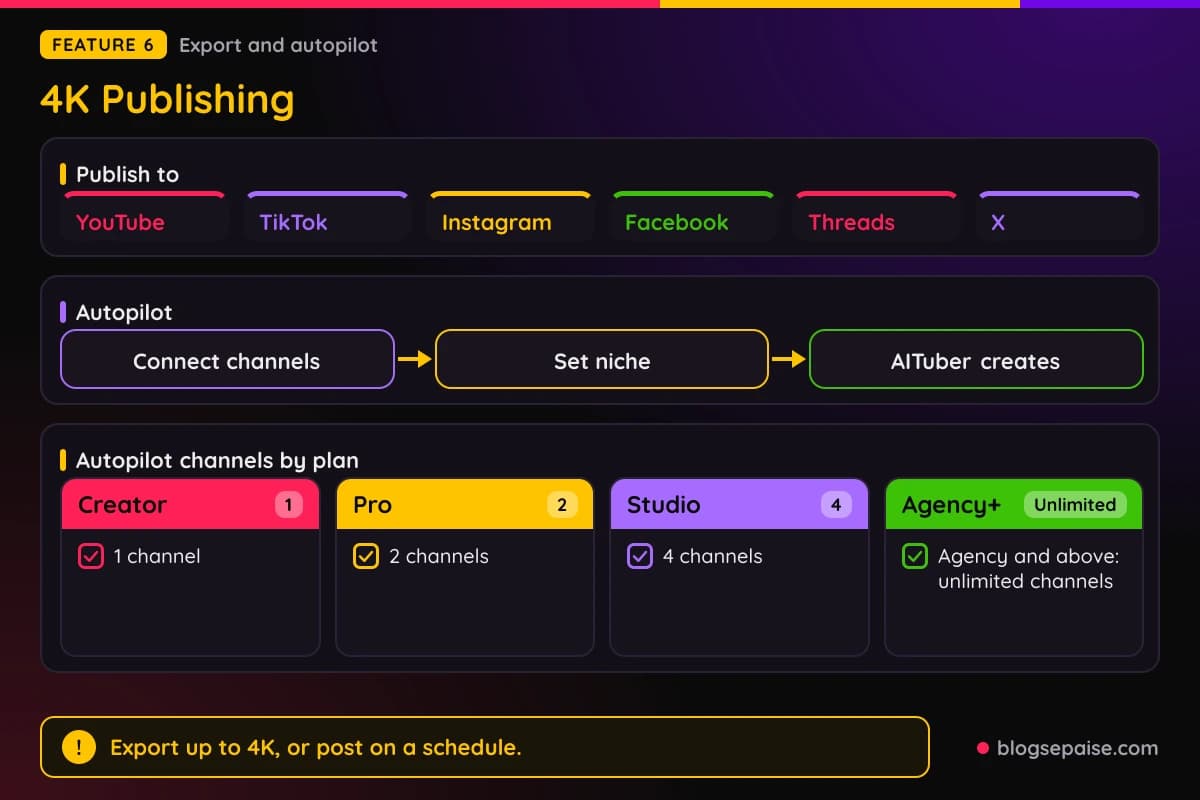
Autopilot goes further. You connect channels, set a niche and a time such as Motivation at 7:00 AM daily, and AITuber creates and posts on its own.
Setup takes about 2 minutes, and you can change or pause Autopilot anytime. AITuber finds viral ideas, writes the scripts, makes the videos, and publishes them.
Plans differ in how many channels run on Autopilot. Creator gets 1 channel, Pro gets 2, Studio gets 4, and Agency and above get unlimited channels.
The AI YouTube Automation Tool in the hub is built for this job. A faceless version runs a channel on autopilot, with videos made and posted on a schedule.
Scheduling helps you build a habit. Autopilot can post daily, every 2 days, or weekly, depending on the channel and niche.
API and MCP access push publishing further. Developers can trigger videos from code, and AI agents such as Claude can call the MCP server.
Batch your work by making five videos on one theme and scheduling them. That keeps a channel active even in busy weeks.
Posting rhythm matters. A good pattern is daily for the first 30 days, then at least 3 to 4 videos a week.
Long videos up to 20 minutes suit YouTube best. Vertical shorts suit TikTok, Reels, and Shorts.
Direct publish destinations can differ by tool, and YouTube is the one every tool supports. Confirm your platform with a short test before you plan around it.
Videos you make carry full commercial rights. Monetization depends on each platform's rules, and no tool can promise it.
7. Background Music
Music finishes a video. AITuber has a built-in library of royalty-free music that you can use anywhere.
Categories include Cinematic, Upbeat, and Chill. Pick the one that matches the mood and the pace of the voiceover.
You can also upload your own track. That helps when a brand already has a signature sound.
Match music to the niche. Cinematic fits true crime and history, Upbeat fits facts and listicles, and Chill fits psychology and sleep topics.
Choose calm tracks under narration, since busy music fights the voice. A quiet bed supports the story without hiding the words.
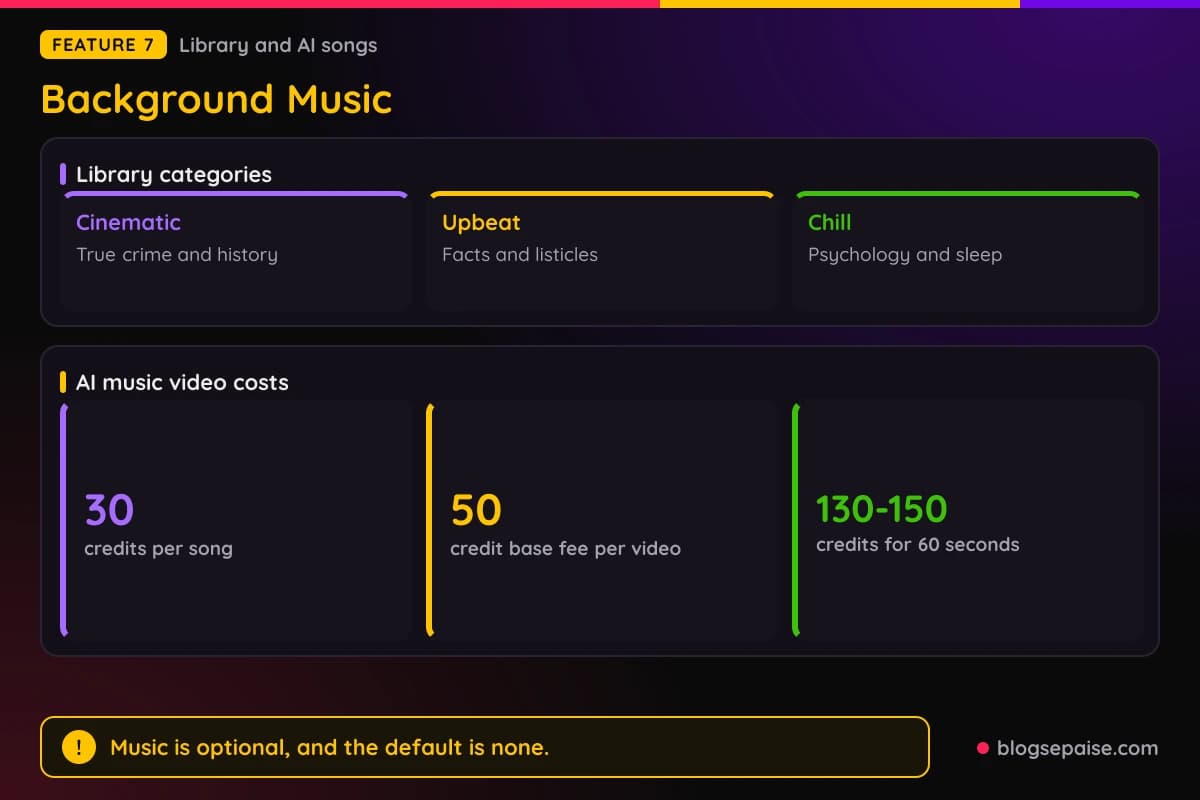
Music is optional, and the default is none. Turn it on per video, and you control the feel of each one.
Credits cover background music as part of a video. Voiceover, visuals, music, and the final render all draw from the same balance.
AI music videos go further. The AI Music Video Generator makes a song from text with genre, mood, instruments, and lyrics, or it takes your upload.
Song generation uses Suno, and each run makes two variations. A song costs 30 credits for the pair.
Uploads can be MP3, WAV, M4A, AAC, or OGG, up to 10 minutes and 50MB. You can trim the file in the browser before building the video.
A music video costs a 50-credit base fee plus visual costs. A typical 60-second video at Good quality runs about 130 to 150 credits.
Visual modes for music videos are Moving AI Images, AI Video, and Cover Image. Cover Image uses one picture for the whole song.
Lyric captions show word by word, and instrumentals skip captions. Output comes as an MP4 at 9:16, 16:9, or 1:1.
Songs from Suno are yours to use, subject to Suno's terms, and uploads keep their existing rights.
AITuber does not state how many tracks the library holds. In-app editing of finished music videos is not available yet.
8. The AITuber Tools Hub
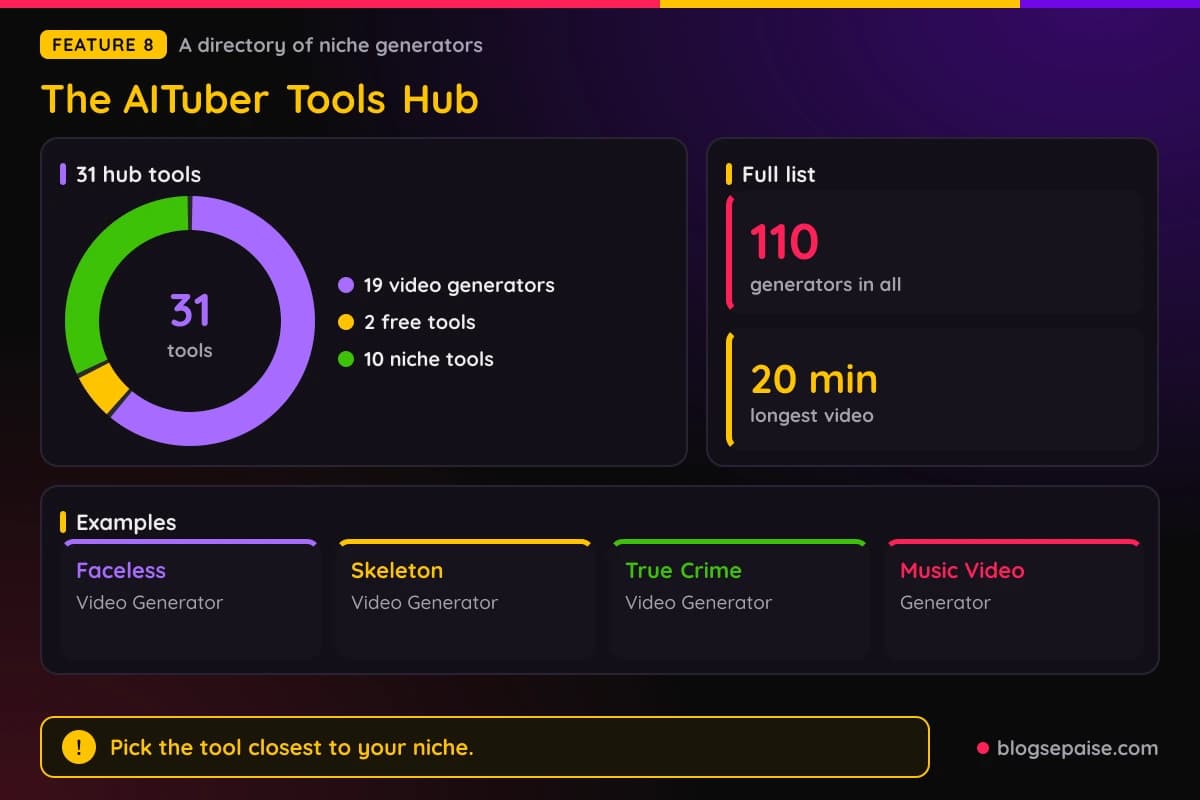
The tools hub is a directory of 31 tools. Each one is tuned for a niche or a format and has its own landing page.
Nineteen of them are video generators. Two are free ideas and scripts tools, and ten are niche idea and script tools.
AITuber also offers a list of 110 generators. Many are narrow, from Spotify Canvas loops to pool restoration timelapses.
Start with the general tools. The AI Faceless Video Generator turns a topic such as a listicle, story, or explainer into a faceless video in three steps.
The AI Video Generator targets narrative and story content, and Text to Video AI turns pasted text into a video. Both export up to 4K and publish to YouTube.
Social format tools include the AI TikTok Video Generator, the Faceless Reels Generator, and the AI YouTube Shorts Generator. The TikTok tool builds hook-first scripts and supports batch creation.
A free AI YouTube Shorts Generator sits next to the paid one. Reels get their own tool, with 15 to 30 seconds as the sweet spot even though renders can reach 20 minutes.
Story niches have their own tools. The hub lists an AI True Crime Video Generator, an AI Reddit Story Video Generator, an AI Horror Story Video Generator, and an AI Anime Video Generator.
True crime takes a case description, a Wikipedia link, or a pasted script. Types include cold cases, unsolved mysteries, investigations, and documentary style breakdowns.
The AI Skeleton Video Generator makes what-happens-to-your-body shorts. A translucent 3D skeleton lights up organs while the script escalates from 1 hour to 1 day, 1 week, and 1 month.
Skeleton videos run 15 seconds by default, with 2, 4, and 7 minute options. Viral skeleton shorts tend to land between 25 and 60 seconds.
Character tools include the AI Talking Character Video Generator for 3D talking characters. The AI Avatar Video Generator builds realistic avatars from a photo you own.
Music tools include the AI Music Video Generator, the AI Lyric Video Generator, and a free music video generator. Lyric videos use word-level timing for the text.
The AI Construction Timelapse Generator makes a timelapse from one prompt. It shows how far the engine reaches beyond talking videos.
The ten niche tools pair ideas and scripts for True Crime, History, Psychology, Mythology, and Reddit Stories. The two free tools, Video Ideas Generator and Script Generator, work for any niche.
The list of 110 goes on. Examples include the AI Documentary Video Generator, the AI Bedtime Story Generator, the AI Educational Video Maker, and the ChatGPT Video Generator.
Business tools include the AI Ad Video Generator and the AI Product Video Generator. Presenter tools include the AI Lip Sync Generator and the AI Presenter Video Generator for course instructors.
Document tools include PDF to Video AI and Article to Video AI. Health tools include 3D body animation, dental animation, and patient education generators.
Music extras include a Karaoke Video Maker, a Spotify Canvas Generator for 3 to 8 second vertical loops, and an AI Music Visualizer.
Model tools include a Grok video generator, which opens xAI's video model in the browser. A First Frame to Last Frame generator makes video between a start image and an end image.
Character fun fills the health niche. The AI Talking Food and AI Talking Fruit generators make animated foods that explain their benefits, and Secret Life of Stuff brings 3D objects to life.
Pick tools by input. Use text to video for articles, the true crime tool for case summaries, and the skeleton tool for health scenarios.
The Faceless Reels Generator suits ideas you can state in one sentence. Describe the Reel, and AITuber builds a visual for each scene with voiceover, optional music, and per-word captions.
The YouTube Automation Tool pairs well with the ideas finder. Together they find ideas, write scripts, and publish on a schedule.
Most video tools share the same settings, so learning one teaches you the rest. Pick the tool closest to your niche and treat the others as a menu of starting points.
AITuber Pricing Plans
AITuber sells credits, and plans differ by how many credits you get. Every plan includes every template, voice, style, 4K export, API and MCP access, and credits that never expire.
There are seven plans and a Monthly or Yearly toggle. Yearly billing is labeled Save 17%, and a year costs 10 months of the monthly price.
New users start free with 100 credits and no card. That covers a first short video.
Creator costs $39 a month, or about $33 a month billed $390 yearly. It gives 2,500 credits, about 71 shorts, and 1 channel on autopilot.
Pro is marked Most Popular at $69 a month, or about $58 billed $690 yearly. It gives 5,000 credits, about 142 shorts, 2 channels, and team invites.
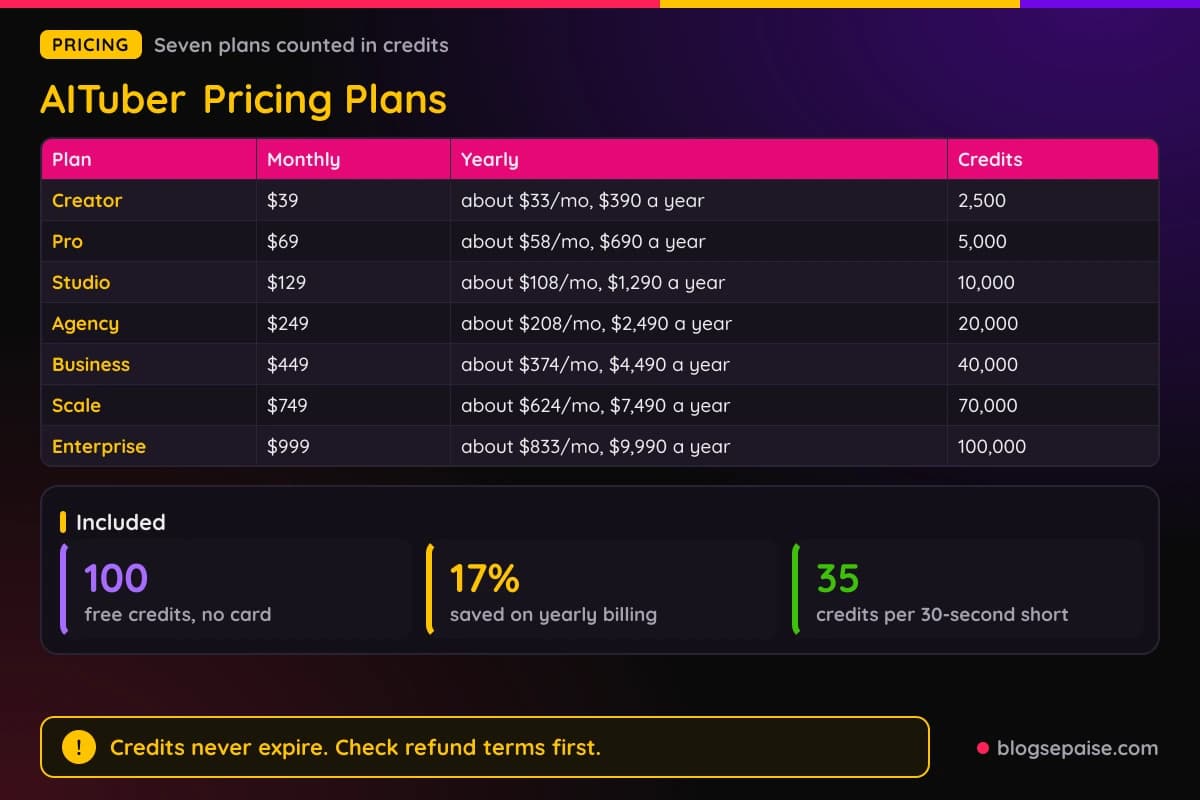
Studio costs $129 a month, or about $108 billed $1,290 yearly. It gives 10,000 credits, about 285 shorts, and 4 channels.
Agency costs $249 a month, or about $208 billed $2,490 yearly. It gives 20,000 credits, about 571 shorts, and unlimited channels.
Business costs $449 a month, or about $374 billed $4,490 yearly. It gives 40,000 credits and about 1,142 shorts.
Scale costs $749 a month, or about $624 billed $7,490 yearly. It gives 70,000 credits and about 2,000 shorts.
Enterprise costs $999 a month, or about $833 billed $9,990 yearly. It gives 100,000 credits and about 2,857 shorts.
Credit value improves up the ladder. Creator gives about 64 credits per dollar on monthly billing, while Enterprise gives 100.
Per short, Creator monthly works out to about $0.55 for a 30-second video, and Enterprise to about $0.35. Yearly billing brings those to about $0.46 and $0.29.
Those estimates assume 30-second shorts at about 35 credits each. Longer videos, AI video clips, and higher quality tiers use more credits, so real costs run higher.
Yearly billing saves $78 on Creator, $138 on Pro, and $258 on Studio. It saves $498 on Agency, $898 on Business, $1,498 on Scale, and $1,998 on Enterprise.
Credits land in your balance at once, and they never expire. You can cancel or change plans anytime with no contract, and credits you already hold stay in your account.
Creator has no team seats, and Pro and above let you invite team members. AITuber does not state how many seats each plan holds.
AITuber does not list refund terms on its pricing, and it shows no credit top-up add-ons or support tiers. Watermark rules are not stated per plan either.
Start with the free credits, make one short, and count what it costs. Then pick the plan that matches the shorts you need each month.
Who Is AITuber Best Suited For
AITuber fits people who want video without showing a face or editing footage. Faceless creators are the core group.
YouTube creators who run niche channels in true crime, history, psychology, mythology, or Reddit stories get a ready-made generator for each niche. Idea and script tools back them up.
Short form posters on TikTok, Instagram Reels, and YouTube Shorts get 9:16 output, hook-first scripts, and word-synced captions.
Channel managers who run many channels fit the higher plans. Agency and above have unlimited autopilot channels.
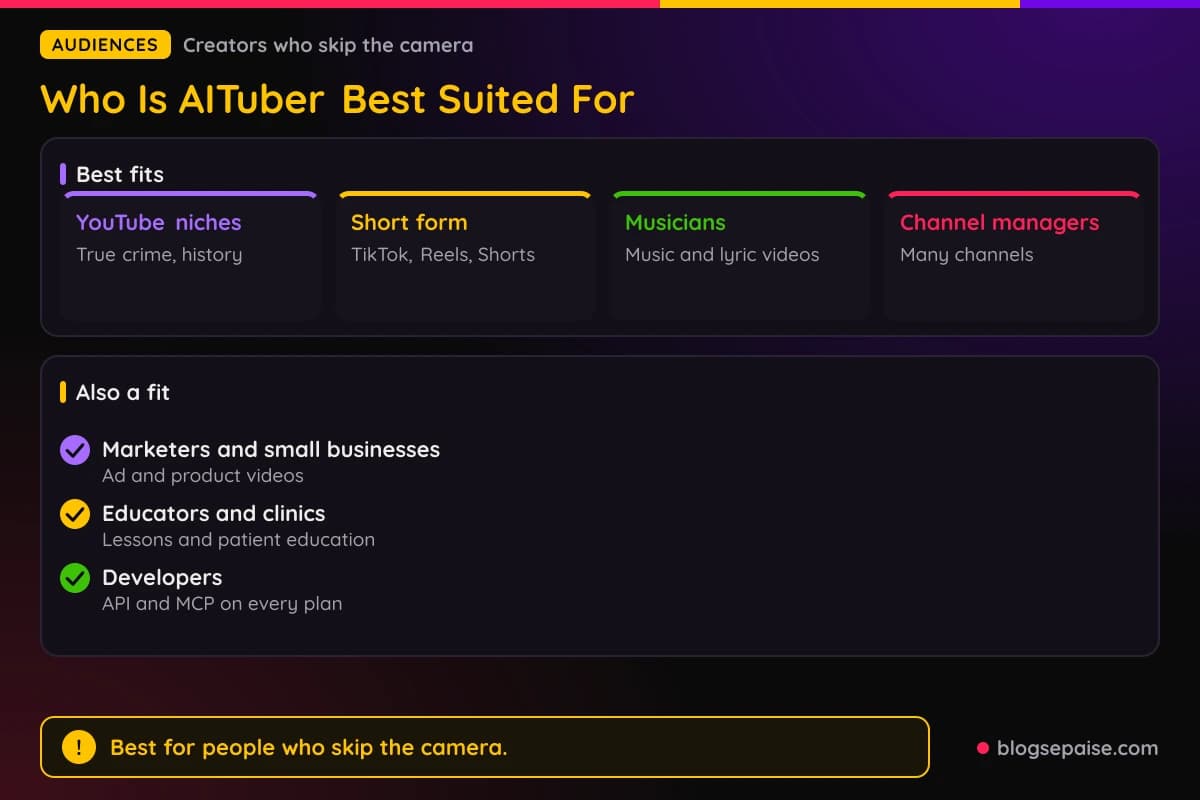
Musicians and indie artists can turn a song into visuals with the AI Music Video Generator. Lyrics sync word by word, and the video exports in three aspect ratios.
Marketers and small businesses can use the AI Ad Video Generator, the product video tool, and the talking head and UGC ad template with avatars.
Educators and course creators can use the AI Educational Video Maker, the presenter tools, and the Kids Educational Video Generator for lessons.
Health creators can use the skeleton, talking food, and 3D body tools. Clinics can use the patient education and dental animation generators.
Developers and agent builders get API and MCP access on every plan. Code or an AI agent can make videos without a person in the editor.
Beginners with no editing skills do fine here. The flow is a topic in and a finished video out.
Who AITuber Is Not For
AITuber is not the right tool for everyone. Anyone who wants to film themselves and edit real footage will find little to use.
If you have long recordings and want shorts cut from them, a clipping tool fits better. Our Klap review covers one built for that job.
Editors who want frame-level control, timelines, and layers need a full editor. AITuber builds a video from a prompt, and in-app editing for finished music videos is not available yet.
Heavy users should watch their credits. A Max quality image costs 30 credits, so frequent long videos can push you to a larger plan.
Anyone who needs refund terms spelled out should read the terms before paying. AITuber does not list refund terms on its pricing.
Monetization depends on platform rules. Low-effort reposts can be demoted, so keep your content original and useful.
True crime and health content touches real people and real facts. Fact check every script before you post.
Photo avatars need photos you own. Use your own face or a photo you have rights to, and skip anyone else's likeness.
If none of that stops you, a free start costs nothing. Try one short and judge the result yourself.
AITuber Alternatives
AITuber competes with several AI video makers. Well-known options include Invideo, Pictory, Fliki, HeyGen, and CapCut.
Check each tool's current pricing and features before you choose. Plans and limits change often.
Invideo is a general text to video tool with templates and stock media. It fits marketers who want a broad toolkit.
Pictory turns scripts, articles, and blog posts into video. It overlaps with AITuber's Text to Video AI and Article to Video AI tools.
Fliki pairs text with voices and visuals, and it leans on voiceover. It suits people who start from a script.
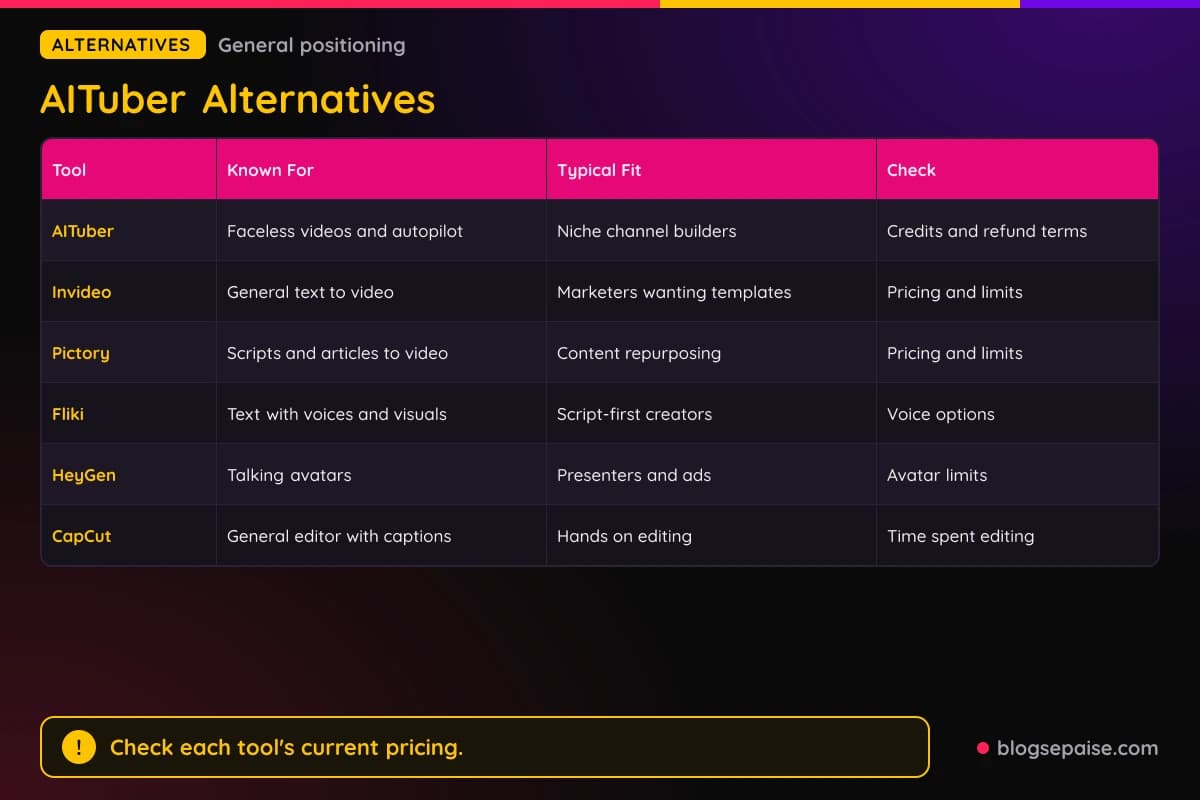
HeyGen focuses on talking avatars and presenters. AITuber covers avatars too, but its core is faceless shorts and autopilot.
CapCut is a general editor with manual control and auto captions. It gives you more hands on control, while AITuber builds the first draft for you.
AITuber stands out for Autopilot, niche generators, and API and MCP access on every plan. Those extras suit channel builders more than one-off video makers.
On price, AITuber starts at $39 a month, or about $33 billed yearly. Compare that with each rival's current plans.
For other AI video tools, read our JoggAI review. Our SendShort review covers a short video tool, so pick the one that matches the video you make.
AITuber Use Cases
AITuber's best uses follow its tools. Pick the job closest to yours.
A faceless YouTube channel is the classic case. True crime, history, psychology, and motivation channels can run on Autopilot with a daily schedule.
Daily shorts for TikTok, Reels, and Shorts are the second case. One idea becomes a 9:16 video in 2 to 5 minutes.
Repurposing written content is a third. Text to Video AI, Article to Video AI, and PDF to Video AI turn posts and reports into video, and our guide to repurposing content shows why that pays off.
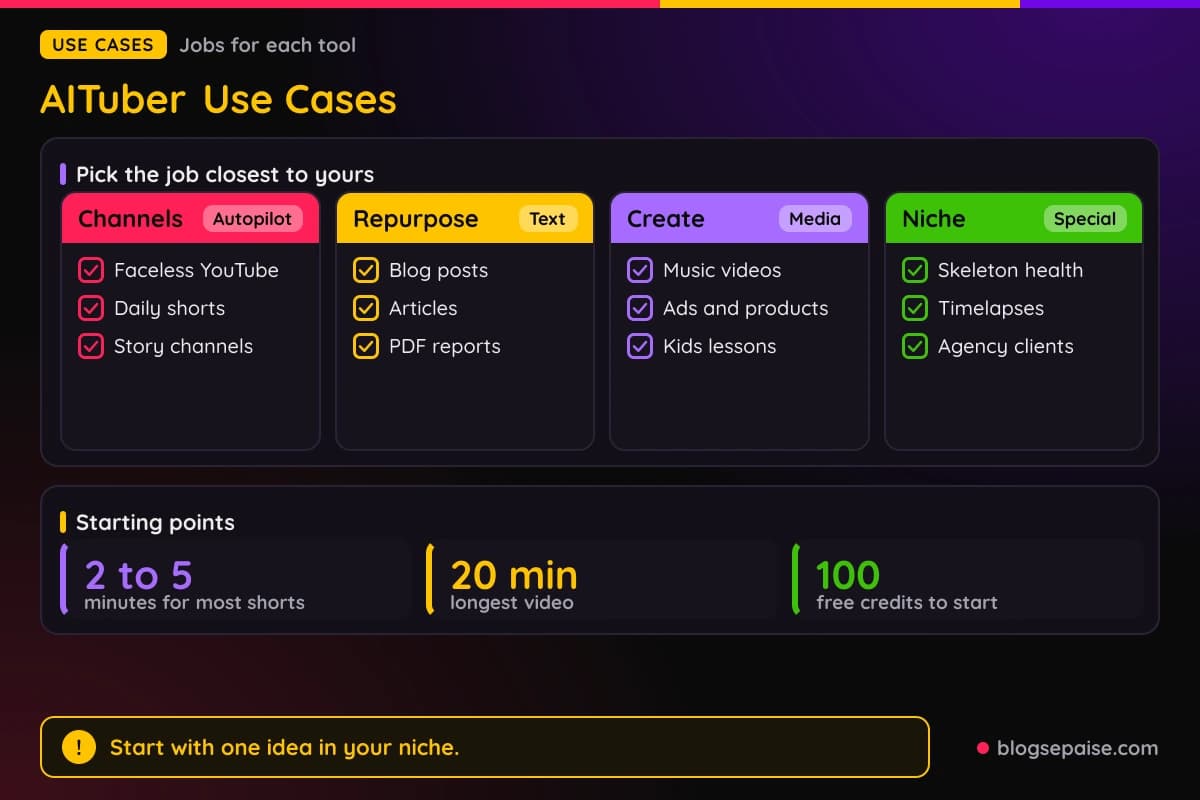
Music videos suit artists. The AI Music Video Generator and the AI Lyric Video Generator turn a song into a video with synced lyrics.
Ads and product videos suit small businesses. The AI Ad Video Generator and the AI Product Video Generator write scripts and build visuals from a description.
Education suits teachers and clinics. Kids lessons, patient education, and course presenters each have a generator.
Story channels suit Reddit story, horror, and bedtime story formats. Each one pairs narration with matching visuals.
Skeleton and health shorts suit anatomy channels. The what-happens-if format keeps one character across a whole series.
Agencies can manage client channels on the Agency plan and above. API and MCP access also let code or an AI agent trigger videos.
Timelapse content is a niche use. Renovation, pool restoration, and construction generators make before and after videos from a prompt.
If you plan a lot of YouTube content, our YouTube video idea generator can feed the ideas step.
Final Thoughts On AITuber
AITuber does one job well: it turns a topic into a finished faceless video with voice, visuals, captions, and music. Autopilot then posts it for you.
The voice library of 1,300+ voices in 140+ languages is the standout. Word-synced captions and scene regeneration round out the core.
The tools hub adds 31 tools and 110 generators for niche formats. That breadth helps when your niche is narrow.
Pricing is easy to read, with seven plans from $39 to $999 a month. Credits never expire, and yearly billing saves 17%.
AITuber does not list refund terms, support tiers, or one clear watermark rule. Read the terms and test a free export first.
Faceless channel builders get the most from AITuber. Autopilot, niche generators, and 4K export cover most of the work between an idea and a published video.
Artists, marketers, and teachers get value too, through the music video, ad, and educational tools. Each one starts from a prompt, a song, or a script you already have.
Heavy users should watch credits, since higher quality tiers and long videos cost more. A larger plan lowers the cost per short, and yearly billing lowers it further.
Start with the 100 free credits and make one short in your niche. Judge the voice, the look, and the cost per video before you pick a plan.
You can browse more write-ups on our software reviews hub if you want to compare tools side by side.
AITuber FAQ
1. What Is AITuber?
AITuber is an AI video maker for faceless shorts and long-form videos. You enter a topic, and it writes the script, makes visuals, records a voiceover, and adds captions.
It also publishes to YouTube, TikTok, Instagram, Facebook, Threads, and X.
2. Is AITuber Free To Use?
You can start free with 100 credits and no credit card. That covers your first short video.
AITuber does not describe a permanent free tier beyond that start, so plan on a paid plan for regular use.
3. How Much Does AITuber Cost?
Creator costs $39 a month or about $33 a month billed yearly. Plans rise through Pro, Studio, Agency, Business, and Scale to Enterprise at $999 a month.
Yearly Enterprise runs about $833 a month, billed $9,990 a year.
4. How Long Does AITuber Take To Make A Video?
Most shorts finish in 2 to 5 minutes, and a 60-second Short can finish in under 2 minutes. You can close the tab and check back later.
AI music videos take longer, with about 2 to 3 minutes for the song and 3 to 5 minutes for the video.
5. How Many Voices And Languages Does AITuber Have?
AITuber has 1,300+ voices in 140+ languages, powered by ElevenLabs. Captions sync word by word in those languages.
Counts vary by tool, so test your language with a short video.
6. Can AITuber Publish Directly To Social Media?
Yes. You link each account once, then publish to YouTube, TikTok, Instagram, Facebook, Threads, and X.
You can also download the video and post it by hand. Direct publish options can differ by tool.
7. How Long Can AITuber Videos Be?
Long-form videos run up to 20 minutes. Shorts of 15 to 60 seconds suit TikTok, Reels, and Shorts best.
Skeleton videos use shorter options of 2, 4, and 7 minutes.
8. Do I Own The Videos AITuber Makes?
Yes, videos carry full commercial rights. That does not guarantee monetization, which depends on each platform.
For AI music, Suno songs are yours to use subject to Suno's terms.
9. Does AITuber Have An API?
Yes. API and MCP access come with every plan, so you can make videos from your own code or an AI agent.
The MCP server works with tools such as Claude and Cursor.
10. Can I Cancel AITuber Anytime?
Yes, there is no contract, and you can cancel or change plans anytime. Credits you already hold stay in your account.
AITuber does not list refund terms on its pricing, so read the terms before you pay.