FineVoice Review (2026): Can AI Really Replace Your Voiceover Artist?
FineVoice is an AI audio studio that runs in your browser. It bundles a voice changer, text to speech, voice cloning, a transcriber, a podcast maker, and a few other tools under one account.
The pitch is range. Instead of paying for a separate app for each audio job, you get twelve tools and a library of more than 2,700 voices on one plan.
There are catches to know about before you pay. File limits change from tool to tool, and the pricing page does not always agree with itself.
Here is the short verdict. FineVoice is a strong pick for creators, podcasters, and small teams who want many audio tools at a low monthly price.
It is a weaker pick for anyone who needs studio polish on one single task, or who works with very long audio files.
Disclosure: Some of the links I share might be affiliate links. If you click on one and make a purchase, I may earn a small commission as a thank you. But don’t worry, it won’t cost you anything extra. I only recommend stuff I genuinely believe in. Your support helps me keep creating awesome content. You can read my full affiliate disclosure in my disclaimer page.
If you want to save a lot of hours searching for high-paying affiliate programs, check out our exclusive list of 2500+ affiliate programs. You’ll find all the information about the programs inside the list. This list is perfect for affiliate bloggers and influencers.
FineVoice Features
1. AI Voice Enhancer
Bad audio ruins good content. A fan hums in the background, a car passes outside, and a clean take turns into a reshoot.
The AI Voice Enhancer cleans recordings in the browser, and the page says no sign up is needed. You upload a file or record on the spot, pick your options, and click Enhance.
Twelve options sit behind that button. They include Remove Noise, Remove Long Silences, Remove Mouth Sounds, Eliminate Hesitations, Remove Stuttering, Filler Words, Remove Breath, Normalize, Studio Sound, Mute Segments, Keep Music, and AutoEQ.
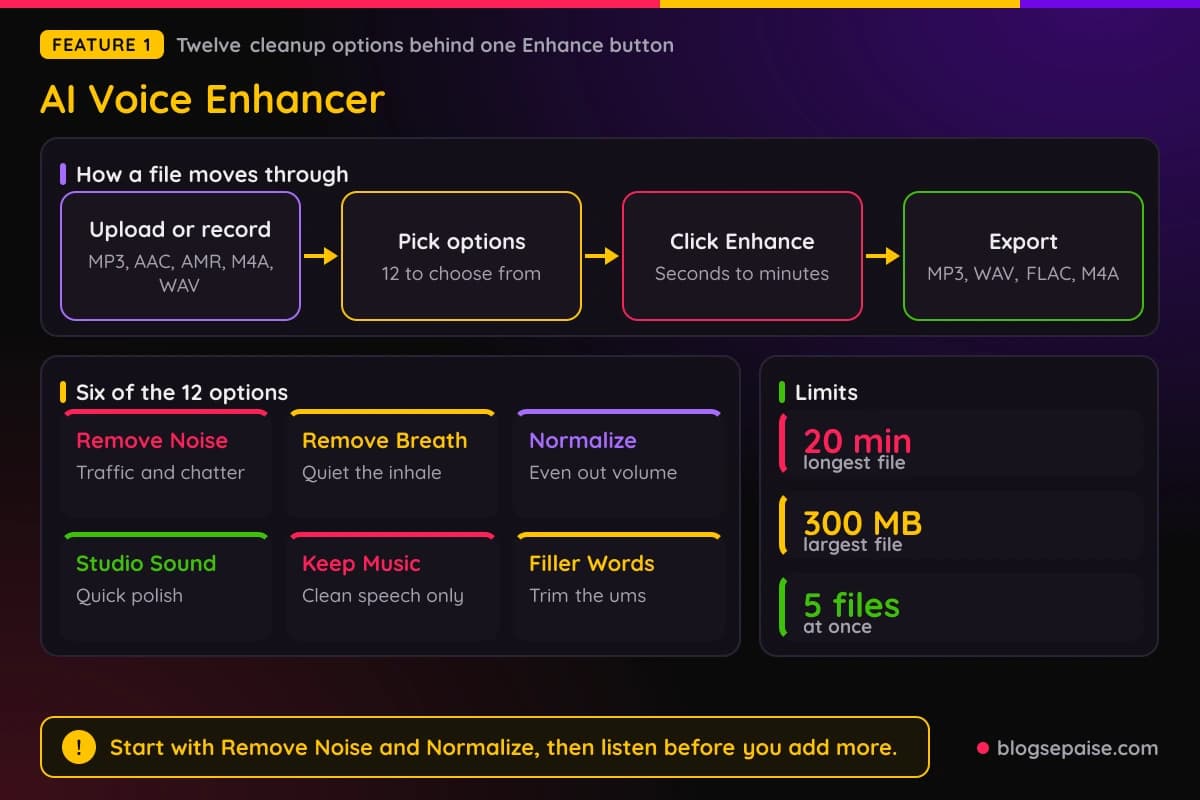
Keep Music is handy for videos, since it cleans the speech and leaves the background track alone. Studio Sound and Normalize give a phone recording a polish that sounds closer to a mic recording.
Limits are generous for most clips. A file can run up to 20 minutes and 300 MB, and you can process up to 5 files at once.
Inputs are MP3, AAC, AMR, M4A, and WAV, and exports come as MP3, WAV, FLAC, or M4A. A typical file takes seconds to a few minutes, depending on length and the options you pick.
A good habit is to start small. Run Remove Noise and Normalize first, listen, and then add more filters only if the voice still needs help.
2. AI Voice Changer
Sometimes you want a different voice, not just a cleaner one. The AI Voice Changer takes a recording and turns it into another voice using the FineVoice OVC Max model.
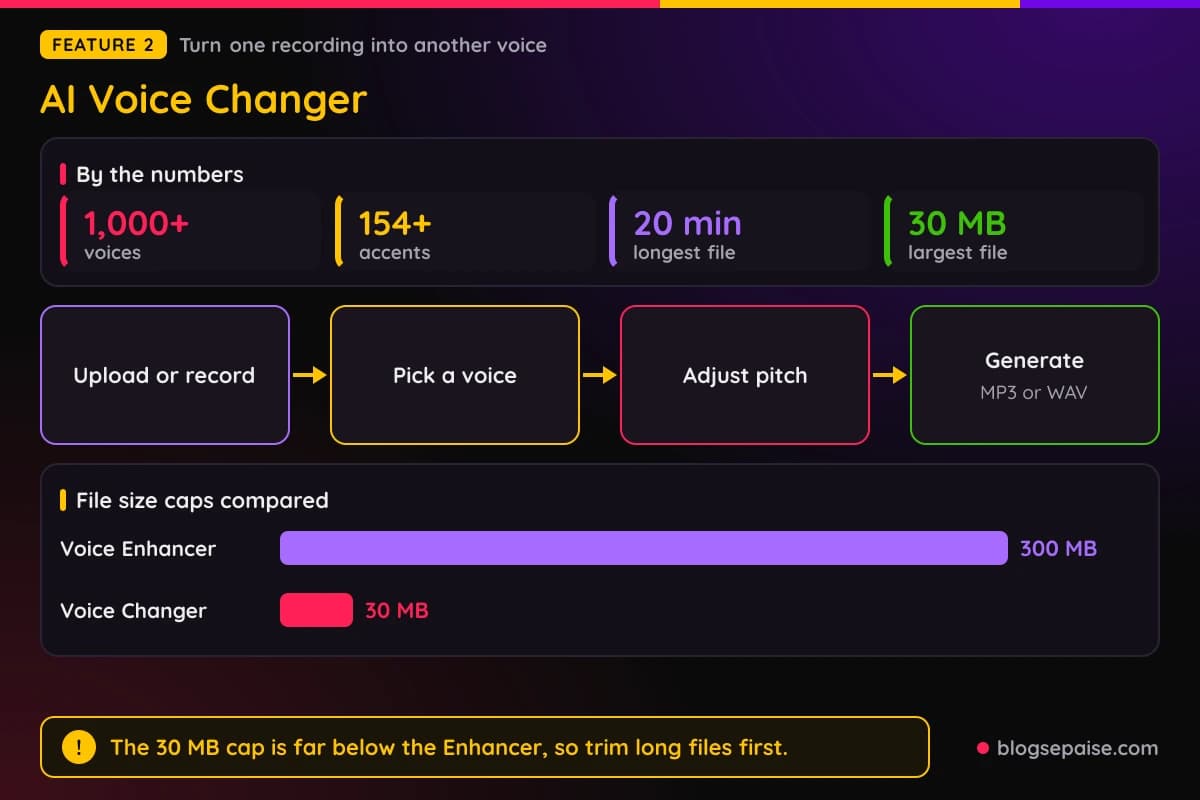
You upload a file or record on the site, pick a voice from the library, and adjust the pitch if you like. Then you choose MP3 or WAV and click Generate.
The library lists more than 1,000 voices and more than 154 accents. Categories include Girl, Grandma, Chipmunk, Kid, Demon, Robot, Anime, Radio, Alien, Deep, and Monster.
Custom options go further. You can bring in your own cloned voice, a designed voice, or an RVC model that you uploaded.
Uploads can run up to 20 minutes and 30 MB, in MP3, AAC, AMR, M4A, or WAV. That 30 MB cap is far below the 300 MB the enhancer allows, so long files may need a trim first.
Speed claims on the page disagree. The FAQ says most conversions finish in under 30 seconds, while another section says minutes.
The page also says recordings are not stored, and it bans the tool for scams or impersonation. Treat voice tools like any other creative tool and get permission before copying a real person.
3. AI Voice Cloning
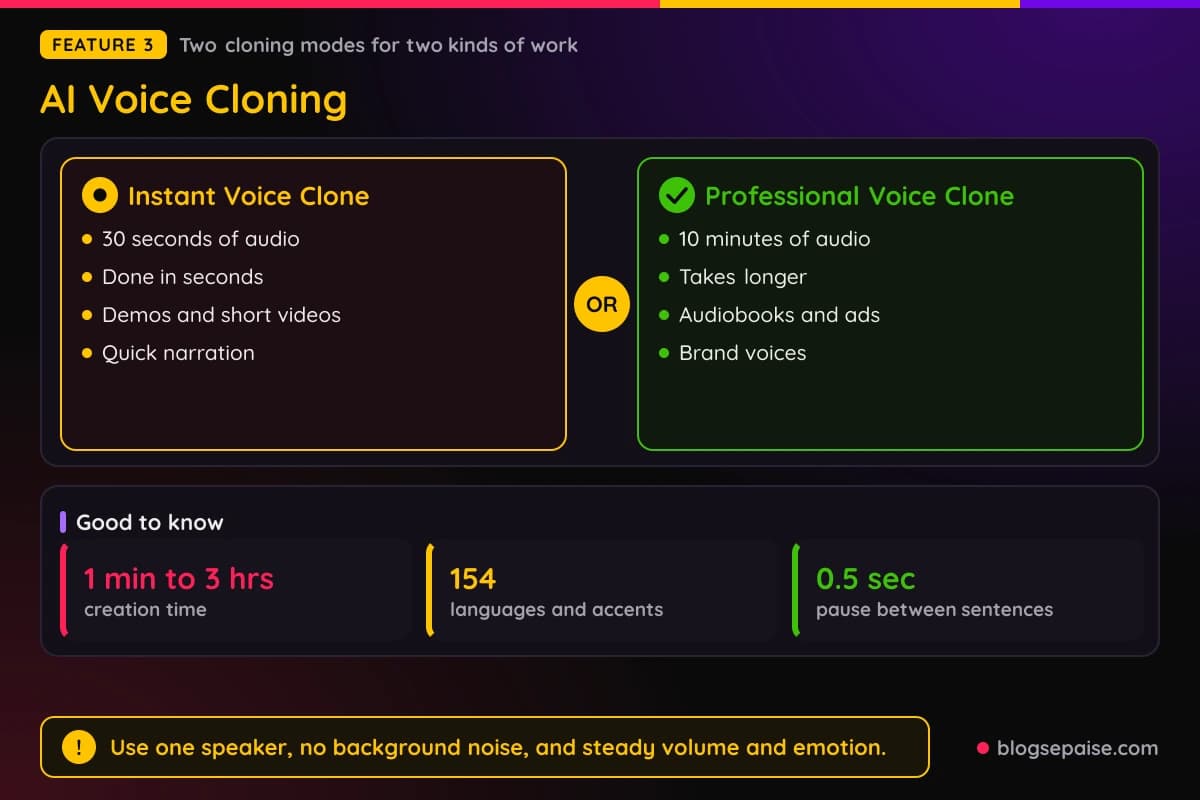
Voice cloning gets the most attention, and FineVoice offers two modes. Instant Voice Clone needs about 30 seconds of clear audio and finishes in seconds.
Professional Voice Clone needs about 10 minutes of high quality recordings. It takes longer, and the page says it captures more of the emotion and nuance in a voice.
Instant suits demos, short videos, and quick narration. Professional is aimed at audiobooks, ads, and brand voices.
Setup is simple. Pick a mode, upload or record a clear sample, enter a model name, add an image, and choose a gender and language.
Sample advice on the page is practical. Use one speaker, avoid background noise, keep volume and emotion steady, and leave short pauses of about half a second between sentences.
Clones can speak other languages too, since the page lists cross lingual synthesis across 154 languages and accents. Creation time runs from about 1 minute to 3 hours, depending on the mode and the sample.
You can also upload RVC model files in .pth format and use them in Text to Speech and the Voice Changer. The page asks you to clone only voices you have legal permission to use.
4. AI Sound Effect Generator
Stock sound libraries get expensive and repetitive. The AI Sound Effect Generator makes a sound from a description instead.
Type what you want into the Creative Description box, which holds up to 250 characters, and pick a duration. A Negative Description box lets you list sounds to avoid.
Click Generate, preview the result, and download it as an MP3. The page says generation takes a few seconds.
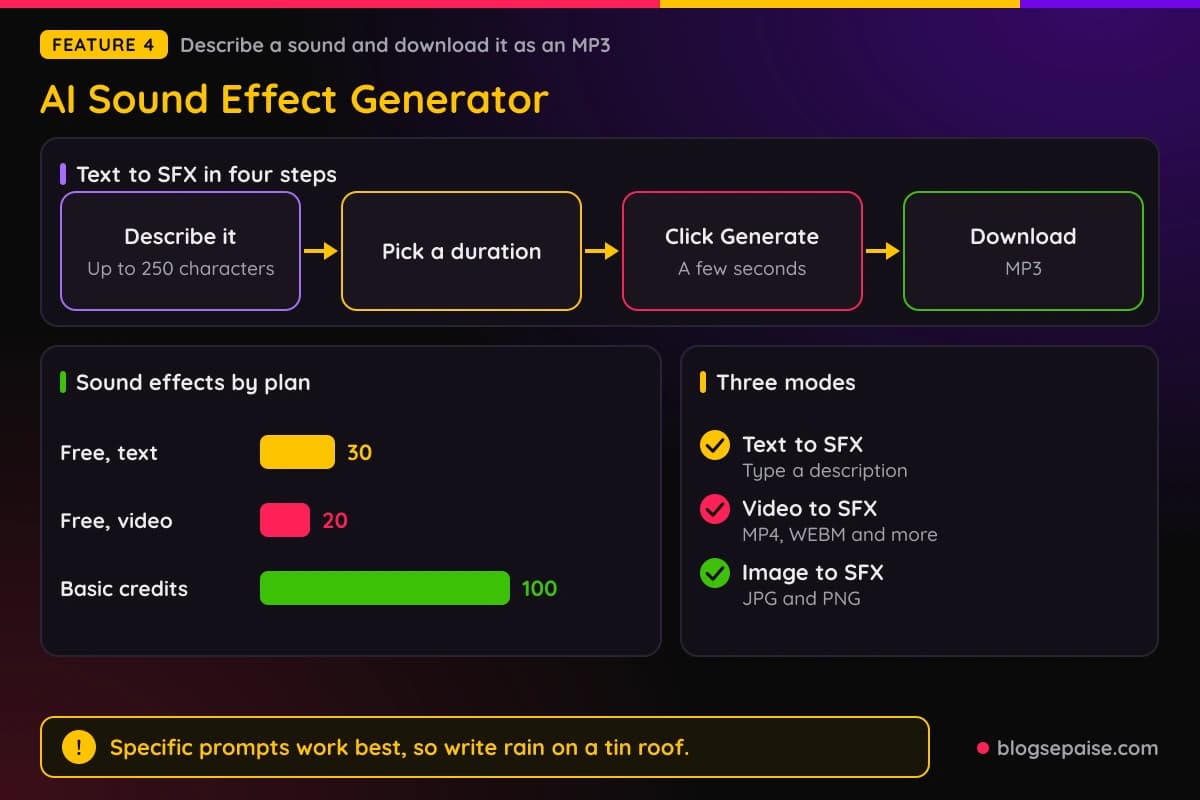
Two other modes exist. Video to SFX and Image to SFX look at video frames or pictures and suggest matching sounds, with inputs such as MP4, WEBM, JPG, and PNG.
A History panel keeps past results, and you can sort it newest or oldest first or filter by mode. The page calls the output copyright free and says commercial use is allowed.
The free tier gives up to 30 sound effects from text and 20 from video, and Basic lists 100 credits. Specific prompts work best, so write rain on a tin roof instead of just rain.
5. Text to Speech
Text to Speech is the core tool, and the numbers are big. The library lists more than 2,700 voices across 154 languages and accents.
You type or paste text, or import a .txt, .docx, or .srt file. Then you pick a voice and click Generate, and the page says processing usually takes a few seconds.
Controls go beyond voice choice. Pitch defaults to 0 and speed to 1, and the FineVoice TTS Max model adds Temperature and Top P settings, both at 0.9 by default.
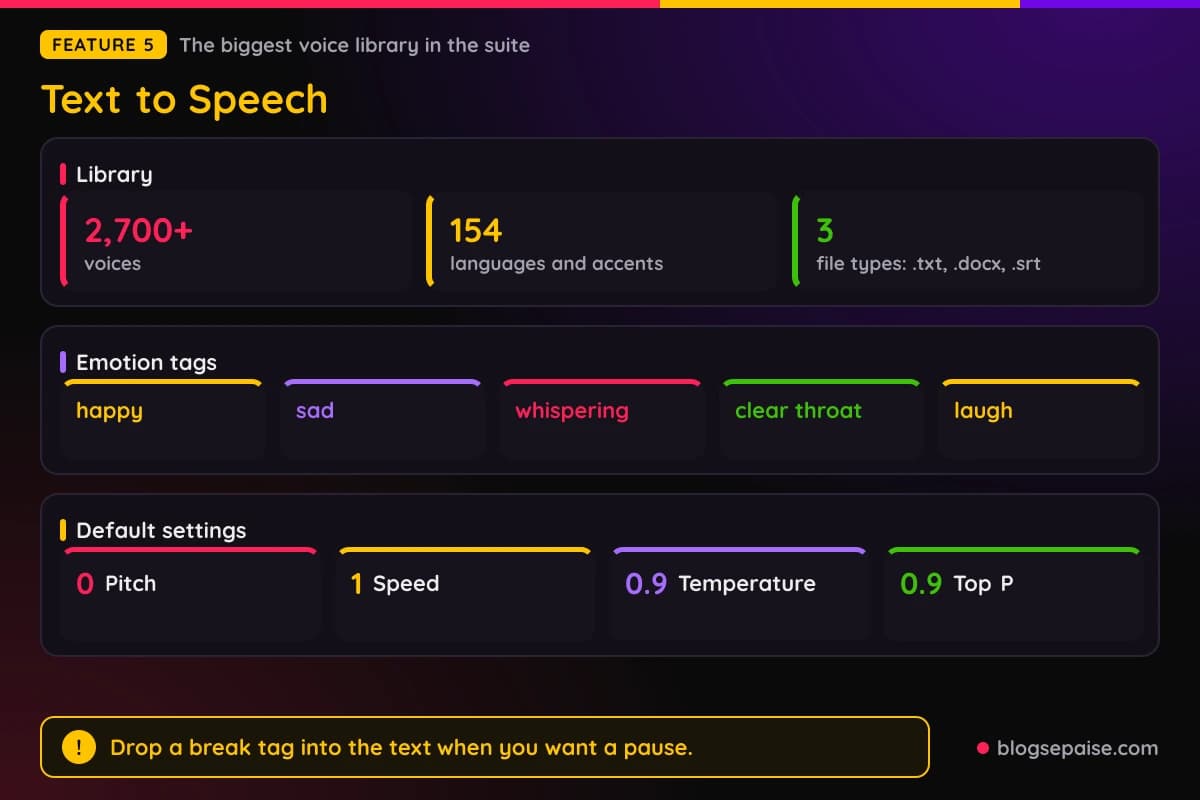
Emotion tags add acting to a script. Examples include happy, sad, whispering, clear throat, and laugh, and you can drop a break tag into the text for a pause.
Voices from the official FineVoice models can be used in commercial work. Voices from community models are for personal use only, according to the voice library pages.
Free limits are confusing. The tool pages mention 2,000 characters a month, while the pricing page lists 1,000 characters a day, so check your account for the real number.
A desktop app for Windows and Mac is available too, and the web version works on phones and tablets.
6. Speech to Text
Speech to Text turns audio, video, and links into written text. You upload a file or record in the browser, pick a language or Auto, and click Convert.
Output comes as TXT, JSON, SRT, or VTT, and the SRT and VTT files carry timestamps for subtitles. Word level timestamps and speaker identification are listed as options.
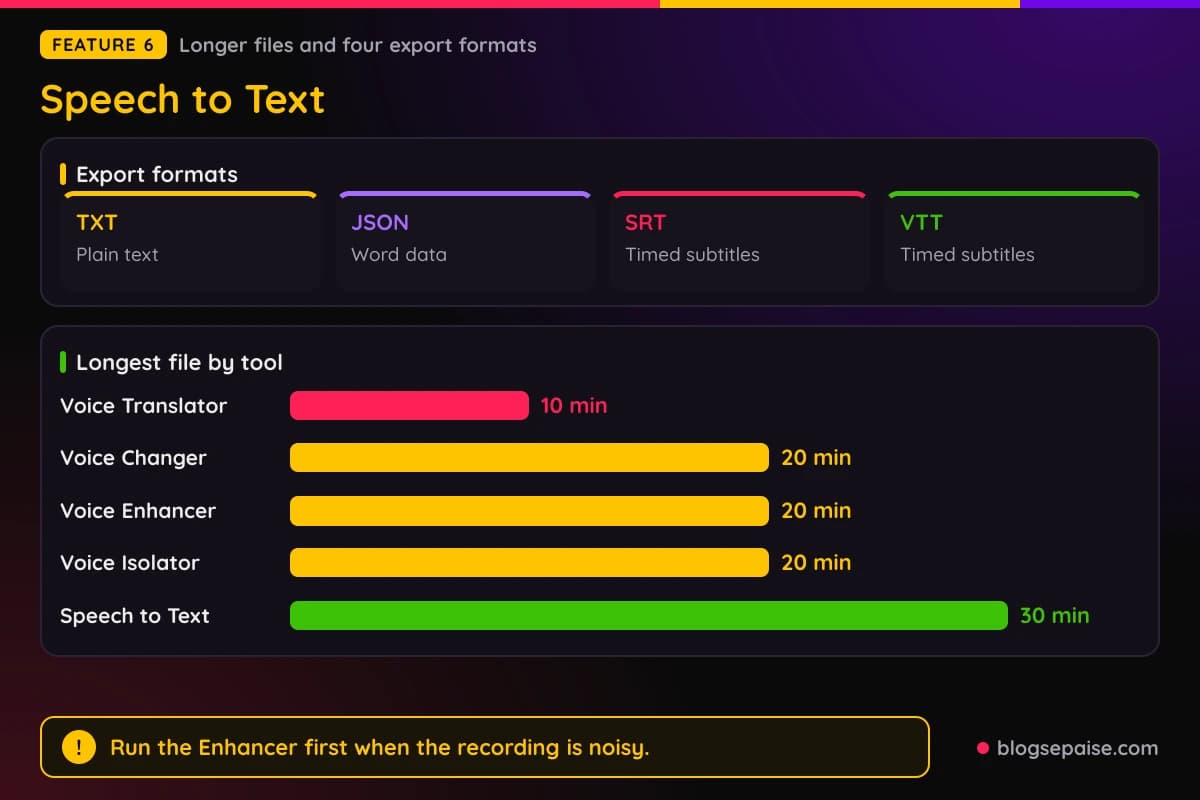
Limits are better here than on the voice tools. A file can run up to 30 minutes and 300 MB, and you can convert 5 files at the same time.
Language support is described as over 90 languages in some places and over 100 in others. Accuracy claims vary too, with the page promising up to 95 percent precision.
A 20 minute file takes about 5 minutes to transcribe, according to the FAQ. Clean audio helps, so run the Voice Enhancer first if the recording is noisy.
The free tier lists 30 minutes a day, and Basic lists 120 minutes. Reviewers on the page ask for automatic paragraphs and better speaker labels.
7. AI Voice Translator
The AI Voice Translator turns speech in one language into text or voice in another. You record or upload audio, choose a target language, and pick text, voice, or both.
The page lists more than 100 languages and dialects, with examples such as Spanish, French, German, Arabic, Hindi, Japanese, Korean, Swahili, and Zulu. A gender selector controls the output voice.
Files can run up to 10 minutes and 30 MB, in MP3, AAC, AMR, M4A, or WAV. That is shorter than most other tools here, so long talks need to be split.
The page claims the voice output keeps tone, pitch, and pacing, and that transcription accuracy is above 95 percent. Those are vendor claims, so test a sample before you trust it with client work.
Results arrive within seconds, according to the page, and the tool works in mobile browsers with no app. One testimonial mentions a 90 minute keynote, which conflicts with the 10 minute limit, so trust the limit.
Dedicated pages exist for Arabic, French, Hindi, Portuguese, and Spanish to English. Basic lists 30 minutes of translation and Pro lists 60 minutes.
8. AI Podcast Generator
The AI Podcast Generator builds an episode from a link, pasted text, or an uploaded TXT or PDF file. It writes a script first and then voices it.
You pick Co-hosted or Single Host mode, with up to 2 voices per episode. The voice list names 28 voices, such as Olivia, Ethan, Harrison, and Gabriel.
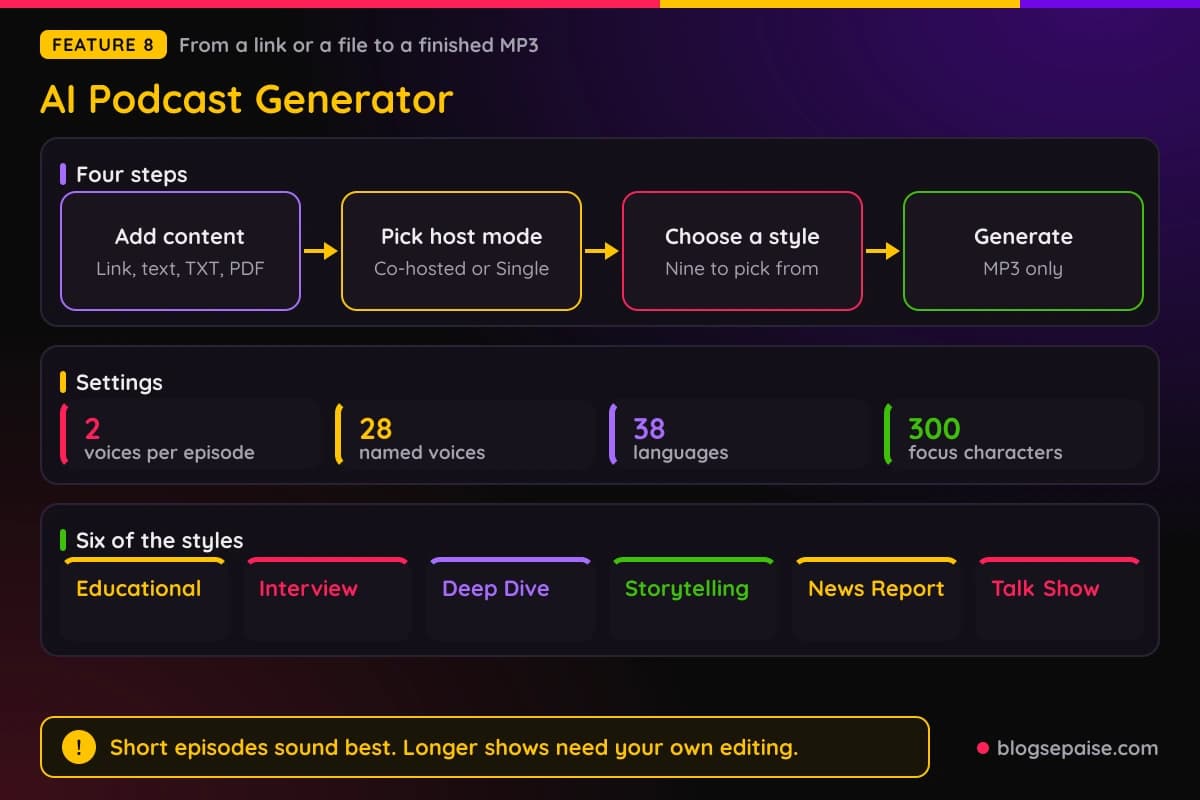
Length options run from 1 to 3 minutes up to 8 to 10 minutes. Styles include Educational, Interview, Deep Dive, Storytelling, News Report, Talk Show, Personal Growth, Funny, and Roast.
A focus box of up to 300 characters tells the hosts what to stress. The tool supports 38 languages and accents and exports MP3 only.
The page claims a finished MP3 in under 3 minutes from a final script. Reviews on the page praise short episodes and mention pacing drift and repetition past 40 minutes.
Full cast dramas with overlapping emotion needed manual editing in one review. Basic lists 1,800 podcast credits and Pro lists 3,600.
That makes it a good fit for turning a blog post into a quick audio version. Longer shows will need your own editing.
9. AI Voice Design
Voice Design makes a new voice from a written description. You describe tone, age, gender, personality, accent, pacing, and emotion in the Prompt box.
An AI Enhance option rewrites your prompt, and a Preview Text box holds up to 300 characters of script. Text over 150 characters gives the best preview, according to a tip on the page.
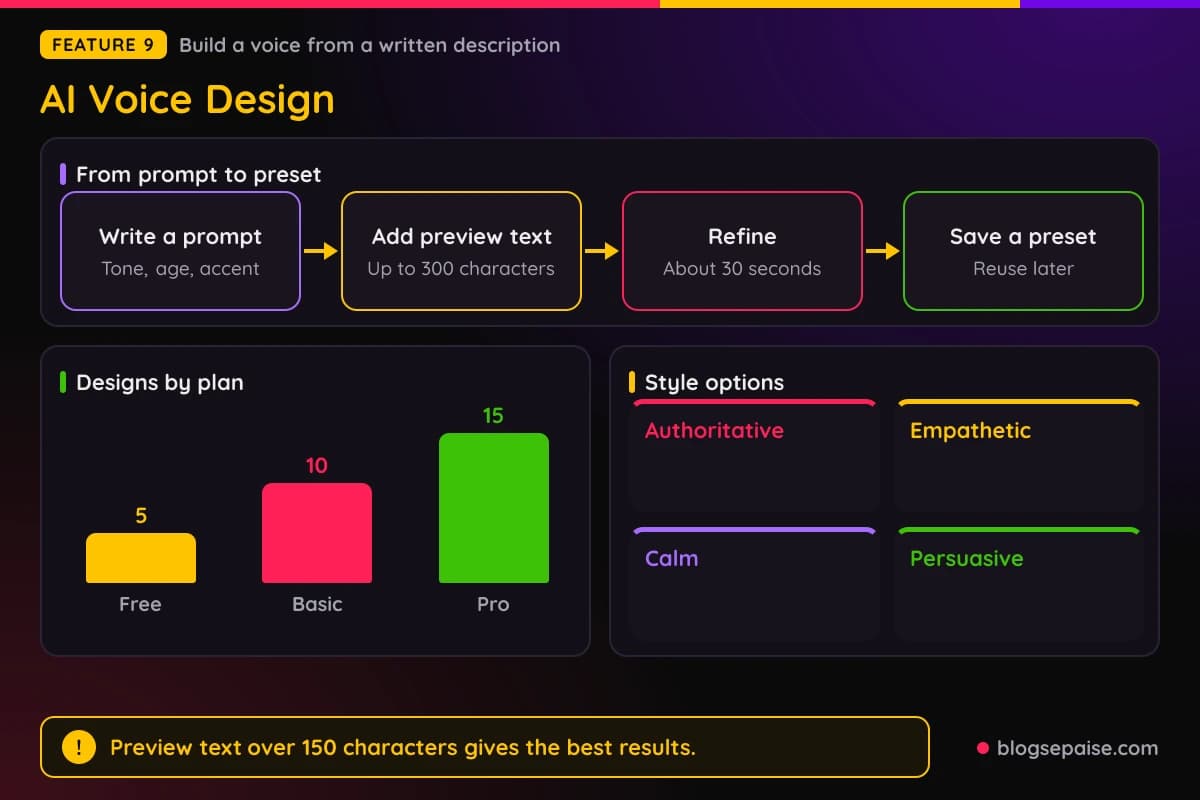
The page says you can preview and refine within about 30 seconds. You can adjust pitch, pacing, and emotional style, with styles such as Authoritative, Empathetic, Calm, and Persuasive.
Designs can be saved as a Voice Preset, so the same voice returns in later projects. A History panel keeps earlier tries sorted newest or oldest first.
Free users get 5 designs, Basic gets 10, and Pro gets 15, while the Ultra card lists unlimited. Commercial rights come with a paid plan, according to the page.
Reviewers asked for tag filtering in the library and more UK and Australian accents. If you need a brand voice and cloning feels like too much work, this is the faster route.
10. AI BGM Generator
The AI Background Music Generator writes a track from a text prompt. You describe the mood in the Creative Description box and pick genres, moods, and instruments under Music Style.
Genres named on the page include pop, cinematic, ambient, electronic, and electro pop. Moods include bright, tense, calm, relaxed, energetic, and warm.
Presets save time. Categories include Travel Vlog, Rhythmic Editing, AI Tech Brand, Brand Story, Calm Focus, Creative Focus, Dream and Emotion, Fantasy Animation, Deep Sleep Ambient, and Healing Piano.
The style field has a 500 character counter. Click Generate and the page says a track arrives in a few seconds.
The page calls the music royalty free for personal and commercial use. It does not state a maximum track length for the web tool or the file formats, so confirm those inside the app.
Credits are small. Free gives 3 tracks, Basic gives 10, Pro gives 20, and Ultra gives 30 on the pricing table, while the plan card lists Ultra as unlimited.
One reviewer wanted deeper editing controls. Treat this tool as a quick bed for voiceovers rather than a full music studio.
11. AI Talking Photo
Talking Photo animates a still image so it looks like it speaks. You upload a photo or pick a public AI avatar, then add text, an audio file, or a recording.
Image files can be JPG, PNG, or WEBP up to 20 MB. A clear, front facing portrait with good lighting and an uncovered mouth gives the best result.
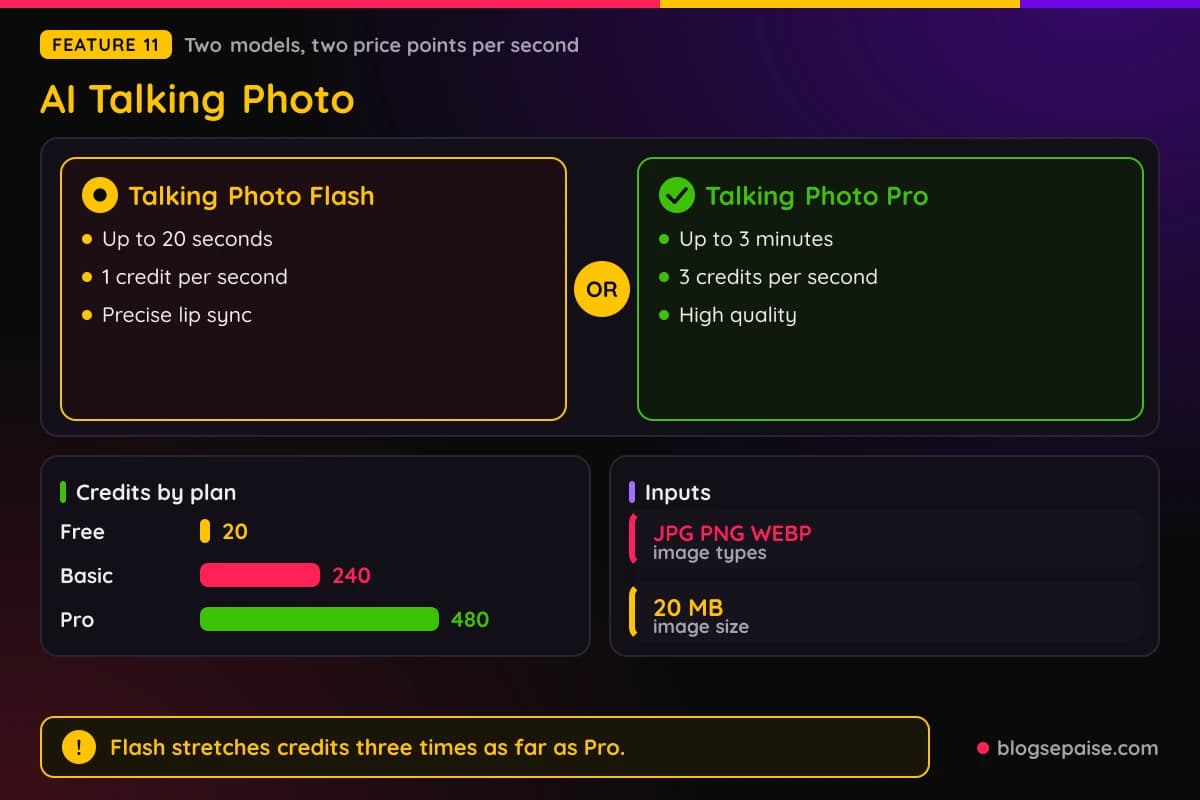
Two models are offered. Talking Photo Flash gives precise lip sync for clips up to 20 seconds at 1 credit per second, and Talking Photo Pro runs up to 3 minutes at 3 credits per second.
You choose 720P or 1080P and click Generate, then preview and download an MP4. Text input holds up to 250 characters, and a prompt box lets you direct the character.
Cartoon Mode and Realistic Mode both exist, and the tool works on selfies, digital art, and illustrations. The page says realism is highest with human faces.
Free users get 20 credits, Basic gets 240, and Pro gets 480. Reviewers note that HD renders can take a few minutes and that results depend on the source photo.
12. AI Voice Isolator
The AI Voice Isolator pulls speech away from background noise, music, and other sounds. It runs in the browser, and you can upload a file or record audio.
The flow has three steps. Upload, let the AI separate the voice, then preview and download the cleaned audio.
You can compare the original and isolated versions before you download. The FAQ says exports carry no watermark, and files are encrypted and deleted after processing.
Files can run up to 20 minutes and 30 MB, in MP3, AAC, AMR, M4A, or WAV. The FAQ says limits vary by plan, with longer files on paid tiers.
Voice Isolator and Voice Enhancer overlap a little. Pick the Isolator when the background is the problem, and the Enhancer when you also want filler words and breaths trimmed.
For songs with heavy music, the page points to a separate tool called Singify Acapella Extractor. A history section lists your past jobs.
FineVoice Pricing Plans
FineVoice sells three paid plans, and the annual prices on the plan cards are the ones used here. Basic costs $5.99 a month, billed $71.99 every year.
Pro costs $8.33 a month, billed $99.99 every year. Ultra costs $10.83 a month, billed $129.99 every year, and it carries the Most Popular label.
Basic is aimed at everyday creators. It gives 100,000 characters of Text to Speech, 50 credits of Voice Cloning, 24 hours of Voice Changer, and 240 credits of Talking Photo, plus 10 credits of Voice Design and 40 minutes of Voice Enhancer.
Basic also gives 100 credits of Sound Effects, 30 minutes of Voice Translator, 120 minutes of Speech to Text, 10 credits of Background Music, and 1,800 credits of Podcast Generator.
Pro is for professional creators. It gives 300,000 characters of Text to Speech, 100 credits of Voice Cloning, unlimited Voice Changer, 480 credits of Talking Photo, 15 credits of Voice Design, and 60 minutes of Voice Enhancer.
Pro also gives 250 credits of Sound Effects, 60 minutes of Voice Translator, 240 minutes of Speech to Text, 20 credits of Background Music, and 3,600 credits of Podcast Generator.
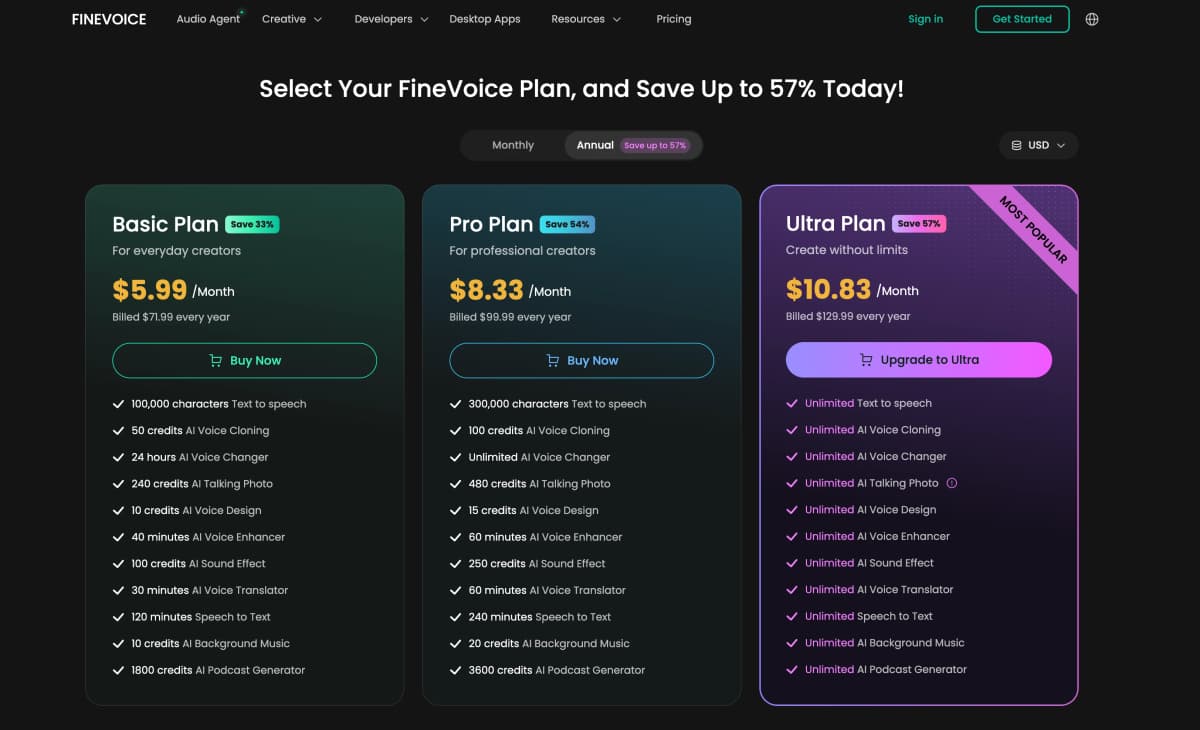
Ultra is labeled Create without limits, and the plan card lists every tool as unlimited. The comparison table on the pricing page is less generous, with 600,000 characters of Text to Speech and 90 minutes of Voice Enhancer, so ask support what unlimited means before you count on it.
The annual cards carry savings badges of 33 percent, 54 percent, and 57 percent, and the page advertises up to 57 percent off. Monthly billing costs more, and the comparison table lists $8.99, $17.99, and $24.99, though those numbers do not match every card.
A Free plan costs $0. It lists 1,000 characters of Text to Speech a day, 3 minutes a day of Voice Changer, 5 minutes a month of Voice Enhancer, and 30 minutes a day of Speech to Text.
A 15 day money back guarantee applies, and you can cancel before the next recurring payment. Unused characters and minutes do not roll over to the next month.
Students and educators can claim a 30 percent discount, and teams can ask for a custom plan. For most solo creators, Pro is the sweet spot, since it removes the Voice Changer cap and doubles the cloning credits.
Confirm prices at checkout before you pay, since the page shows different numbers in different places.
Here is a quick example. A creator who makes weekly videos with voiceovers needs Text to Speech, Sound Effects, and the Voice Enhancer, so Basic with 100,000 characters and 40 minutes of enhancing may be enough to start.
Heavy talking photo work changes the math. The Pro model costs 3 credits a second, so Basic with 240 credits covers 80 seconds of video, and Pro with 480 credits covers 160 seconds.
The Flash model costs 1 credit a second, which stretches the same credits three times as far. Pick Flash for short clips and keep Pro for the ones that need the extra quality.
Annual billing is the cheaper route if you plan to stay. Basic at $71.99 a year compares with $107.88 over twelve months at the table monthly rate of $8.99.
Pro at $99.99 a year compares with $215.88 at the table rate of $17.99 a month. Ultra at $129.99 a year compares with $299.88 at $24.99 a month, so treat the table figures as a rough guide and not a quote.
Who Is FineVoice Best Suited For
YouTubers and short video creators get the most from the toolset. Text to Speech handles voiceovers, Background Music and Sound Effects fill the soundtrack, and the Enhancer cleans the raw take.
If you make video content to promote products, our first 30 days affiliate marketing guide covers the launch sequence that sits around the content.
Podcasters can use four tools in a row. The Enhancer and Isolator clean a recording, Speech to Text builds show notes and captions, and the Podcast Generator turns a blog post into a short episode.
Teachers and course creators will like the 38 language podcast mode and the translator. The 30 percent student and educator discount also helps a tight budget.
Indie game developers and animators get character voices, cloning, and sound effects in one place. The Characters and Animation library alone lists more than 1,500 voices.
Small marketing teams can build ad voiceovers, translate them, and make a talking photo presenter without hiring a studio. Pro covers most of that work at $8.33 a month on the annual plan.
Freelance editors can use the Voice Changer and Enhancer to rescue client audio. The 5 file batch limit on the Enhancer and Speech to Text keeps a small queue moving.
Bloggers who want audio versions of their posts can paste the text into Text to Speech. The page also lists support for visually impaired readers among its use cases, which makes an audio version useful for accessibility.
Solo creators with no budget for a studio get the biggest lift. A free plan, a phone recording, and the Enhancer can turn a rough take into something you are happy to publish.
Teams working across countries can also lean on the translator and the 154 language Text to Speech library. That keeps one script working for several audiences without extra hires.
Who FineVoice Is Not For
People who need top polish on one task should look at a dedicated tool. A suite spreads its effort across twelve products, and reviewers on the pages ask for deeper editing and pronunciation controls.
Anyone with very long files will hit the caps. The translator stops at 10 minutes, and the Voice Changer, Enhancer, and Isolator stop at 20 minutes, with file size limits as low as 30 MB.
Podcast teams that publish long shows should plan for editing. One review on the page reports pacing drift and repetition past 40 minutes, and another says overlapping emotional dialogue needed manual work.
Users who need many languages for speech recognition should test their language first. The page quotes over 90 languages in some places and over 100 in others, and reviewers ask for more dialects.
Buyers who want one clear price may get frustrated. The monthly rates, the free limits, and the Ultra allowances all differ between the plan cards, the comparison table, and the tool pages.
Teams that need clean commercial rights should read the Terms of Service closely. Official model voices are cleared for commercial use, while community model voices are for personal use only.
Anyone uneasy about voice cloning should skip that feature. The page requires legal permission from the voice owner, and the rules fall on you.
FineVoice Alternatives
FineVoice competes with focused voice tools on one side and general video tools on the other. The right pick depends on how many audio jobs you need to cover.
ElevenLabs is a well known voice generation and cloning product. It is a good comparison if voice quality is your only goal, and it covers fewer audio jobs than FineVoice.
Murf AI is a studio style voiceover editor, aimed at narrated slides and videos. Speechify focuses on reading articles and documents aloud, so it is a listening tool more than a creation tool.
If you want a talking presenter instead of a still photo, JOGGAI builds full avatar videos from a script. Our JoggAI review shows how that workflow runs.
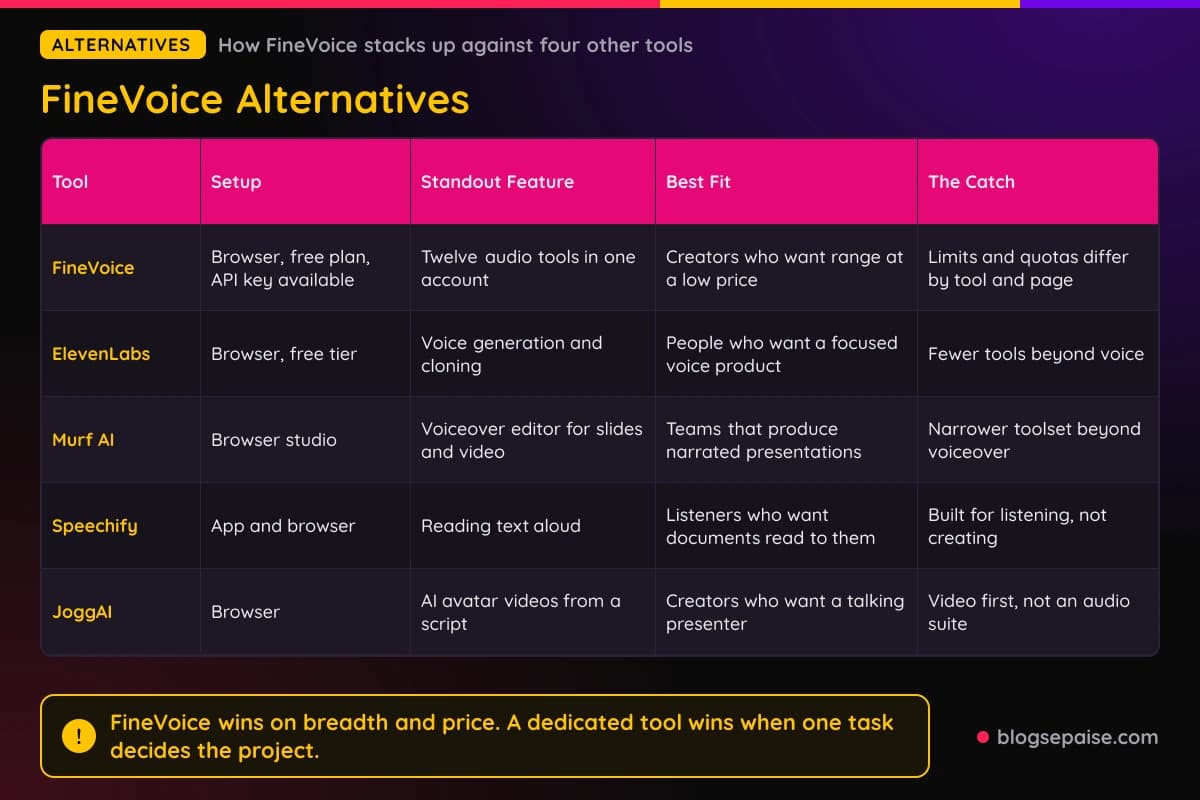
FineVoice wins on breadth and price. A dedicated tool wins when one task decides the project.
Pricing is where the comparison gets practical. FineVoice Pro costs $99.99 a year, so any alternative that charges that much for a single tool has to beat twelve tools in one account.
Switching costs stay low. Files you export from FineVoice are plain MP3 or WAV files, so you can move a project to another tool without rebuilding it.
Our AI writing tools roundup covers the text side of the same workflow, so you can draft scripts and voice them in one afternoon. A free plan makes the first test cheap, so try your real script on FineVoice before you compare anything else.
FineVoice Use Cases
FineVoice sorts its voice library into categories, and each category has its own page. Here is how each one fits a real project.
Advertisement voices are built for video ads, social promos, radio spots, and infomercials. The page lists styles such as Brand, Commercial, Hard Sell, Persuasive, Product Demo, and Spokesperson.
The Characters and Animation page lists 1,500+ voices for cartoons, games, and stories. Types include Alien, Cowboy, Robot, Demon, Dragon, Pirate, Wizard, and Zombie, plus animal voices such as Lion and Mouse.
Entertainment and TV voices cover trailers, game shows, sports commentary, and radio. The page lists 22 styles, such as Movie Trailer, Sports Announcer, Game Show Host, Rock Star, and Old Time Radio.
Informative and Educational voices suit tutorials, courses, and training videos. The page lists 28 styles, such as Documentary Voice Over, eLearning Voice Over, Explainer Voice Over, Language Tutor, and Customer Support.
Narrative and Story voices target audiobooks, podcasts, and fiction. The page lists 19 styles, such as Narrator, Storyteller, Dramatic, Fantasy, Suspense, and Epic.
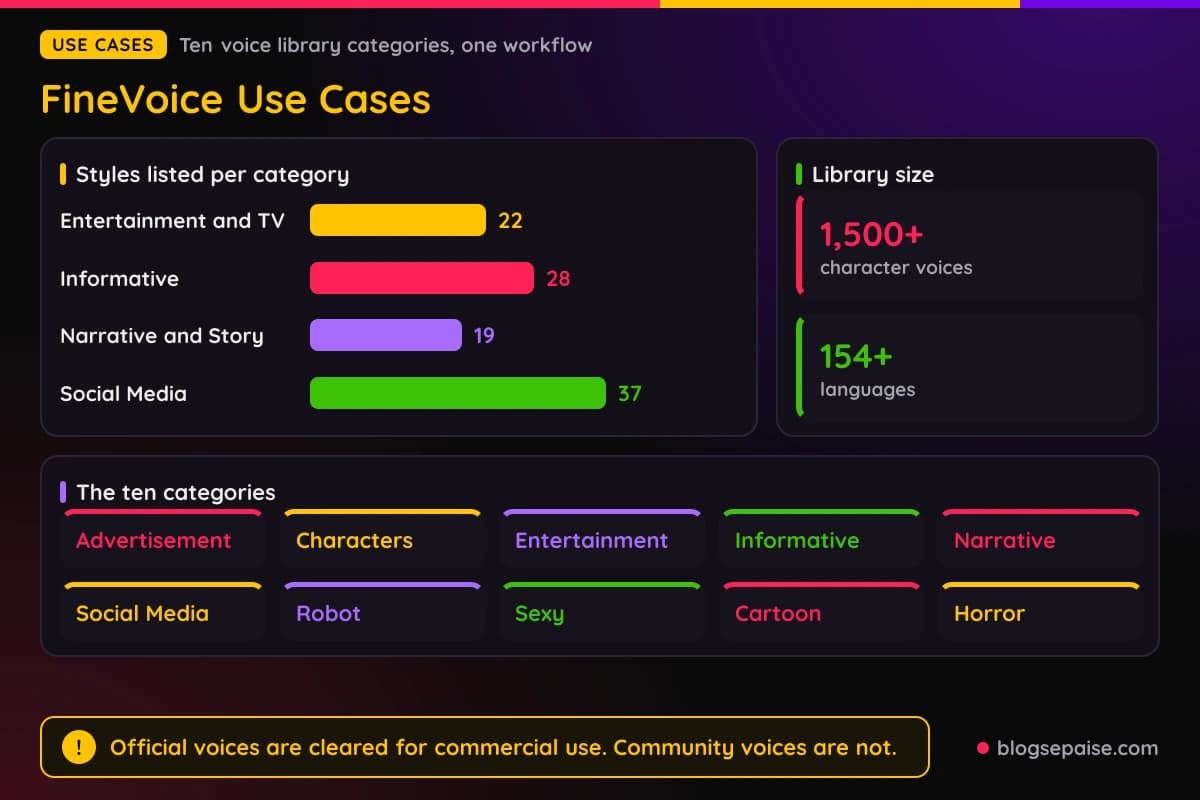
Social Media voices list 37 styles, from TikTok and Instagram to Influencer, Millennial, and Valley Girl. They fit reels, vlogs, memes, and promo clips for YouTube, TikTok, Instagram, and Facebook.
Robot voices cover futuristic narrators, AI assistants, and game characters. Sample voices include Cypher-3, Nexus-7, Vega, and Astra, and downloads come as MP3 or WAV.
The Sexy Voice Generator offers sultry, flirty voices for romantic scenes, ASMR, and luxury branding. The page lists sample voices named Vivienne, Damien, Serena, and Lucien, and it mentions whisper and breathy emotion tags.
The page states no age or content rules, so keep your own work within the rules of the platform where you publish.
Cartoon voices serve YouTube animations, short films, and game projects. Sample voices include Mira Stardust, Penny Sugarplum, Professor Tinkerton, and Rusty Wrench, and character types include Pirate, Princess, Samurai, and Villain.
Horror voices cover sinister narrators, ghostly whispers, and monstrous growls. They fit haunted house tours, horror podcasts, and jump scare scenes, and sample voices include Cecilia, Nathaniel, Damian, and Miranda.
Across all ten categories, voices from official FineVoice models can be used in commercial projects. Voices from community models are for personal use only.
A simple workflow shows how the categories mix. Write a script, voice it with an Informative voice, add a calm track from the Background Music tool, and clean the result with the Enhancer.
Another mix suits social clips. Pick a Social Media voice, add a sound effect for the punchline, and animate a Talking Photo for the intro.
Final Thoughts On FineVoice
FineVoice does breadth well. One account covers voiceovers, cleanup, cloning, transcripts, translation, podcasts, music, sound effects, and talking photos.
The price is the hook. Basic starts at $5.99 a month on the annual plan, which costs less than most single purpose voice apps.
The weak spots are consistency and caps. Limits differ from tool to tool, numbers differ from page to page, and long files will need splitting.
Start on the Free plan with a real script and a real recording. If the output holds up, Pro at $8.33 a month on the annual plan is the plan most solo creators will want.
Keep the 15 day money back guarantee in mind as a safety net. Then check your actual limits in the account page before you build a workflow around any one tool.
Talking Photo, Podcast Generator, and Voice Design feel like add ons next to Text to Speech. They work and they are worth a test, but the core value sits in voices, cleanup, and transcripts.
A good test run takes about an hour. Clean one recording, clone one short sample, voice one script, and transcribe one file, and you will know which tools earn a spot in your routine.
Pricing clarity is the part to watch. Plan around the numbers shown at checkout and not the ones in the comparison table.
FineVoice FAQ
1. Is FineVoice free to use?
Yes, there is a Free plan at $0 with small daily and monthly limits. Paid plans start at $5.99 a month on the annual plan.
2. Do I need to sign up to try the tools?
Several tool pages say no sign up is needed for basic use. Saving history, credits, and downloads work best with an account.
3. How many voices does FineVoice have?
The Text to Speech page lists more than 2,700 voices across 154 languages and accents. The Voice Changer lists more than 1,000 voices.
4. Can I clone my own voice?
Yes. Instant Voice Clone needs about 30 seconds of clear audio, and Professional Voice Clone needs about 10 minutes.
5. Can I use FineVoice audio commercially?
Voices from official FineVoice models can be used in commercial projects such as ads and podcasts. Community model voices are for personal use only, so read the Terms of Service.
6. What file types does FineVoice accept?
The audio tools accept MP3, AAC, AMR, M4A, and WAV. Talking Photo accepts JPG, PNG, and WEBP images up to 20 MB.
7. How long can my audio files be?
It depends on the tool. The translator allows 10 minutes, the Voice Changer, Enhancer, and Isolator allow 20 minutes, and Speech to Text allows 30 minutes.
8. Does FineVoice have an API?
Yes. The tool pages show REST endpoints with Bearer token authentication, and they offer a free API key.
9. Is there a money back guarantee?
Yes, the pricing page states a 15 day money back guarantee. You can also cancel before the next recurring payment.
10. Which plan should I pick?
Basic suits light use of a few tools. Pro suits most solo creators, and Ultra suits heavy users, though you should confirm what unlimited covers first.
11. Does FineVoice work on mobile?
Yes, the tools run in a browser on phones and tablets. A desktop app for Windows and Mac is also available for Text to Speech.
12. Is my audio kept private?
The pages describe encryption, and the Voice Isolator says files are deleted after processing. The Voice Changer page says recordings are not stored, and these are vendor claims you should check in the privacy policy.