Switcher Studio Review (2026): Turn Your iPhone Into A TV Studio
Live streaming used to mean expensive cameras, tangled cables, and a production crew you probably could not afford.
If you wanted your church service, sports game, or product launch to look like something on TV, you had to either hire a professional crew or settle for a shaky phone video that lost half your audience halfway through.
Switcher Studio set out to change that back in 2014, and over the past decade it has grown into one of the most talked about multicamera streaming apps on the market.
At its core, Switcher Studio takes the iPhones and iPads you already own and turns them into a full production studio.
You can connect up to nine devices at once, switch between camera angles on the fly, add logos and graphics, and push your stream live to platforms like YouTube, Facebook, and Twitch at the same time.
Churches use it for Sunday services, coaches use it for game footage, and creators use it to build a following without spending a fortune on gear.
Even a business owner running a product demo can pull off a slick, multi angle show with nothing more than a few phones and a decent Wi-Fi connection.
Of course, an app can promise all the bells and whistles in the world, and that does not always mean it delivers.
Pricing plans, learning curves, device compatibility, and customer support can make or break your experience, especially if you are new to live production.
Plenty of reviews online praise the polished look Switcher Studio gives to amateur broadcasts, but the subscription cost and the fact that it leans heavily on Apple devices are worth a closer look before you commit your money.
I dug into every part of Switcher Studio for this review, from the multicamera setup to the monetization tools that let you sell tickets to your live content.
My goal is to give you a clear and honest picture of what this app does well, where it might fall short, and who should actually consider signing up.
Disclosure: Some of the links I share might be affiliate links. If you click on one and make a purchase, I may earn a small commission as a thank you. But don’t worry, it won’t cost you anything extra. I only recommend stuff I genuinely believe in. Your support helps me keep creating awesome content. You can read my full affiliate disclosure in my disclaimer page.
Switcher Studio Features
1. Multicamera
Building a professional looking broadcast used to mean renting a truck full of gear or hiring a crew that knew how to run it.
Switcher Studio flips that idea on its head by letting you build a full multicamera studio using devices you probably already own.
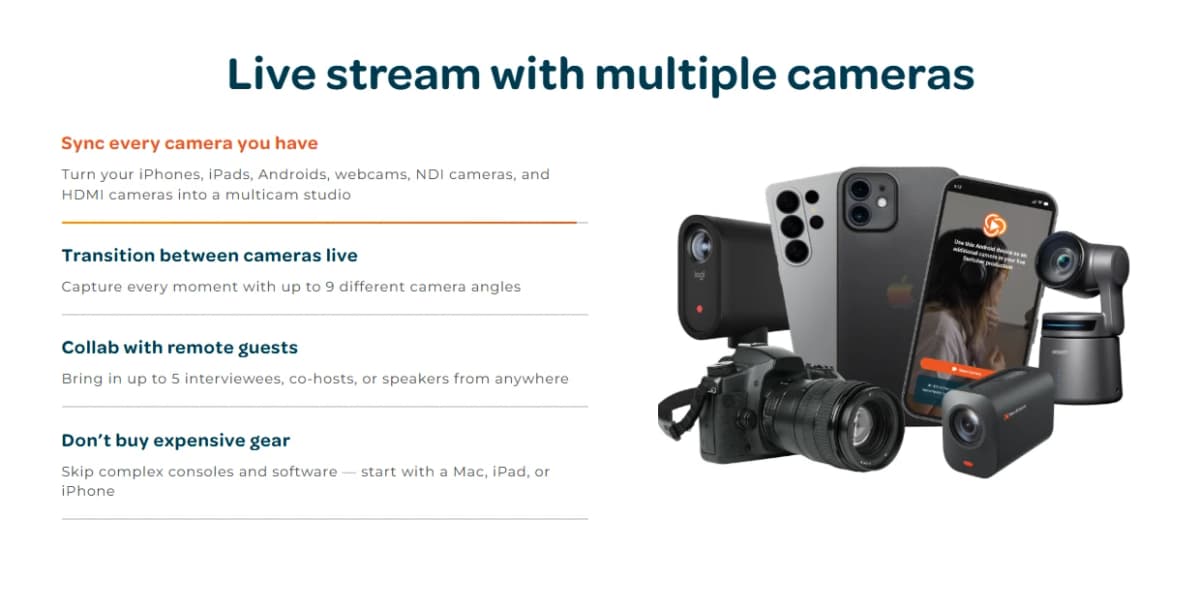
You can sync iPhones, iPads, Androids, webcams, NDI cameras, and even HDMI cameras into a single setup, and switch between up to nine camera angles while you are live.
Over 14,000 teams, creators, and organizations already rely on this system, and once you try switching angles mid broadcast, it gets hard to imagine going back to a single, static camera view.
The app also makes it simple to bring other people into your production without asking them to show up in person.
You can invite up to five remote guests, co-hosts, or interviewees straight into your stream from wherever they happen to be.
That means a pastor can bring in a guest speaker from across the country, or a podcaster can host a co-host who lives three states away, all without dealing with clunky video call software patched into a separate system.
Skipping expensive consoles and complicated software setups, you can start producing with nothing more than a Mac, iPad, or iPhone.
Once your cameras are synced, Switcher gives you real control over how everything looks on screen.
The Scene Builder lets you create multi view layouts, including split screen and picture in picture, so your stream never feels flat or one dimensional.
Chroma key support means you can drop in a green screen and place yourself in front of any background without needing separate editing software.
On top of that, Switcher Cast lets you pull in a screen share from a Mac, PC, or iOS device as another source, which comes in handy for tutorials, presentations, or product demos.
When it comes time to actually deliver your content, Switcher does not cut corners. You can stream in HD at 720p or 1080p with no time limits on your live broadcasts or your recordings.
Every session gets saved locally and to the cloud, so you never have to worry about losing footage.
Director mode captures full HD video and audio from every connected source, giving you raw material to repurpose later.
Altogether, this setup replaces two thousand to ten thousand dollars worth of traditional production gear, since Switcher handles the job of a hardware switcher, a capture card, and dedicated production software all at once.
2. Multistream
Getting your content in front of people often means posting it in five different places, and doing that manually eats up time you do not have.
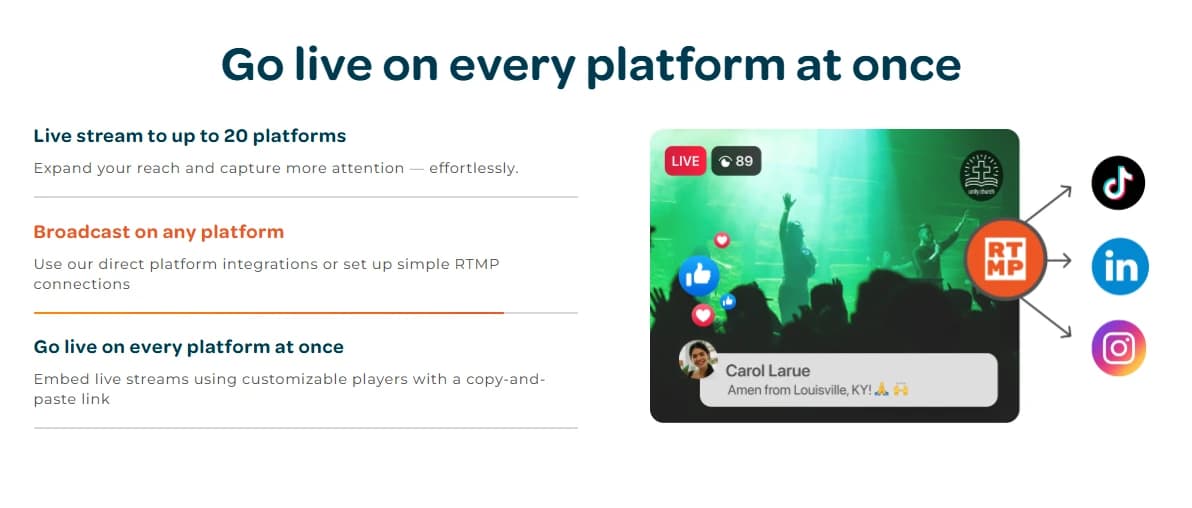
Switcher Studio solves this by letting you go live on up to twenty platforms at the same time, including Facebook, YouTube, Instagram, TikTok, and X.
You set up your destinations once, then hit go live and Switcher pushes your broadcast everywhere at once.
This alone can save creators and organizations hours every single week, since there is no need to juggle separate logins or restart your stream for each platform.
Streaming to that many platforms sounds like it would demand a fast internet connection, but that is not really how it works here.
Switcher uses the same bandwidth whether you are streaming to two platforms or twenty, so your everyday wifi is usually enough to get the job done.
The app does not alter your video or audio quality in any way, which means your broadcast looks and sounds the same no matter where your viewers are watching from.
You also get the option to use direct platform integrations or set up your own RTMP connections for platforms that are not built in.
Keeping your audience engaged gets a lot easier too.
Switcher pulls comments from Facebook, YouTube, and Twitch into one unified chat panel, so you are not stuck flipping between five different tabs trying to keep up with your viewers.
You can even pull selected comments directly onto your live broadcast with a single tap, which makes viewers feel seen and keeps the energy up during your stream.
Once your broadcast wraps, the built-in clip creator turns your footage into short, ready to post clips for social media, stretching one live session into a full week of content.
Embedding your stream on your own website is just as easy.
Switcher gives you a customizable player with a simple copy and paste link, so your stream can live directly on your homepage instead of sending viewers away to another platform.
Most dedicated multistreaming tools charge anywhere from twenty five to two hundred dollars a month, and that is often before you add fees for a branded embed player.
Switcher folds all of that into one plan, along with recording and clip creation tools that most competitors charge extra for.
3. Multimedia
A live stream can have great camera angles and still fall flat if it looks plain, and this is where Switcher Studio's multimedia tools come in.
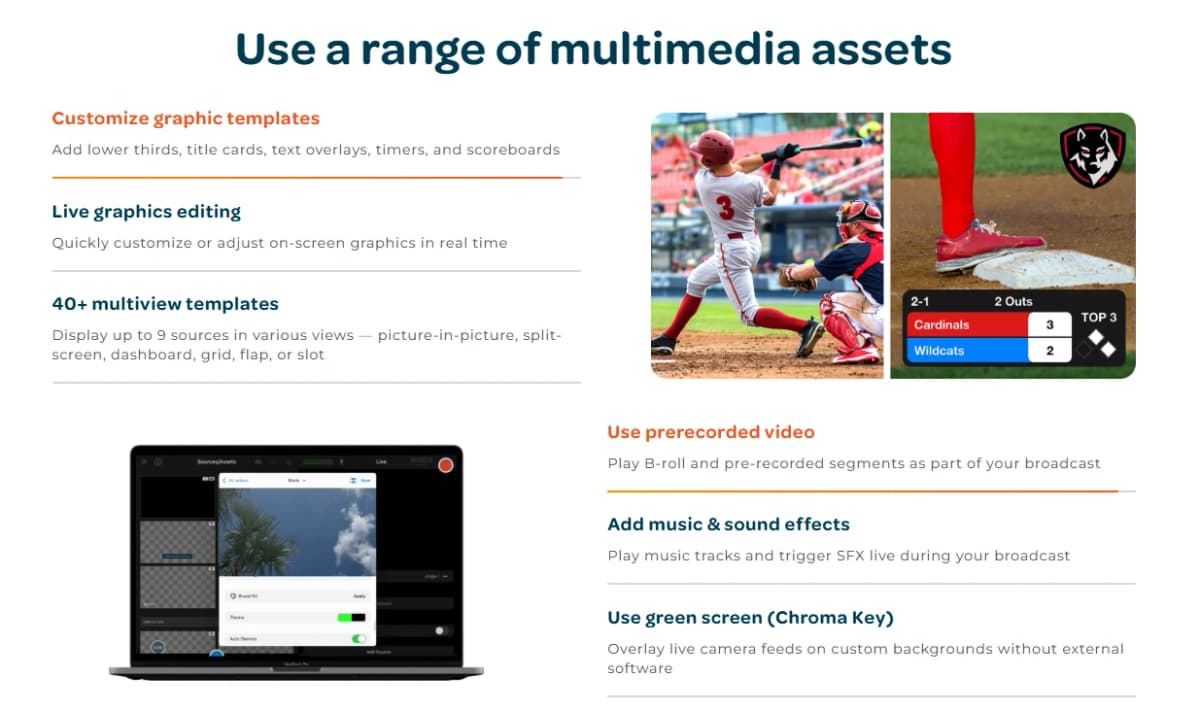
You get access to customizable graphic templates, including lower thirds, title cards, text overlays, timers, and scoreboards.
Everything can be edited live, so if a name is spelled wrong or a score changes, you can fix it on the fly without interrupting your broadcast.
With more than forty multi view templates available, you can display up to nine sources at once in layouts like picture in picture, split screen, dashboard, grid, flap, or slot.
Beyond live camera feeds, Switcher lets you weave in prerecorded video, so B-roll and pre-recorded segments can play right alongside your live footage.
You can also add music tracks and trigger sound effects during your broadcast, which adds a level of polish that usually takes a separate audio setup to pull off.
Chroma key support returns here as well, letting you overlay a live camera feed onto a custom background without ever leaving the app or opening third party software.
Keeping viewers locked in matters just as much as looking good, and Switcher gives you tools for that too.
Live scoreboards come in classic, horizontal, or baseball styles, and you can customize the colors and logos to match your team.
Comments from Facebook, YouTube, and Twitch can be displayed right on screen, and remote guests can join your broadcast the same way they do in the multicamera setup.
You can also drop in call to action links, including payment links for Venmo, PayPal, Patreon, Givelify, and Tithe.ly, plus a customizable offline display that shows a countdown timer or featured video when you are not live.
None of this matters much if your stream does not look like your brand, so Switcher lets you customize colors, fonts, logos, and on screen positioning across every broadcast.
You can build a brand profile once and reuse it for every future stream, saving you from resetting everything each time you go live.
Switcher Cloud gives you storage for up to a thousand content assets, so your graphics and clips are ready the moment you need them.
The video player itself can be branded to match your site, with no Switcher watermark in sight, which keeps the focus on your content instead of the tool behind it.
4. Host & Monetize
Plenty of platforms let you host video content, but most of them take a cut of whatever you earn or bury your work under ads and related video suggestions.
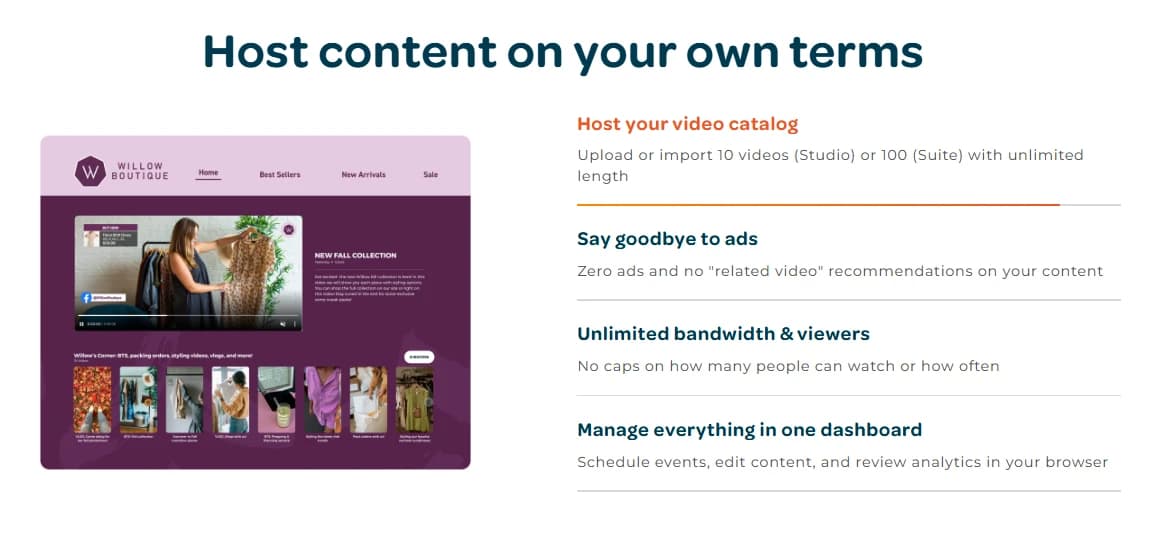
Switcher Studio takes a different approach by letting you host your video catalog directly, with room for ten videos on the Studio plan or a hundred on the Suite plan, and no limit on how long each video can run.
There are no ads and no related video recommendations pulling your audience away from your content.
Bandwidth and viewer counts are unlimited too, so a video going viral will not suddenly cost you extra or get capped.
Getting your content in front of people is just as simple as hosting it.
You can embed live streams and videos anywhere with a quick copy and paste link, and build a Netflix style video catalog that matches your brand colors and player design.
Everything gets managed from one dashboard, where you can schedule events, edit content, and check your analytics without hopping between different tools.
If you want to protect certain videos, you can add password protection or require an email address before someone can watch, which also helps you build a list of engaged viewers.
Turning your content into income is where Switcher really stands out.
You can sell tickets to live events, gate pay to view content with no minimum viewer count, and set up recurring subscriptions for a mix of videos and live streams.
Every price point is entirely up to you, since Switcher does not impose its own pricing tiers.
For creators who sell physical products, the Cartr integration syncs your Shopify collections so you can display and sell products directly on screen while you are live.
The part that tends to win people over is how little Switcher takes from what you earn.
Instead of charging a percentage of your revenue like most hosting or ticketing platforms, Switcher charges a flat ninety nine cent transaction fee per sale.
Every payment runs through Stripe, so your transactions are protected with bank grade security, and payouts land in your account the same day, viewable right in your Switcher dashboard.
Compared to juggling separate tools like Vimeo OTT, Patreon, Memberful, and Eventbrite, Switcher rolls hosting, monetization, and payment processing into one platform without taking a slice of your paid sales.
Switcher Studio Pricing Plans
Switcher Studio keeps its pricing simple with two main plans, and both come with a 14 day free trial so you can test things out before spending a cent.
You get the choice between monthly billing or annual billing, and paying yearly can save you up to 30 percent compared to paying month to month.
Whichever plan you pick, you get access to the core iOS app that turns your devices into a full production studio, though the two tiers differ quite a bit in what they unlock beyond that.
The Studio plan runs $65 a month, though new users can often grab it for $45 a month depending on current promotions.
This tier is built for anyone who wants to create professional grade live streams, videos, and social content without needing any tech skills.
You can download the app on your Mac, iPad, or iPhone, multistream to two platforms at once, and film with multiple cameras at the same time.
Editing happens in real time, and you get tools to brand your videos, customize graphic templates, and create social media clips with ease.
The plan also throws in video analytics so you can track how your content is performing, hands-on expert support when you get stuck, and the ability to accept donations right from your streams.
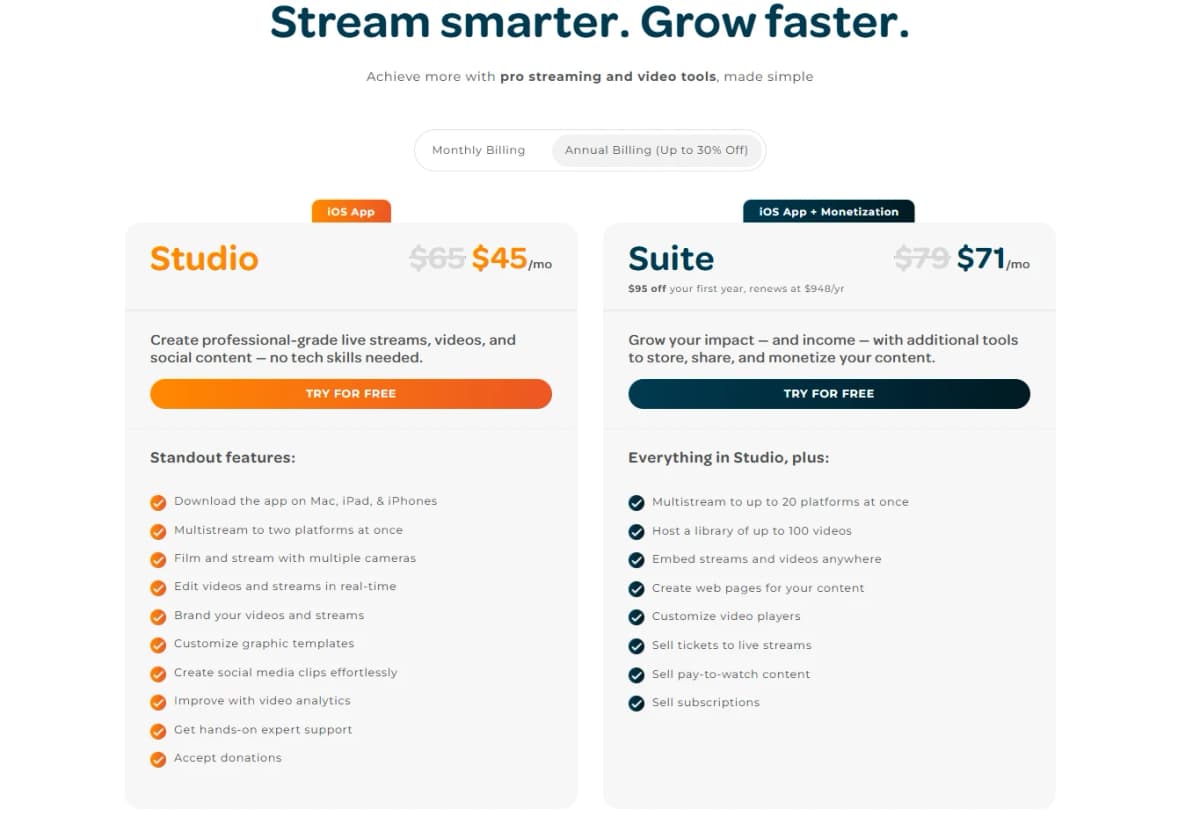
The Suite plan sits at the higher end, priced at $79 a month with new users sometimes seeing it drop to $71 a month.
On the annual side, Suite runs $948 a year, and new subscribers can often get $95 off their first year.
This plan includes everything in Studio, then builds on top of it for anyone looking to grow both their impact and their income.
Multistreaming jumps from two platforms to a full twenty platforms at once, and you get to host a library of up to 100 videos compared to just 10 on the Studio plan.
Suite also unlocks the ability to embed your streams and videos anywhere, build custom web pages for your content, and fully customize your video player to match your brand.
Where Suite really pulls ahead is monetization, which is not available at all on the Studio plan.
Suite lets you sell tickets to your live streams, sell pay-to-watch content, and sell ongoing subscriptions, giving you three separate ways to turn your audience into actual revenue.
On top of that, Suite adds features like social redirect to your website, live private chat between co-hosts, video password protection, and secure Stripe payment processing with same-day payouts.
Since Switcher only charges a flat ninety nine cent transaction fee instead of taking a percentage of your sales, creators and organizations on the Suite plan tend to keep the vast majority of what they earn.
Choosing between the two really comes down to whether you plan to make money directly through Switcher.
If you just want to create and stream great looking video content, Studio covers everything you need at a lower price.
But if selling tickets, running subscriptions, or gating premium content is part of your plan, Suite is built specifically for that kind of growth, and the extra cost usually pays for itself once you start selling to your audience.
Switcher Studio Use Cases
1. Churches
Churches across the country use Switcher Studio to bring their services to people who cannot always make it through the front door.
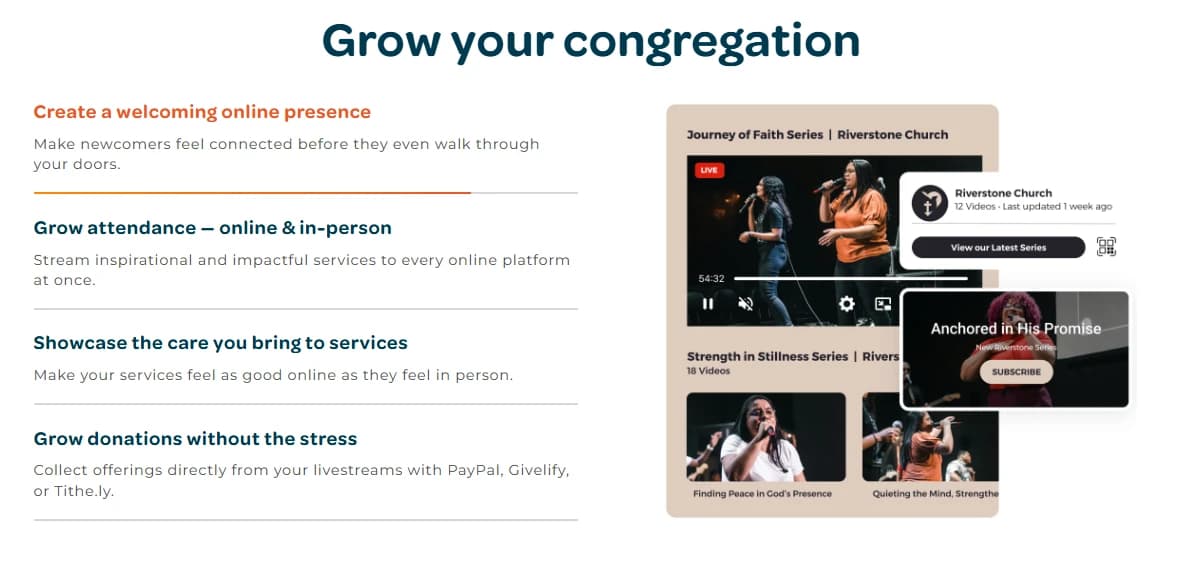
The app helps congregations create a welcoming online presence so newcomers feel connected before they ever step inside the building.
Services get streamed to every platform at once, which helps churches grow attendance both online and in person, and the production quality makes the online experience feel just as warm and cared for as sitting in the pews.
On top of that, churches can collect offerings directly through their livestreams using PayPal, Givelify, or Tithe.ly, turning generosity into something that happens with a tap instead of a walk to the collection plate.
Volunteers play a huge role in most church media teams, and Switcher Studio was built with that in mind.
Pastors, parents, and teens can all learn the app quickly, since it does not require a background in video production to run.
Giving volunteers pro grade tools that are still simple to use tends to make the job feel fun instead of stressful, which keeps people coming back to help week after week.
Churches also use these media roles to attract new volunteers, offering students, musicians, and aspiring leaders a creative outlet along with real skills they can carry into other parts of their life.
Beyond the Sunday service, churches lean on Switcher to reach members who cannot be there in person, whether they are homebound, traveling, or simply working during service hours.
Live chat, slides, music, and overlays help churches keep those viewers engaged instead of just watching a static camera feed.
The app travels well too, since a mobile setup lets churches capture weddings, funerals, and other important moments happening outside the main sanctuary.
Recorded services and events can also be turned into on demand playlists, building an online hub that supports members throughout the week instead of just on the day they go live.
Real churches back up these use cases with real results. Mayfair United Church credits Switcher with helping them realize how much wider their message could reach once they took it online.
Ascension Episcopal School streamed sixty seven chapel services along with ceremonies and events, all while training students to run the equipment themselves.
New Greater Love Church found that using iPhones as cameras gave them an efficient and affordable way to capture every angle of their service, while Rhiza Church uses graphics, split screens, and lower thirds to communicate their message more clearly.
Life Church even pointed out that phone cameras keep improving, which means their production quality keeps getting better without spending a cent on new gear.
Switcher currently supports more than 13,000 churches and creators, and the app holds a 4.6 out of 5 rating based on over 1,300 reviews on the Apple App Store.
2. Creators
Content creators turn to Switcher Studio when they want to build an audience without getting buried in technical setup.
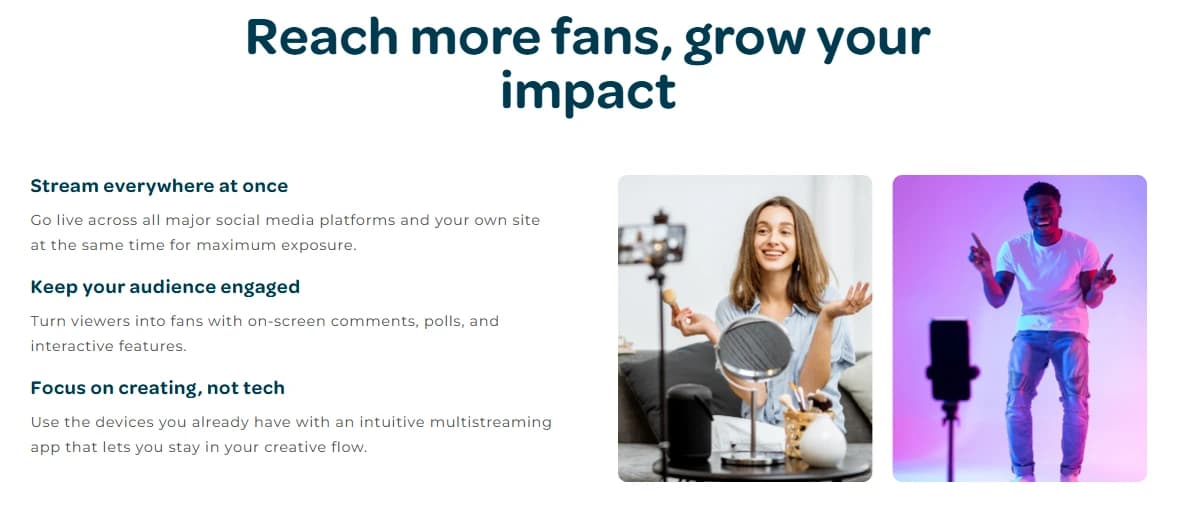
The app lets creators stream everywhere at once, going live across every major social platform along with their own website at the same time for the widest possible reach.
On screen comments, polls, and other interactive features help turn casual viewers into real fans who stick around.
Since Switcher works with devices creators already own, they get to stay focused on the creative side of their work instead of wrestling with complicated tech.
Turning a passion into an actual paycheck is where Switcher Studio really shines for creators.
Built in monetization tools let creators sell gated content, subscriptions, or playlists directly to their audience.
Sponsorships fit naturally into the mix too, since creators can feature branded messages or links without breaking the flow of their stream.
Unlike a lot of other platforms, Switcher does not take a cut of what creators earn, charging just ninety nine cents per transaction instead of a percentage of revenue.
Growing a community on your own terms matters a great deal to creators, and Switcher gives them the tools to do exactly that.
Creators can host their content through a dedicated Watch Page or embed playlists directly on their site and social channels.
Streaming to social platforms still works as a way to bring viewers in, but creators can guide that audience back to their own website for full access to their catalog.
Best of all, creators get to grow without fighting algorithms, ads, or outside distractions pulling attention away from their content.
Plenty of creators have shared what working with Switcher has meant for their business.
Goldie Chan, founder at Warm Robots, points to how easy it is to livestream interviews using nothing but a phone, noting that Switcher is one of LinkedIn's approved partners.
Christina Waterman from the Shorty Awards explained that Switcher cut out two major steps, the producing and the editing, that would have otherwise eaten up her time.
Alex Meza, CEO of Kerigma Films in Peru, called Switcher a tool that turns a phone into a professional multi camera studio with real time editing and direct streaming built right in.
3. Education
Schools and universities use Switcher Studio to keep their campus community connected without needing an AV team or a pile of expensive gear.
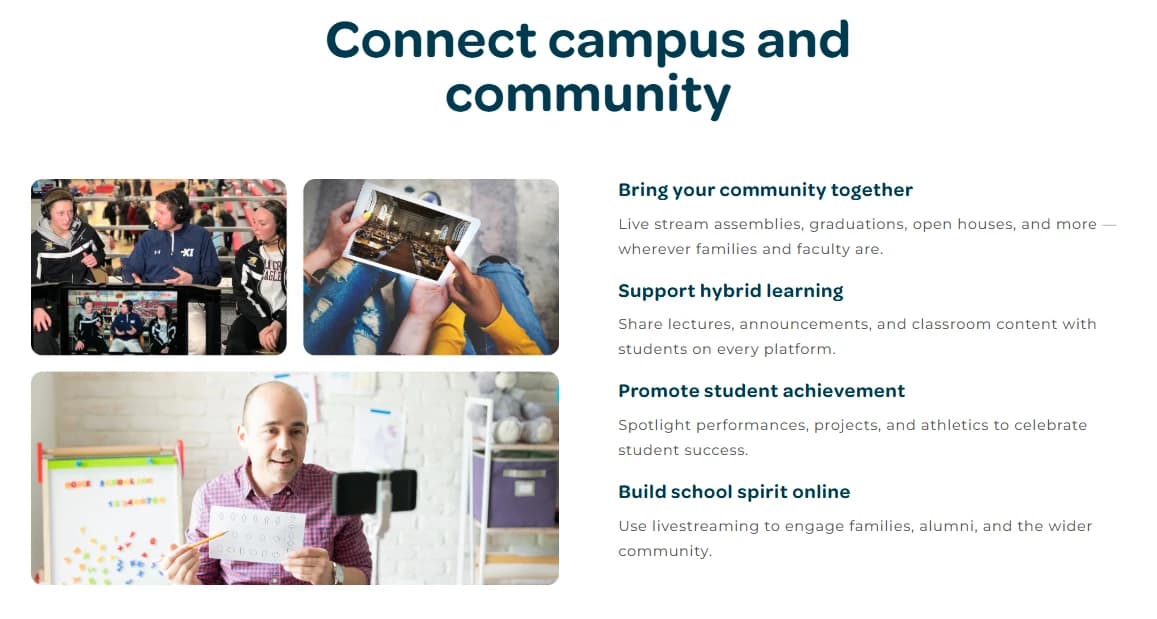
The app makes it simple to live stream assemblies, graduations, open houses, and other events wherever families and faculty happen to be watching from.
Hybrid learning gets a boost too, since lectures, announcements, and classroom content can reach students on every platform at once.
Streaming also gives schools a way to spotlight student achievement, putting performances, projects, and athletics in front of the wider community and helping build school spirit online.
Running a media program does not require a dedicated crew when Switcher Studio is involved.
Staff, teachers, and students can all pick up the app quickly, since it was built for people with no prior production experience.
Volunteers, faculty, and student media teams tend to learn the system fast and start creating content right away.
Because the app runs on iPhones and iPads, schools can capture content from classrooms, auditoriums, gymnasiums, or the field without hauling around traditional AV equipment.
Education extends well past the classroom walls once a school starts using Switcher.
Lessons and events can be turned into on demand video libraries that students can revisit whenever they need to review something.
Board meetings, campus updates, and even emergency communications can be shared school wide through the same platform.
Students also get hands on experience in media production, broadcasting, and storytelling by helping run the equipment themselves, and schools can build a digital archive that preserves lectures, performances, and commencements for years to come.
Real schools have seen real results from adopting Switcher.
Ascension Episcopal School streamed sixty seven chapel services in a single stretch, along with athletic ceremonies and class ring ceremonies, while training a group of students to run the cameras and equipment.
At Saint Mary's College High School, students running morning announcements started with one live show a week and grew that to a daily stream, with feedback from their peers described as overwhelmingly positive.
Switcher supports everything from K through 12 classrooms to higher education institutions, and schools can also accept donations for fundraisers or PTOs, or charge for access to plays, concerts, and other ticketed events, all while keeping their earnings since Switcher only charges ninety nine cents per transaction.
4. Worship
Houses of worship across many different faiths use Switcher Studio to extend their reach well beyond their physical walls.
The app helps create a welcoming online presence for newcomers, so people feel connected before they ever walk through the doors.
Services stream to every platform at once, growing attendance both online and in person, while keeping the same warmth and care online that people feel when they attend in person.
Donations collected through PayPal, Givelify, or Tithe.ly let congregations keep supporting their mission without adding stress to the giving process.
Getting volunteers involved is a big part of what makes worship streaming sustainable, and Switcher makes that easier.
The app offers meaningful media roles that spark creativity and teach real skills, which tends to appeal to students, musicians, and aspiring leaders looking for a way to contribute.
Training takes just minutes, since leaders, parents, and teens can all learn the app without any prior experience.
Once volunteers get comfortable, the intuitive and pro grade tools tend to make livestreaming feel fun and fulfilling rather than like a chore.
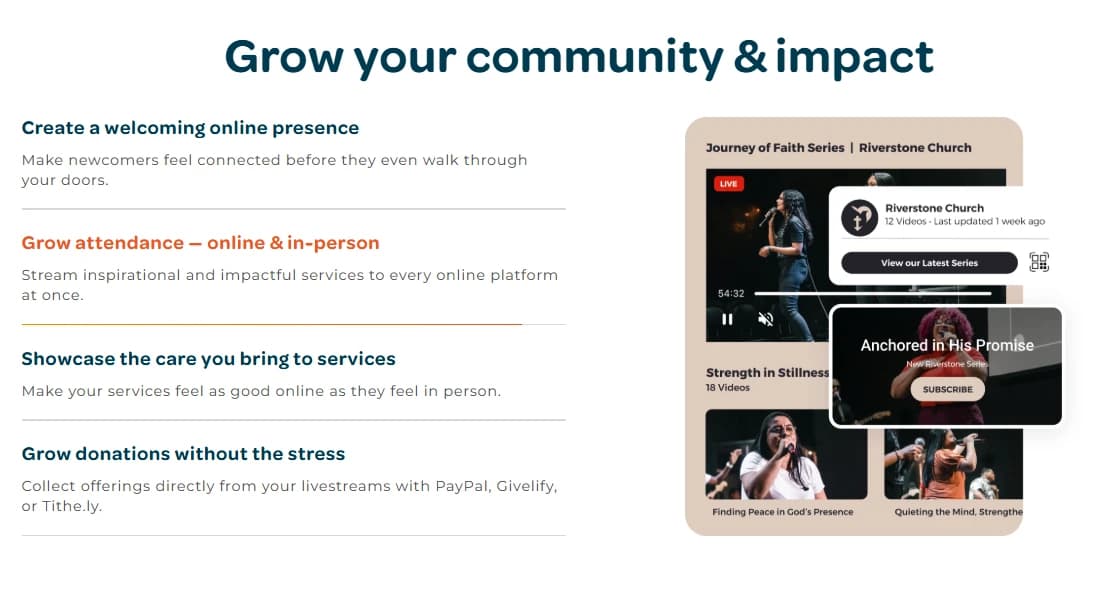
Modern tools do not have to come with tradeoffs for a faith community, and Switcher backs that up in practice.
Members who are homebound, traveling, or working can still get a front row seat to services they would otherwise miss.
Live chat, slides, music, and overlays help uplift and engage the community during every event, and a mobile setup means important moments like weddings and funerals can be streamed wherever they happen to take place.
On demand video playlists give members a resource hub they can turn to throughout the week, not just on the day of a service.
Faith communities of many kinds have shared how Switcher has changed their outreach.
Cheri Uthe of Mayfair United Church said Switcher opened their eyes to the bigger possibility of sharing their message with a wider audience online.
Natalie June of New Greater Love Church appreciated how affordable and efficient it was to use iPhones for every camera angle they needed.
Tito Diaz, pastor at Rhiza Church, uses graphics, split screens, and lower thirds to communicate more dynamically with his congregation.
More than 13,000 houses of worship and creators currently use Switcher.
5. Sports
Sports teams of every size use Switcher Studio to bring their games to fans who cannot make it to the stands.
The app lets teams stream games, matches, and tournaments to any platform, putting the team in the spotlight no matter how big or small the audience is.
It also helps teams get discovered by new fans, since streaming to YouTube, Facebook, and other platforms reaches families, alumni, and recruiters who might never see the team otherwise.
Multiple camera angles, scoreboards, replays, and graphics bring the in-game energy to life online, and teams can even monetize their broadcasts by selling tickets or offering season subscriptions, all without Switcher taking a cut of the earnings.
Running the stream does not require a dedicated broadcast crew, which matters a lot for schools and community teams working with limited staff.
Coaches, parents, volunteers, and students can all learn to run the app quickly, since Switcher was built with simplicity in mind.
Teams can even build a media program from within their own ranks, giving students hands-on experience in sports broadcasting through creative roles behind the camera.
Training takes minutes rather than months, and the intuitive app helps new volunteers look like seasoned professionals right away.
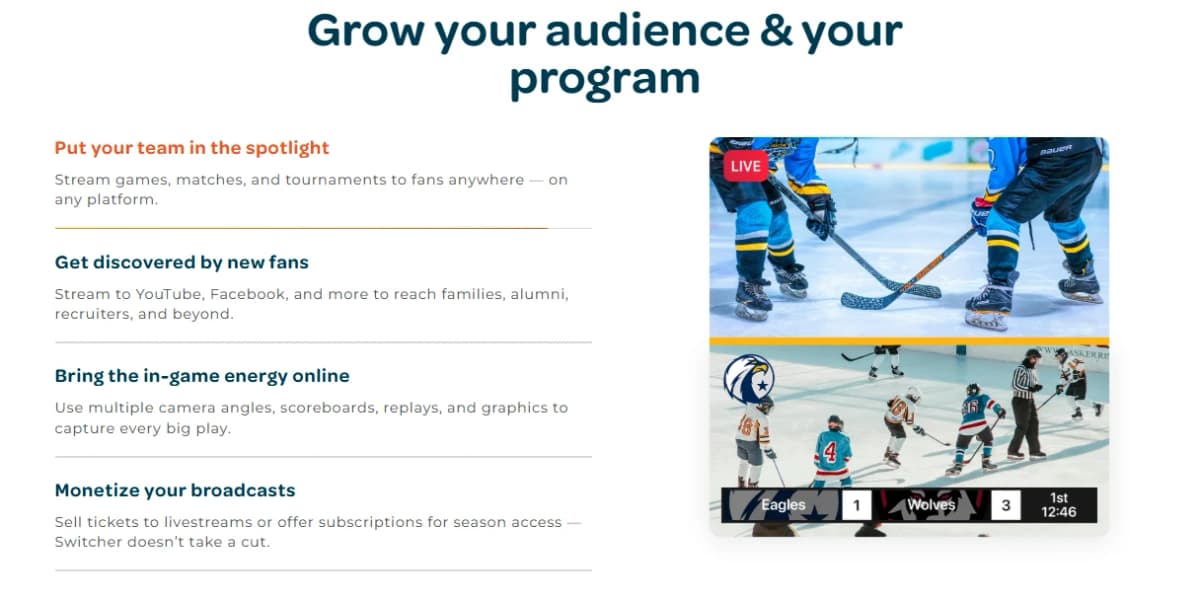
Game day gets a serious upgrade once a team starts streaming with Switcher.
Coverage can come from the sidelines, the press box, or anywhere else on the field, thanks to a fully mobile setup.
Adding graphics, logos, music, and scoreboards gives every broadcast a level of polish that used to require a full production truck.
Fans stay in the loop too, since games can be embedded on the team's website, turned into highlight playlists, or shared as short clips across social media.
The results speak for themselves across sports of every kind.
At Mill Valley High School, a fourteen year old with no real interest in baseball ran a five camera varsity game entirely on his own, picking up overlays, lower thirds, and picture in picture layouts along the way.
David Burrows, a professional live streamer, credits Switcher with giving him the power to offer top level, professional quality streaming that helped him build a live streaming business in his own community.
Even the Golf Channel has used Switcher to expand its live coverage, adding extra tournaments to its lineup so fans could catch their favorite golfers more often.
6. Podcasting
Podcasters use Switcher Studio to turn an audio show into a full video experience without needing a dedicated studio.
The app captures every angle using nothing more than iPhones or iPads, so hosts do not need a technical crew standing by.
Multistreaming pushes the show to a website and every major social platform at the same time, giving podcasters maximum reach with a single broadcast.
Overlays, polls, and alerts help hosts create interactive experiences that keep viewers engaged, and highlights can be turned into short, social ready clips the moment the show wraps.
Monetizing a podcast becomes far simpler with the tools built into Switcher.
Hosts can customize and embed their videos directly on their own website, keeping their brand front and center instead of handing that space to a third party platform.
Exclusive videos, behind the scenes access, or ticketed live events can all be gated to earn money directly from fans.
Podcasters can even turn their site into a subscription platform that generates recurring revenue without a platform taking a cut, and sponsorships fit in easily as sponsored messages or advertiser links woven right into the stream.
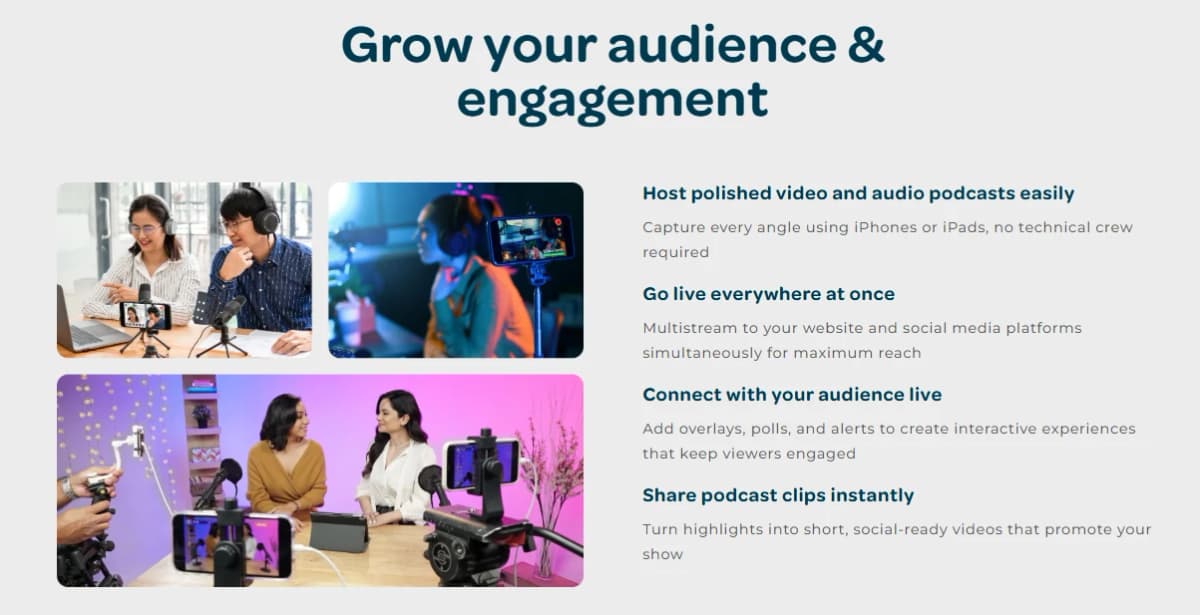
Building a real community around a show matters just as much as producing it.
Switcher gives podcasters a dedicated space where fans can interact, comment, and dig into past episodes.
Multistreaming to social platforms still helps with discovery, but hosts can redirect that traffic back to their own hub, keeping their audience close instead of losing them to an algorithm.
That kind of control reduces a show's reliance on social platforms while still letting it reach new listeners wherever they happen to be scrolling.
Podcasters have seen real gains after switching over to this workflow.
Stephen Ridley of the Moviga Podcast said moving his show from Twitch to his own website turned it into a true hub for his community, opening up new ways to earn revenue without watering down the content.
Jon McLeod, a video producer, saw a ten percent increase in subscribers almost immediately after adopting Switcher, thanks to the higher production value it made possible.
Jason Hugg, editor and publisher of Berks Weekly, called Switcher an indispensable part of his journalism toolkit, praising how the on screen graphics and multicasting features helped his content reach a wider audience.
7. Live Events
Event organizers turn to Switcher Studio to take workshops, concerts, and conferences online without hiring an outside production company.
The app creates professional multicam streams that make any event feel polished, and multistreaming broadcasts the event to every major platform plus the organizer's own website, so nobody misses out.
On screen comments, polls, and other real time interaction turn passive viewers into active participants.
Presenters and performers can join in from anywhere, since Switcher removes the usual downloads and tech barriers that come with remote guests.
Selling tickets and managing the logistics of an event becomes far simpler with everything running through one platform.
Production, ticketing, and distribution can all be handled without reaching for extra software.
Organizers can monetize their events effortlessly, offering tickets, subscriptions, or pay-per-view access through a secure, trusted paywall.
Access can be controlled through private links, password protection, or on-demand availability for attendees who could not tune in live, and every stream can be turned into on-demand video or a highlight reel that keeps people watching long after the event ends.
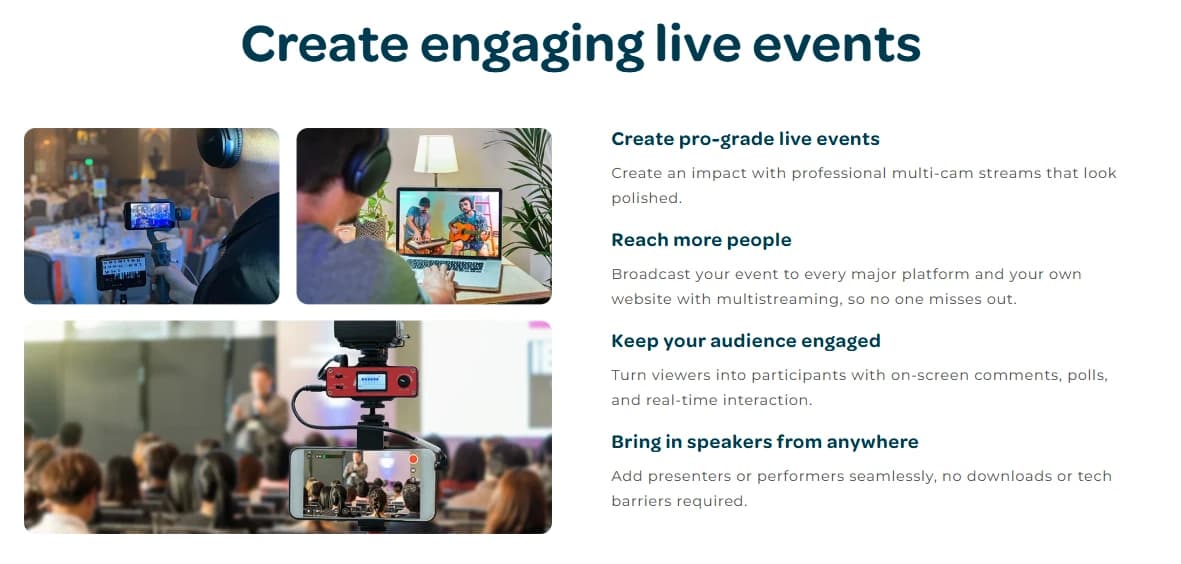
Delivering a branded experience matters just as much as the technical side of running an event.
Logos, sponsor messages, and custom graphics give every stream a professional look that reflects well on the organization behind it.
Slideshows, apps, and other media can be brought directly into the live stream alongside the video feed, and Switcher works to guarantee a smooth, reliable broadcast every time an organizer goes live.
Event organizers across many industries have leaned on Switcher for major productions.
Paulo Martinez of Intangible Productions used the platform to run a two day virtual festival with the LA Times covering panels, cooking segments, tech talks, and concerts, all through a single app.
The Prader-Willi California Foundation raised $56,594 from a virtual fundraiser, blowing past its original goal of $40,000, while connecting remotely with guests in five different locations during the broadcast.
Sydney Doctor, director of events at Greater Louisville Inc, pointed to Switcher's dedicated support and professionalism as a key reason her organization chose to partner with the platform.
8. Small Business
Small business owners use Switcher Studio to create professional video content without the cost of hiring an outside production team.
The platform lets businesses create branded, multicamera videos and live streams, share them everywhere through multistreaming, and monetize that content by embedding it right on their own website.
Video helps a small business show off what makes it unique, whether that means its products, its services, or its story, and it also gives a real boost to reach and search visibility.
Switcher exists to make that kind of high quality video affordable, even for businesses running on a tight budget with limited staff and limited time.
Everything a small business needs lives inside one subscription.
The Switcher app runs on iPhones and iPads, letting owners stream, record, and edit without buying expensive video cameras or hiring an outside crew.
Graphics templates can be customized with a business's logo, font, and brand colors, and up to nine additional iOS devices can be connected for a full multicamera production.
Multistreaming reaches up to thirty destinations at once, including Facebook, YouTube, and Twitch, all without using any extra bandwidth beyond what a single stream would require.
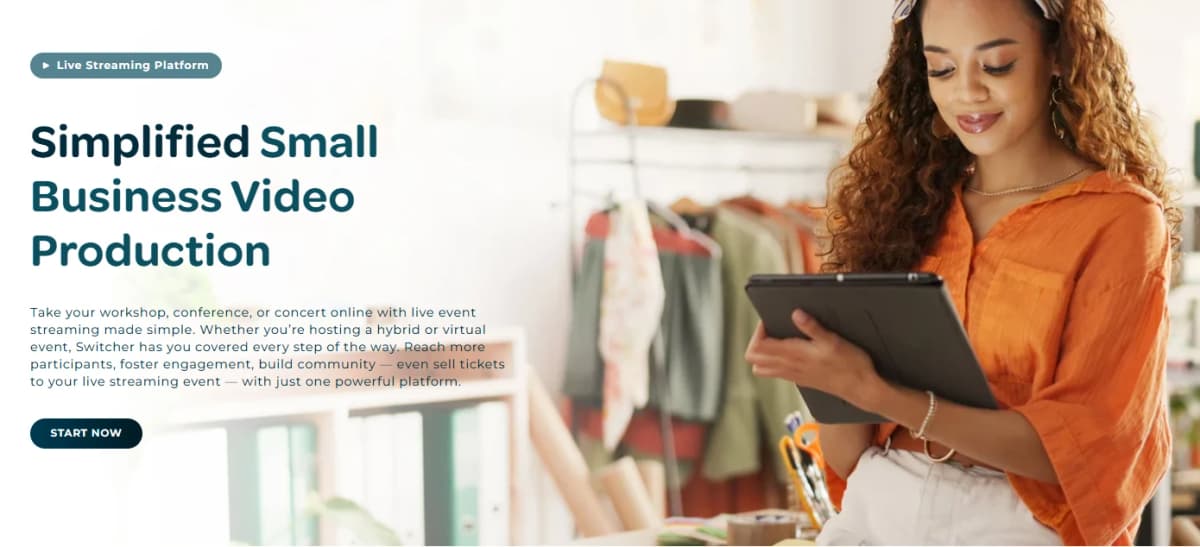
Owning the audience relationship matters a great deal for a small business, and Switcher's embeddable HTML5 video player helps make that happen.
Businesses can stream directly to almost any webpage, upload videos, and build playlists that keep customers browsing their own site instead of drifting off to a competitor's page.
Interactive links can drive customers straight to a purchase, and the Shopify integration even brings live shopping capabilities into the mix.
Short, snackable clips can be pulled from any production using the built-in Clips creator, then shared directly to Facebook, Instagram, or TikTok, and remote guests can join a production from anywhere in the world with nothing more than a simple link.
Small business owners have seen this play out in their own stores.
Stephanie Reilly, owner of Surprise Lily Boutique, said she never expected to become her shop's video producer, but Switcher made it possible to create something impressive without any background in video production.
She also noted that customers who saw a product in one of her videos have walked into the store specifically to buy it, calling that kind of impact huge for a small business owner.
Euan Smith, a musician and teacher, said Switcher's gated content tools transformed his creative business by helping him finally monetize his live streams.
Final Thoughts On Switcher Studio
Switcher Studio takes something that used to be complicated and expensive and turns it into something almost anyone can pick up in an afternoon.
The app takes the iPhones, iPads, and cameras you already own and turns them into a full multicamera studio, letting you switch angles, add graphics, and stream everywhere at once without a crew or a truck full of gear.
Whether you run a church, coach a team, host a podcast, or run a small business, the features stay flexible enough to fit almost any kind of content you want to create.
What really sets this app apart is how much it packs into one subscription.
Instead of juggling separate tools for streaming, hosting, editing, and monetizing, Switcher rolls all of it into a single platform that costs a fraction of traditional production gear.
The ability to sell tickets, gate content, and collect donations while keeping nearly all of what you earn makes the Suite plan especially appealing for anyone serious about turning video into income.
Add in the thousands of churches, schools, sports teams, and creators already using the app, and it becomes clear why Switcher Studio keeps showing up as a favorite in this space.
If you have been putting off starting a livestream or growing your video content because the gear and cost felt out of reach, this is your sign to stop waiting.
Switcher Studio offers a 14 day free trial, and you can cancel anytime, so there is really nothing standing between you and testing it out for yourself.
Grab your phone, download the app, and see what a real multicamera production looks like coming from devices you already own.
Frequently Asked Questions
1. What is Switcher Studio?
Switcher Studio is a multicamera live streaming app that turns iPhones, iPads, and other devices into a full production studio.
2. What devices can I use with Switcher?
You can use iPhones, iPads, Macs, Android devices, webcams, NDI cameras, and HDMI cameras through the Accsoon SeeMo adapter.
3. How many cameras can I connect at once?
You can connect up to nine different camera angles at the same time.
4. Does Switcher work on Android?
The Switcher Remote Camera app lets Android phones and tablets act as wireless camera angles, though you still need one Apple device to run the main production.
5. Do I need editing experience to use Switcher?
No prior filming or editing experience is required to use the app.
6. Can I record without going live?
Yes, you can record multiple camera angles without streaming and edit them later using Director Mode.
7. How many platforms can I stream to at once?
Switcher lets you multistream to up to 20 platforms at the same time on the Suite plan.
8. Which platforms have direct integrations?
Switcher has direct integrations with Facebook, YouTube, and Twitch, plus custom RTMP for other destinations like Instagram or TikTok.
9. Can I stream to my own website?
Yes, you can embed live streams and videos directly on your website using a copy and paste link.
10. How many remote guests can join a stream?
Up to five remote guests can join a broadcast, and they only need a smartphone or webcam to do it.
11. Do remote guests need to download the app?
No, guests can join through a simple browser link without installing anything.
12. What resolution can I stream in?
Switcher supports HD streaming at 720p or 1080p.
13. Is there a limit on video or stream length?
No, there are no time limits on live streams or hosted video length.
14. How much does Switcher cost?
The Studio plan starts around $65 a month and the Suite plan starts around $79 a month, with discounts available for annual billing.
15. What is the difference between Studio and Suite?
Suite includes everything in Studio plus monetization tools, more multistream destinations, more video hosting, and a customizable video player.
16. Can I sell tickets or subscriptions through Switcher?
Yes, the Suite plan lets you sell live event tickets, pay-to-view content, and recurring subscriptions.
17. Does Switcher take a cut of my earnings?
No, Switcher charges a flat $0.99 transaction fee instead of taking a percentage of your revenue.
18. Can I accept donations through Switcher?
Yes, donations can be collected through PayPal, Givelify, or Tithe.ly on both plans.
19. Is there a free trial available?
Yes, Switcher offers a 14 day free trial and you can cancel anytime before your billing cycle renews.
20. Can I cancel my subscription anytime?
You can cancel up to 24 hours before your next billing cycle and keep access until that cycle ends.