Can You Use Affiliate Links On Pinterest? What Pinterest And Programs Allow
You made a few pins, found a product you like, and pasted your affiliate link into the destination box. Then a doubt hit: will Pinterest take this down, or will the affiliate program close your account?
That worry is fair, because search results are full of pages that guess. Many of them repeat old rules or mix up Pinterest rules with Amazon rules.
Here is the plain answer. Pinterest allows affiliate links with conditions, and each affiliate program adds its own rules on top.
So you have two rulebooks to satisfy, plus the law on disclosure. If any one of them says no, the link is a problem.
The 7 steps below walk through each rulebook in order, then show how to set up a pin, send traffic, track results, and stay safe. A worked example and a list of common mistakes close the guide.
Disclosure: Some of the links I share might be affiliate links. If you click on one and make a purchase, I may earn a small commission as a thank you. But don’t worry, it won’t cost you anything extra. I only recommend stuff I genuinely believe in. Your support helps me keep creating awesome content. You can read my full affiliate disclosure in my disclaimer page.
If you want to save a lot of hours searching for high-paying affiliate programs, check out our exclusive list of 2500+ affiliate programs. You’ll find all the information about the programs inside the list. This list is perfect for affiliate bloggers and influencers.
The Short Answer: Yes, But Two Rulebooks Apply
Pinterest has a page of rules just for affiliate links. It sits inside the Commercial and Branded Content Guidelines, and it says affiliate links are a way for creators to measure the impact of their contributions.
So affiliate links are not banned on Pinterest. They come with limits on volume, honesty, and quality.
The second rulebook belongs to the program that pays you. Amazon, Awin brands, and every other program write their own terms about where links can appear.
Those terms can be stricter than Pinterest. A link that Pinterest accepts can still break a program rule.
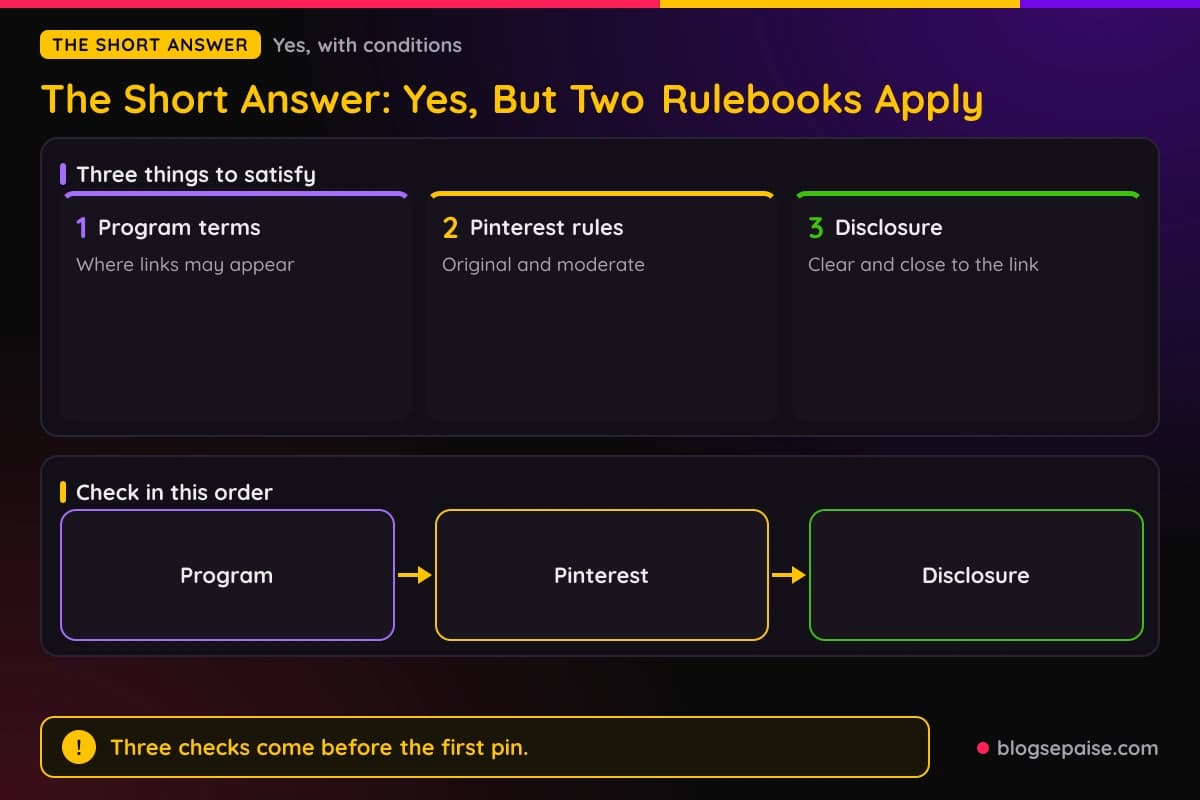
The third piece is disclosure. The FTC expects you to say when you earn money from a recommendation, and Pinterest asks you to be open about your links as well.
Put the three together and the question changes. Instead of asking if Pinterest allows it, ask if Pinterest, your program, and the FTC all allow your exact setup.
Spam rules matter here too. Pinterest tells people not to create content that is repetitive, deceptive, or irrelevant in an attempt to make money.
An affiliate pin is fine. A hundred copies of the same pin pointing to the same product is the kind of thing that rule describes.
Notice that none of this depends on how big your account is. A brand new account follows the same rules as an account with a million views.
The easiest way to stay safe is to check the rules in a set order. Start with the program, then Pinterest, then disclosure.
That order matters because the program can say no to a whole platform. If the program says no, nothing else you do on Pinterest will fix it.
A link that breaks program rules can cost you commissions or your account. A link that breaks Pinterest rules can cost you the pin or the account on Pinterest.
Both losses hurt, but the program loss is harder to undo. Your affiliate account may hold weeks of earnings.
One more point on wording. Pinterest does not publish a list of approved affiliate programs inside the guidelines page on affiliate links.
So you cannot assume that one program is blessed and another is banned. You judge each link by the rules in front of you.
Step 1: Check The Program Rules First
Open the terms of the affiliate program you plan to use. Look for words like social media, approved sites, link shorteners, and disclosure.
Do this before you make a single pin. Ten minutes of reading now beats losing a month of commissions later.
Amazon Associates is the most common question, so start there. The Operating Agreement says the program lets you monetize your website, social media user-generated content, online software application, or Alexa skill.
Social media content is named as a type of Site. That is good news, but it is not the full story.
The Participation Requirements say you must identify your Site or Sites in your application. They also say the information in your application must stay accurate and up to date.
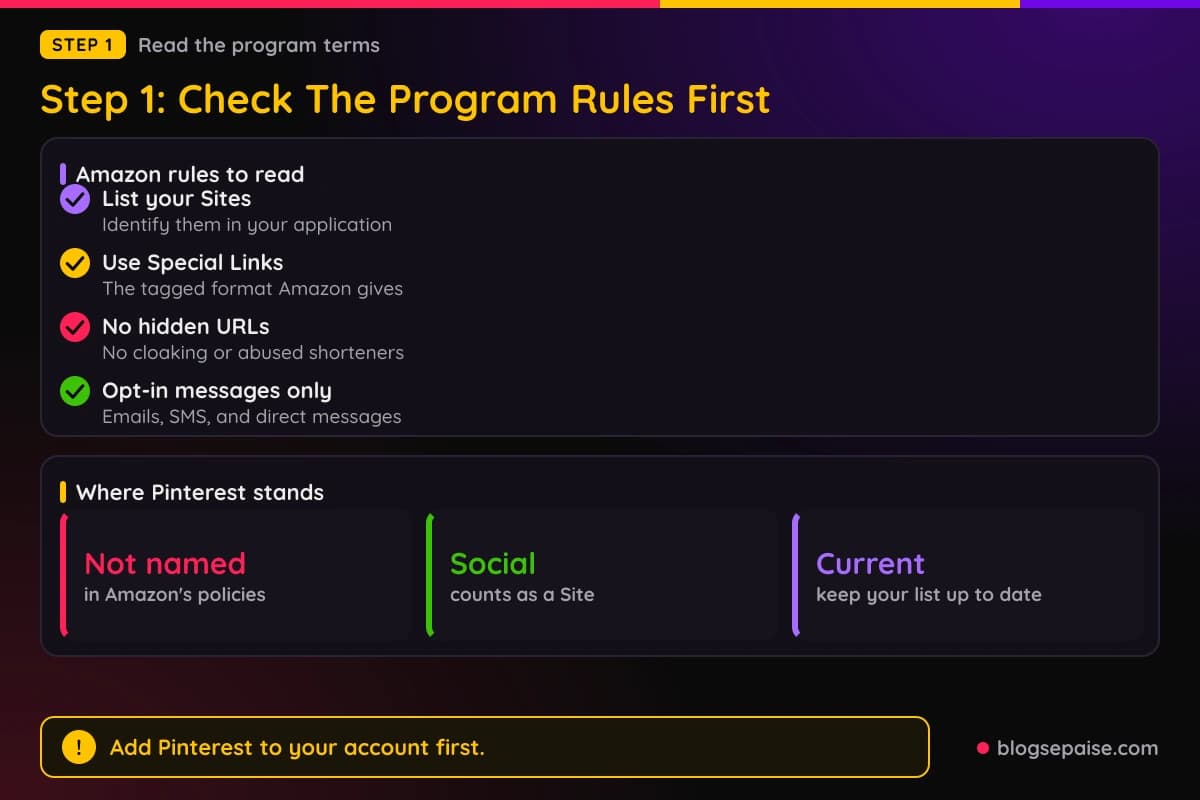
Pinterest is not named anywhere in the Associates policies. Amazon does not publish a rule that says yes or no to Pinterest by name.
So the safe move is simple. Add your Pinterest profile to your Associates account as a Site, and keep it current.
Then read the link rules. Amazon says you will not use a link shortening service in a way that makes it unclear you are linking to an Amazon site.
Amazon also says you will not cloak, hide, spoof, or otherwise obscure the URL of your Site that contains Special Links. A Special Link is the tagged link format Amazon gives you.
Purchases can also be disqualified when they come through a link that sends users indirectly to Amazon through an intermediate site. The exception is a site where the customer has to click or take another action.
Think about what that means for a pin. A pin that goes straight to an Amazon product page is clean, and a pin that bounces through two redirects is not.
Amazon also asks that your Sites contain original content and be publicly available. A private board or a pin with no real content behind it does not fit that rule well.
Social messages follow separate rules. Amazon allows Special Links in emails, SMS, and direct messages from your social media Sites only when the receiver opted in.
That means no cold DMs full of Amazon links. If someone follows you and asks for a link, a direct reply fits the rule, but mass messages do not.
Amazon also bans its trademarks in usernames and group names on social networks. Do not name your Pinterest profile or board something like Amazon Finds.
Other programs differ, so repeat the same check each time. Look for a social media section, a section on shortened links, and any list of banned traffic types.
If the terms are unclear, email the program manager and keep the reply. A written answer protects you if a question comes up later.
Step 2: Check What Pinterest Allows
Now read Pinterest's own rules. The affiliate section of the Commercial and Branded Content Guidelines is the source, and it is short.
It asks creators to always follow the paid partnership guidelines. It also says affiliate content should be original and add unique value for Pinners.
Pinterest recommends running one account, and calls it your authentic presence on Pinterest. The goal is a real profile with real taste, not a pile of throwaway accounts.
The guidelines list tactics that are off limits. One is using fake accounts to create or save your affiliate links.
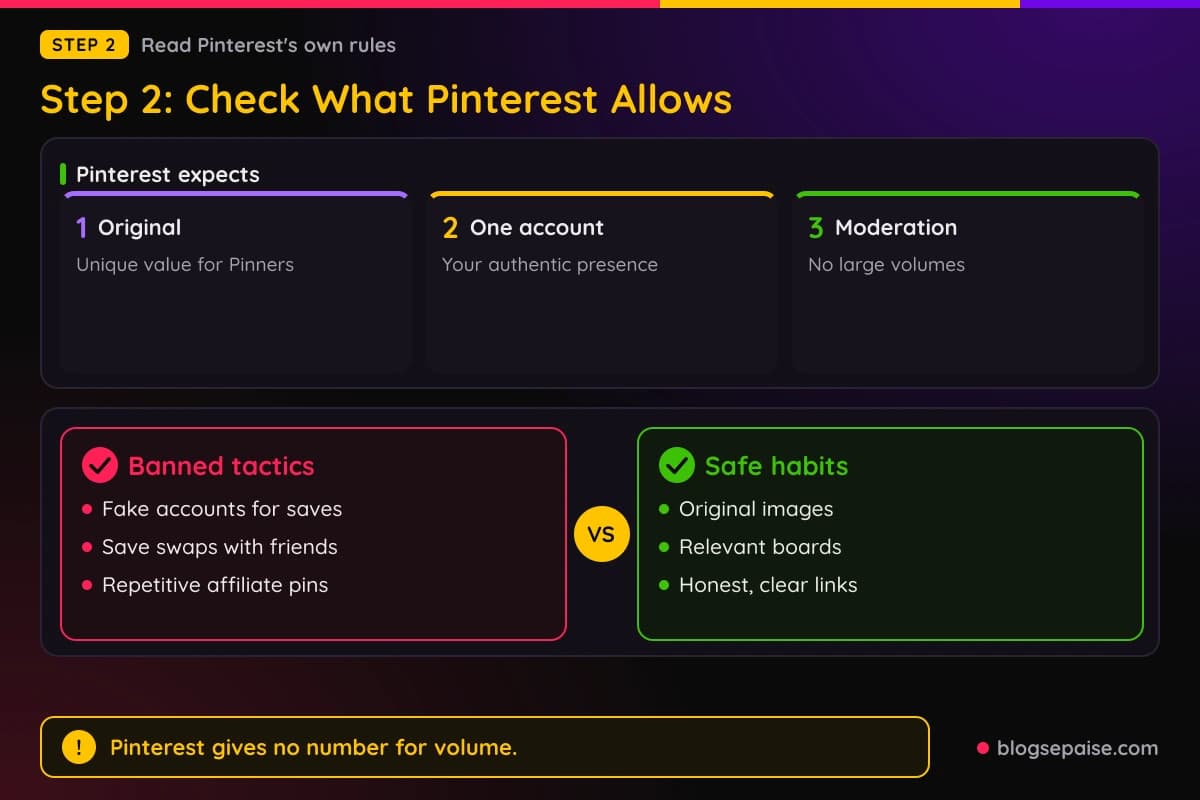
Another is asking other users to save your affiliate pins in a quid pro quo. Trading saves with friends to boost your pins breaks that rule.
The guidelines also say to avoid creating affiliate pins repetitively or in large volumes. They ask you to use affiliate links in moderation.
Pinterest gives no number for what counts as large volume. Nobody outside Pinterest can say how many affiliate pins a day is safe, so be wary of any page that gives an exact figure.
The spam rules add more. Pinterest says not to link to websites that are unsafe, deceptive, untrustworthy, or unoriginal.
That means the page behind your link matters as much as the pin. A thin page stuffed with ads is a risk even if the pin looks great.
Pinterest also says Pinners should be able to reasonably anticipate where a link will take them. A pin that promises a free printable and sends people to a sales page breaks that idea.
Redirects get special attention. Links with excessive or deceptive redirection may be blocked, and so may shortener services that are abused for spam.
Pinterest also lists redirecting existing pins to new destinations as a tactic it does not want. Change a link only when the old page is broken, not to chase clicks.
Last, post relevant content to relevant boards. A pin about kitchen storage belongs on a kitchen board, not on a board about travel.
That habit protects you from the spam rules. It also helps real people find the pin, which is the whole point of the platform.
If a rule is unclear to you, read the original wording instead of a summary. Summaries drift over time, and the guidelines page is the one place that stays current.
Step 3: Add A Clear Disclosure
Disclosure is the step most people skip. It is also the easiest one to get right.
Pinterest says to be transparent about the commercial nature of your content and about your links and their behavior. The FTC says the disclosure should sit with the endorsement itself.
The FTC also warns that a disclosure on an about page or profile page is likely to be missed. Putting it only at the very end of a post or behind a more link has the same problem.
For a pin, that means the pin description should carry the note near the start. A line like Affiliate link or I earn a commission works in plain words.
The FTC adds a few details. Do not mix the disclosure into a group of hashtags or links, because it gets lost.
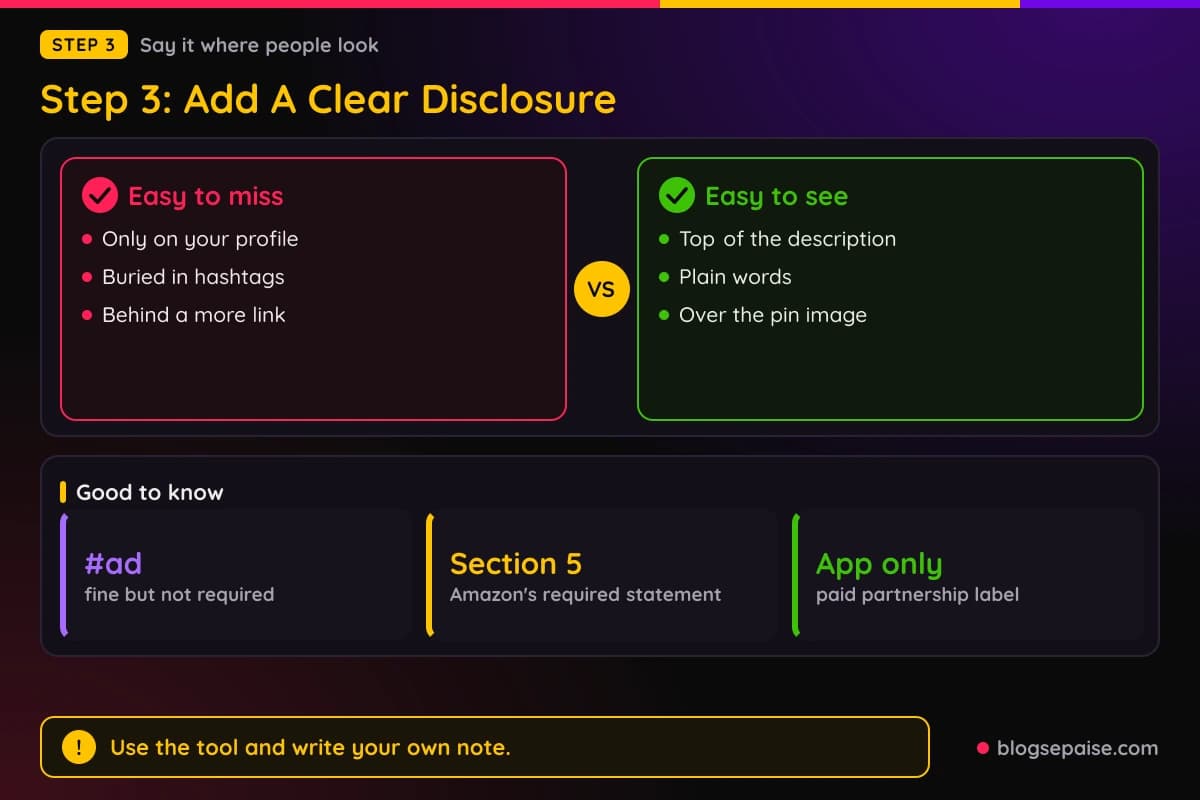
A hashtag such as #ad is fine but not required. The wording matters less than being easy to see and easy to understand.
For images, the FTC says to superimpose the disclosure over the picture and give viewers enough time to read it. If your pin is a video, say it in the video itself, since the description alone is not enough.
Pinterest also has tools. The paid partnership label is built for a creator who has a material connection with a brand, and the brand approves the label.
The label cannot be added after a pin is published. It only works in the Pinterest app, and you can only tag one brand per pin.
Pinterest's help article on that label does not mention affiliate relationships. Pinterest does not say there that the label is required for affiliate links, so do not assume it is.
For Amazon products tagged through a connected Storefront, Pinterest says pins with affiliate links automatically feature a disclosure. Pinterest does not say other affiliate links get that label, so add your own.
The FTC also says not to assume a platform tool is good enough on its own. Use the tool and write your own note too.
Amazon adds its own wording. Section 5 of the Operating Agreement asks you to clearly and prominently state: As an Amazon Associate I earn from qualifying purchases.
Our affiliate disclosure generator can draft the text in a few minutes. The legal disclosures page covers the legal pages a blog should keep.
Step 4: Set Up The Pin The Right Way
A good affiliate pin starts like any good pin. It has a clear image, a useful title, and a description that helps a real person.
Write the title for search. Our Pinterest pin title generator gives you title ideas that match how people search.
Keep the image honest. Show the real product or the real result, not a stock photo that has nothing to do with the link.
Put the disclosure in the description, near the top. Then explain in a sentence or two what the person will find when they click.
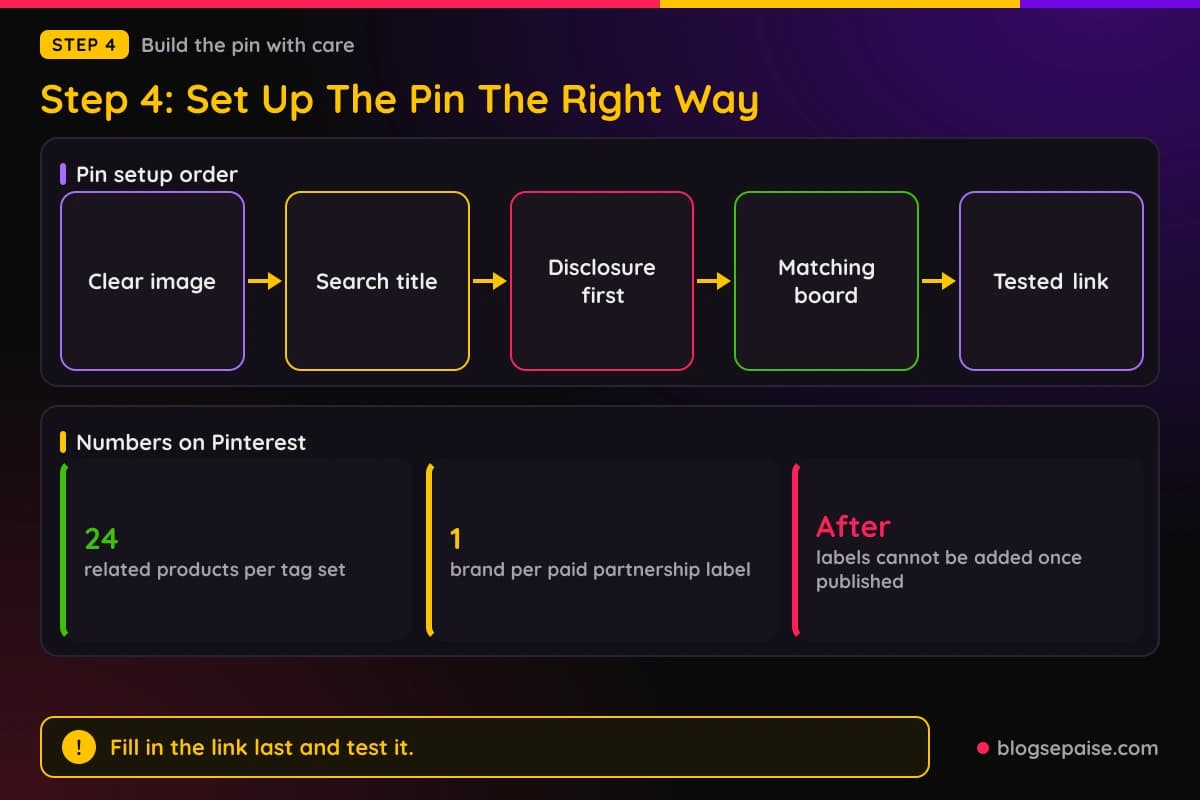
Pinterest lets you add product tags to a pin. The help center says you can tag a pin with up to 24 related products, yours or other merchants'.
The help center article on tags does not mention affiliate links, so do not treat a product tag as an affiliate link. Tags and affiliate links are different tools.
Choose the board with care. Save the pin to a board whose topic matches the pin, and use the board description to tell people what the board covers.
Fill in the destination link last. Open it yourself on a phone first, and check that the page loads fast and shows the product or advice the pin promised.
If you use Amazon, use the tagged Special Link format Amazon gives you. Do not hand type a link or change the tag.
Show prices carefully. Amazon says prices and availability may only be shown under set conditions, and a date and time stamp must sit next to them, so leave prices off the pin image.
Avoid text overlays that promise discounts you cannot prove. Words like lowest price ever invite trouble with both Pinterest and the program.
Finally, keep a simple record. Write down the pin title, date, board, and link so you can fix it fast if a program changes its rules.
Step 5: Choose Where The Link Goes
Every affiliate pin needs a destination. You have two main choices, and each has trade-offs.
The first choice is the affiliate link itself. The pin goes straight to the merchant page.
That is fast, and it skips a middle step. It also gives the viewer nothing but a sales page, and Pinterest wants content that adds unique value.
The second choice is your own page. The pin goes to a blog post that reviews or compares the product, and the affiliate link lives inside the post.
That page can hold your disclosure, your photos, and your advice. It also keeps your link in one place, so you fix it once if it ever breaks.
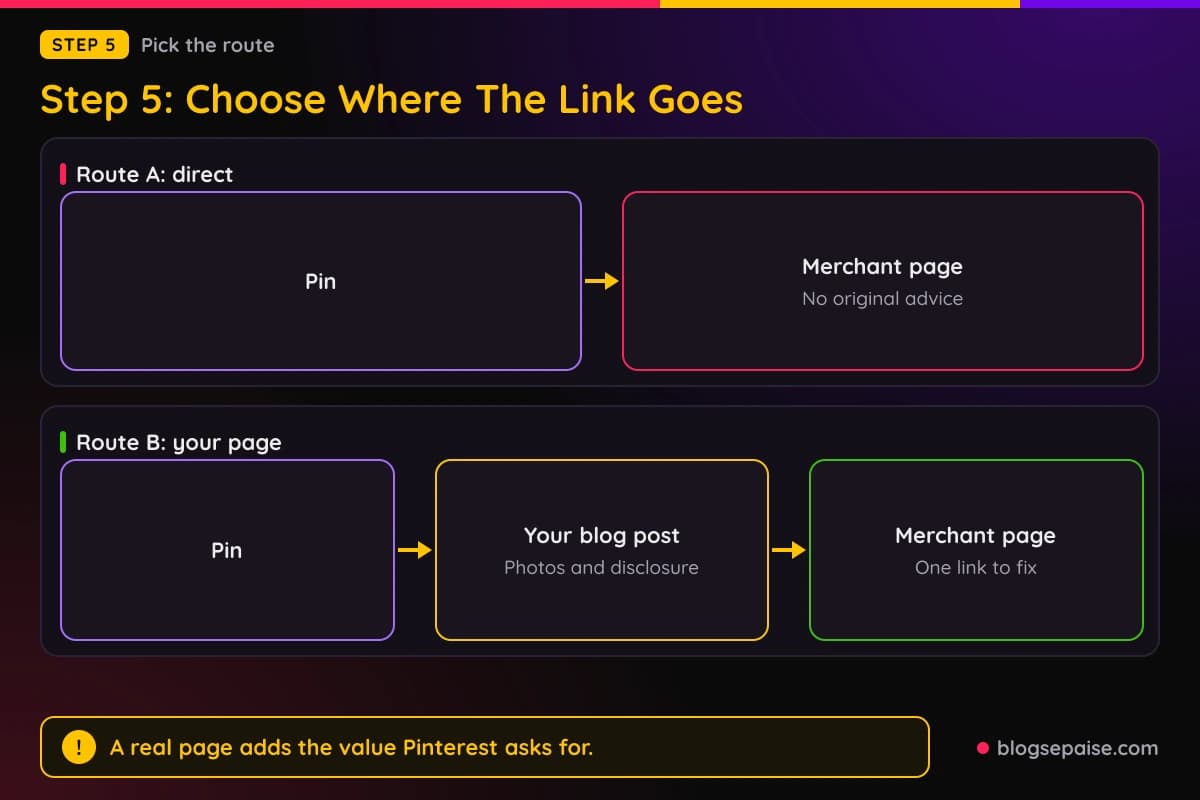
Pinterest tells creators not to link to websites that are deceptive, untrustworthy, or unoriginal. A real post with original text fits that rule better than a bare sales page.
Amazon's rules favor a clean route too. A pin that goes to a post you own, where the reader clicks a visible Amazon link, keeps the path clear.
If you go direct, use the tagged link as given. Do not wrap it in a redirect that hides where it goes.
Link cloaking tools are a gray area. Amazon says not to cloak or obscure the URL of your Site containing Special Links, and Pinterest may block links with excessive redirection.
Because of that, skip link shorteners and cloaking plugins for Pinterest unless the program says in writing they are fine. A plain link has nothing to explain.
Whichever route you pick, match the pin to the page. If the pin shows a red backpack, the page should show that red backpack within the first screen.
Speed matters too. Most pin clicks come from phones, so a slow page loses the reader before the product even appears.
A mismatch is the fastest way to lose trust. It also wastes the click you worked hard to earn.
Pinterest is not your only traffic source, so see our guide to using Quora and Medium for more places to send readers.
Step 6: Track Your Clicks And Results
Tracking tells you which pins earn and which ones waste space. Without it you are guessing.
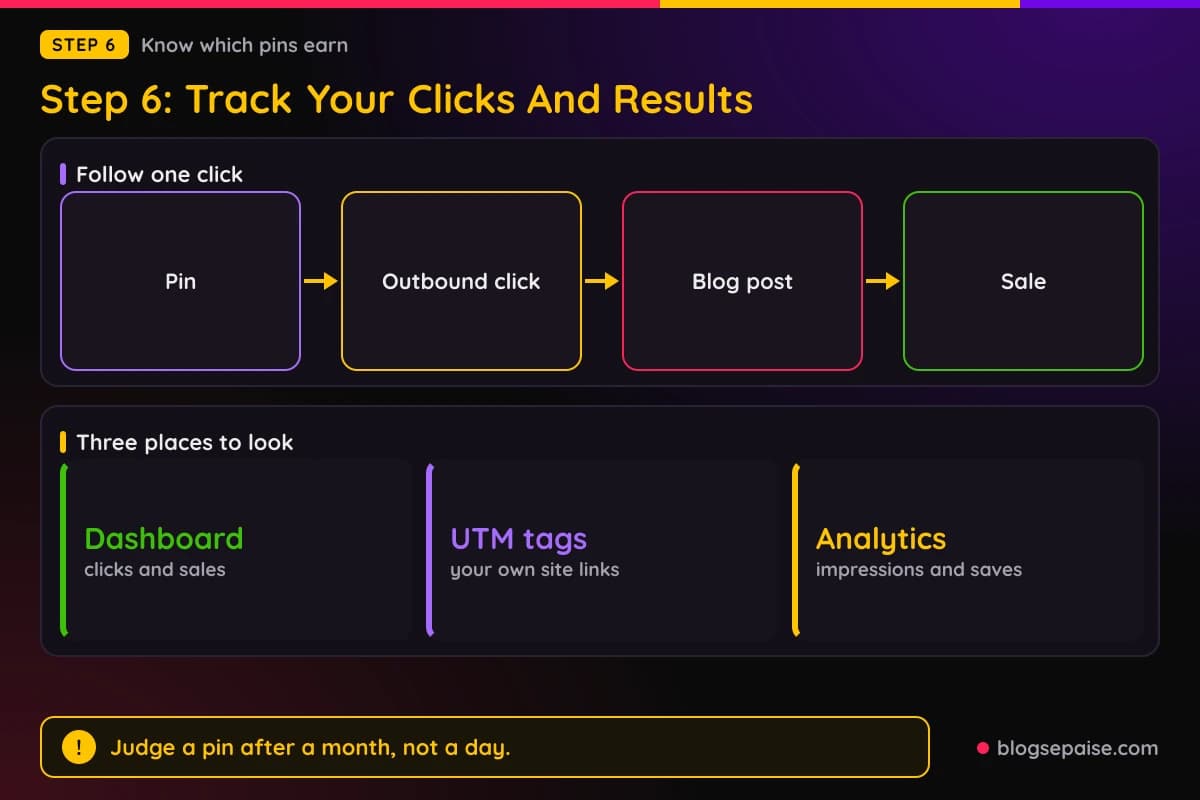
Start with your affiliate dashboard. It shows clicks and sales for each link or tracking ID.
Many programs let you make separate tracking IDs. Use one ID for Pinterest so you can see its sales apart from your blog or email list.
Then add UTM tags to links that point to your own site. Our UTM parameter builder makes tagged links in a minute.
Do not add UTM tags to a program link unless the program allows it. Some programs read the extra text as a changed link and it can break the tracking.
Pinterest analytics shows impressions, saves, and outbound clicks for each pin. Compare those numbers with your dashboard.
A pin with many impressions and few clicks needs a better image or title. A pin with many clicks and no sales needs a better page or a better product match.
Keep the test fair. Change one thing at a time, such as the title or the image, and give the pin a few weeks before you judge it.
Pins often keep working long after you post them, so do not judge a pin by its first day. Check again after a month.
Write results in a simple sheet with the pin, the board, the link, the clicks, and the sales. Our link tracking software guide covers paid tools if a sheet gets too slow.
If a link stops tracking, test it. Click it yourself, check that the tag shows up in the address, and look again in the dashboard the next day.
Tracking also protects you. If a program asks where a sale came from, you have records ready.
It also shows when a pin has run its course. A pin that gets saves but no outbound clicks may need a stronger call to action in the description.
Seasonal topics need extra care. A gift guide pin may spike for a few weeks and then go quiet, and that is normal.
Compare pins against each other, not against another creator's numbers. Your niche, your audience, and your page all shape the result.
Step 7: Stay Safe On The Platform
Safety comes down to habits. A few steady habits keep both Pinterest and your affiliate programs happy.
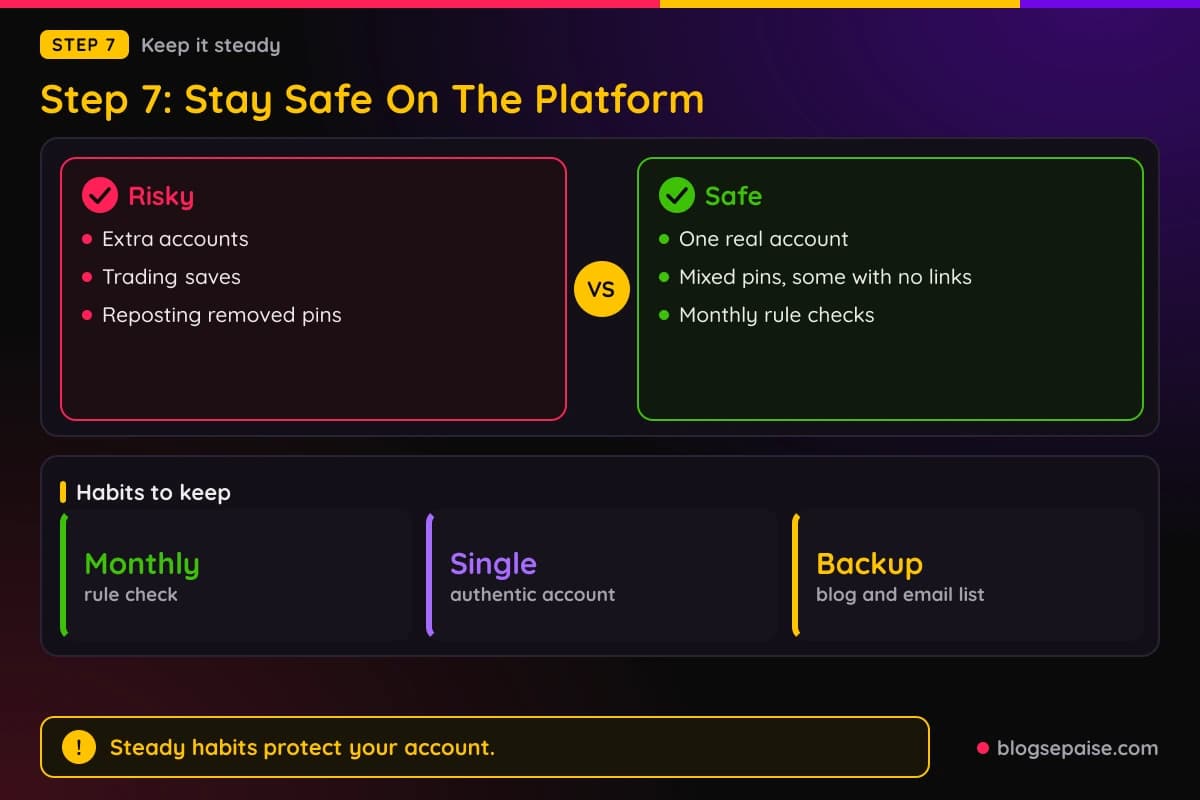
Post at a steady, moderate pace. Pinterest asks you to use affiliate links in moderation, so mix in pins that carry no affiliate link at all.
Make your own pins. Original images and original descriptions add unique value, and copied pins repeat what is already there.
Do not use more than one account to push the same links. Pinterest recommends a single authentic account and bans fake accounts for saving your links.
Never trade saves with others. Pinterest names asking users to save your affiliate pins in a quid pro quo as a rule break.
Check your links on a schedule. Dead links, changed offers, and closed programs all make a pin look sloppy.
Review your program terms every few months. Programs change their rules, and your own site list should stay accurate and up to date.
Watch your account messages. If Pinterest removes a pin or limits reach, read the notice and fix the cause before posting more.
If a pin is removed, do not repost the same pin under a new name. That looks like evasion, and it can turn one warning into a bigger one.
Keep your profile honest. A short bio that says you share home organizing ideas and sometimes earn commissions sets the right tone.
Keep a clean backup of your best content on your own site. A blog and an email list do not depend on any platform's mood.
Build an email list as well. Readers who sign up are yours to reach, even if a platform changes its rules overnight.
Finally, remember that rules change. Read the current Pinterest guidelines and your program terms again whenever something feels off.
A short monthly check works well. Set a reminder, open both rulebooks, and scan for anything new before you plan the next batch of pins.
It also helps to keep the proof of your setup. Save screenshots of your Associates site list and your pin descriptions so you can show what you did and when.
A Worked Example: Dana Builds A Pinterest Plan
Dana is a made-up example, but the steps are real. She runs a small blog about home organizing and wants to use Pinterest to send readers to her reviews.
Dana joins Amazon Associates and lists her blog. Then she reads the policies and adds her Pinterest profile to her account as a second Site.
She checks Pinterest's rules next. She plans to run one account, make her own images, and keep affiliate pins to a fraction of her total.
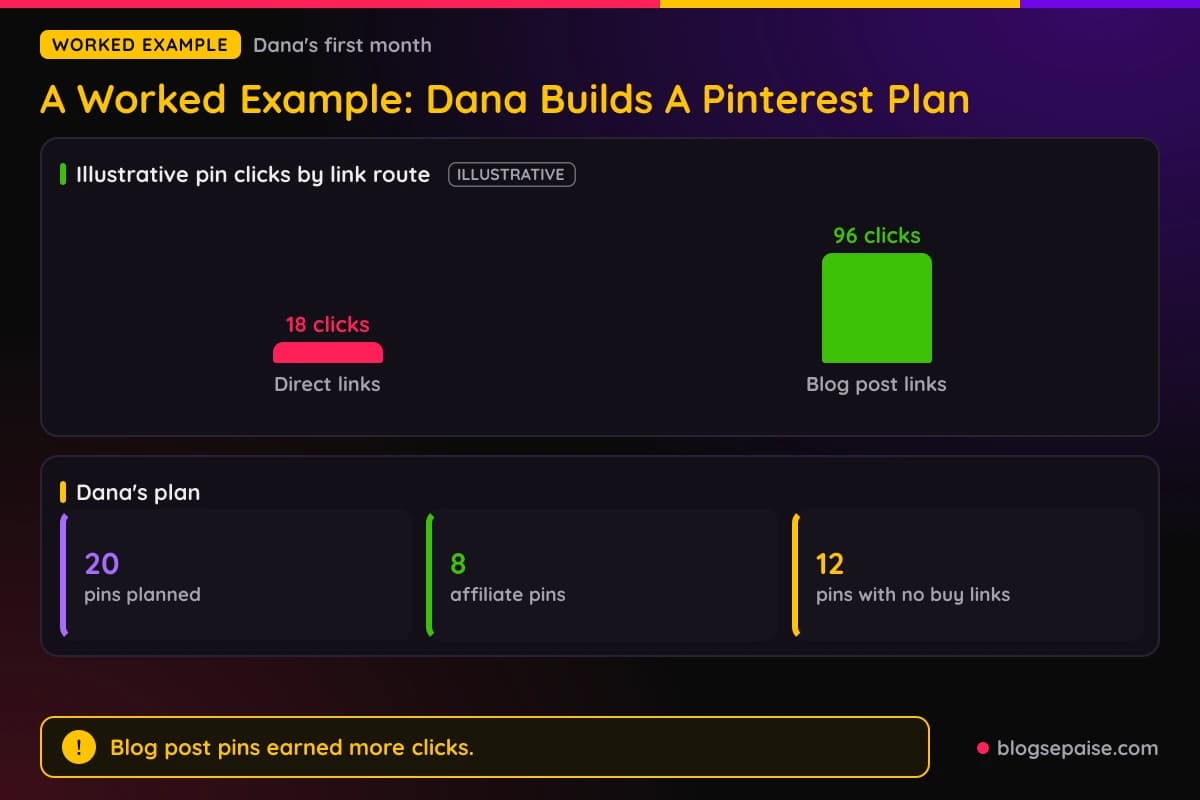
For her first month she plans 20 pins. Of those, 8 will have Amazon affiliate content and 12 will point to blog posts with no links to buy.
Dana writes a short line at the top of each affiliate pin description. It says she earns a commission if you buy through the link.
She sends four of the affiliate pins straight to Amazon pages. She sends the other four to a blog post that compares drawer organizers.
Dana uses a tracking ID just for Pinterest. She also adds UTM tags to the links that go to her own blog.
After the first month she checks the numbers. The four direct pins bring 18 clicks, while the four blog post pins bring 96 clicks.
The sales follow the clicks. The blog post pins also earn more because readers see her photos and notes before the Amazon page.
Dana does not guess why. She sees that readers trust a real review more than a bare product page.
For month two she keeps the direct pins but shifts most of her work to blog post pins. She also makes the descriptions clearer.
Her account stays in good standing because she stayed within each rulebook. She never needed a shortener, a second account, or a save swap.
Your numbers will differ, because niche, season, and pin quality all change results. The process stays the same: check, disclose, link cleanly, track, and adjust.
Common Mistakes When Using Affiliate Links On Pinterest
The first mistake is assuming the answer from a random blog. Pages that guess at the policy often repeat old rules or invent limits.
Read the Pinterest guidelines and your program terms yourself. A link to the source beats a confident sentence from a stranger.
The second mistake is skipping the program check. Many people only ask what Pinterest allows and forget that the program can say no.
The third mistake is using a link shortener or cloaker with Amazon links. Amazon says not to use a link shortening service in a way that hides the Amazon destination.
The fourth mistake is hiding the disclosure. A note on your about page or buried under a wall of hashtags is easy to miss.
The fifth mistake is posting too many near copies of the same pin. Pinterest asks for moderation, and repeated pins can look like spam.
The sixth mistake is using extra accounts. Pinterest recommends one authentic account, and it lists fake accounts that save your affiliate links as a banned tactic.
The seventh mistake is sending people to a page that does not match the pin. Pinterest expects Pinners to anticipate where a link goes.
The eighth mistake is showing prices on pins. Amazon sets conditions for showing prices and wants a date and time stamp next to them.
The ninth mistake is putting Amazon in your username or board name. Amazon bans its trademarks in usernames and group names on social networks.
The last mistake is giving up on tracking. Without data, you cannot tell which pins work, and you keep making the same pins.
Final Thoughts
Affiliate links on Pinterest are allowed, and they come with conditions. Pinterest wants original, honest content, and your program wants its own rules followed.
Check the program first, read Pinterest's guidelines, add a clear disclosure, set up each pin with care, link cleanly, and track the results. Those steps cover most of the risk.
Some rules are simply not published. Amazon does not name Pinterest in its policies, and Pinterest gives no number for affiliate pin volume.
Start small and keep your records. A few good pins that follow every rulebook will beat a flood of risky ones.
Frequently Asked Questions
1. Can you use affiliate links on Pinterest?
Yes, with conditions. Pinterest has affiliate guidelines that ask for original content, honest disclosure, and moderate volume.
2. Does Amazon allow affiliate links on Pinterest?
Amazon's published policies do not name Pinterest. They do say social media content can be a Site, that you must identify your Sites in your application, and that you keep that information up to date.
3. Can I use my own Amazon affiliate links on Pinterest?
Yes, if your Pinterest profile is listed in your Associates account and you follow the link and disclosure rules. Use the tagged Special Link format and avoid shorteners that hide the destination.
4. Do I have to disclose affiliate links on Pinterest?
Yes. Pinterest asks you to be transparent about your links, and the FTC says disclosures belong with the endorsement itself.
5. Where should the disclosure go on a pin?
Put it in the pin description near the start, in plain words. The FTC says a note on a profile page or behind a more link is likely to be missed.
6. Can I use a link shortener on Pinterest?
Amazon says not to use a link shortening service in a way that hides the Amazon destination. Pinterest says shorteners abused for spam may be blocked, so a plain link is safer.
7. Is the paid partnership label needed for affiliate links?
Pinterest's help article on the label does not mention affiliate links. The label cannot be added after a pin is published, so decide before you post.
8. Does Pinterest add a disclosure for me?
For Amazon links added through a connected Storefront, Pinterest says pins with affiliate links automatically feature a disclosure. Pinterest does not say the same for other affiliate links, so add your own note.
9. How many affiliate pins can I post a day?
Pinterest does not publish a number. It asks you to use affiliate links in moderation and to avoid creating affiliate pins repetitively or in large volumes.
10. Should I link straight to the product or to my blog?
Both can work, but a blog post lets you add original advice, photos, and your disclosure. Pinterest asks that affiliate content add unique value for Pinners.
11. Can I use more than one Pinterest account for affiliate pins?
Pinterest recommends one account that is your authentic presence. It lists fake accounts that create or save your affiliate links as a banned tactic.
12. Can I trade saves with other creators?
No. Pinterest lists asking other users to save your affiliate pins in a quid pro quo as a prohibited tactic.
13. Do I need a Pinterest business account to use affiliate links?
Pinterest does not say a business account is needed for ordinary links in a pin. Linking an Amazon Storefront does need one, along with participation in the Amazon Influencer Program.
14. Can I send affiliate links in direct messages?
Amazon allows Special Links in direct messages from your social media Sites only when the receiver opted in. Mass or cold messages with affiliate links break that rule.
15. Can I show Amazon prices on my pins?
Amazon says prices and availability may only be shown under set conditions. It also asks for a date and time stamp next to them, so leaving prices off the image is the easy choice.
16. How often should I check the rules again?
A monthly check is a good habit. Pinterest and affiliate programs can both update their terms, and you are the one responsible for following the current version.