SocialBee Review (2026): 15 Features, Free Trial, And Limits
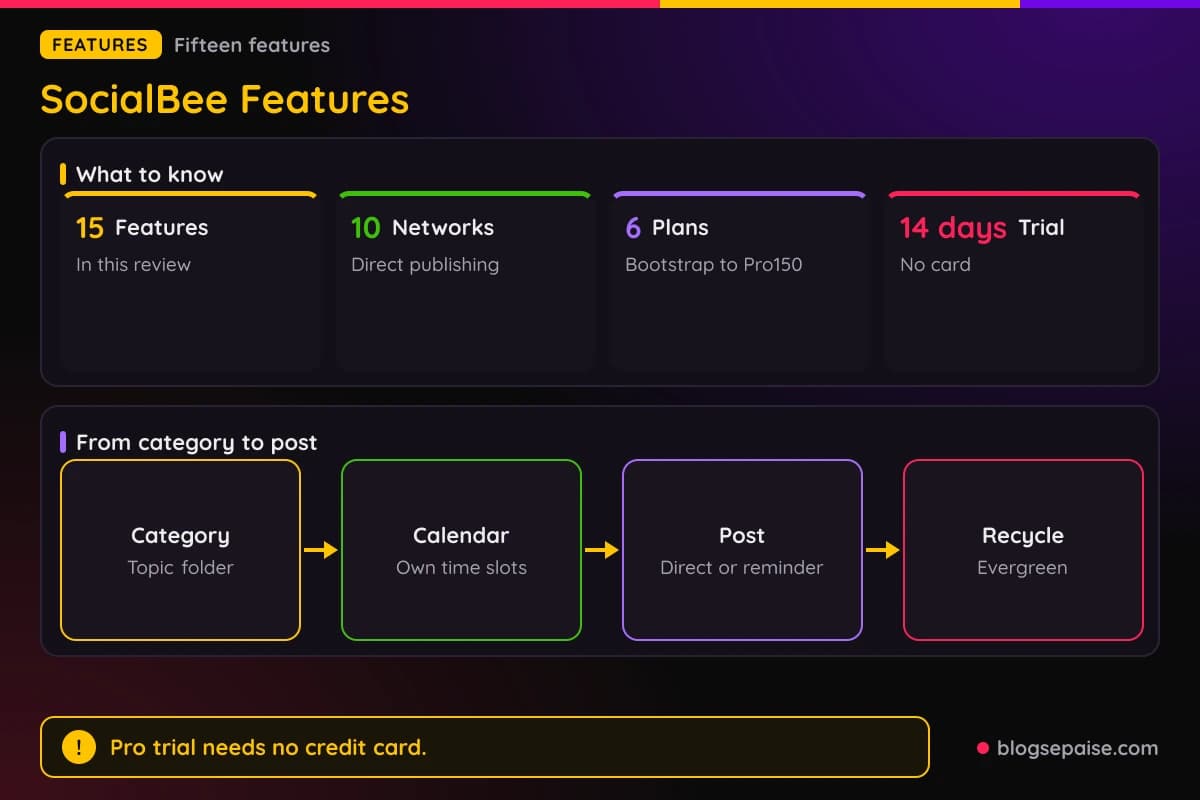
SocialBee is a social media management platform for creating content, scheduling and publishing posts, tracking analytics, managing engagement, and working with a team. It publishes directly to 10 networks: Facebook, Instagram, Threads, X, LinkedIn, Pinterest, Google Business Profile, TikTok, YouTube, and Bluesky.
Its signature idea is the content category. You sort posts into topic folders, give each category its own schedule, and SocialBee pulls from those categories to fill your calendar.
An AI assistant called Copilot builds a content strategy from a website URL. An AI post generator writes captions, hashtags, emojis, and images from a prompt, a topic, or a link.
SocialBee has six plans. Bootstrap costs $29 a month, Accelerate costs $49, Pro costs $99, and the agency plans Pro50, Pro100, and Pro150 cost $179, $329, and $449.
Every new account gets a 14-day trial of the Pro plan with no credit card and no contract. There is no permanent free plan, and posting stops when the trial ends.
SocialBee is operated by SocialBee LABS SRL, a company established in Romania, and it belongs to the WebPros group. SocialBee also runs its own affiliate program through PartnerStack.
Disclosure: Some of the links I share might be affiliate links. If you click on one and make a purchase, I may earn a small commission as a thank you. But don’t worry, it won’t cost you anything extra. I only recommend stuff I genuinely believe in. Your support helps me keep creating awesome content. You can read my full affiliate disclosure in my disclaimer page.
Search 1,500+ affiliate programs in the Blogsepaise Program Database and filter them by category, network and commission type, then go straight to each program's signup page. The Link Health Monitor then checks your posts for broken, redirected and untagged affiliate links.
SocialBee Features
SocialBee groups its product into seven areas: content creation, an AI assistant, scheduling and publishing, engagement, analytics, collaboration, and integrations. Each of the 10 supported networks also has its own scheduler page with its own formats and limits.
The 15 numbered features below cover all of those areas. They start with AI and content planning, move through the networks one group at a time, and finish with the inbox, analytics, teamwork, and integrations.
Bootstrap, Accelerate, and Pro all include AI Copilot, the Engagement module, analytics, and Universal Posting through the mobile app. The agency plans Pro50, Pro100, and Pro150 differ from Pro in scale only.
A social profile means one connected account, such as one Facebook Page or one Instagram account. Plan limits count profiles, so the number of networks you post to matters when you pick a plan.
1. AI Copilot Builds Your Content Strategy
Copilot is SocialBee's AI social media manager. It handles planning, creation, optimization, and management of posts across a brand's channels.
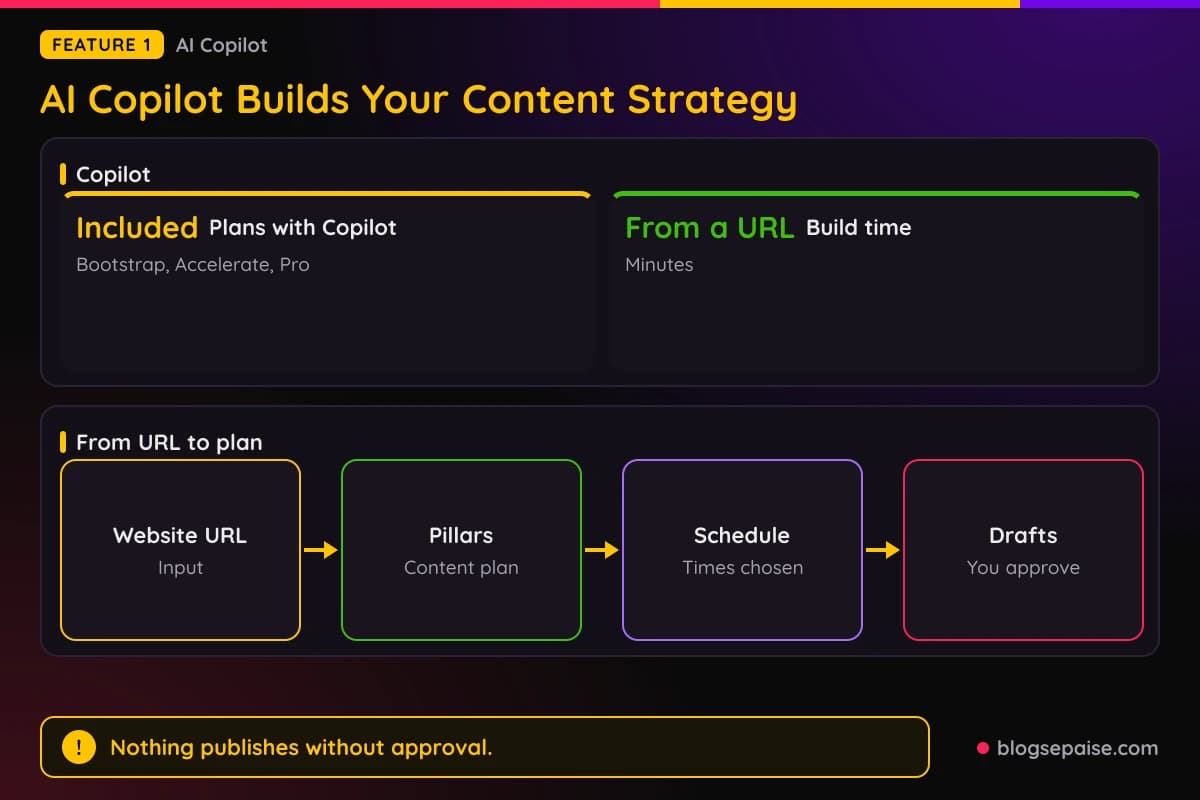
You give it a website URL and it builds a content strategy in minutes. The plan includes content pillars, a posting schedule, and campaigns.
Copilot studies your audience and recommends which platforms deserve your time. It also produces campaign ideas grouped into content pillars, and you can keep, skip, or tweak each idea.
Setup starts with a Suggested social networks step that lists the accounts you can connect. A Generate content categories button then finishes the step and builds the categories for you.
Copilot reviews your brand, goals, and past posts to suggest new content ideas whenever you ask. It recommends the best times to post, converts older content into new posts, and keeps your queue filled.
Everything Copilot writes is editable, including captions, tone, length, prompts, and images. Nothing publishes without your approval, and you own the captions, images, and posts it creates with no added licensing or usage limits.
Copilot is included in Bootstrap, Accelerate, and Pro. Robert Thibodeau, CEO of Freedom Through Faith Radio Network, says he manages about two weeks of content in about four hours across four social media apps with SocialBee.
2. AI Post Generator For Captions, Hashtags, And Images
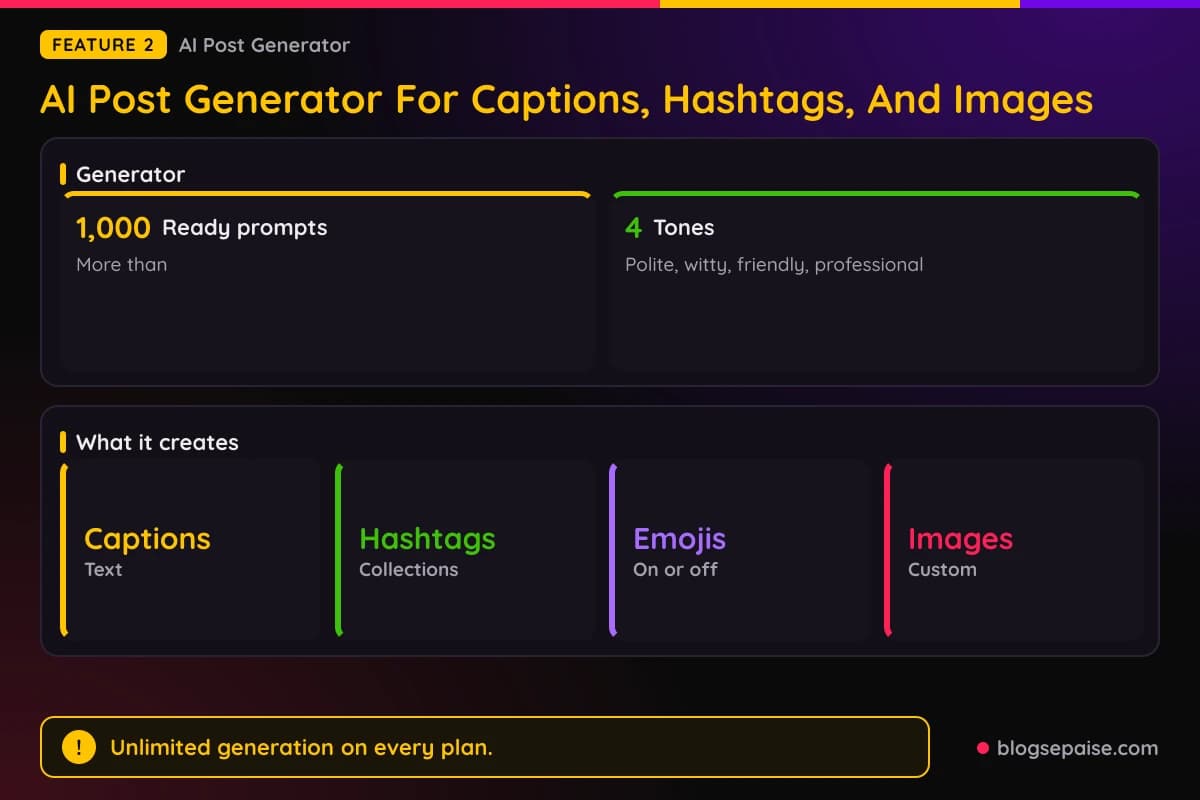
The AI Post Generator creates captions, hashtags, emojis, and images from a prompt, a topic, or a URL. It comes with more than 1,000 ready prompts, and you can write your own.
You pick a tone of voice, such as polite, witty, friendly, or professional. You can also generate several variations at once.
The AI also summarizes and simplifies content, turns product descriptions into promotional posts, and makes custom graphics. Emojis and hashtags can be switched on or off.
Every plan has unlimited AI content generation. No plan caps how many captions or images you can create.
Post customization adapts each post to its network. You can change captions and visuals by hand or let AI do it, including caption length and hashtags, and posts fit each platform's format and character limits.
A hashtag generator builds hashtags from your content and saves them as collections you can reuse. Accelerate and higher plans add a hashtag organizer, and Bootstrap does not include it.
SocialBee also offers a free AI post generator on its site that needs no account. Juliette Stapleton, a coach, says what took her hours was done in a couple of minutes.
3. Content Categories And The Category Calendar
Content categories sort your posts into topic folders, such as tips or news. Each category gets its own posting schedule, and SocialBee pulls from the categories to fill your time slots.
Categories keep a feed balanced. Because automatic posting runs on the time slots you set in each category, your calendar fills with a planned mix of content.
You can bring posts into a category by importing a blog's RSS feed or by bulk importing. RSS import turns blog posts into social posts automatically.
Plans cap the number of categories. Bootstrap has 10, Accelerate has 50, and Pro and the agency plans have unlimited categories.
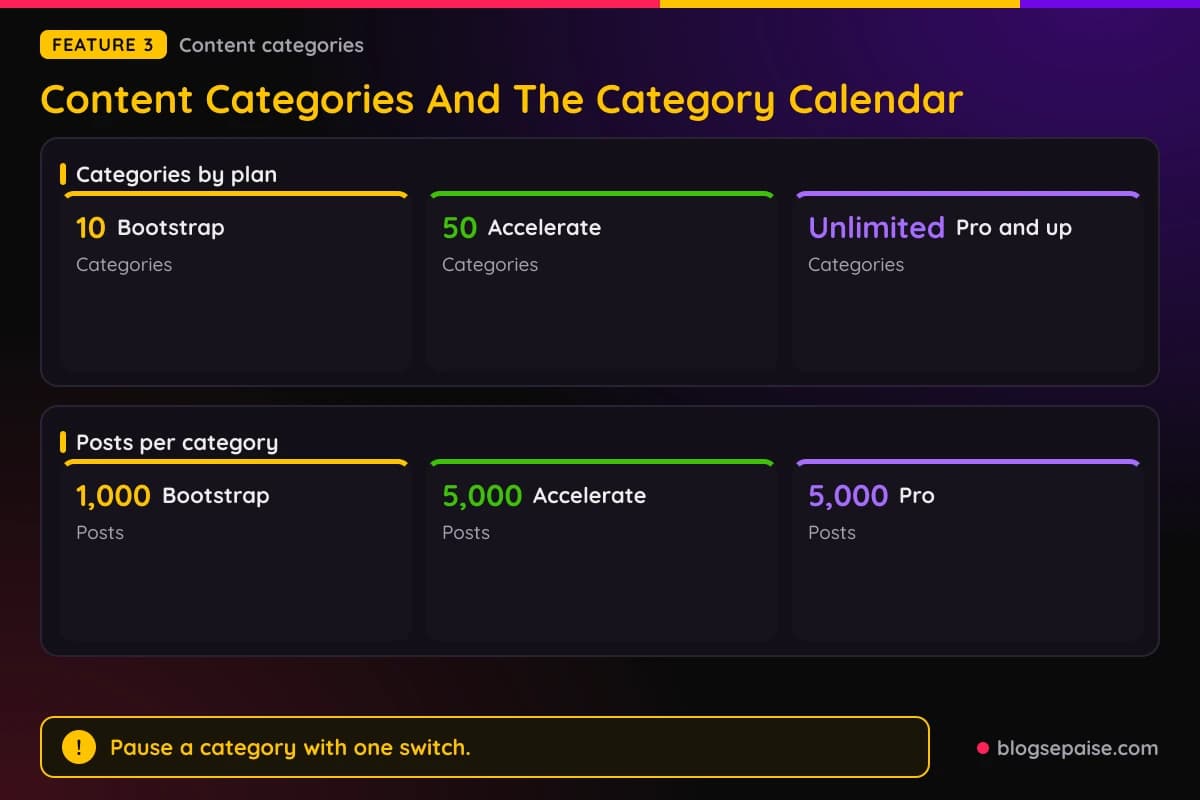
Posts per category are capped as well. Bootstrap holds 1,000 posts per category, while Accelerate and Pro hold 5,000.
Content sources for RSS follow the same ladder. Bootstrap has 10, Accelerate has 30, and Pro and the agency plans have unlimited sources.
A bulk editor can schedule, pause, edit, approve, or delete all posts in a category at once, and one switch pauses a whole category. The bulk editor starts at Accelerate.
Emma Madison, owner of Skyline Insurance Agency, says she set up a year's posts in one day with SocialBee.
4. Evergreen Recycling, Post Variations, And Expiry
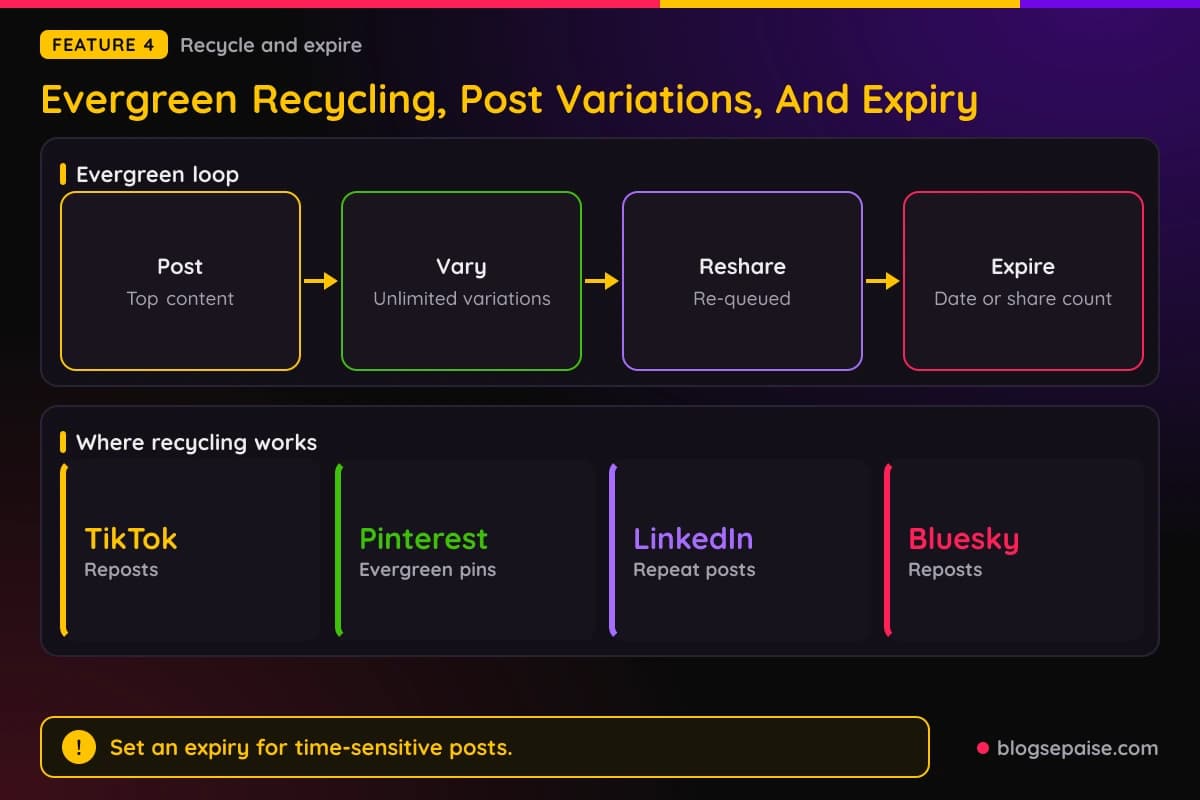
Evergreen posting re-queues posts to create a recurring content cycle. Your top posts get shared again without you rebuilding them.
You can reshare evergreen content in different formats, with unlimited post variations. Variations keep a recycled post from looking the same every time.
Posts can expire on a set date or after a set number of shares. That stops time-sensitive posts from running past their moment.
You can also post at a specific time. Time-sensitive posts go out on the exact date and time you choose.
Recycling works on every network. TikTok reposts top content multiple times, Pinterest recycles evergreen pins, LinkedIn can publish a post several times, and Bluesky reposts top content on a cycle.
Karen Brown, a coach, says she loves the variations she can have with the posts. Judy Brice, director of JMB Tutoring and Consultancy UK, says banks of pre-scheduled content saved her during periods of illness when she could not create new posts.
5. Visual Creation With Canva, Unsplash, And GIPHY
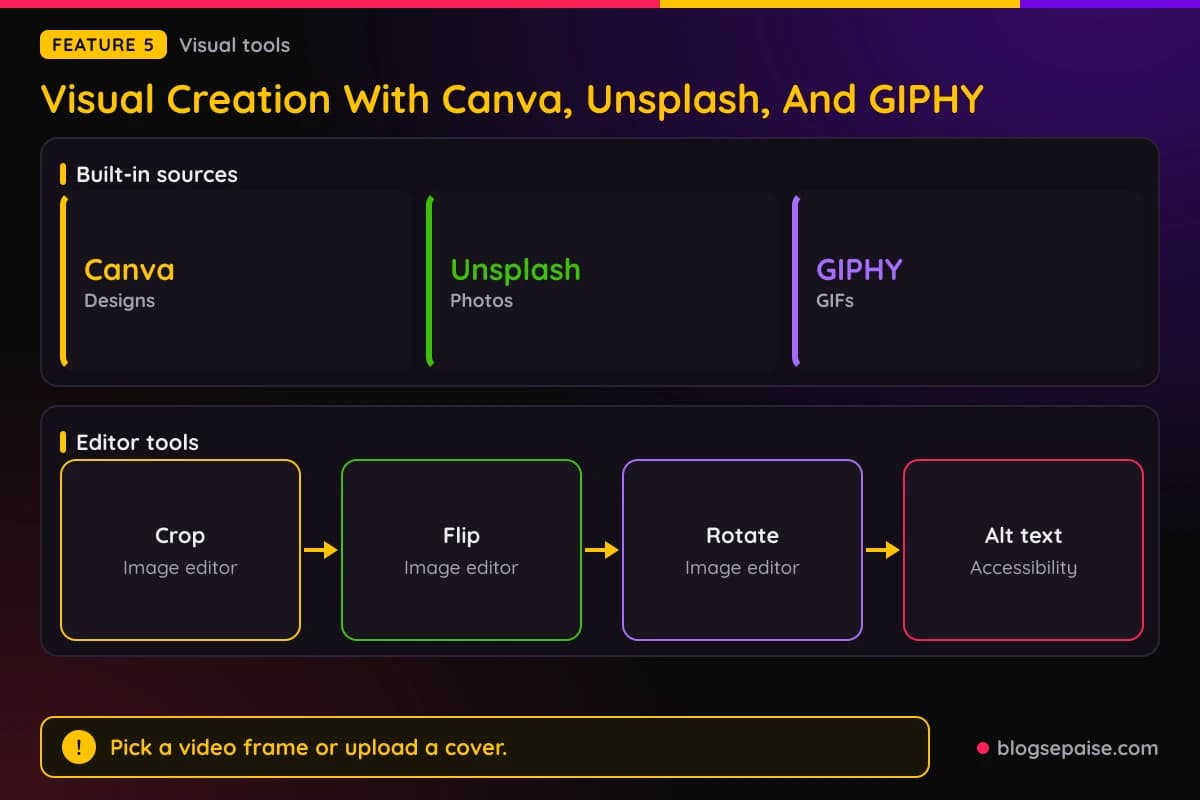
Canva designs import straight into SocialBee. You browse your Canva designs and bring them in without downloading or uploading files.
Unsplash supplies stock photos and GIPHY supplies GIFs, both from inside the post editor. Bootstrap, Accelerate, and Pro all include the Canva, Unsplash, and GIPHY integrations.
A built-in image editor adjusts, crops, flips, and rotates images in a live preview. SocialBee handles feed posts, carousels, and Stories.
Video thumbnails let you choose a frame from the video or upload a custom cover. Alt text can be added to images for accessibility.
Instagram posts can carry a location or geotag. A scheduled first comment publishes right after the post, which helps for links or extra hashtags.
Mentions and tags work in the editor, and post previews show how content will look after publishing. A built-in emoji keyboard sits in the editor too.
6. Scheduling Views, Best Times, And Bulk Upload
You can schedule posts for specific dates and times, and SocialBee publishes them automatically, even while you are away. Posts can be edited or rescheduled before they go live.
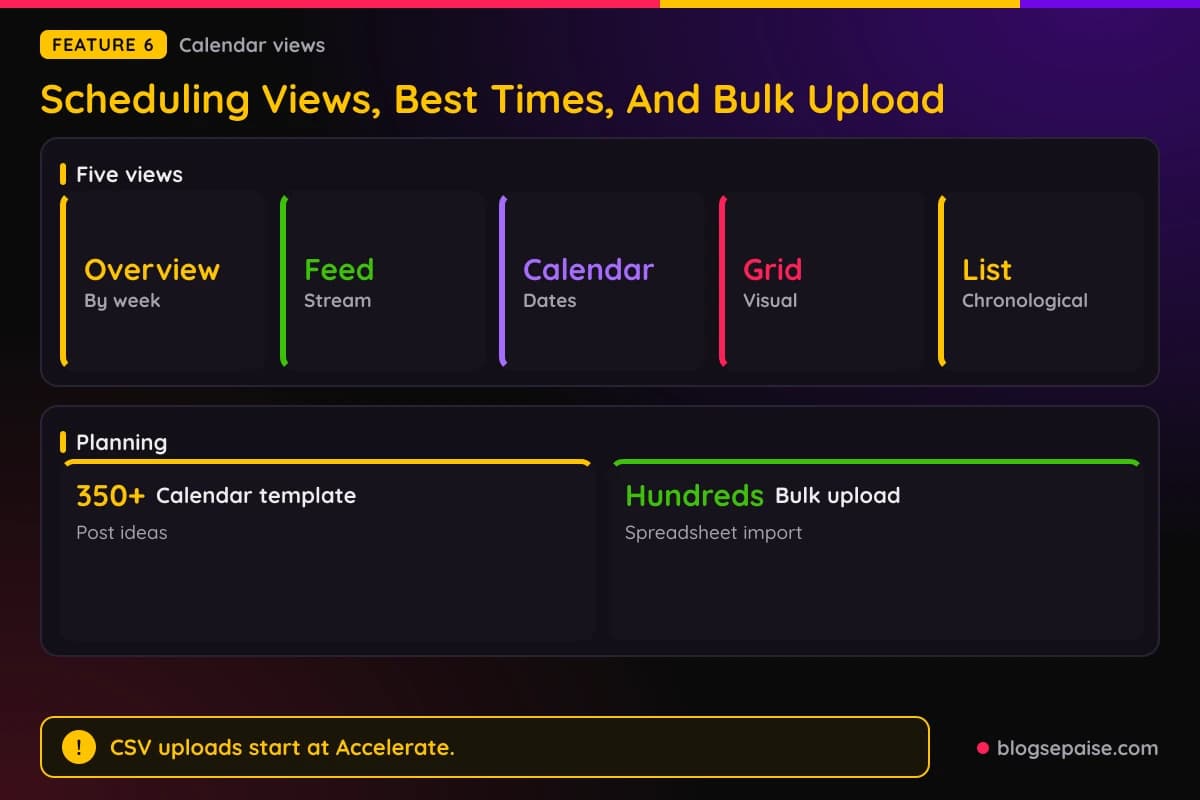
Five views show your plan. They are Overview, which shows categories by week, plus Feed, Calendar, Grid, and List, which runs in chronological order.
Filters, category statistics, and internal notes help with planning. A check for failed posts and a review of upcoming posts keep the queue honest.
Best posting time recommendations come from your top-performing posts. Each connected channel can also have its own posting schedule.
Bulk upload loads many posts at once, and a spreadsheet import handles hundreds of posts together. CSV uploads start at Accelerate.
Drafts can be saved and reviewed by a team before publishing. The Instagram grid preview shows how upcoming posts sit next to published ones.
SocialBee also offers a free social media calendar template with over 350 post ideas.
7. Facebook, Instagram, And Threads Publishing
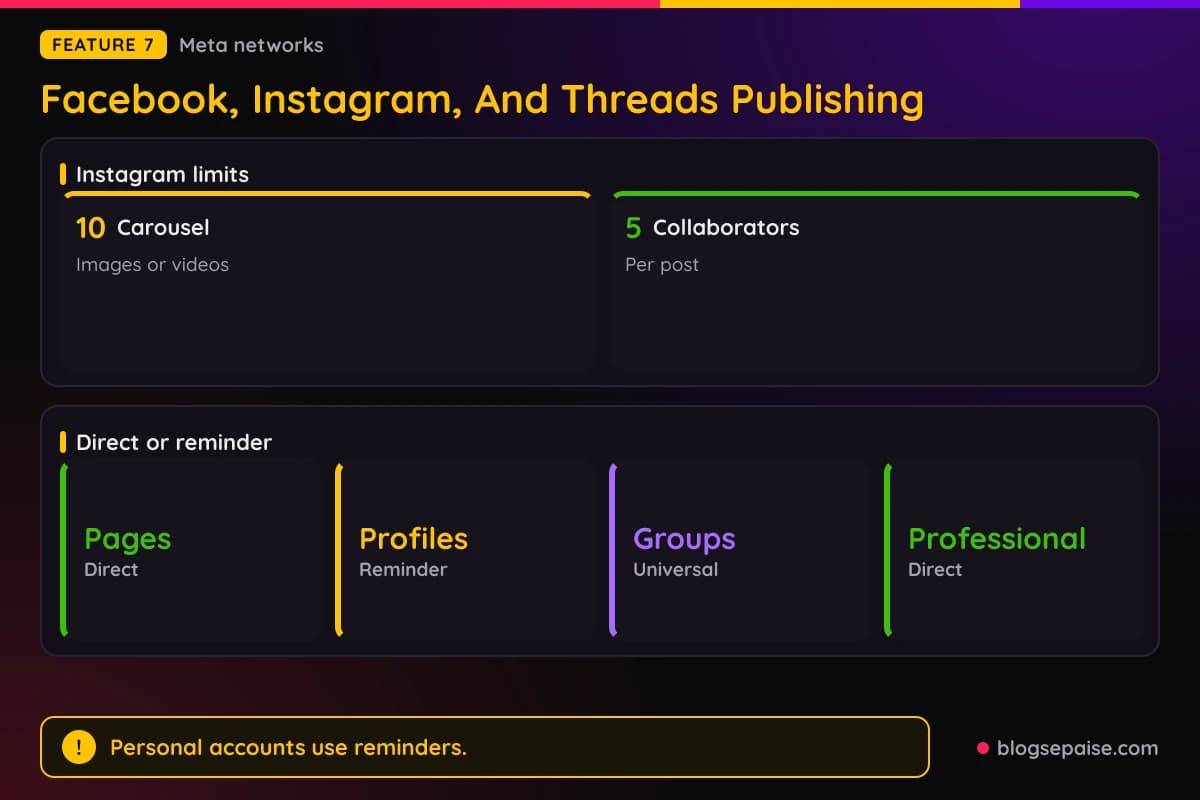
Facebook Pages publish directly. Personal profiles get a mobile reminder when it is time to post, and Facebook Groups go through Universal Posting.
Facebook post types include text, images and GIFs, videos, Reels, and Stories. An automatic first comment posts after the main post goes live, and alt text is supported.
Instagram supports single images, Reels with a custom cover or a chosen frame, carousels of up to 10 images or videos, and Stories. Collaborative posts allow up to 5 collaborators.
Professional accounts, Business or Creator, publish automatically. Personal accounts get a mobile reminder, and a failed direct publish switches to a mobile reminder too.
Instagram location tags work on Business profiles only, and Instagram analytics need the account connected through a Facebook Page. A grid planner previews upcoming posts next to published ones.
Threads supports text, single images, videos, and carousels, and it connects through Meta's official API. You can monitor mentions and reply to conversations from the app.
Facebook analytics cover page growth, follower count, views, clicks, likes, comments, shares, and average reach per post, organic and paid. A competitor Page follower comparison is included.
Threads analytics cover engagement rate, follower growth, and profile visits, plus views, likes, replies, and reposts for each post. Follower age and location are shown too.
8. TikTok And YouTube Scheduling
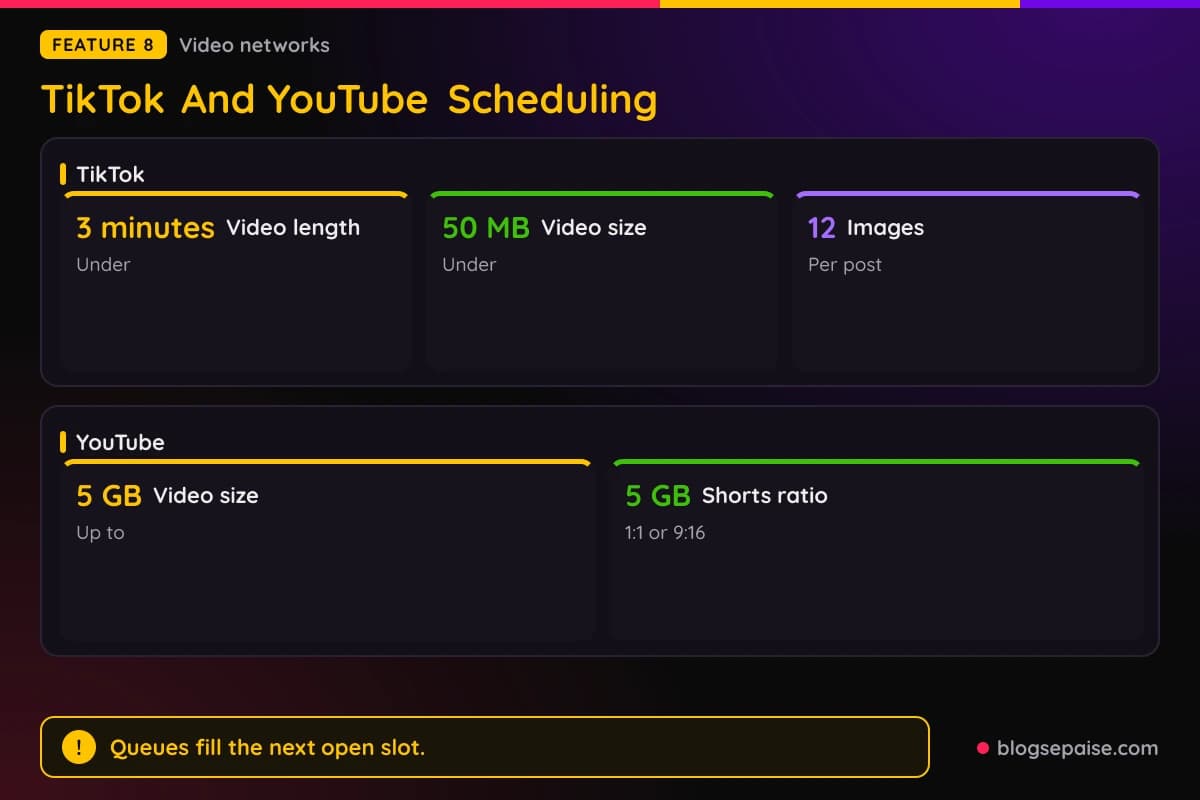
A single TikTok video can be one MP4 or MOV under 3 minutes and 50 MB, and it posts directly. Multiple videos, and posts with up to 12 images, go out through reminders.
TikTok settings include privacy controls and toggles for comments, duets, and stitches. You can choose a frame or upload your own cover, and each connected channel has its own schedule.
AI writes TikTok captions, suggests hashtags, and recycles content that still performs. TikTok analytics cover reach, follower growth, and top posts.
YouTube long-form videos can be up to 5 GB in any size and format. Shorts can be 1:1 or 9:16, also up to 5 GB.
A visual calendar lets you drag, drop, and rearrange videos to set exact go-live times. Bulk uploads load a whole library, and a posting queue fills the next open slot with each new video or Short.
Queue actions let you move posts up or down, requeue, save as a draft, duplicate, or publish immediately. Videos can be scheduled into playlists, and a first comment can publish when the video goes live.
An AI title generator writes titles, descriptions, and hashtags in a tone you choose and a word count you set. YouTube analytics cover subscribers, watch time, profile views, audience retention, and competitor benchmarking.
SocialBee schedules to YouTube through YouTube's official API. Unlike YouTube Studio, it handles multiple channels, team collaboration, AI tools, and other platforms in one dashboard.
9. LinkedIn And X Posting
LinkedIn posts can be text only, text with one image, text with several images, or video. Carousels come from uploading PDF, DOC, DOCX, PPT, or PPTX files.
You can schedule to a personal profile or a company page, and you can manage several of each from one account. Link previews show with images, and video thumbnails use a frame or a custom image.
An RSS import turns articles into LinkedIn posts automatically. A first comment can be scheduled alongside a post, and time-sensitive posts stop republishing after a set date.
LinkedIn analytics cover reach, engagement through likes, comments, and shares, audience growth, and post history. Company page analytics add audience country and industry.
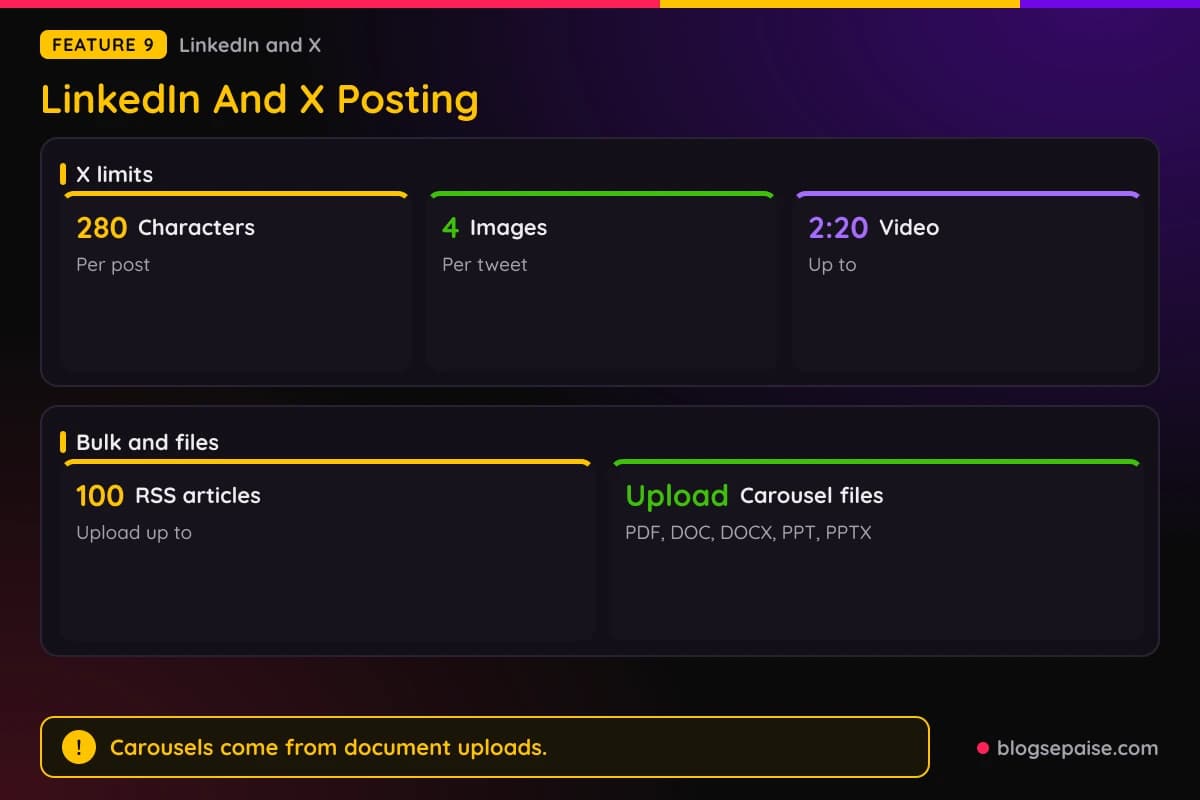
X posts fit within 280 characters, with up to 4 images per tweet. Videos can run up to 2 minutes 20 seconds.
Connect an RSS feed and upload up to 100 articles, and SocialBee turns them into ready-to-post tweets. A bulk post editor approves, unapproves, deletes, or reassigns posts in bulk.
You can preview how a tweet will look on X and tag other users. AI writes tweets and generates custom images, and hashtag suggestions save as collections.
X analytics cover likes, comments, shares, and clicks per post, plus best-performing content, follower growth, and hashtag performance.
10. Pinterest, Bluesky, And Google Business Profile
Pinterest supports standard image Pins, video Pins, and carousels. A standard image Pin is 1000 x 1500 pixels, a 2:3 ratio, and video Pins run up to 10 minutes.
Carousels hold up to 5 images per Pin. Posts go to a Pinterest board using the Pin's link, title, and description.
AI writes pin descriptions and generates matching images, and font styling includes bold, italic, and strikethrough. Several boards and accounts connect in one workspace.
Bluesky supports text posts and image posts, with up to four images per post. Alt text and user mentions are supported, and each Bluesky account gets its own workspace.
Bluesky posts can be recycled on a cycle, and a post history lets you browse and reshare older posts. Best-time suggestions come from past top performers, or you can choose a custom time.
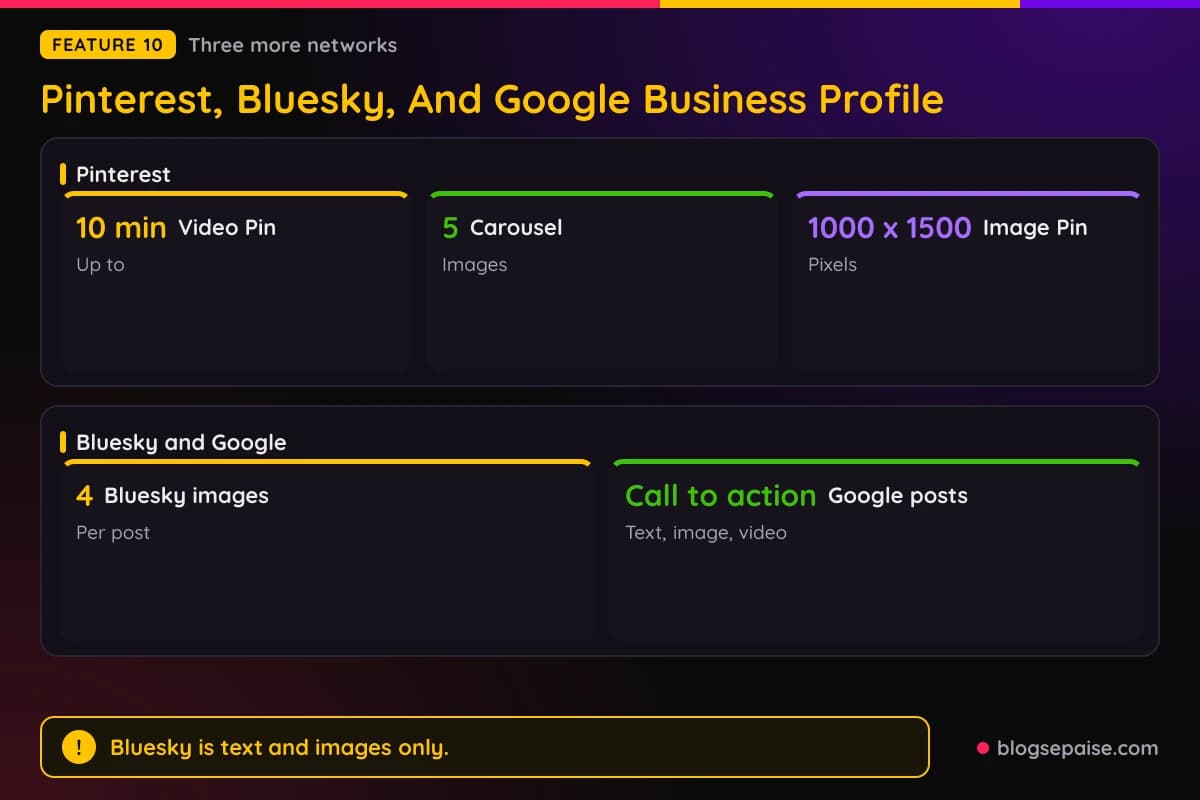
Google Business Profile posts can be text, images, or video created from a YouTube link. A call-to-action button can link to a website, a purchase, or an appointment booking.
Time-sensitive Google posts can expire so they go live and disappear at set times. AI adapts posts for Google, such as adjusting length or adding a link.
Google Business Profile analytics track post history, location views, and engagement such as calls, website visits, and direction requests. Each business location can have its own workspace.
11. Universal Posting For Networks Without Direct Access
Universal Posting schedules content for networks that SocialBee does not connect to directly because of API restrictions. Those networks include Facebook Groups, Reddit, WhatsApp, Telegram, Mastodon, and Quora.
You build the post on the SocialBee web dashboard and add it to your queue. At publish time you get a mobile reminder.
The reminder lets you open the notification, copy the caption, download the media, and post in the target app in a few taps. Creating and scheduling still happen on the web, and the mobile app is needed only for reminders and manual publishing.
Setup has three steps. You create a Universal profile on the web scheduler, write captions and add images or videos, and then publish from the reminder in the target app.
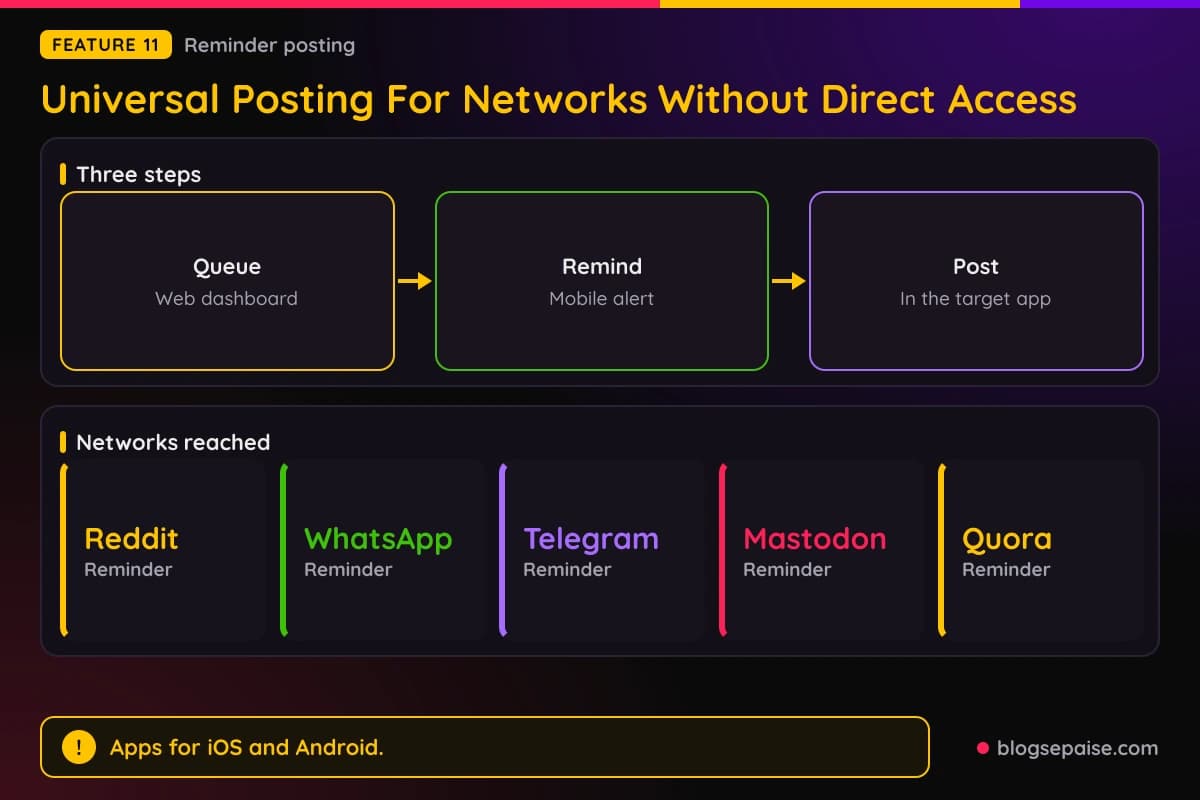
SocialBee has apps for iOS and Android. Universal Posting is included in Bootstrap, Accelerate, and Pro through the mobile app.
Universal Posting accepts videos, images, or captions. Video for those networks can be prepared in SocialBee and shared manually.
12. Engagement Inbox With Boards And Streams
The engagement inbox brings comments, mentions, and direct messages from supported networks into one sorted, searchable view. Every plan includes it.
Streams keep mentions, comments, and messages in separate lists. Boards group conversations by campaign, platform, or client.
Brand mention monitoring catches mentions even when your account is not tagged. Notifications alert you when new mentions, comments, or DMs arrive, so you do not refresh tabs.
Team members work from the same inbox to avoid duplicate replies, and internal notes let a team agree on the best response to a comment. Replies go out from the dashboard.
Network support differs. Facebook Pages and Instagram Business handle comments, mentions, and DMs, while Threads, LinkedIn company pages, and X handle comments and mentions.
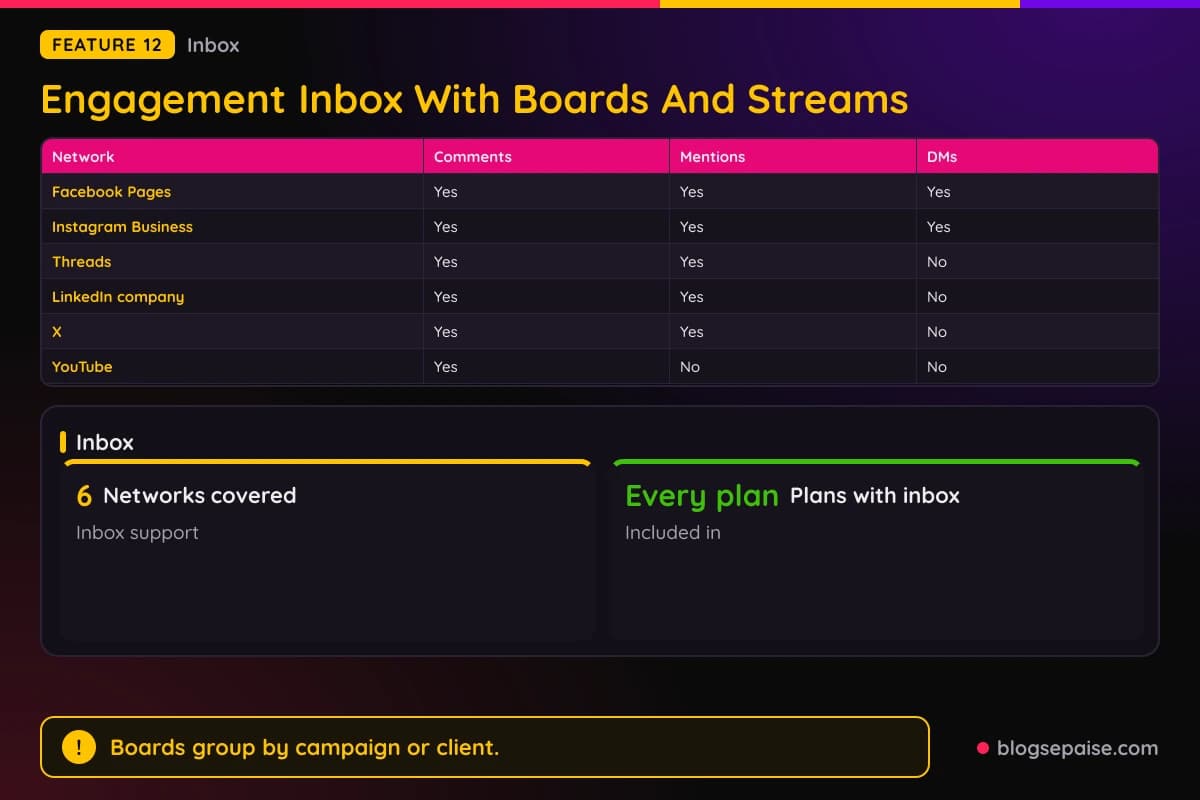
YouTube handles comments only. Engagement tracking shows likes, comments, and shares next to your replies in one tab.
Silver Vanus, social media admin at SouthWest Writers, says the Engage tab helps her answer comments. Internal notes start at the Pro plan.
13. Analytics And PDF Reports
A unified dashboard pulls performance data from all connected accounts into one view. You can filter analytics by platform and by date interval.
Audience demographics break followers down by age, gender, country, and language. LinkedIn shows country and industry, and YouTube shows country.
Follower growth tracking shows growth rate across channels. Real-time monitoring tracks reach and engagement, flags top posts, and surfaces weak areas.
Top-performing post views identify the best posts, categories, and post formats. Content category metrics show which content pillars underperform in your plan.
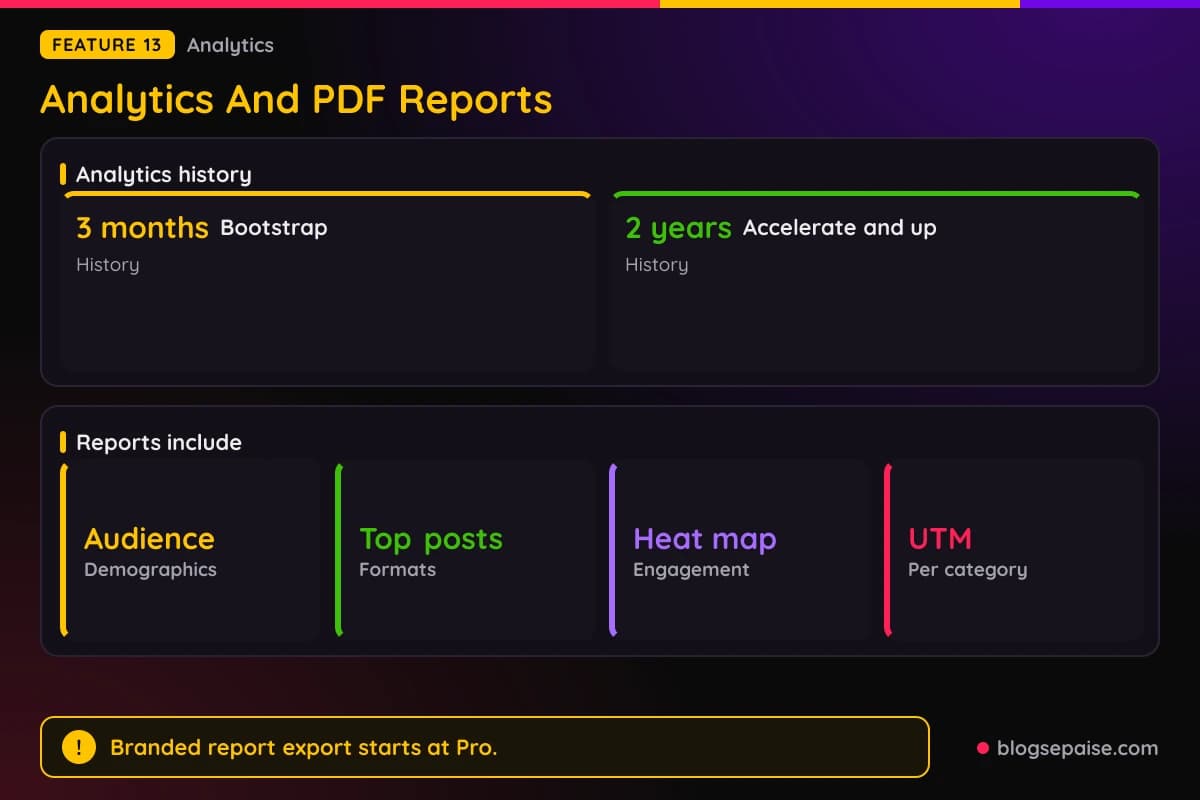
An engagement heat map, or bubble map, shows when and how people interact with posts. Best posting times come from analyzing your past posts.
UTM and Ref parameters can be set per content category, so shared links are tracked. PDF reports export KPI data to share with teams and clients.
Analytics history runs 3 months on Bootstrap and 2 years on Accelerate, Pro, and the agency plans. Advanced analytics start at Accelerate, and branded report export starts at Pro.
14. Workspaces, Roles, And Approvals
Each client or brand gets a separate workspace with its own profiles, content, schedules, statistics, and inbox. You switch between workspaces easily.
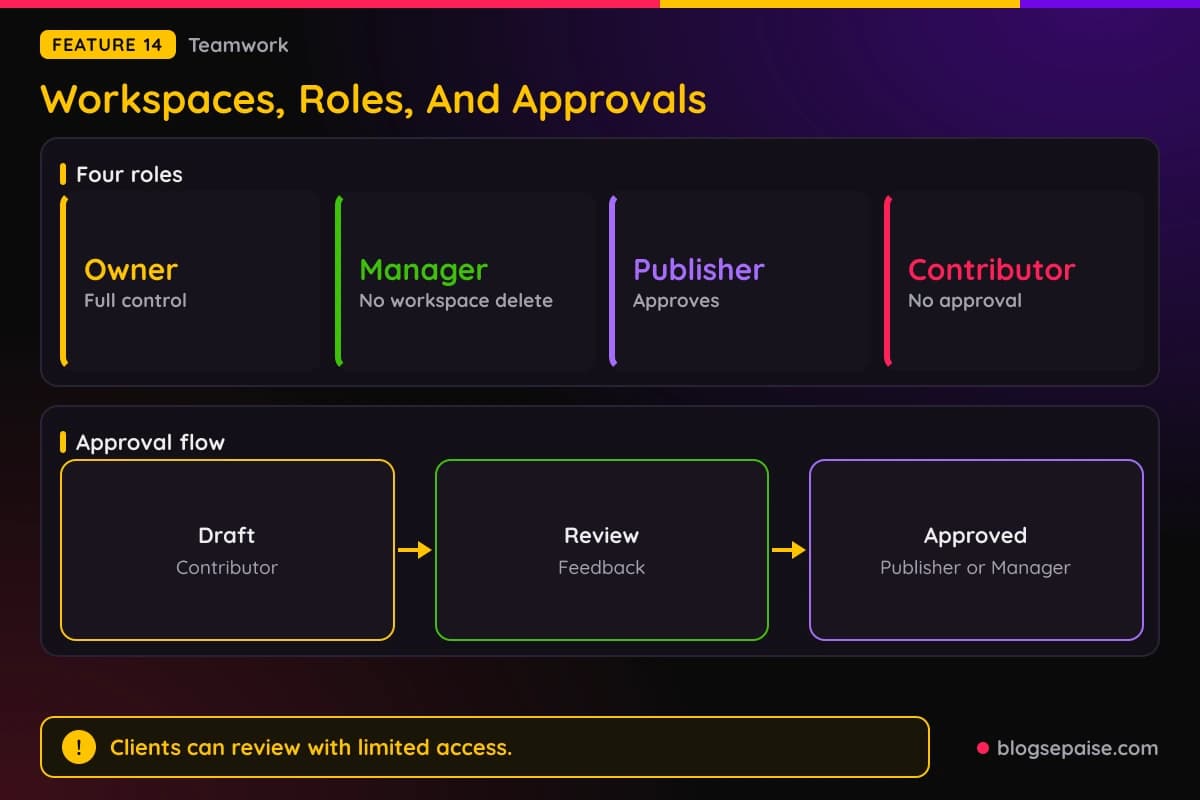
Four roles control access. The Owner controls the whole account and can create or delete any workspace, and the Manager has the same access except deleting workspaces.
The Publisher views analytics and creates, edits, and approves content. The Contributor views analytics and creates content but cannot approve it.
Posts move through draft, review, and approval. Contributors write drafts, and Publishers or Managers approve them.
Clients can join a workspace with limited access to review drafts, comment, and approve or request changes. They have no access to account settings.
Internal notes put feedback right on a post, with teammate tagging, and email notifications alert people when someone comments or makes a change. Everyone can see a post's current status.
Workspace and user counts depend on the plan. Pro includes 3 users per workspace and 5 workspaces, and the agency plans include 5 users per workspace and 10, 20, or 30 workspaces.
15. Integrations, Link Shorteners, And Automation
SocialBee has 24 integrations across 5 categories. Ten are social platforms, three are design and imagery tools, one is content curation, seven are URL shorteners, and three are automation tools.
The design and imagery group is Canva, Unsplash, and GIPHY. Quu handles content curation and sharing through SocialBee.
URL shorteners include Switchy, Bitly, Replug, Rebrandly, BL.INK, JotURL, and RocketLink. Bitly supports branded links with a custom domain, and Replug shortens, tracks, and optimizes links with calls to action.
Zapier, Pabbly, and Make connect SocialBee to other apps and build multi-app workflows. Make builds social media workflows between apps.
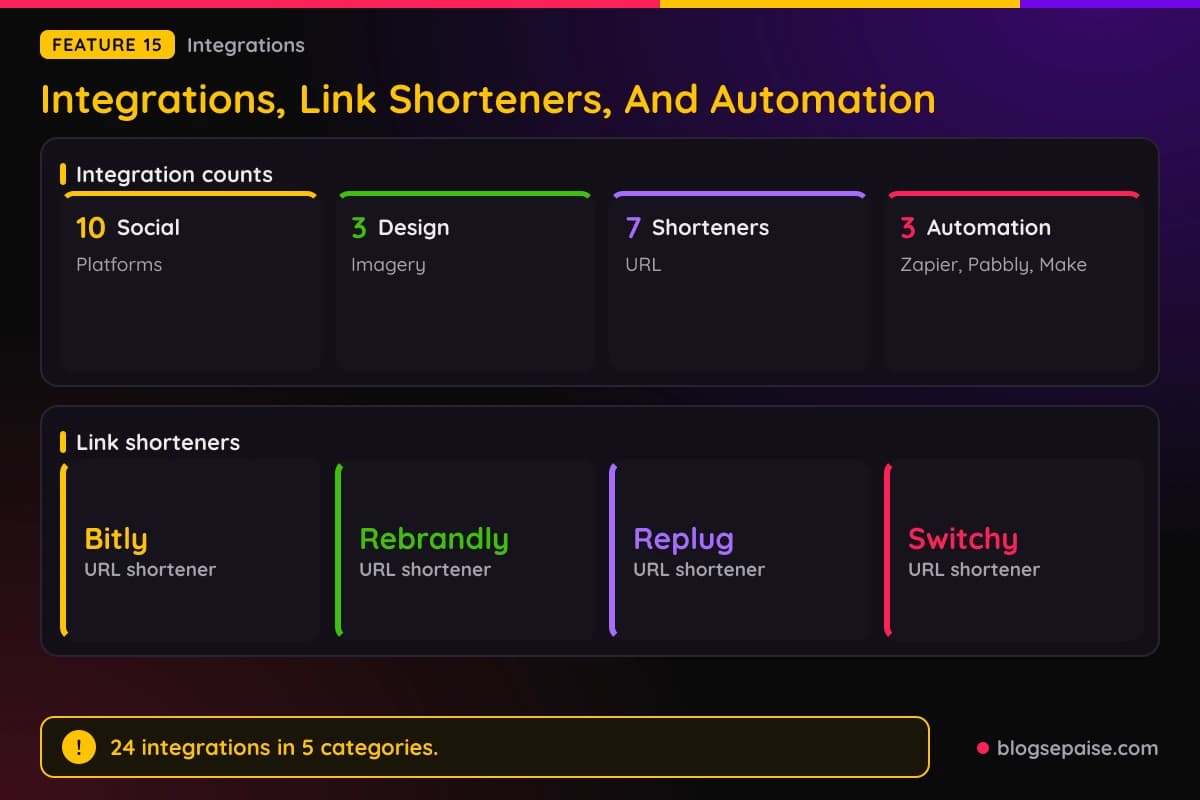
The social platform integrations cover Facebook, Instagram, X, TikTok, LinkedIn, Threads, YouTube, Pinterest, Bluesky, and Google Business Profile. YouTube integration schedules videos and Shorts and tracks comments.
Support comes through in-app chat, email, demo and support calls, and a knowledge base. Joseph S. Kahn, CTO of Hum JAM, says SocialBee has the tools he wants: workspaces, categories, scheduling, integrations, link shorteners, and AI.
SocialBee Pricing Plans
SocialBee has six plans. Bootstrap, Accelerate, and Pro are the standard plans, and Pro50, Pro100, and Pro150 are agency plans.
Bootstrap costs $29 a month or $348 billed annually, which works out to $29 a month. It has 5 social profiles, 1 user, and 1 workspace.
Accelerate costs $49 a month or $588 billed annually. It has 10 profiles, 1 user, and 1 workspace.
Pro costs $99 a month or $1,188 billed annually. It has 25 profiles, 3 users per workspace, and 5 workspaces.
Pro50 costs $179 a month or $2,148 billed annually, with 50 profiles, 5 users per workspace, and 10 workspaces. Pro100 costs $329 a month or $3,948 billed annually, with 100 profiles, 5 users, and 20 workspaces.
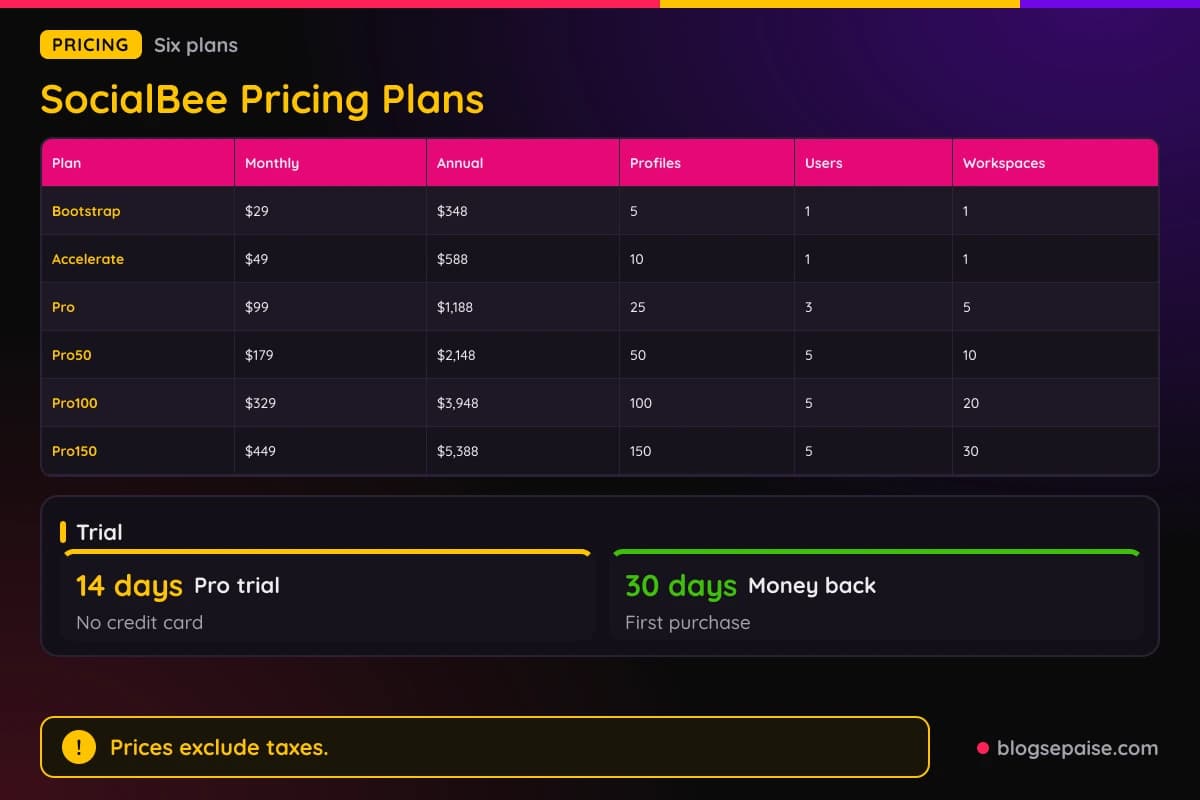
Pro150 costs $449 a month or $5,388 billed annually. It has 150 profiles, 5 users per workspace, and 30 workspaces.
Some SocialBee pages show different yearly prices. They list Bootstrap at $290, Accelerate at $490, Pro at $990, Pro50 at $1,790, Pro100 at $3,290, and Pro150 at $4,490 a year, along with a 16% annual discount and a $24 a month starting price.
The pricing page figures above add up to twelve monthly payments. Check the price at checkout before you pay for a year.
Categories, sources, and analytics history also scale by plan. Bootstrap has 10 categories, 10 content sources, and 3 months of analytics, Accelerate has 50 categories, 30 sources, and 2 years, and Pro and above have unlimited categories and sources with 2 years of analytics.
Bootstrap does not include CSV uploads, the hashtag organizer, the bulk post editor, the post approval system, advanced analytics, branded report export, or internal notes. Accelerate adds CSV uploads, the hashtag organizer, the bulk editor, post approvals, and advanced analytics, and Pro adds branded report export and internal notes.
The agency plans include the same features as Pro, with unlimited categories and sources, unlimited AI content generation, and a difference in scale only.
Add-ons are bought inside the SocialBee app. An extra user costs $10 a month or $100 a year, an extra workspace costs $10 a month or $100 a year, and 5 extra profiles cost $15 a month or $150 a year.
The 14-day trial gives full Pro access with no credit card and no contract. Posting stops when the trial ends, and your settings and content stay when you upgrade.
You can switch billing or change plans at any time from your account, and payment works with credit and debit cards, PayPal, and Amazon Payments. Prices exclude VAT, GST, and other regional taxes, which are added at checkout.
The Terms describe a 30-day money-back guarantee on monthly and yearly plans. It covers only the first 30 days after the initial purchase, and renewals are not covered.
Cancellation takes effect at the end of the billing cycle. Yearly subscribers can email SocialBee for a 100% discount code for the free SocialBee University.
SocialBee also runs its own affiliate program. It pays 20% recurring commission on the SocialBee tool, with an extra 10% when a referred customer also buys ConciergeBee services.
The cookie lasts 90 days, payouts go through PayPal or Stripe, and PartnerStack handles tracking. Earnings start after a referral's first payment, since new users begin with a 14-day trial.
Who Is SocialBee Best Suited For
Bootstrap is aimed at solopreneurs, Accelerate at small teams and businesses, and Pro at social media managers and agencies. The agency plans Pro50, Pro100, and Pro150 scale up to 150 profiles and 30 workspaces.
Small businesses and solo owners use categories and recycling to keep a feed active. Emma Madison of Skyline Insurance Agency set up a year's posts in one day, and Judy Brice of JMB Tutoring and Consultancy UK relied on banks of pre-scheduled content during illness.
Agencies and consultants get separate workspaces for each client. Each workspace has its own profiles, content, schedules, statistics, and inbox.
Nonprofits can claim 50% off all tool plans by emailing SocialBee. The offer needs a registered NGO that uses SocialBee only for its own social media accounts, and the discount lasts as long as the organization continues its cause-driven work.
The same page pitches publishing, collaboration, visuals, AI post generation, analytics, engagement, and Copilot to nonprofits. The Global Trends in Giving Report found that 29% of donors say social media communication inspires them to give.
Educational institutions also get 50% off all tool plans. The offer needs a registered educational organization that uses SocialBee only for its own social media accounts.
The education page pitches one unified inbox for students, parents, and the community, and tailored AI recommendations for educational content strategy. Michael Wheeler, assistant principal at Mehlville School District, says SocialBee saved hundreds of hours and daily interactions rose by over 200%.
Rae Helm of the University of Sheffield manages 5 accounts alone, and she says pre-scheduled content helped during illness. Named customers include Lehigh University, Charles University, and Washington University.
Government teams get a visual calendar for announcements, policy updates, and public information. Roles protect official accounts from unauthorized use, and an approval workflow means only approved posts publish.
The government page pitches a centralized inbox for public interactions and Copilot recommendations for platforms, content, and posting times. Named customers include the European Parliament, the City of Tacoma, the USDA Forest Service, and Veterans of Foreign Wars.
Who SocialBee Is Not For
SocialBee has no permanent free plan. A 14-day trial is the only free option, and posting stops when it ends.
Bootstrap is small. It has 5 profiles, 1 user, 1 workspace, 10 categories, and 3 months of analytics, and it has no CSV uploads, bulk editor, post approvals, advanced analytics, or internal notes.
Accelerate still has 1 user and 1 workspace. Teams that need 3 users or several brand workspaces need Pro, which has 3 users per workspace and 5 workspaces.
Not every network publishes directly in every case. Facebook personal profiles, Instagram personal accounts, TikTok posts with multiple videos or images, and Facebook Groups rely on mobile reminders or Universal Posting.
The inbox covers six networks: Facebook, X, Instagram, Threads, LinkedIn, and YouTube. Direct messages work on Facebook Pages and Instagram Business only, and YouTube handles comments only.
Format limits apply. X videos run up to 2 minutes 20 seconds, TikTok single videos stay under 3 minutes and 50 MB, and Bluesky posts are text and images only.
Contributors cannot approve content, so teams need a Publisher or Manager in the loop. Users must be at least 16 years old under the Terms.
Prices differ across SocialBee pages, with yearly prices of $348 on the pricing page and $290 elsewhere for Bootstrap. Confirm the figure at checkout.
SocialBee Alternatives
Buffer has a free plan that connects up to 3 channels, with 10 scheduled posts per channel and 1 user. Its Essentials plan costs $5 a month per channel or $60 per channel billed yearly, and Team costs $10 a month per channel or $120 billed yearly.
Buffer paid plans include a 14-day free trial, and Team adds unlimited team members and approval workflows. Because Buffer prices per channel, the cost grows with each network you add.
Hootsuite has no free plan. Standard costs $149 per user a month, or $99 per user a month billed yearly at $1,188 per user, with 10 social accounts and 100 AI credits per month.
Hootsuite Standard includes a centralized inbox, and each paid plan has a 14-day free trial. Professional costs $299 per user a month and Advanced costs $499 per user a month.
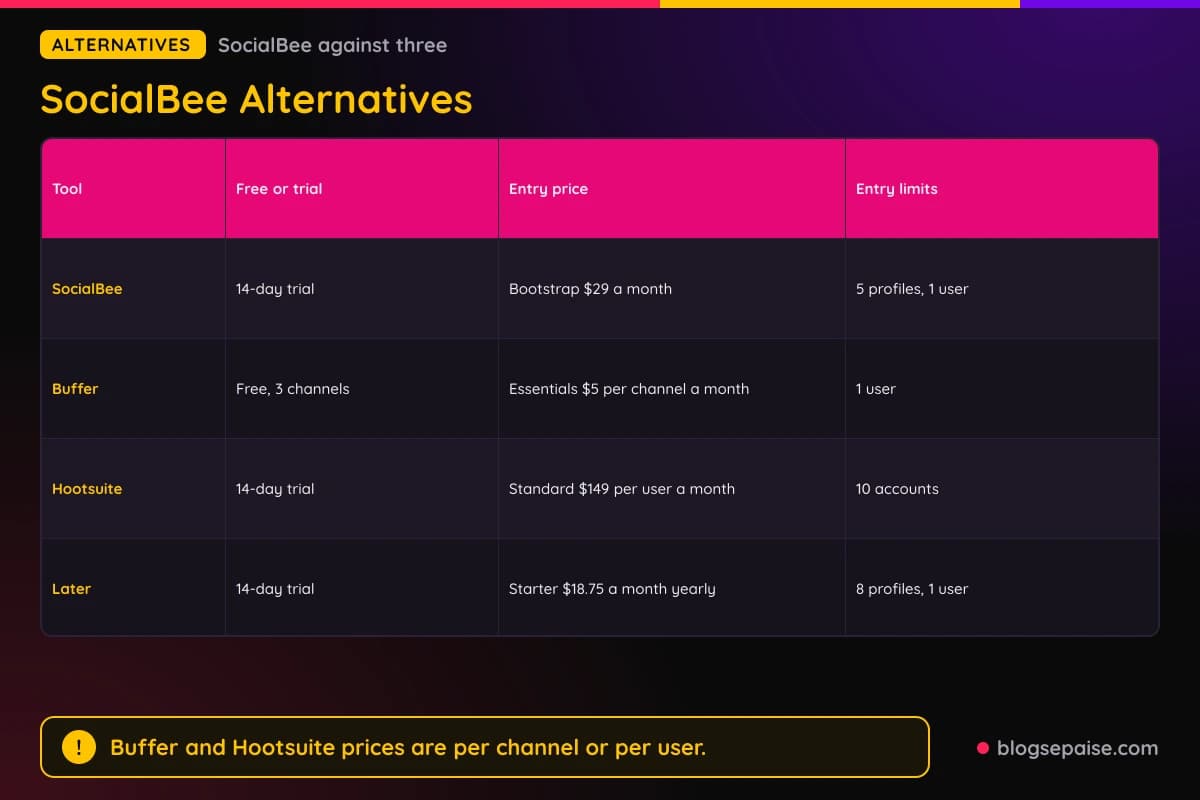
Later has Starter at $18.75 a month billed yearly, with 1 social set holding 8 profiles and 1 user. Growth costs $37.50 a month billed yearly for 2 social sets, 16 profiles, and 2 users, and Later offers a 14-day trial.
SocialBee sits between those options. Its flat plan prices cover profiles and workspaces, so 5 profiles cost $29 a month on Bootstrap instead of a per-channel or per-user price.
If SocialBee is not the right fit, check out the other social media tools in our software reviews. Vista Social handles posting, replies, reports, reviews, and brand monitoring from one dashboard, and MeetEdgar automates scheduling and content recycling.
ShortStack builds contests, giveaways, and quizzes, and ManyChat automates replies to comments and messages on Instagram, WhatsApp, Messenger, and TikTok.
You may like to check out our Vista Social review, MeetEdgar review, ShortStack review, and ManyChat review for the details.
SocialBee Use Cases
Managing several brands is the clearest use case. A separate workspace for each client or brand keeps profiles, content, schedules, statistics, and inbox apart.
Turning a blog into social posts is another. An RSS feed import creates posts from articles automatically, and categories sort them by topic.
Keeping a queue full without daily work is a third. Robert Thibodeau of Freedom Through Faith Radio Network says he manages about two weeks of content in about four hours across four social media apps.
Planning ahead is a fourth. Emma Madison of Skyline Insurance Agency says she set up a year's posts in one day, and Deborah Parsley of Sunburst Soaps says SocialBee changed her from an inconsistent poster to one who is constantly producing content and repurposing it.
Nonprofits use it to raise awareness with a consistent posting schedule, increase online donations, build a loyal supporter community, and reduce staff time. Silver Vanus of SouthWest Writers says the automatic scheduler helps a volunteer with limited time.
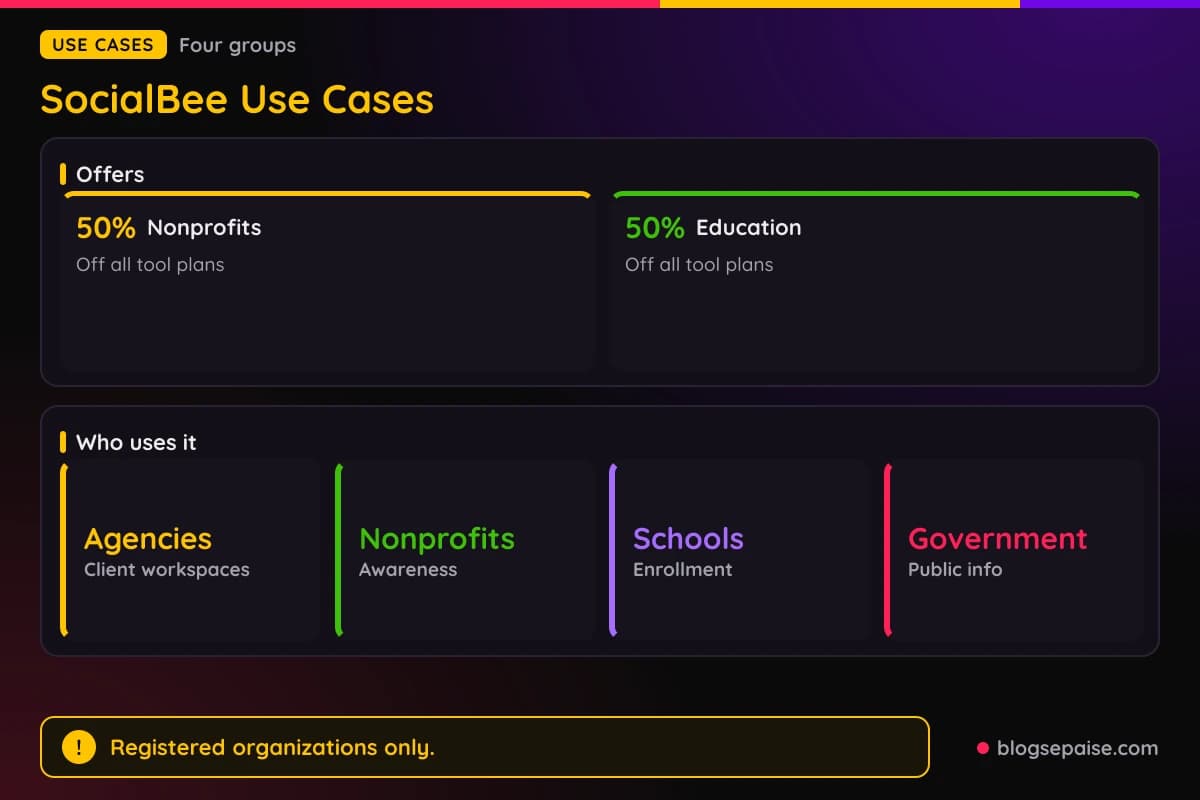
Schools and universities use it to attract and recruit students, foster community, celebrate academic excellence, recruit faculty and volunteers, raise funds, and move learning online.
Government teams use it for consistent messaging, crisis communication, educating the public on policies, voter information such as voting dates and polling locations, and cross-department collaboration.
Local businesses use Google Business Profile posts with call-to-action buttons and track calls, website visits, and direction requests. Time-sensitive offers expire at a set date.
Final Thoughts On SocialBee
SocialBee is a category-based scheduler with AI planning, 10 direct networks, an engagement inbox, analytics, and team workspaces. Its categories and evergreen recycling keep a feed full without daily work.
The pricing is flat by plan, from $29 a month for 5 profiles to $449 a month for 150 profiles. The 14-day trial gives full Pro access with no credit card.
The limits are plain. There is no free plan, Bootstrap has 1 user and 1 workspace, and some networks run through reminders instead of direct publishing.
A small business, a nonprofit, a school, or an agency that wants one queue for many networks will find the plan ladder easy to follow. Start with the trial and test your own networks before you pay.
You can browse more tools on our software reviews hub, and our Affiliate Program Database lists programs you can join, including SocialBee's own through PartnerStack.
SocialBee FAQ
1. What Is SocialBee?
SocialBee is a social media management platform for creating content, scheduling and publishing posts, tracking analytics, managing engagement, and collaborating with a team.
2. How Much Does SocialBee Cost?
Bootstrap costs $29 a month, Accelerate $49, Pro $99, Pro50 $179, Pro100 $329, and Pro150 $449. Annual prices on the pricing page are $348, $588, $1,188, $2,148, $3,948, and $5,388.
3. Does SocialBee Have A Free Plan?
No. SocialBee has no permanent free plan, only a 14-day trial of the Pro plan.
4. Does SocialBee Have A Free Trial?
Yes. The trial lasts 14 days, gives full Pro access, and needs no credit card or contract.
5. Which Networks Does SocialBee Publish To?
SocialBee publishes directly to Facebook, Instagram, Threads, X, LinkedIn, Pinterest, Google Business Profile, TikTok, YouTube, and Bluesky. Universal Posting covers networks such as Facebook Groups, Reddit, WhatsApp, Telegram, Mastodon, and Quora through mobile reminders.
6. What Are Content Categories In SocialBee?
Categories sort posts into topic folders with their own posting schedules. Bootstrap has 10, Accelerate has 50, and Pro and the agency plans have unlimited categories.
7. Does SocialBee Have AI?
Yes. Copilot builds a content strategy from a website URL, and the AI Post Generator writes captions, hashtags, emojis, and images. Every plan has unlimited AI content generation.
8. How Many Profiles Does Each SocialBee Plan Include?
Bootstrap has 5, Accelerate 10, Pro 25, Pro50 50, Pro100 100, and Pro150 150 social profiles.
9. Can I Add Team Members To SocialBee?
Yes. Pro includes 3 users per workspace and the agency plans include 5. An extra user costs $10 a month or $100 a year.
10. Does SocialBee Have An Inbox?
Yes. The engagement inbox brings comments, mentions, and direct messages from Facebook, X, Instagram, Threads, LinkedIn, and YouTube into one view, and every plan includes it.
11. Does SocialBee Offer A Refund?
The Terms describe a 30-day money-back guarantee on monthly and yearly plans, limited to the first 30 days after the initial purchase. Renewals are not covered.
12. Does SocialBee Give Discounts To Nonprofits Or Schools?
Yes. Registered nonprofits and educational organizations can email SocialBee for 50% off all tool plans, as long as they use SocialBee only for their own accounts.
13. How Do I Contact SocialBee Support?
Support runs through in-app chat, email, demo and support calls, and a knowledge base.
14. Does SocialBee Have An Affiliate Program?
Yes. It pays 20% recurring commission on the tool plus 10% on ConciergeBee services, with a 90-day cookie and payouts through PayPal or Stripe on PartnerStack.
15. Is My Data Used To Train AI By SocialBee?
No. The Privacy Policy states that data submitted through its AI features is not used to train any AI model, and third-party AI providers are contractually barred from training on it.