Can You Use Affiliate Links In Guest Posts? Host Rules And Safer Options
You wrote a solid guest post, and you know the perfect affiliate link would fit right in the middle of it. Then a doubt hits: will the host even allow that link?
Bloggers ask this all the time. Can affiliate links go in a guest post, and does Google punish the host or the writer when they do?
Here is the short answer. Most hosts ban affiliate links in the body, and Google wants any paid or affiliate link marked with the right tag.
You still have safe ways to earn from a guest post. The 7 steps below cover host rules, Google, the FTC, and better places for your link, followed by a worked example, common mistakes, and a short FAQ.
Disclosure: Some of the links I share might be affiliate links. If you click on one and make a purchase, I may earn a small commission as a thank you. But don’t worry, it won’t cost you anything extra. I only recommend stuff I genuinely believe in. Your support helps me keep creating awesome content. You can read my full affiliate disclosure in my disclaimer page.
If you want to save a lot of hours searching for high-paying affiliate programs, check out our exclusive list of 2500+ affiliate programs. You’ll find all the information about the programs inside the list. This list is perfect for affiliate bloggers and influencers.
Why Most Hosts Say No To Affiliate Links In Guest Posts
A guest post is a gift. You give the host free content, and the host gives you a place to meet new readers.
Most hosts do not want that gift to double as an ad. When a reader sees an affiliate link, the host worries the post was written to sell something.
Guest post guidelines from real blogs show a clear pattern. Many say outright that affiliate links may not appear in a submission.
Some add that promotional links, or links that look affiliated, can be removed at the editor's choice. A few reserve the right to add their own affiliate links later, which tells you the host sees those links as its own business.
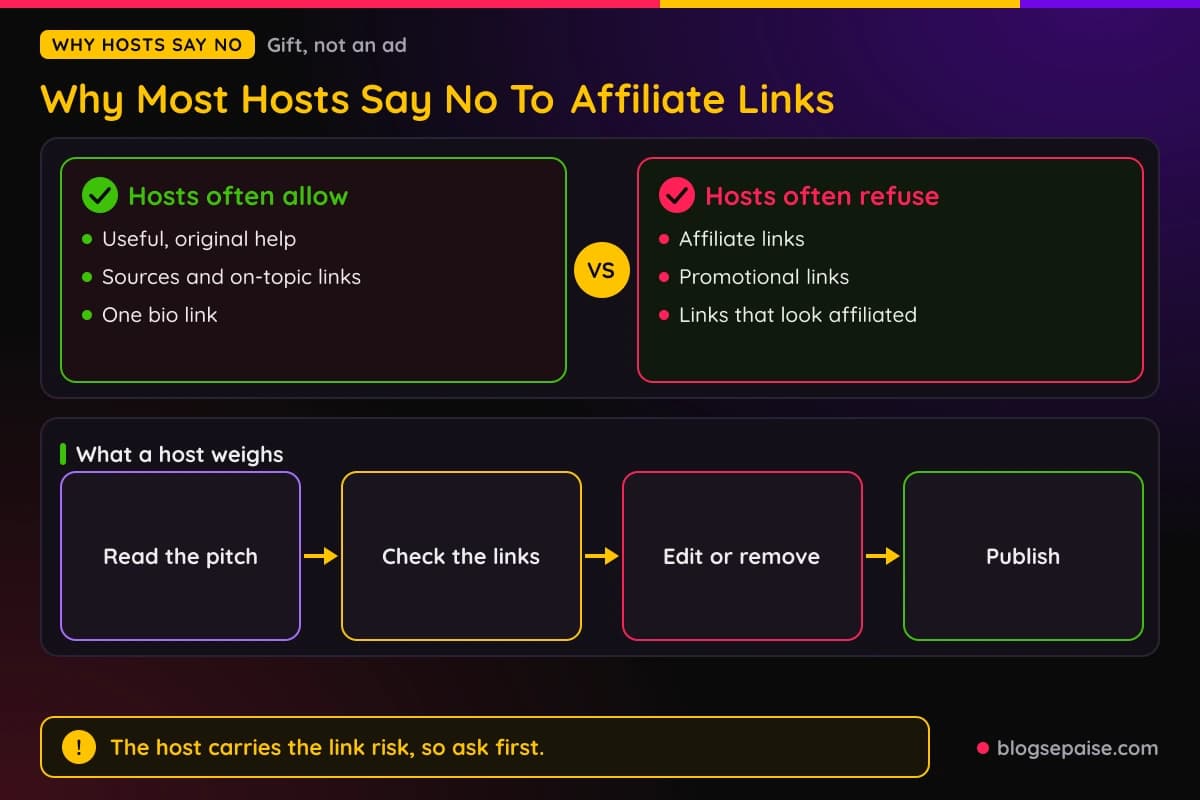
Hosts also carry the risk. The guest post lives on their domain, so any link problem lands on their site and not on yours.
Google's spam policies make that risk real. They list links with optimized anchor text in articles, guest posts, or press releases distributed on other sites as link spam.
Nothing in that rule bans guest posting itself. It targets posts written mainly to push links that pass ranking credit.
Trust matters too. A host that publishes a hundred guest posts a year cannot check every link, so a simple no affiliate links rule saves time.
Think about it from the host's chair. One post with a tracked link is fine, but a hundred of them turns the blog into a link farm.
That is why the safest first move is to ask, not to sneak a link in. A host who finds a hidden affiliate link will often delete the whole post and stop answering your emails.
Writers get the same message again and again. Links in the body are for sources and helpful pages, and the bio is where your own site goes.
You can still win here. If you pick the right host and the right link, a guest post can send readers to a page you own, and that page can hold your affiliate links under your own rules.
Our guide on affiliate links on free blogs shows the same logic from another angle. Every platform sets its own rules, so you read them before you place a link.
Readers feel the difference too. A post packed with sales links loses trust fast, while a clear, helpful post earns a click on your name.
Step 1: Read The Host's Guidelines Before You Pitch
Start with the host's guest post page. Many blogs publish a guidelines page, and it often answers the affiliate question in one line.
Search the page for the words affiliate, promotional, links, and bio. If none of them appear, look at the footer, the contact page, and the submission form.
Read the exact wording. Some hosts ban affiliate links only.
Others ban every promotional or competitor link, and a few ban links to any page that sells something.
Count the links they allow. One site allows a single link to the author's website in the author note.
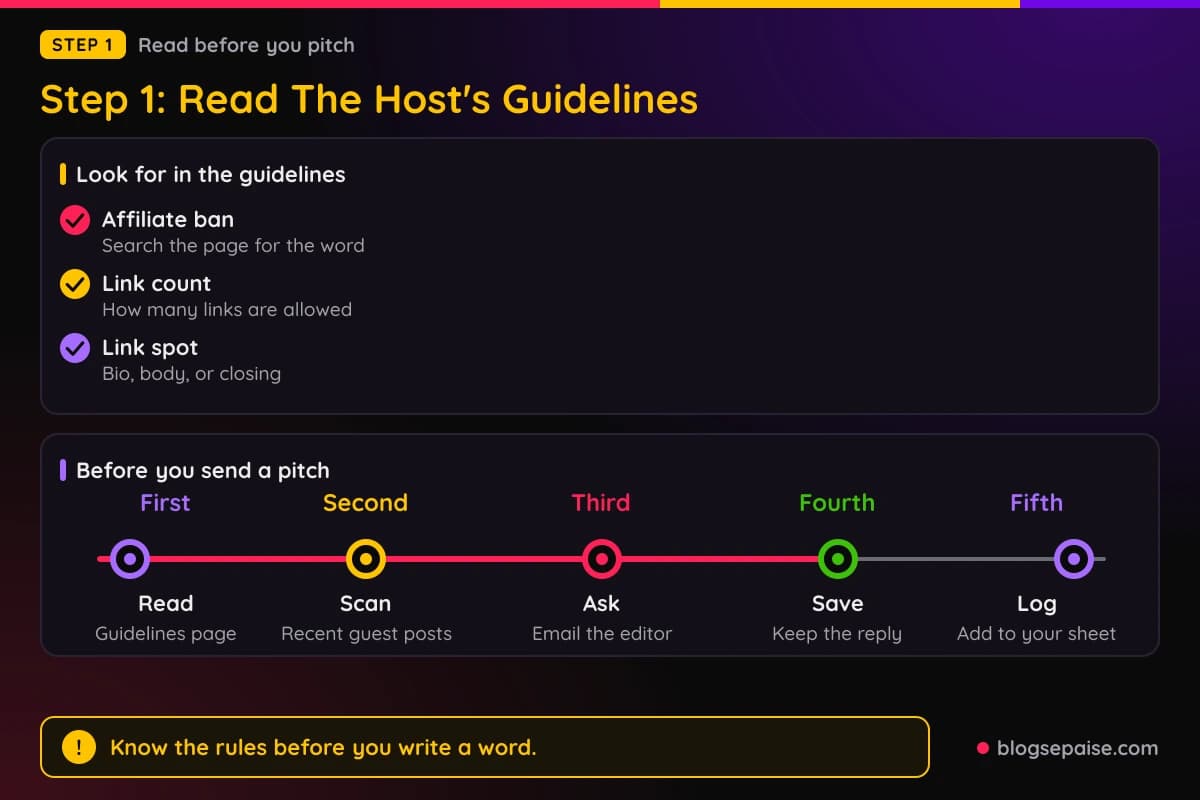
Another caps promotional links at one per post, and a third allows up to 3 links across the post and byline.
Note where the link may go. Bios, author profiles, and a closing call to action are the usual spots, and some hosts even forbid a bio inside the article text.
Check who adds links. Some hosts say their editors may add their own links, affiliate or otherwise, so a no affiliate links rule applies to you and not to them.
Look at recent posts too. Open three or four guest posts the host published and see what links the writers actually used.
Guidelines on paper can differ from habit. If every guest post links out to a product page, the rule may be loose, but you still should not assume it.
When the rules are silent, email the editor. Ask a short question such as: do you allow a link to my own post in the author bio, and does any link need a rel tag?
Keep that reply. If a host says yes in writing, you have proof for later, and you avoid an awkward fight over a link the editor forgot approving.
Skip hosts that ask you to pay for a post. Google's spam policies call out money exchanged for posts that contain links, and a paid post needs marked links.
Add the host to a simple sheet with its link limit, its bio rules, and its reply time. A tidy sheet saves hours when you pitch five blogs in one week.
Step 1 ends when you know three things. You know if affiliate links are banned, how many links you get, and where they may sit.
Treat the guidelines as a contract. If you break one line, the host can pull the post, and you lose the time you spent writing it.
Save a copy of the page on the day you pitch. Hosts change their rules, and a dated copy shows what applied when you sent the draft.
Step 2: Learn What Google Says About Links In Guest Posts
Google does not ban affiliate links. It asks that paid and affiliate links carry a tag, so Google knows the link is not a plain vote for the page.
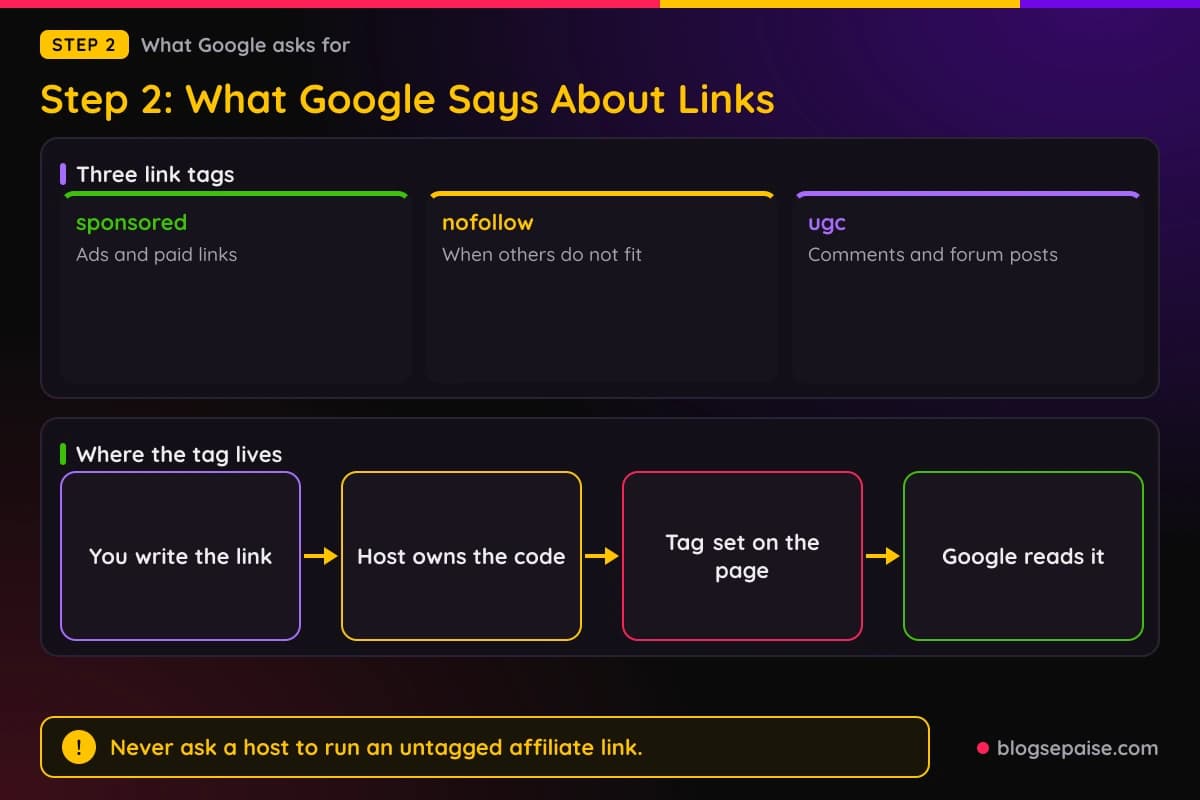
Google's link guide names three values for the rel attribute. Use sponsored for advertisements and paid placements, ugc for user-generated content like comments and forum posts, and nofollow when the other two do not fit.
Google says you can mix values in one attribute, separated by a space or a comma. A regular link needs no rel attribute at all.
Google also says qualified links will generally not be followed. They can still be found through other links or a sitemap.
In a 2021 post on link tagging, Google asked sites in affiliate programs to mark those links with rel sponsored, regardless of how the links were made.
Now apply that to a guest post. The rel tag sits in the code of the page, and the host owns that code.
That means you rarely control the tag. If an affiliate link slips into your guest post without a sponsored tag, the host's page now carries an unmarked affiliate link.
Google also says that paid links are fine when they are qualified. Its spam policy says it is not a violation to have such links as long as they are marked with nofollow or sponsored.
The risk comes when posts exist mainly to place links that pass ranking credit. Think of a campaign of guest posts with exact-match anchor text sent out across many sites.
Keep your anchors natural. Write the link text the way a person would say it, such as my coffee grinder guide, not a keyword stuffed phrase.
Google also warns against thin affiliate pages. A thin affiliate site copies product descriptions from the seller, and Google says not every site in an affiliate program is thin.
Pages that add real value, like original reviews, price details, and tests, are on the safe side. Your own post that holds the affiliate link should be that kind of page.
Our article on how to build pages without getting penalized goes deeper on keeping a growing site clean.
Step 2 ends with a simple rule. Never ask a host to run an untagged affiliate link, and never build a guest post around an exact-match anchor.
Keep Google's own pages bookmarked. Rules and wording change over time, so a quick check before each pitch beats a guess from memory.
If you run a site of your own, remember that the same tags apply there. Affiliate links on your pages should carry sponsored, as Google asks.
Step 3: Know The FTC Disclosure Rules For Guest Posts
Google cares about link tags, but the FTC cares about readers. If you earn a commission when someone buys through your link, readers should know that.
The FTC says to disclose the connection clearly and conspicuously. It gives a sample line: I get commissions for purchases made through links in this post.
Placement matters as much as the words. The FTC says the closer the disclosure sits to your recommendation, the better.
In its influencer guide, the FTC warns that a disclosure buried on an about page, at the end of a post, or behind a more click is likely to be missed.
The same FTC answer says the guidance applies to links in reviews on other sites too. A guest post on someone else's blog is not an exception.
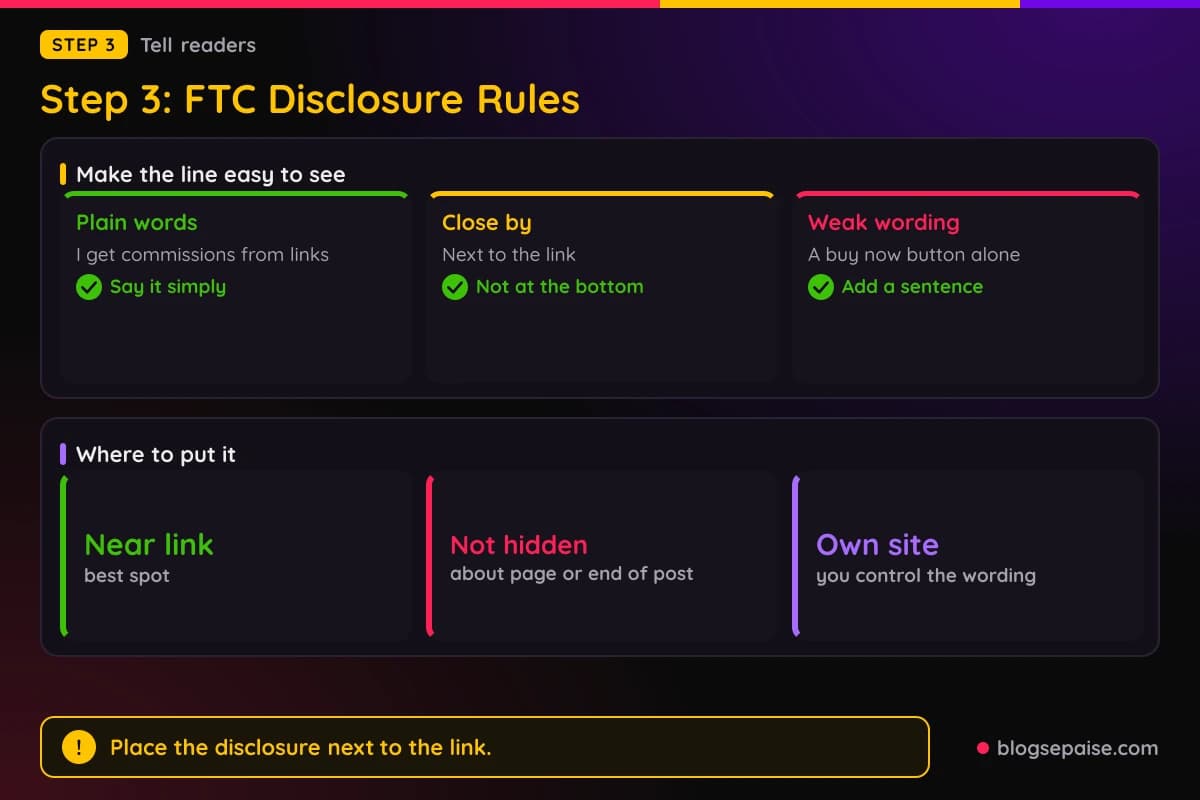
Wording trips people up. The FTC says the phrase affiliate link alone may not tell readers that you earn money, while paid link next to the link is described as adequate.
It also says commissionable link is probably not a clear disclosure. A buy now button does not do the job alone either.
Plain English is safest. Write a short sentence near the link that says you may earn a commission if the reader buys.
Who writes the disclosure in a guest post? Often it is you, and some hosts add their own line to every post, so ask the editor how they handle it.
If you link from a bio to your own page, the disclosure belongs on your page, near each affiliate link. The reader should see it before they click through to the seller.
Our legal disclosures guide and the affiliate disclosure generator can help you write the line. Neither one is legal advice, and rules can differ by country.
Step 3 ends with a habit. Put a plain disclosure near every affiliate link you control, and ask the host to add one for any link in a guest post.
Remember that you are not the only one on the hook. A host that publishes your post also wants readers to know about any paid link, so most editors welcome a clear line.
If a host refuses to show any disclosure, treat that as a warning sign. You can skip that post and keep your link on your own site, where you control the wording.
Step 4: Choose A Safer Place For Your Affiliate Link
Now the useful part. Since most hosts ban affiliate links in the body, send readers to a page you own and keep the affiliate link there.
The best safe option is a link to your own post. That post can be a review, a tutorial, or a comparison, and it holds your affiliate links with your disclosure.
The guest post links to your helpful page, and your helpful page links to the seller. The host never carries an affiliate link, and you stay in charge of the tags.
A second option is the author bio. Many hosts allow one link in the bio, and some insist it points to your main site and not to an affiliate page.
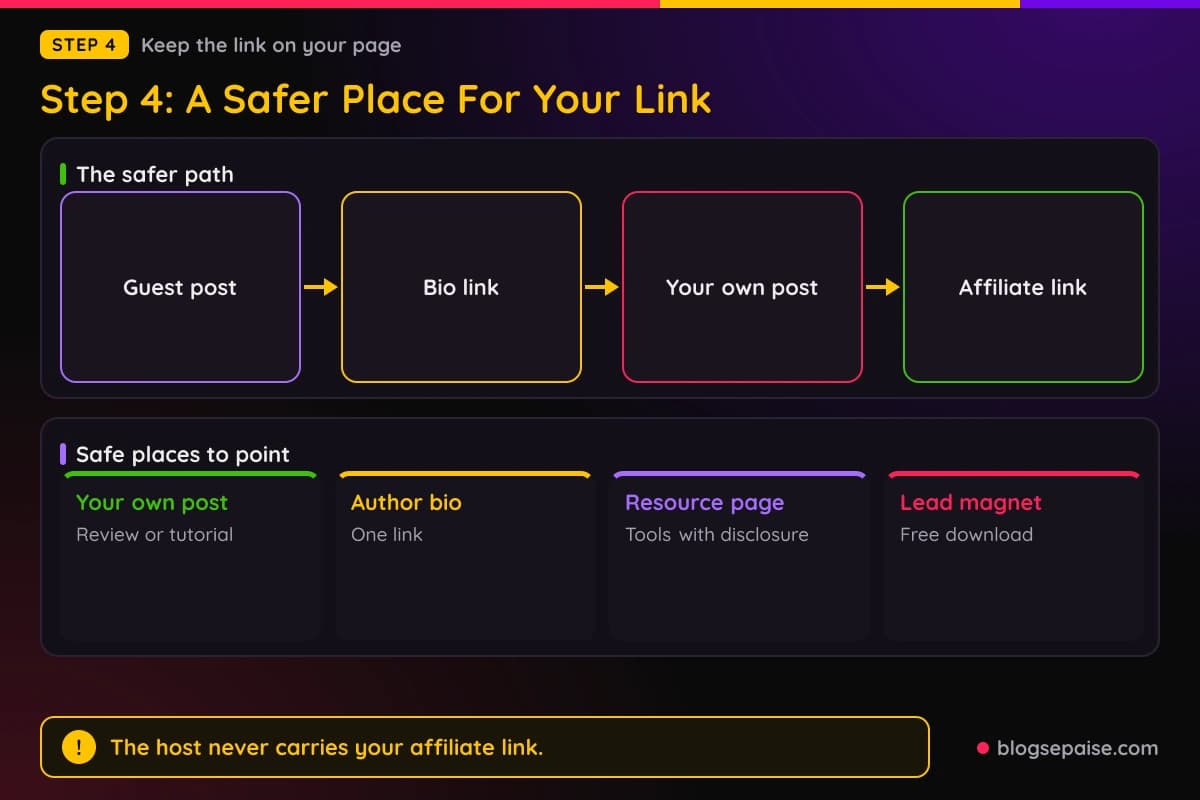
A third option is a resource page on your site. Gather your best tools, with a clear disclosure, and link the guest post to that page when it fits the topic.
A fourth option is a free lead magnet. A host with a closing call to action may allow a link to a download page, and one site we found allows a resource download or a free demo signup but not a plain visit our site call.
A fifth option is no link at all. Some guest posts exist to build your name, and a good byline can bring readers who search for you later.
Pick the page that fits the post. If your guest post is about brewing coffee at home, link to your grinder guide and not to your home page.
Make the landing page ready before the guest post goes live. Check that it loads fast, shows the disclosure, and has clear next steps.
Do not point the link at a page that only holds affiliate links. A thin page like that helps nobody, and some hosts remove links that look affiliated.
If the host bans links to pages that sell things, link to a plain helpful post with a soft mention of the tool inside. The reader can still reach the seller from there.
Our guide on why backlinks matter for affiliate websites explains why a clean link from a good host helps your site.
Step 4 ends with a decision. Choose one safe page, and write your guest post so that page is the natural next read.
Test the whole path once before you pitch. Open the guest post draft, click the bio link, land on your page, and click the affiliate link to confirm it tracks.
Keep the path short. Every extra click between the guest post and the seller loses a few readers.
Step 5: Pitch The Host And Write A Post That Earns Its Link
Pitch like a person, not like a bot. Use the editor's name, mention a recent post you liked, and offer two or three topics.
Keep the pitch short. Say who you are, link one or two samples of your work, and name the page you hope to link in your bio.
Asking about the bio link up front saves trouble. If the editor says no, you can drop the host or choose a different page.
Never mention commissions in the pitch as a selling point. Hosts want a post that helps their readers, not a post that pays you.
Write the draft for the host's readers first. Teach one clear thing, give examples, and include a few useful links to trusted sources.
Add your link only where it truly helps the reader. A good test is to ask if the sentence still makes sense if the link vanishes.
Name your product ideas in plain words and leave the sales talk out. A neutral mention of a tool type is fine, while a strong push to buy is not.
Send the draft with the link list in a note. Tell the editor which link goes where, so there are no surprises.
Ask for the rel tag politely. A simple line works: if you add a link to my site, please mark it the way your policy says.
Accept edits calmly. Editors know their readers, and a friendly reply keeps the door open for the next post.
Do not swap links after approval. Changing a link once the editor signs off can get the post pulled and your name remembered for the wrong reason.
Step 5 ends when the post is live and the bio link works. Click it yourself from a clean browser window to make sure it lands on the right page.
Be patient after you send the pitch. Many editors answer in a few days, and a polite follow-up after a week is fine.
Keep a list of backup hosts ready. If the first one says no, you can send the same idea, rewritten for a new audience, within the hour.
Step 6: Make The Most Of Your Author Bio And Resource Pages
The author bio is the best spot most hosts give you. Keep it short, plain, and honest.
Write two sentences. The first says who you are and what you write about, and the second links to one page you want readers to see.
Avoid stuffing keywords into the bio. A natural name for the page works better than a phrase meant for a search engine.
Point the link at a page that matches the guest post topic. A reader who just learned about home brewing wants a brewing guide, not a general home page.
Update the page behind the link often. A guest post can keep sending visitors for years, so the page should stay fresh.
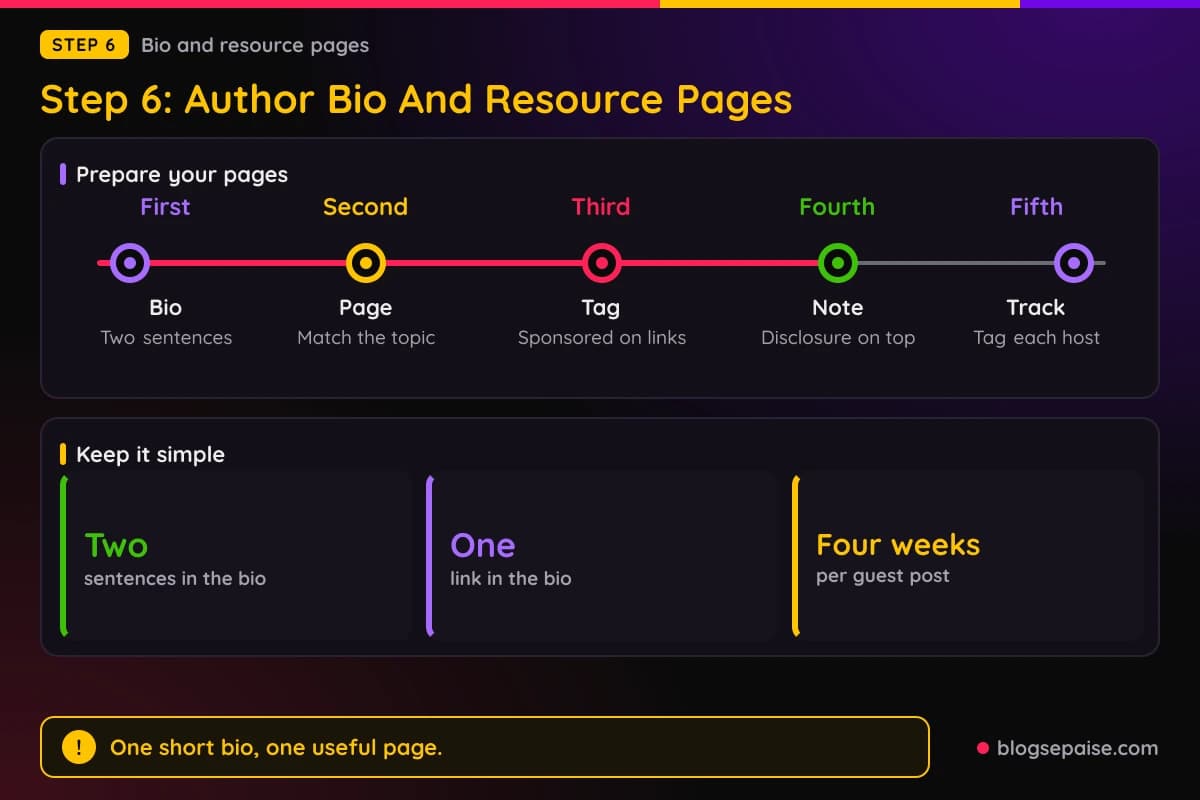
Build a resource page for your best tools. Group them by job, add a sentence on why you use each, and put your disclosure at the top.
Link the resource page from your bio when the host permits it. Some hosts bar links to pages that sell, so check the guideline first.
Offer the same page to other hosts. One strong resource page can serve many guest posts, and you only maintain one place.
Give each guest post its own tracking tag. A small tag on the bio link, such as the host name, shows which post sends readers.
Do not use link shorteners that hide the destination. Plain links are clearer for hosts and readers, and some hosts remove masked links.
Place affiliate links on your own pages with the right tag. For links on your site, use sponsored as Google asks, and check the rules of the program too.
Some programs have their own terms about link tags or link placement. Read them before you edit anything.
Step 6 ends with two ready pieces. You have a short bio with one link, and a resource page with a clear disclosure.
Ask hosts for a bio that fits their style. Some prefer a first person line and others prefer a third person line, and matching the style makes approval easier.
Step 7: Track Results And Keep Records
A guest post is a test, so measure it. Track clicks from the bio link, visits to the landing page, and sales from your affiliate dashboard.
Check your site's analytics for referral traffic from the host. Look at how long those visitors stay and which page they read next.
Give each post about four weeks before you judge it. A single slow week proves nothing, and guest posts often keep sending traffic long after they go live.
Keep a record of every guest post. Write the date, the host, the link you used, the bio text, and the editor's emails.
That record helps if a host changes a link or a rule later. You can show exactly what was agreed.
Check live links each month. Hosts redesign, move posts, and sometimes drop bios, so a link that worked in March can break by June.
Ask which hosts gave the best readers. A small blog with a close niche often sends better buyers than a big blog with a loose audience.
Repeat what works. If a bio link to a resource page sends steady clicks, build another page for the next pitch.
Drop what does not. If a host sends no visits after a few months, spend your time on a better one.
Never judge a guest post by sales alone. A new reader who joins your email list may buy later.
Look at the whole path, not one number. A reader who clicks the bio link, reads your guide, and joins your email list is worth more than one quick click.
Review your records every quarter. You will see which hosts, topics, and pages keep paying off, and you can plan the next round with real facts.
A Worked Example: Dana Pitches Six Coffee Blogs
Dana runs a blog about home coffee brewing, and she has 22 posts. All the numbers in this example are made up so you can see the method.
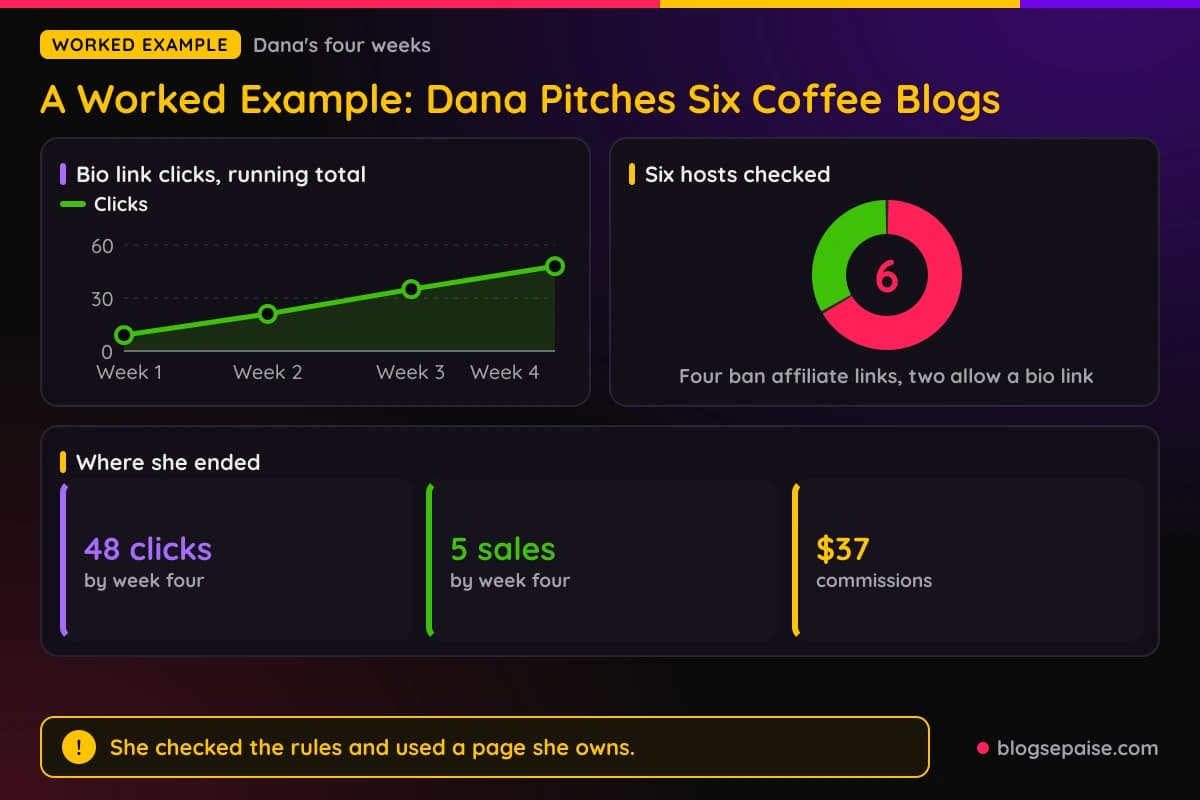
She wants to guest post and promote a coffee grinder. First she reads the guidelines of 6 hosts.
Four of them ban affiliate links outright. Two allow one link in the author bio, as long as it points to her own site.
Dana skips the four and pitches the two. She tells each editor she plans to link her grinder guide in the bio.
One editor replies in two days and approves a 1,400 word post on brewing at home. The other editor never answers, so she moves on.
Dana writes the post with no affiliate links in the body. She includes three links to trusted sources, which the editor approves.
Her bio says she writes about home coffee and links to her grinder guide. She asks the editor to add the tag the host's policy requires.
On her own site, the grinder guide holds her affiliate links. Each link has the sponsored tag, and a plain line above them says she may earn a commission.
The post goes live in week one. Her bio link collects 9 clicks by the end of week one and 21 by week two.
By week three she has 35 clicks, and by week four she has 48. She checks the dashboard and sees 5 sales.
Those 5 sales add up to $37 in commissions. The amount is small, but the guest post keeps sending readers.
Dana notes which sentence in the guide got the most clicks, and she moves a link higher. She also adds a short FAQ at the bottom.
Then she pitches two more hosts in her niche. Next time she attaches her numbers to the pitch, and both editors reply.
The lesson is not the $37. She checked the rules first, used a page she owns, and kept every affiliate link where she controlled the tag and the disclosure.
Notice what she skipped. She never hid a link, never argued with an editor, and never changed a link after approval.
Early guest post results look like this. Clicks come first, sales come slowly, and the best gains arrive from repeating the process.
Dana also keeps her sheet up to date. She adds the two hosts, their link limits, and the dates, so her next pitch starts from facts and not from memory.
Common Mistakes With Affiliate Links In Guest Posts
Most mistakes come from rushing. Writers want the link live so badly that they skip the rules.
The first mistake is sneaking an affiliate link into the body. Hosts often notice, and the usual result is a deleted post.
The second mistake is skipping the guidelines. A two minute read of the host's page would have saved the pitch.
The third mistake is using exact-match anchors. Google lists optimized anchor text in guest posts as link spam, so keep link text natural.
The fourth mistake is hiding the disclosure. The FTC wants it close to the link, and a note buried at the bottom is easy to miss.
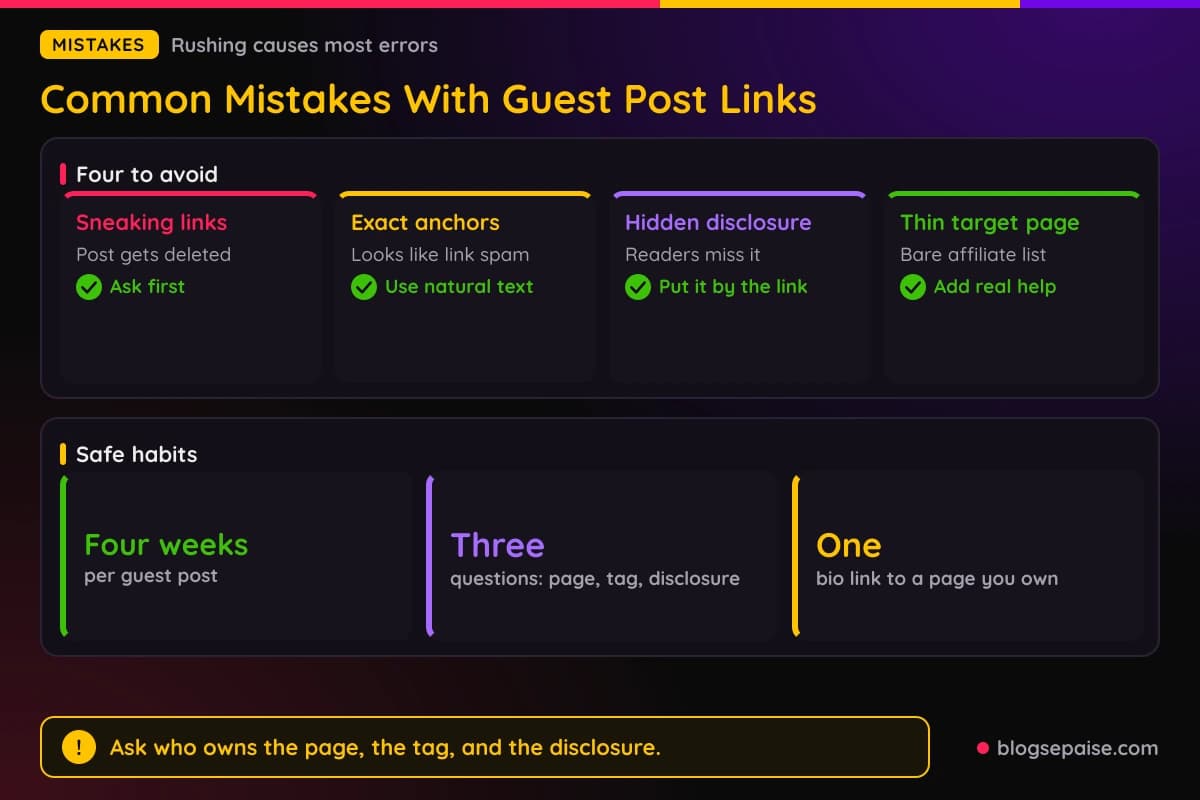
The fifth mistake is linking a thin page. A page of bare affiliate links gives readers nothing, and hosts remove links that look affiliated.
The sixth mistake is paying for a post and leaving the link untagged. Google says money exchanged for posts with links is a violation unless the links are qualified.
The seventh mistake is spamming one guest post across many hosts. Each host wants a post written for its own readers.
The eighth mistake is swapping the link after approval. Editors check links once, and a changed link breaks their trust.
The ninth mistake is hiding the destination with a shortener. Masked links make hosts nervous and readers unsure.
The tenth mistake is judging a host by one week. Give each post about four weeks before you decide.
A simple habit prevents most of this. Before you send any draft, ask who owns the page, who sets the tag, and who writes the disclosure.
If you cannot answer those three questions, wait. A short email to the editor is cheaper than a lost post.
One more slip is copying the same bio everywhere. Hosts notice, and a bio that fits the post reads better than a copy and paste.
Final Thoughts
You can use affiliate links in a guest post only when the host allows them, and most hosts do not. Read the guidelines first and respect the answer.
Google does not ban affiliate links. It asks that paid and affiliate links carry a sponsored or nofollow tag, and it treats optimized anchor text in guest posts as link spam.
The FTC wants a clear disclosure near each affiliate link, including on someone else's site. Plain words work better than jargon.
The safest path is simple. Write a useful post, link one page you own in the bio, and keep your affiliate links and disclosure on that page.
Pick one host this week and read its guidelines. For help with the disclosure line, read our legal disclosures guide, and for another platform with its own link rules, see affiliate links on Medium.
Guest posting works best as a slow, steady habit. A few good posts on the right sites will beat a pile of rushed ones.
Frequently Asked Questions
1. Can you put affiliate links in a guest post?
Only if the host says so. Many guest post guidelines ban affiliate links outright, so check the rules before you pitch.
2. Does Google penalize affiliate links in guest posts?
Google asks that affiliate and paid links be marked with sponsored or nofollow. It treats optimized anchor text in guest posts as link spam, so keep links natural and tagged.
3. Should I ask the host to use rel sponsored?
Yes, if a link of yours is paid or affiliate. The host owns the page code, so ask politely and follow the host's policy.
4. Do I need an FTC disclosure in a guest post?
The FTC says endorsements need a clear disclosure of any material connection, close to the recommendation. Its guidance applies to links in reviews on other sites too, so talk to the editor about the wording.
5. Can I link to my own post that has affiliate links?
Often yes. Many hosts allow one link to your site in the bio, but some bar links to pages that sell, so read the rule first.
6. Is an author bio link allowed?
Usually, in limited numbers. One host allows one link to the author's website in the author note, and it cannot be an affiliate link.
7. What if the host adds affiliate links of its own?
Some hosts reserve that right. Their page and their rules mean the decision is theirs, and you cannot add yours.
8. Is guest posting for links still worth it?
It can be, when the post helps real readers on a relevant site. Posts written only to place links are the pattern Google calls spam.
9. Should I pay for a guest post?
Be careful. Google says money exchanged for posts with links is a violation unless the links are qualified with sponsored or nofollow.
10. How many links can I put in a guest post?
Hosts differ. One site allows a single promotional link, and another allows up to 3 links across the post and byline.
11. How do I measure a guest post?
Track clicks from the bio link, visits to the landing page, and sales for about four weeks. Keep a record of the host, the date, and the link you used.
12. Can I add affiliate links to a guest post I wrote for my own other site?
Yes, on your own pages you set the rules. Mark the links with sponsored, add a clear disclosure near each one, and follow the terms of the affiliate program.
13. What if a host already published my post with an unmarked affiliate link?
Email the editor right away and ask to remove the link or add the sponsored tag. Quick action protects the host and your name.