Track Amazon Associates Conversions From Paid Ads: 8 Steps
Amazon Associates reports are built around dates, link types, and tracking IDs. They are not built around single ad clicks.
That shapes how you track paid ads. Eight steps follow, using Amazon's Operating Agreement and Program Policies, Amazon's Associates help pages, Google's Analytics and Ads help pages, Google Search Central, and the FTC.
Sales that fell after a change are a separate problem. Our guide on Amazon affiliate sales that dropped covers it, and tracking affiliate income covers the spreadsheet side.
Amazon and Google update their pages over time. Check the linked help page if a menu or a number has changed.
Disclosure: Some of the links I share might be affiliate links. If you click on one and make a purchase, I may earn a small commission as a thank you. But don’t worry, it won’t cost you anything extra. I only recommend stuff I genuinely believe in. Your support helps me keep creating awesome content. You can read my full affiliate disclosure in my disclaimer page.
If you want to save a lot of hours searching for high-paying affiliate programs, check out our exclusive list of 2500+ affiliate programs. You’ll find all the information about the programs inside the list. This list is perfect for affiliate bloggers and influencers.
What Amazon Reports About A Click
Start with what Amazon gives you. Amazon's help pages name an Earnings Report, an Orders report, Today's Orders, Bounties, Tracking ID Summary, Link Type Performance, and Daily Trends.
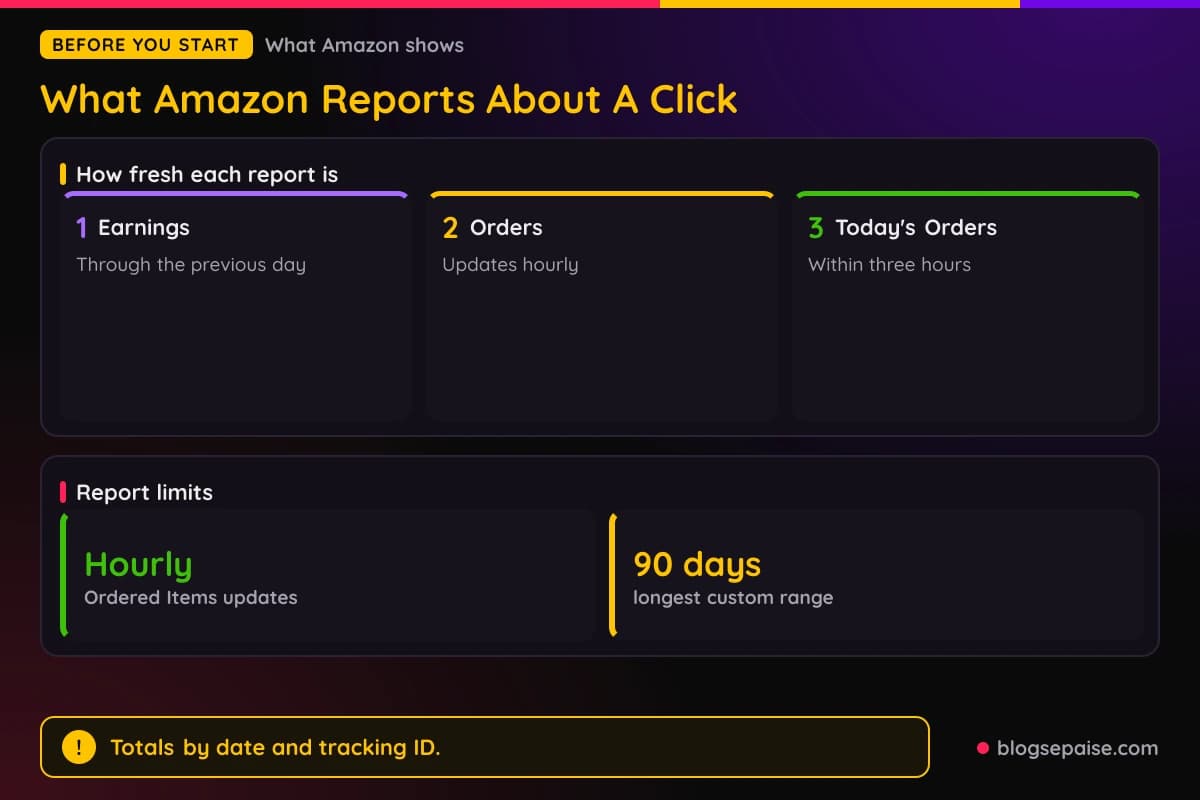
The Earnings Report shows earnings by program, with commission income, bounties, and a daily earnings graph. Amazon says it is current as of the previous day.
The Orders report combines click and order data. It lists each ordered item with its direct-link clicks, then items with no orders, then Other Clicks from home page, search, recommended, and category landing page links.
Today's Orders shows orders data within three hours of being placed. You can view it for one tracking ID or for all of them.
Amazon says the Orders and Bounties reports update hourly, so a new order shows up quickly there while the Earnings Report waits for the next day.
Amazon names the key numbers as clicks, ordered items, shipped items, and conversion rates. Custom date ranges must be shorter than 90 days, and the presets are Today, Last 7 Days, and Last 90 Days.
Link Type Performance adds columns for Link Group, Clicks, Conversion, Items Ordered, Items Shipped, and Earnings. Amazon defines conversion as the percentage of clicks that resulted in orders.
Amazon adds a timing note. A customer may add a product to the cart and buy it later, within 90 days, so conversion for short and recent periods can look lower than the final result.
Ad platforms want something Amazon does not offer. AnyTrack's documentation says Amazon does not let you add a subid tracking parameter to track unique clicks, and that Amazon does not offer a postback notification system.
WeCanTrack says the same from another angle. It describes Amazon reporting as aggregate, says Amazon does not offer dynamic subid tracking, and says low-volume data is grouped as Other.
The realistic goal is tracking at the level of the campaign. You want to know which ad campaign sent the clicks that line up with orders under one tracking ID.
Step 1: Read The Paid Advertising Rules First
Check the rulebook before you spend a dollar. Amazon's Program Policies exclude some paid traffic from commission, and tracking cannot fix a sale Amazon will not pay for.
The Commission Income Statement lists disqualified purchases. Item (c) covers a purchase by a customer who is referred to an Amazon site through any advertisement that you purchased.
The same item defines a Prohibited Paid Search Placement. It covers ads bought through bidding or auctions on keywords, search terms, or other identifiers that include the word amazon, the word kindle, or any other Amazon Mark.
Variations and misspellings count too. Amazon's own examples are ammazon, amaozn, and kindel.
Participation Requirements section 6(f) repeats the rule from the other side. You will not bid on or purchase those keywords if the resulting paid search ad is a Prohibited Paid Search Placement.
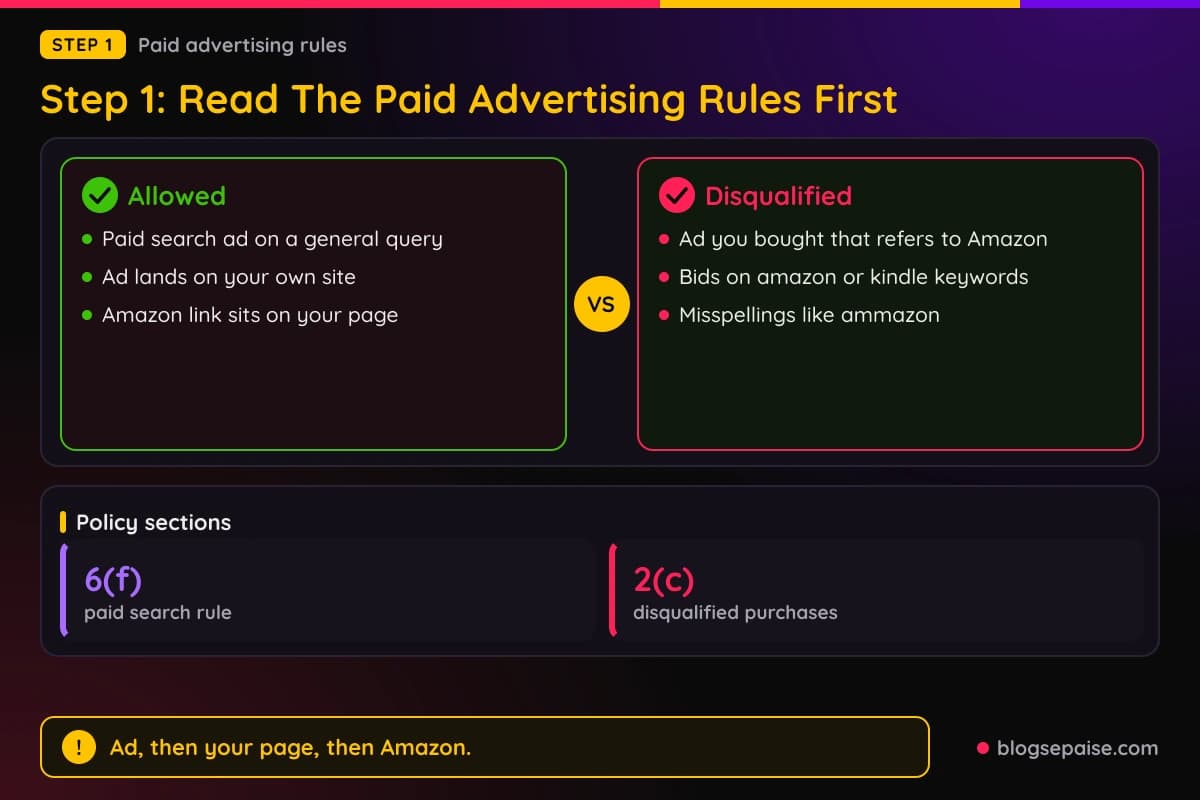
Paid search itself is allowed in a limited form. Section 6(f) says you may purchase paid search advertisements and submit links to search engines to appear in response to a general internet search query or keyword.
Those paid or unpaid results must send users to your site. They may not send users directly, or indirectly through a Redirecting Link, to an Amazon site.
Two more exclusions matter for ads. Item (d) covers a link generated or displayed on a search engine.
Item (e) covers a link that sends users indirectly to an Amazon site via an intermediate site.
Section 2(p) of the Participation Requirements adds one more rule. You will not include any Special Links in content that you place on an Amazon site, and Amazon gives advertising services available through an Amazon site as an example.
Put together, the policies point one way. An ad you buy should land on your own page, and your page should hold the Amazon link.
Step 2: Send Paid Traffic To Your Own Page
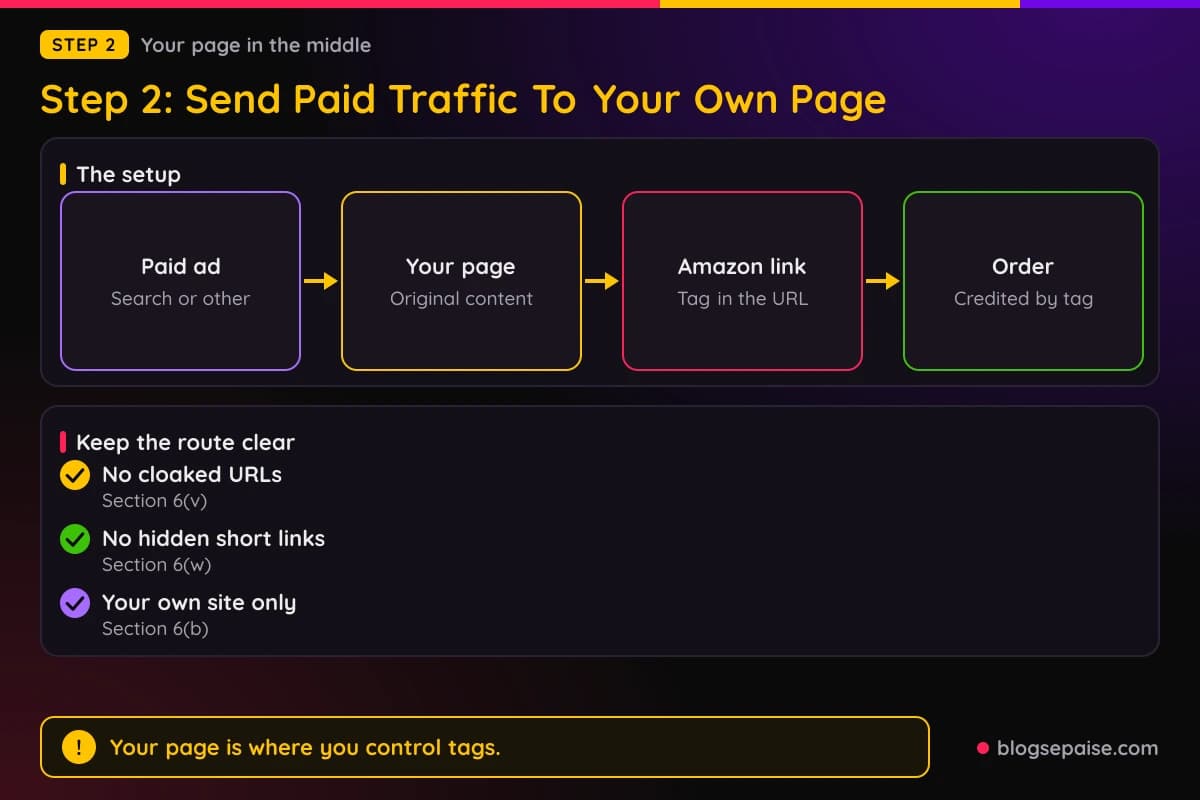
The rules above lead to one setup: ad, then your page, then Amazon. Your page is the one stop in the chain where you control the tags.
Amazon requires Special Links to be accessed directly from your site. Each link you place on your site to an Amazon site must include your Associates ID, or tag, as a parameter in the URL.
Do not hide the route. Section 6(v) says you will not cloak, hide, spoof, or otherwise obscure the URL of your site that contains Special Links.
Section 6(w) bars a link shortening service when it makes it unclear that you are linking to an Amazon site.
Google Ads has its own rules about where an ad can lead. Its Destination requirements list redirects from the final URL to a different domain as a destination mismatch.
The same policy page lists a tracking template or expanded URL that does not lead to the same content as the final URL. It also lists destinations that are solely designed to send users elsewhere under Insufficient original content.
Google's Insufficient original content policy gives examples of what it disapproves. They include bridge pages, doorways, and gateways that only link to other sites.
Google Search Central describes thin affiliation as publishing product affiliate links where the descriptions and reviews are copied directly from the original merchant.
It adds that such sites often look like cookie-cutter sites or templates with the same content replicated.
Search Central contrasts those pages with good affiliate pages. Its examples of good affiliate pages start with offering additional information, such as about price.
Section 6(b) of the Participation Requirements adds a limit on the page itself. You will not create links formatted with your Associates tag for, or display such links on, a site that is not your site.
So build a page you would want to land on, with your own comparison or review and the Amazon link inside it. Our guides on PPC affiliate marketing and setting up a Google Ads campaign cover the ad side.
Step 3: Create A Tracking ID For Each Campaign
Tracking IDs are Amazon's built-in way to split your earnings. Amazon's help page says they let you measure different websites or merchandising strategies while earnings stay under a single Associates ID.
To create one, log in to your Associates account and use the Manage your Tracking ID link. Amazon says you can change the tracking ID used in the link code at any time while you are building links.
Amazon's own example uses a base ID of storeid-20. A website gets storeid-1-20, a newsletter gets storeid-2-21, and each one generates earnings for the main account.
Amazon sets a limit of 100 tracking IDs per associate account. If you need more, Amazon says to contact Associates Customer Service, and WeCanTrack states the same default cap.
Reports follow the ID. Amazon says reports data now include the tracking ID for each transaction, so you can download everything in one file instead of one report for each ID.
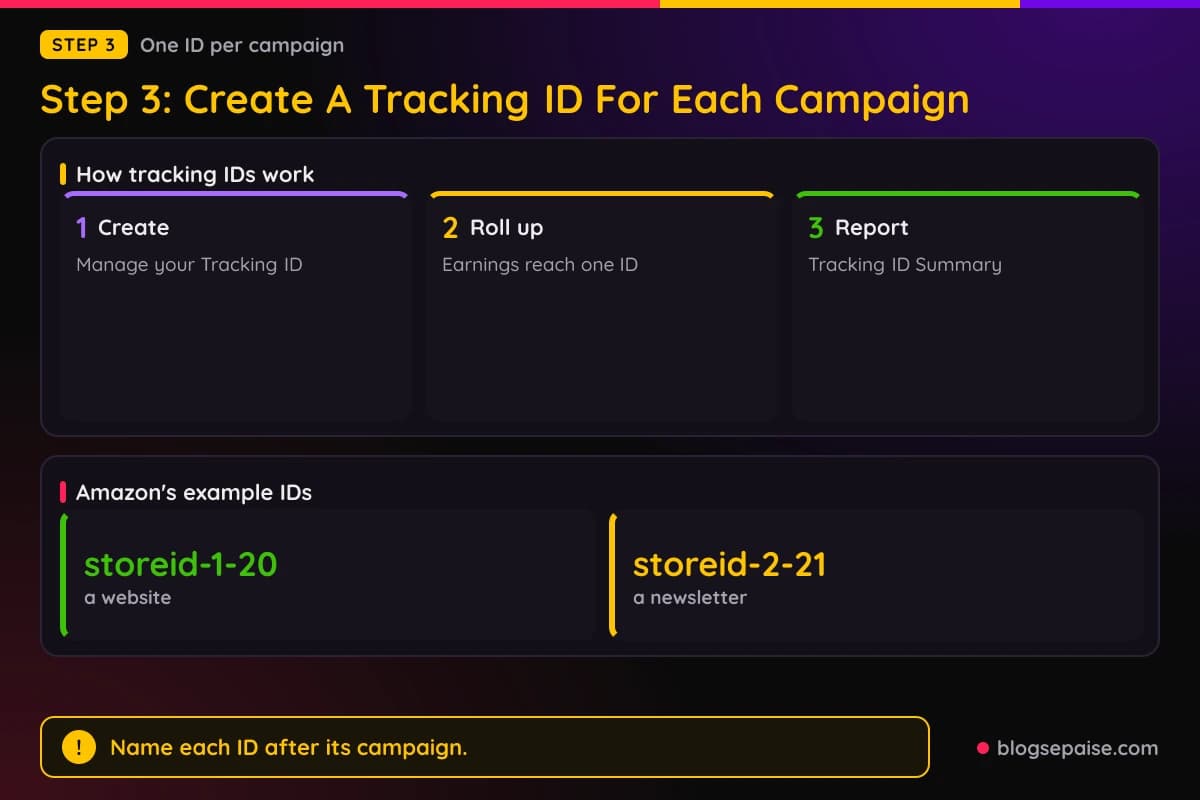
The Tracking ID Summary Report includes only the IDs that had activity in the date range you request. An ID with no clicks in that period will not appear.
For paid ads, give each campaign its own ID. Name it after the campaign, and keep the same name in your ad account, your UTM tags, and your notes.
WeCanTrack suggests two levels. For page-level attribution, it says to place one tracking ID in all your Amazon links on one page, and for content-level attribution, it says to use a unique tracking ID for each content element.
Amazon limits how IDs may be used. Section 2(b) says additional sub-tag IDs are issued on request and subject to approval, and that you may not associate any sub-tag, other ID, or reporting with a specific end user of your site.
So an ID describes a campaign, never a person. Keep a simple sheet that maps each ID to its campaign, as in step 3 of our guide on tracking affiliate income.
Step 4: Tag Your Landing Page URLs With UTM Parameters
UTM tags go on the landing page URL that your ad points to. Leave the Amazon link as Amazon builds it, because the Commission Income Statement excludes purchases when the links to Amazon are not properly formatted.
Google's Analytics help page lists these campaign parameters: utm_id, utm_source, utm_medium, utm_campaign, utm_source_platform, utm_term, utm_content, utm_creative_format, and utm_marketing_tactic.
Google says that when you add parameters to a URL, you should always use utm_source, utm_medium, and utm_campaign. It also strongly recommends setting all relevant parameters, because missing ones show up as (not set) in reports.
An older Google article describes two optional ones in plain terms. The utm_term parameter identifies paid search keywords, and utm_content tells apart similar links within the same ad.
Google also says parameter values are case sensitive. Google's example is that utm_source=google differs from utm_source=Google.
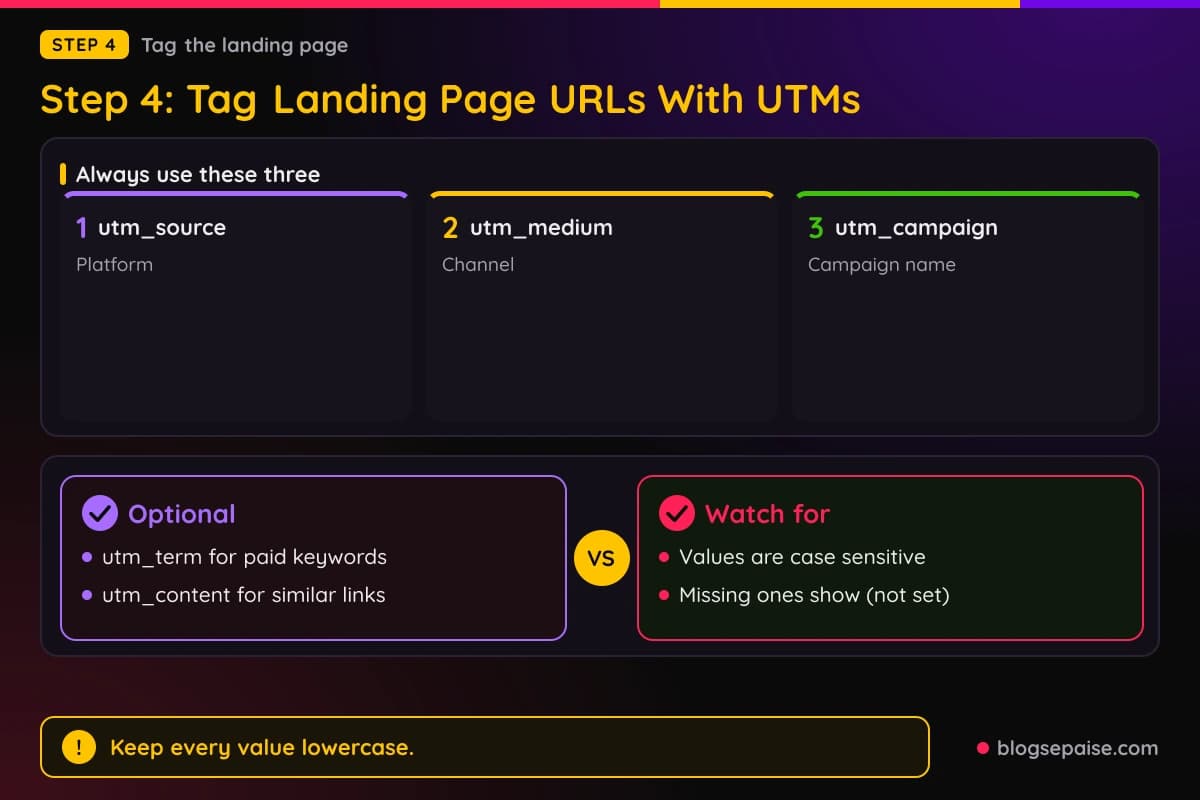
Google's naming advice is short. Use one unique utm_source per platform, one utm_medium per channel, and one utm_campaign name that matches the exact campaign name, and keep the values lowercase.
Different capitalization is treated as a different value. A keyword typed two ways will appear as two rows.
The values show up in the Traffic acquisition report, under Acquisition. You can view session source and medium, session medium, session source, and session campaign there.
Google notes one limit. UTM parameters are omitted from the Landing page plus query string and Page path plus query string dimensions, and that information appears in Page location instead.
Our UTM parameter builder helps you keep the values consistent. Use the same campaign name in the ad account, the UTM tag, and the Amazon tracking ID.
Step 5: Turn On Auto-Tagging And Link Google Analytics
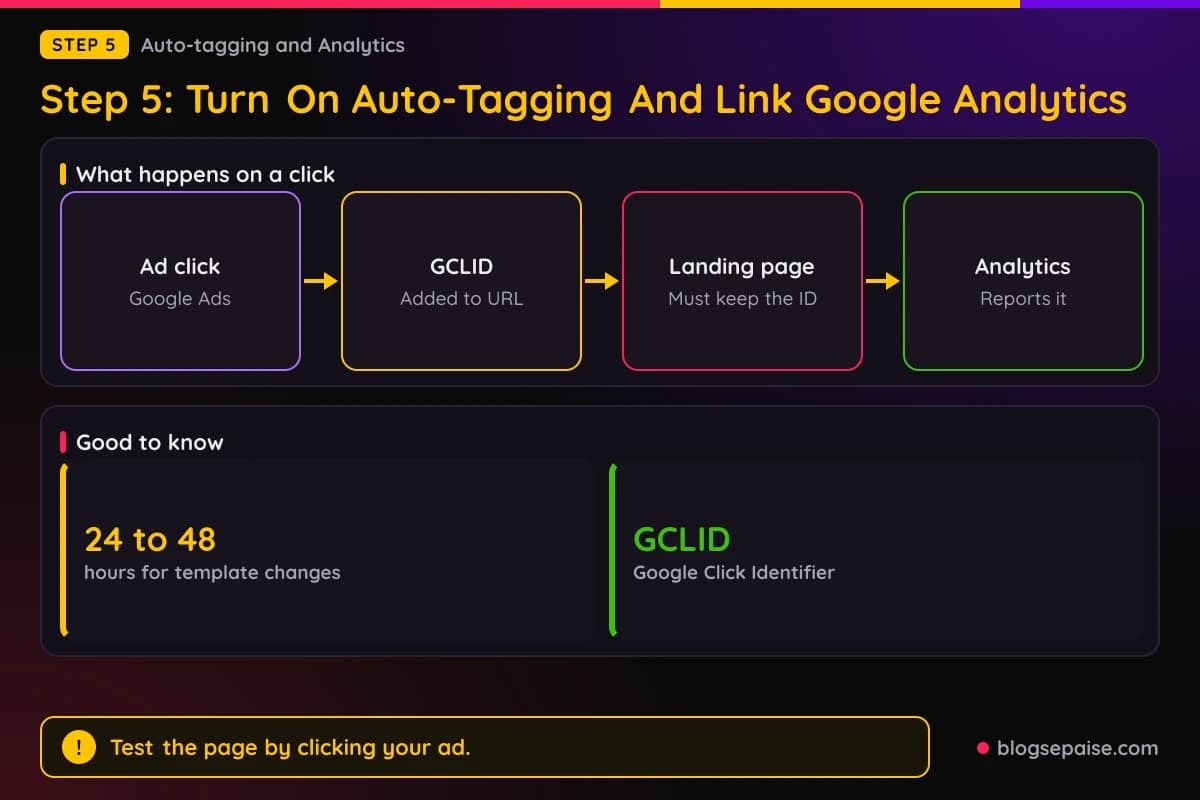
Google Ads has its own tagging. Auto-tagging adds a parameter called GCLID, short for Google Click Identifier, so www.example.com becomes www.example.com/?gclid=123xyz.
Google says auto-tagging is needed to import key event data into Google Ads and to import Google Ads campaign and cost data into Google Analytics. It is on by default for new accounts.
Auto-tagging and UTM tags can overlap. Google says you can tag destination URLs manually if you do not want the Analytics integrations, and that in GA4 auto-tagging is prioritized over manual tagging because there is no override option.
Test the landing page by clicking your own ad. Google warns that a small percentage of websites reject arbitrary URL parameters and show an error page, and that redirects must carry the GCLID to the final page or conversions will not track.
Google's other parameters follow the same care. Its gad_campaignid parameter identifies the Google campaign that drove the conversion, and Google says gad parameters are case sensitive and should look the same on every page.
A tracking template lets you add your own values. Google describes ValueTrack parameters as text in braces, such as {matchtype}, that Google Ads replaces with a value reflecting the details of the ad when someone clicks.
Google's example uses the template {lpurl}?device={device}, which turns www.example.com into www.example.com/?device=c on a desktop click. It recommends setting this up at the account level.
Changes to tracking templates take 24 to 48 hours to be reflected in ad serving. Plan edits ahead of a launch.
Keep the template honest. Google lists a tracking template or expanded URL that does not lead to the same content as the final URL as a destination mismatch.
Step 6: Record The Click To Amazon In Google Analytics
Your page is the last place you can measure. Google Analytics 4 can record the click that sends a visitor from your page to Amazon.
Enhanced measurement has an outbound clicks event named click. Google says it fires each time a user clicks a link that leads away from the current domain and to another website.
The event carries the parameters link_classes, link_domain, link_id, link_url, and outbound. You can read the details in the Events report under the Engagement topic.
To turn it on, open Admin, then Data collection and modification, then Data streams, choose your stream, and set Enhanced measurement to On. You need Editor access or higher on the property.
Links to domains that you configured for cross-domain measurement do not trigger the event. Google also tells you to make sure no personally identifiable information is collected.
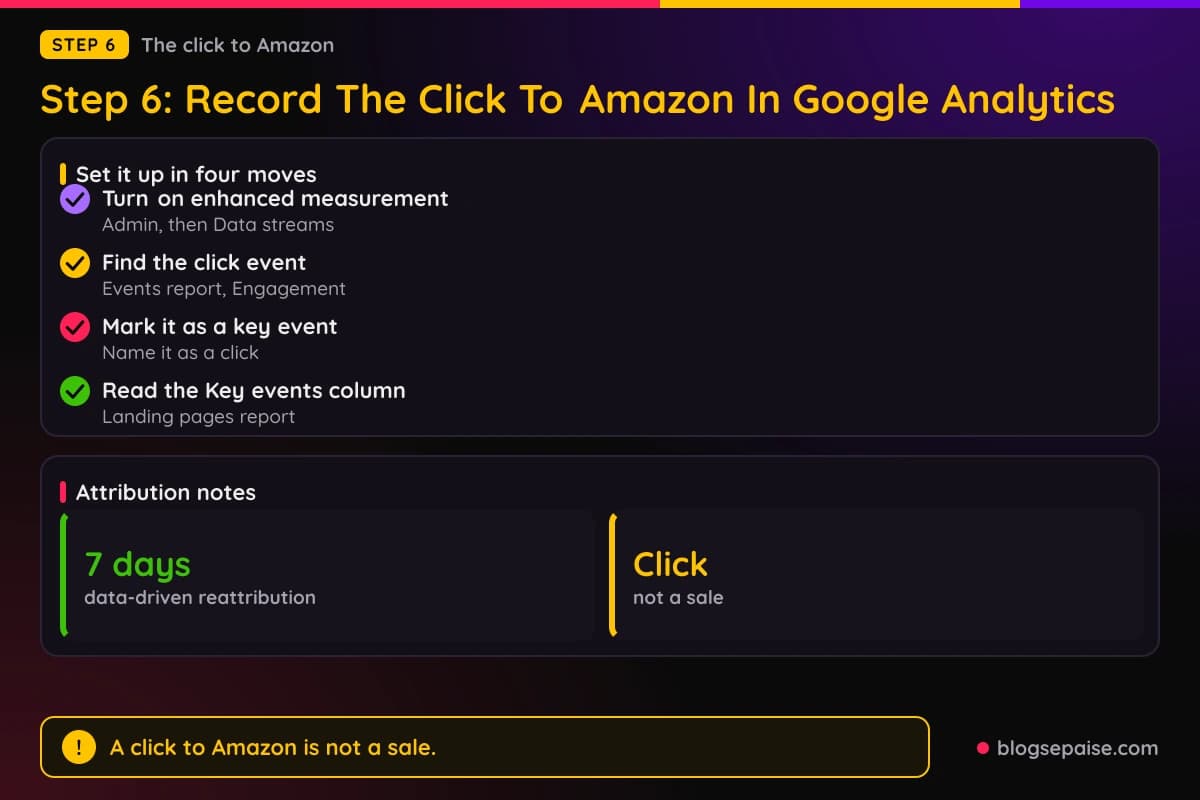
A click to Amazon can be marked as a key event. Google defines a key event as an event that measures an action that is particularly important to the success of your business.
Standard reports such as Landing pages and User acquisition then include a Key events column. Google also says you can create a Google Ads conversion from a key event.
Name that key event so nobody mistakes it for a sale. It counts a click on an Amazon link, and AnyTrack's documentation says that for Amazon it can only track clicks on the links and cannot track conversions directly.
Attribution settings decide how credit is shared. GA4 lists data-driven attribution, paid and organic last click, and Google paid channels last click, and all models exclude direct visits unless the whole path is direct.
Google also says the first click, linear, time decay, and position-based models stopped being available as of November 2023. Data-driven conversions can be reattributed for up to 7 days after the conversion.
Step 7: Match Amazon's Reports To Your Ad Data
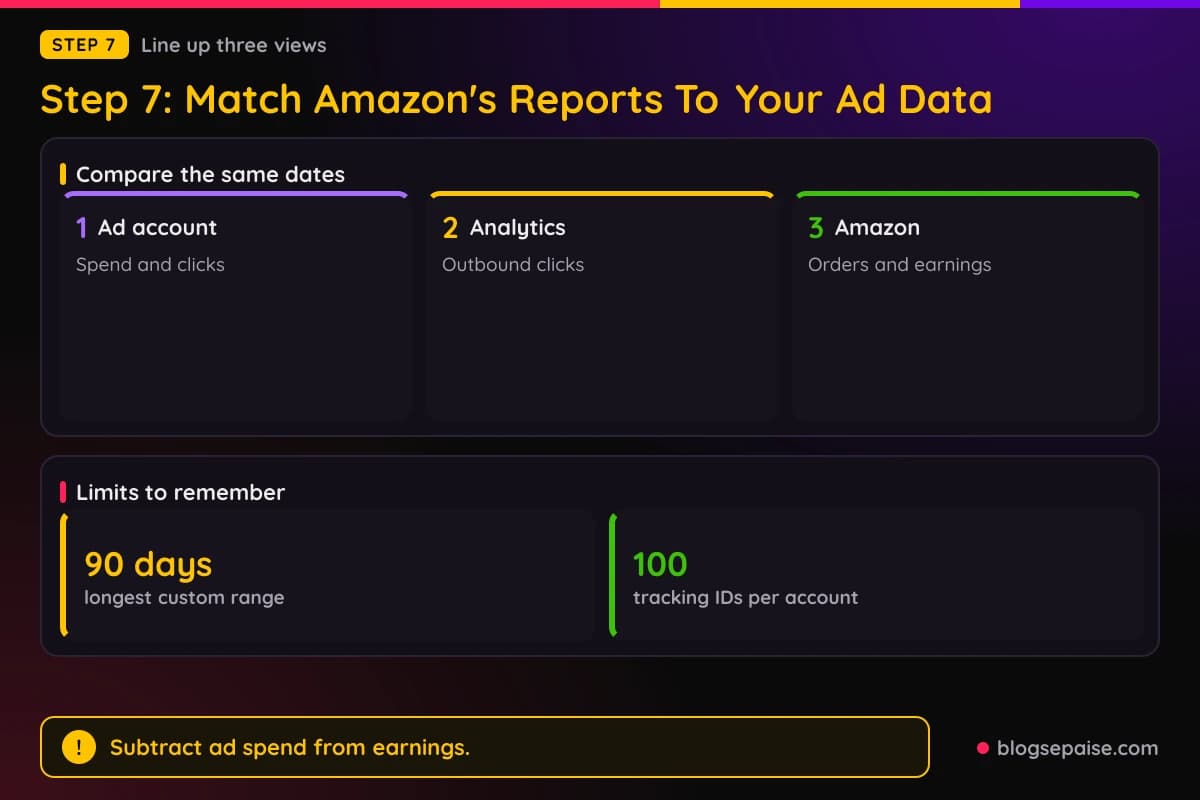
Now line up the three views. Pull the same date range from your ad account, from Google Analytics, and from Amazon's reports.
Open the Tracking ID Summary Report in Amazon and find the ID for the campaign. Compare its clicks, ordered items, shipped items, and earnings with the outbound clicks you recorded for the same campaign.
Remember the timing. The Earnings Report is current as of the previous day, and Amazon notes that conversion for short and recent periods can look lower because carts are bought later.
Orders can also drop out. The Commission Income Statement excludes any product order where a cancellation, return, or refund has been initiated.
Subtract the ad spend for a campaign from the earnings under its tracking ID. That is plain arithmetic, and our guide on tracking ROI goes further on break-even math.
Low traffic makes this harder. WeCanTrack says Amazon reporting is aggregated depending on click volumes, with low-volume data grouped as Other.
Sending Amazon sales back to the ad platform is a harder problem. WeCanTrack says it is not possible to integrate Amazon conversions in ad platforms.
AnyTrack says Amazon does not provide a postback URL or API access to track conversions programmatically.
AnyTrack's documentation says its tag records each Amazon link click as an OutboundClick event and sends it to connected ad platforms.
It says it never auto-tags Amazon Associate links and advises against adding a manual subid, ascsubtag, or click ID token.
That advice fits Amazon's rules. Purchases through improperly formatted links are on the disqualified list, so adding your own parameters to an Amazon link is a risk without a benefit.
Use the numbers to compare campaigns against each other. For benchmarks and funnel math, see our guides on affiliate dashboard metrics and affiliate conversion rate benchmarks.
Step 8: Keep Your Landing Page And Disclosure In Shape
Tracking only helps if the ads keep running. Google's Insufficient original content policy says an ad destination must offer unique value to users.
Google disapproves destinations whose content is replicated from another source without adding value, or designed for the primary purpose of showing ads. It says it will warn you at least 7 days before suspending an account.
Amazon's Program Policies ask for honest disclosure on your site. Section 3(b) requires displaying Special Links in compliance with all applicable laws, including those related to disclosures.
The same section names the U.S. FTC Guides Concerning the Use of Endorsements and Testimonials in Advertising as an example.
Section 3(e) covers tracking itself. It refers to disclosing accurately and adequately how your site uses cookies, pixels, and other technologies, which matters once you add Analytics tags.
The FTC says an affiliate link needs disclosure. Its guidance says to disclose the relationship clearly and conspicuously on your site, and that the closer the disclosure is to your recommendation, the better.
The FTC offers sample wording: "I get commissions for purchases made through links in this post." It says the words affiliate link alone may not be understood, and that a buy now button is not adequate.
Its guide for social media influencers says disclosures on a profile page, at the end of a post, behind a MORE link, or buried in hashtags or links are likely to be missed.
For video, the FTC says to make the disclosure in the video itself, ideally in both audio and video, and not just in the description. For YouTube it advises disclosing both in the videos and in the description near the links.
Amazon's Influencer Program Policy asks influencers to disclose material connections with text such as #Ad or #Sponsored. Our guide on legal disclosures has wording you can adapt.
Where Amazon Attribution And The Creators API Fit
Two Amazon tools come up in searches on this topic. Neither is a report of Associates sales.
Amazon Attribution is described on Amazon's advertising site as a free advertising and analytics measurement solution.
It shows the impact on Amazon of marketing done off Amazon, across search, social, display, video, email, and affiliate or influencer campaigns.
Amazon lists who can use it: eligible sellers and vendors, registered brand owners, Kindle Direct Publishing authors, and agencies with clients who sell on Amazon. Associates are not on that list.
Attribution works through tags. You add the products you want to measure and generate tags for each marketing strategy.
Its reports use a 14-day attribution window. They include clicks, detailed page views, add to cart, purchases, units sold, product sales, and new-to-brand.
The Creators API is a different thing. Amazon describes it as a REST API for the Amazon product catalog, with the operations SearchItems, GetItems, GetVariations, and GetBrowseNodes.
Amazon's page requires enrollment in Associates for your marketplace, registration through Associates Central, and at least 10 qualifying sales within the past 30 days. It lists no reports or earnings operation.
WeCanTrack states that Amazon grants report access at its own discretion and does not provide it to all publishers. Treat any plan that depends on an Associates reporting API with that in mind.
Common Mistakes When Tracking Amazon Associates From Paid Ads
Pointing an ad straight at an Amazon page with your tag is the first mistake. The Commission Income Statement excludes purchases referred through any advertisement that you purchased.
Bidding on amazon or kindle keywords is the second. Amazon counts misspellings such as ammazon, amaozn, and kindel as well.
Using redirecting or shortened links to hide the route is the third. Amazon bars cloaking and link shortening that makes it unclear you are linking to an Amazon site.
Adding your own click ID to an Amazon link is another. AnyTrack says Amazon does not accept a subid, and Amazon excludes purchases made through improperly formatted links.
Reading outbound clicks as sales comes next. A key event on a click to Amazon counts a click, not an order or a commission.
Mixed capitalization in UTM values splits one campaign into two rows. Google says the values are case sensitive.
Judging a campaign on a short date range is a quieter one. Amazon says conversion for short and recent periods can look lower than the final result.
Tying an ID to a person is the last. Amazon says you may not associate any sub-tag, other ID, or reporting with a specific end user of your site.
Final Thoughts
Tracking Amazon Associates conversions from paid ads comes down to a short chain. An ad lands on your own page, the page holds a tagged Amazon link, and each campaign gets its own tracking ID.
Google Analytics records the click on your page, and Amazon's Tracking ID Summary Report shows what that ID earned. Putting those two next to your ad spend gives you a campaign-level answer.
The limits are real. Amazon's own policies disqualify purchases from ads you buy that send people to Amazon, and the tracking vendors in this guide say Amazon offers no postback or per-click ID.
Keep the setup simple and the page honest. Disclose the commission, keep your naming consistent, and check Amazon's policy pages before each new campaign.
Frequently Asked Questions
1. Can I run paid ads to my Amazon affiliate links?
Amazon's Commission Income Statement excludes purchases by a customer referred to an Amazon site through any advertisement that you purchased. Section 6(f) allows paid search ads that send users to your own site.
2. Can I bid on Amazon keywords as an Associate?
No. Section 6(f) says you will not bid on or purchase keywords that include the word amazon, and the policy covers variations and misspellings such as ammazon and kindel.
3. How many Amazon tracking IDs can I create?
Amazon's help page says there is a limit of 100 tracking IDs per associate account. If you need more, it says to contact Associates Customer Service.
4. Can Amazon Associates send conversions to Google Ads or Facebook?
WeCanTrack says it is not possible to integrate Amazon conversions in ad platforms. AnyTrack's documentation says Amazon offers no postback URL and that it can only track clicks on the links.
5. Can I add UTM parameters to my Amazon links?
Add UTM parameters to your own landing page URL instead. Amazon excludes purchases made through improperly formatted links, and AnyTrack advises against adding a manual subid, ascsubtag, or click ID to Amazon URLs.
6. Which Amazon report shows results by tracking ID?
The Tracking ID Summary Report. Amazon says it includes only the tracking IDs that had activity in the requested time period, and that reports data now include the tracking ID for each transaction.
7. Can Associates use Amazon Attribution?
Amazon's Attribution page lists eligible sellers and vendors, registered brand owners, Kindle Direct Publishing authors, and agencies with clients who sell on Amazon. Associates are not on that list.
8. Does Amazon Associates have a reporting API?
Amazon's Creators API page lists catalog operations only. WeCanTrack states that report access is granted at Amazon's own discretion.
9. Do I need a disclosure when I advertise affiliate links?
Yes. The FTC says guidance applies anytime you endorse a product and get paid through affiliate links, and that the disclosure should be clear, conspicuous, and close to your recommendation.