Affiliate Marketing on a Tight Budget: The $0 to $100 Roadmap
Most beginner guides tell you to buy hosting, a theme, a keyword tool, and an email service before you write a single word. By the time you pay for all of that, you have spent a few hundred dollars and earned nothing.
You do not need that much money to start. You need a plan that spends nothing at first, then spends small amounts in the right order.
That is what this roadmap does. It takes you from $0 to a total of $100 spent, and each dollar goes to the item that helps most at that point.
Affiliate marketing is slow no matter how much you spend. A bigger budget does not make search engines trust you faster, so the real cost of this business is time.
So we built seven steps you can follow in order. By the end you will know what to use for free, what to pay for first, and what to ignore until the site earns.
If you want a wider look at starting with almost no cash, read our guide to affiliate marketing with no money. You can also pair it with our list of free affiliate marketing training so even your learning costs nothing.
Disclosure: Some of the links I share might be affiliate links. If you click on one and make a purchase, I may earn a small commission as a thank you. But don’t worry, it won’t cost you anything extra. I only recommend stuff I genuinely believe in. Your support helps me keep creating awesome content. You can read my full affiliate disclosure in my disclaimer page.
If you want to save a lot of hours searching for high-paying affiliate programs, check out our exclusive list of 2500+ affiliate programs. You’ll find all the information about the programs inside the list. This list is perfect for affiliate bloggers and influencers.
The $0 To $100 Roadmap: The Short Answer
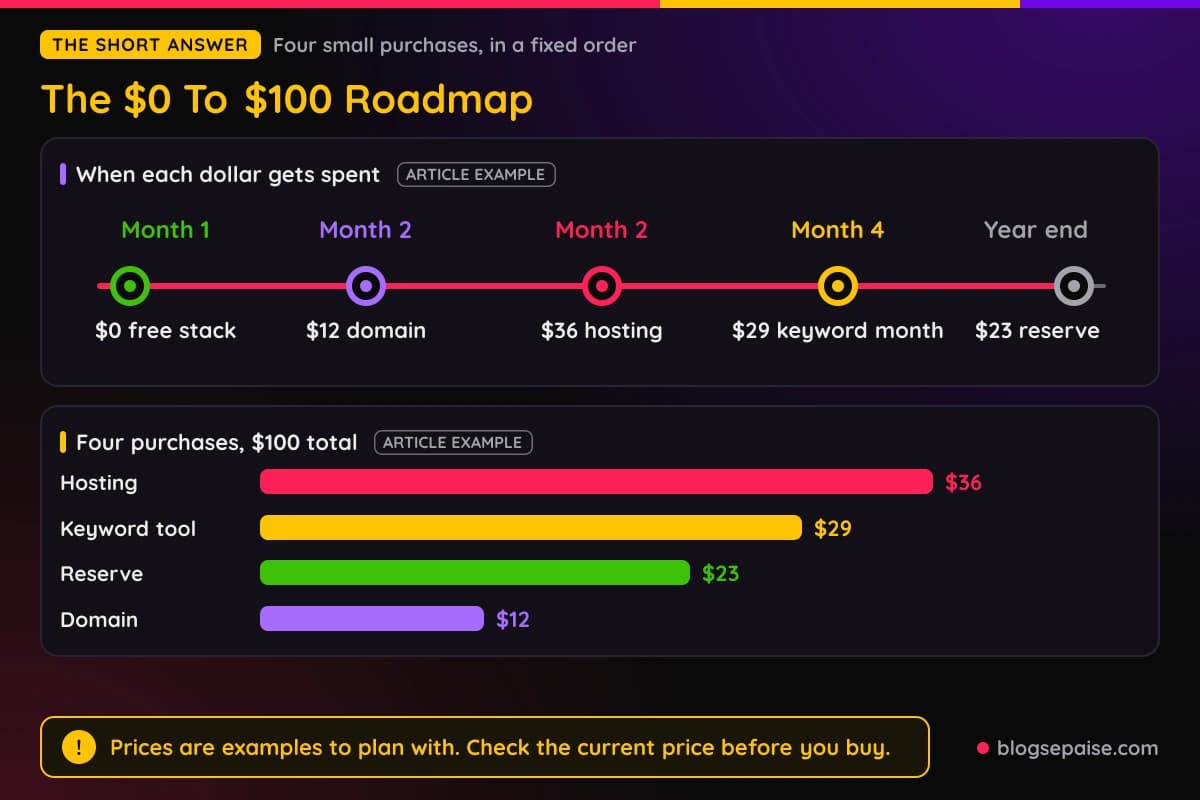
Spend nothing for the first month. After that, spend in four small steps that add up to $100 across your first year.
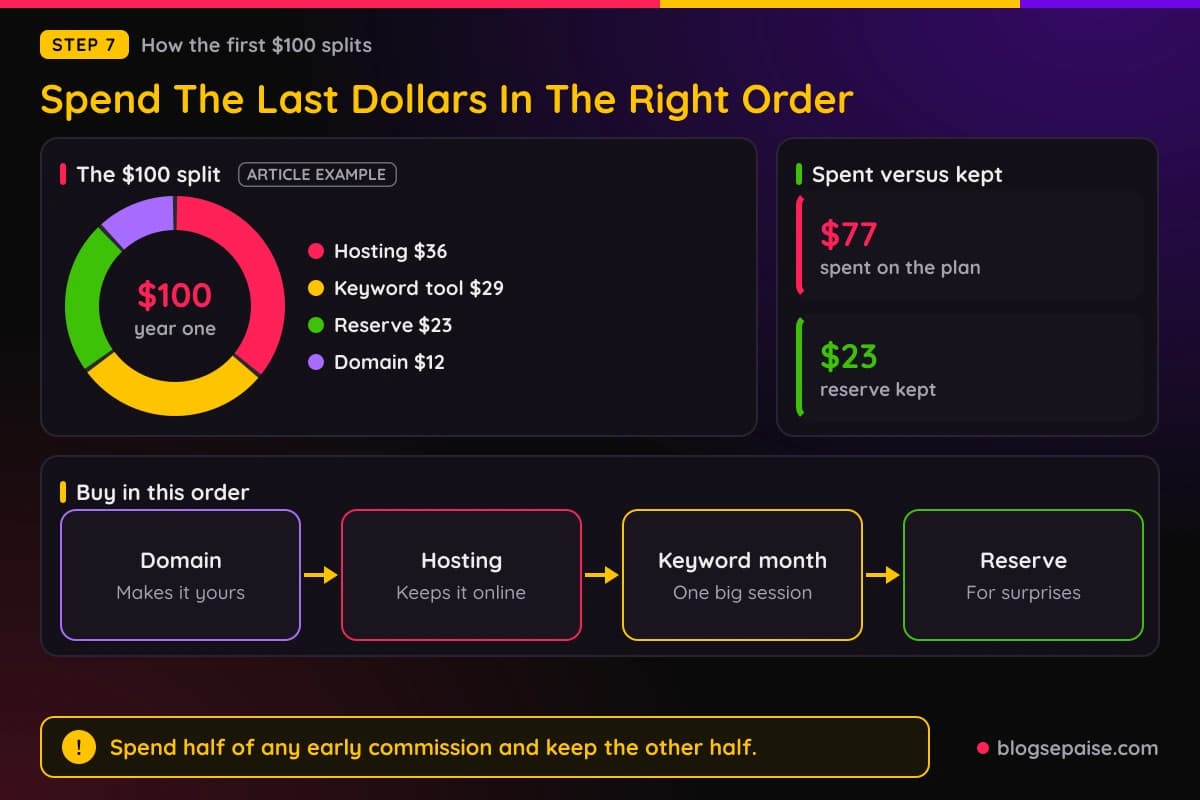
Here is the order we suggest. A domain name costs $12, a year of basic hosting costs $36, a keyword tool for one month costs $29, and the last $23 stays in reserve for whatever breaks.
Those prices are examples to plan with, not quotes. Check the current price before you buy, because hosts and tools change them often.
The reason for this order is simple. Writing and publishing cost time, not money, so you can do both for free on day one.
Paid items only make the site faster, safer, or easier to run. They do not write the posts for you.
You also never buy a tool until a task forces you to. If a free option does the job today, the paid one waits.
Think of the $100 as a ladder with four rungs. You step up only when the rung below you is working.
A slow start is normal, so do not read it as a sign that the plan is failing. Most new sites look quiet for the first few months, and the quiet is exactly why the free approach makes sense.
If the site stays empty, you lose a little time and no money. If you had bought everything on day one, you would lose both.
One more point before we start. The $100 is your spending cap, and it is separate from your first $100 in commissions, which is the goal we use at the end of this guide.
Step 1: Set Three Money Rules Before You Spend Anything
Before you click buy on anything, write down three rules. They protect you on the days a shiny tool starts to look like a good idea.
Rule one is that every purchase must solve a problem you already have. If you cannot name the problem in one sentence, you are not ready to pay for the fix.
Rule two is that you pay for time savers only after you have time to save. A tool that saves ten minutes a week does nothing for a site that gets one post a month.
Rule three is a hard cap. Our cap is $100 for the first year, and it does not move until the site has earned its first commissions.
Write the three rules in your own words, because rules you wrote are rules you remember. Keep each one short enough to say in a single breath.
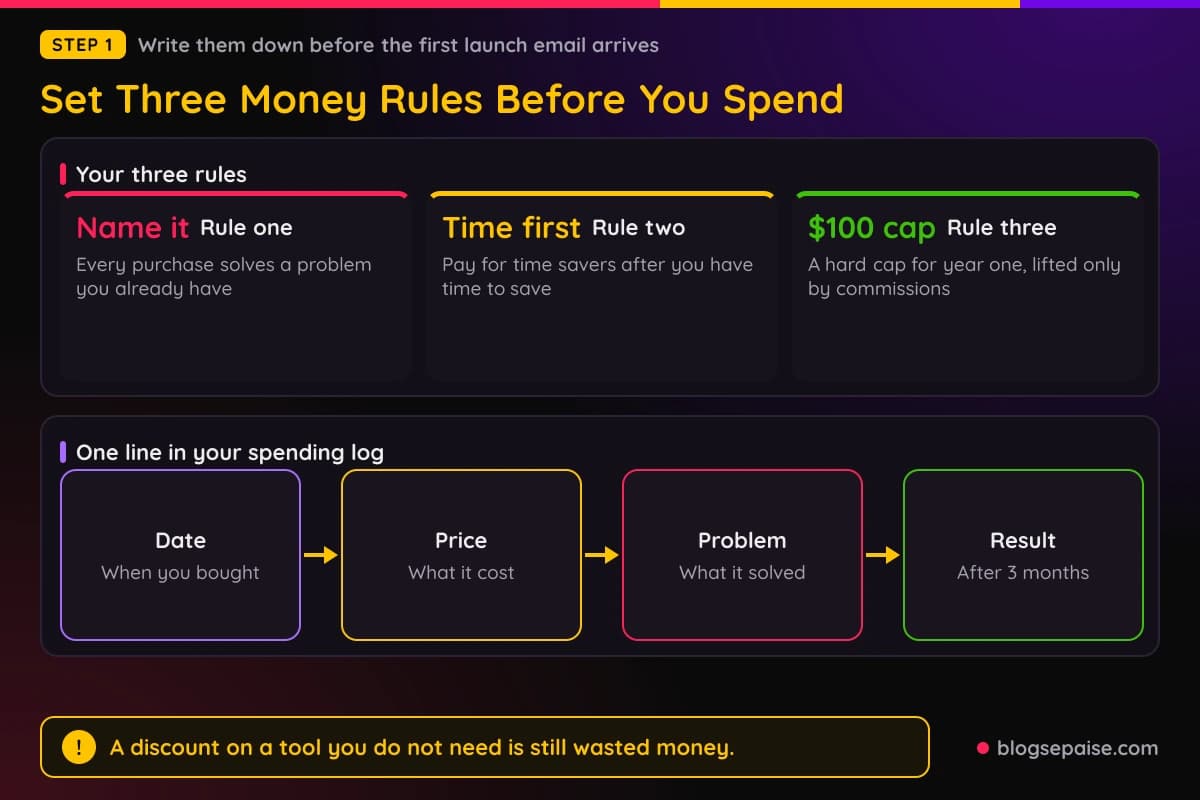
Put the cap in a note on your phone. When a launch email says a tool is half price today, open the note and read it.
Discounts are built to make you act before you think. A tool you do not need is still wasted money at 50 percent off.
It also helps to keep a tiny spending log. One line per purchase with the date, the price, and the problem it solved is plenty.
After three months, read the log. If a line has no result next to it, you have found where your money leaks, and you found it cheaply.
Our budget planner can hold those numbers in one place if you prefer a tool over a note.
Share the rules with one friend if that helps. Saying the cap out loud to another person makes it harder to break at midnight with a card in your hand.
Finally, treat a rule break as data and not as a failure. If you broke the cap, write down what pulled you in, and you will spot the same trap sooner next time.
Step 2: Build Your Free Starter Stack
You can run the whole first month on free tools. The goal is to cover writing, planning, images, tracking, and email without paying a cent.
For writing, a plain document app is enough. Google Docs and similar free editors check spelling, save drafts, and let you share a link if you want feedback.
For planning, use a free spreadsheet. One tab holds your post ideas, one holds your published posts, and one holds your affiliate links and results.
For images, free design tools cover pin graphics and simple charts. Our list of free tools is a good place to find a few more.
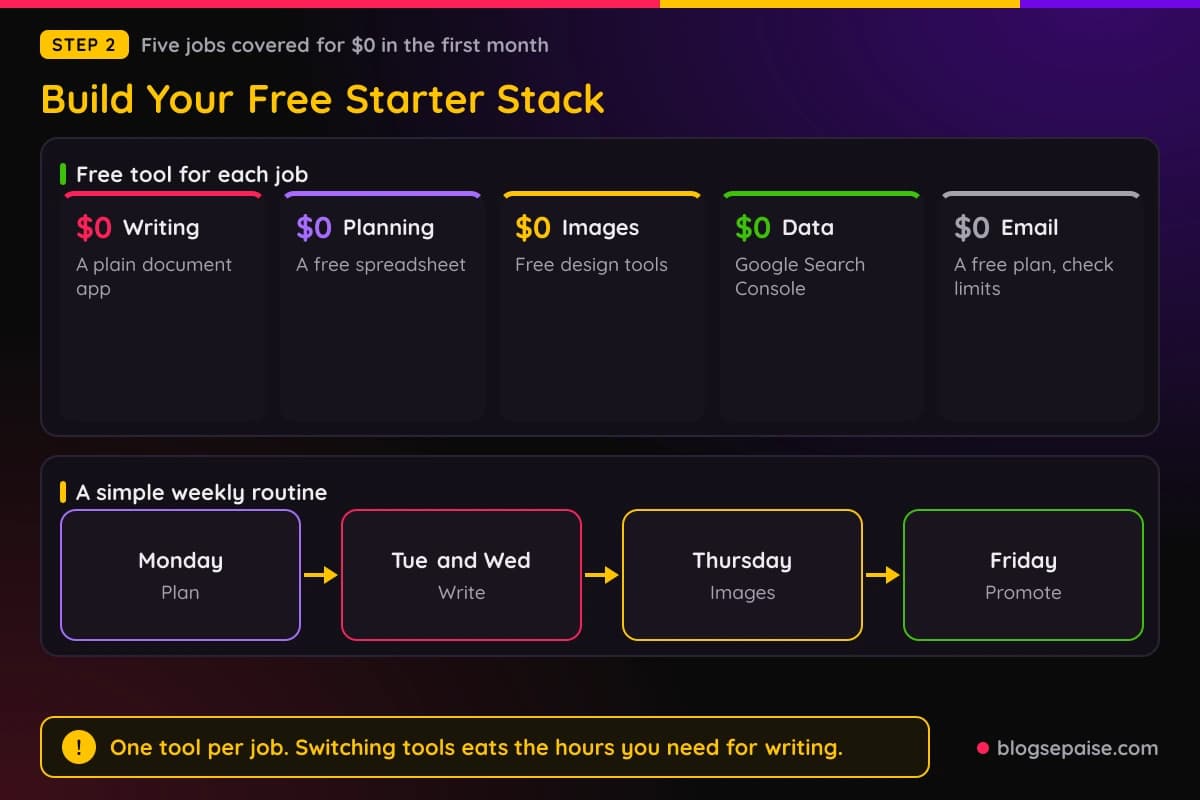
For search data, the free reports in Google Search Console show which queries bring people to your pages. It costs nothing, and it is the most honest data you will get.
For email, many providers offer a free plan with a small subscriber limit. MailerLite offers a free plan at the time of writing, so check its current limits before you sign up.
Free tools come with limits, and that is fine. The limits tell you when you have outgrown a tool, which is the right moment to pay for a better one.
Do not sign up for ten free trials either. Each trial adds a login, a stream of emails, and a reminder to cancel that you will forget.
Pick one tool per job and stay with it for a month. Switching tools feels like progress, but it eats the hours you need for writing.
A simple weekly routine makes the stack easier to use. Plan on Monday, write on Tuesday and Wednesday, make images on Thursday, and promote on Friday.
Block the time on a calendar, even a paper one. A tool only helps when you have a slot in the week where you actually sit down and use it.
Step 3: Pick A Niche That Costs Nothing To Test
A niche is a topic plus a reader. Choosing one costs no money, only a few evenings of research.
Start by listing three problems you solved for yourself in the past year. Cooking for one person on a small budget, learning to run, and fixing a slow laptop all count.
Next, check that people spend money on that problem. Search for it and look for ads, product reviews, and comparison posts, because those tell you buyers exist.
Then check that you can compete. If page one is full of giant brands, narrow the topic until smaller sites show up in the results.
Our guide to choose a profitable niche walks through the same checks in more detail.
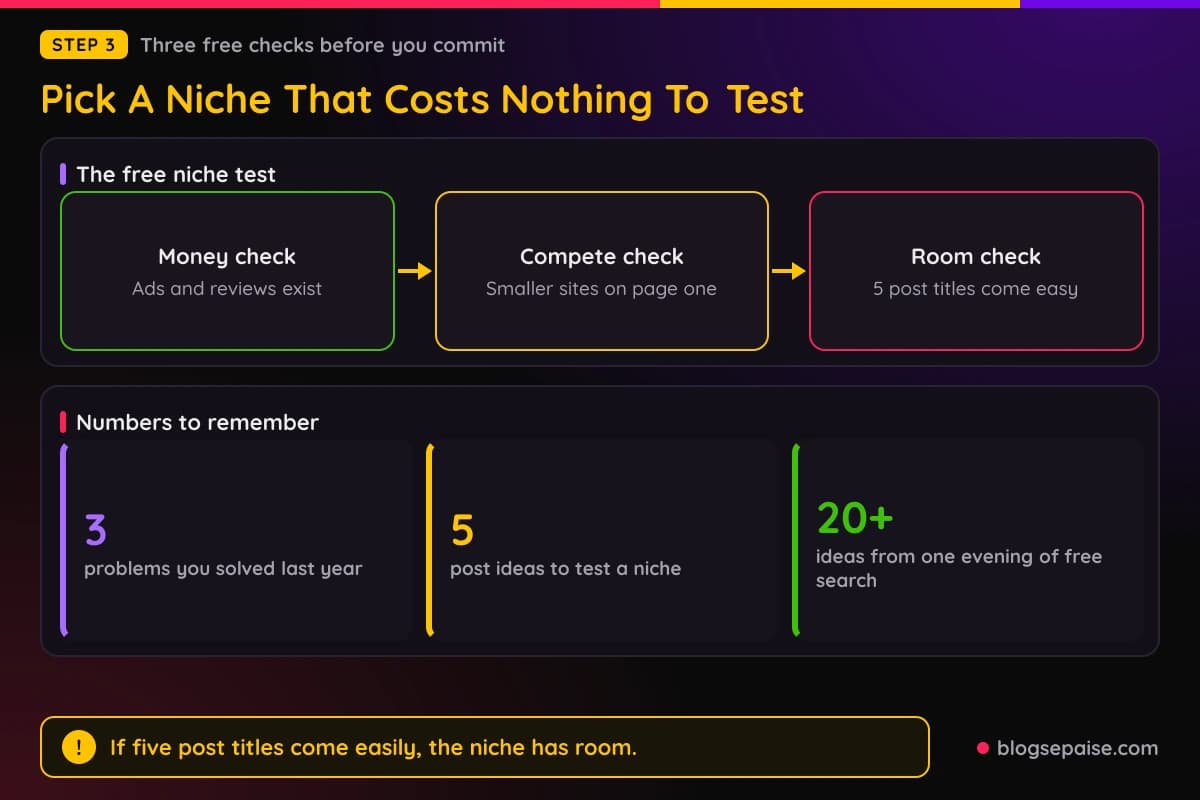
Test the niche with five post ideas before you commit. If you can write the titles of five posts a real person would search for, the niche has room.
Free keyword ideas come from the search box itself. Type your topic and read the suggestions that pop up, then open the "People also ask" box on the results page.
Save every question you find in your spreadsheet. After one evening you should have 20 or more post ideas for free.
Do not buy a niche course yet. That money is better spent on your domain and hosting later.
Give the niche one more test, which is a product you can name that readers buy. Affiliate programs exist for software, gear, books, and services, so a quick search for your topic plus the word affiliate program usually shows what is on offer.
Look at how the commission works as well.
A program that pays once for a low priced product needs a lot of traffic, while one that pays every month can add up with far fewer readers.
Write your pick on one line in your spreadsheet with the reader, the problem, and one product idea. That line is your whole niche plan for the first month.
Many beginners skip this step and pay for it later with a site that has no clear reader. Ten minutes now saves weeks of rewriting.
Do not worry if the niche feels small. Small niches rank faster, and you can always widen once the first posts bring readers.
Step 4: Set Up Your Site Without Wasting Money
You can start learning on a free blogging platform, or even with plain social posts. A real site on your own domain is better for the long run, because you own it.
A domain costs about $12 for the year in our example. Pick a short name you can say out loud, and skip hyphens and numbers.
Basic hosting is the second cost. In our example a year of entry level hosting runs $36, which works out to $3 a month.
A starter plan at Hostinger is one option to price out, and our guide on the website to start affiliate marketing compares more choices.
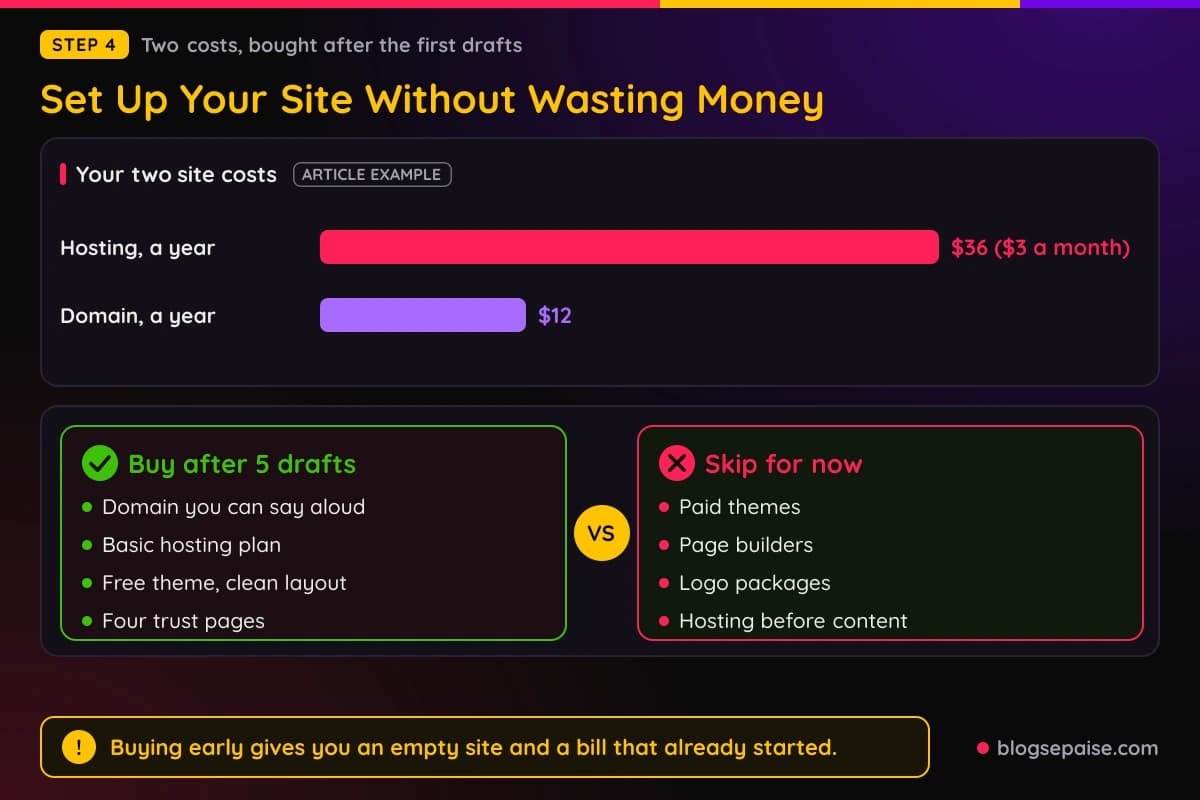
Wait to buy until you have five posts drafted. Buying early gives you an empty site and a bill that has already started running.
Once the site is live, keep the design plain. A free theme with a clean layout loads fast, and readers care about answers more than colors.
Skip paid themes, page builders, and logo packages for now. A text logo made in a free design tool is enough for a first year.
Speed matters on a cheap plan, so keep images small. Resize each picture before you upload it, and use a free compressor if a file is large.
Use a short, clean link structure too. A post address that reads like the topic helps readers and search engines, and you cannot easily change it later without breaking links.
Do the basics for free as well. Add an About page, a contact page, a privacy page, and an affiliate disclosure, since those four pages build trust and match what most programs expect.
Step 5: Do Your Keyword Research For Free
Keyword research tells you which posts are worth writing. You can do a good job with free tools and a little patience.
Start with the search suggestions and the related searches at the bottom of the results page. Each one is a real phrase that real people typed.
Next, open the top three results for a phrase and skim them. If they are short, old, or thin, you can beat them with a better post.
Choose phrases with a buyer feeling, such as best product for beginners, product A versus product B, and product review. Those readers are closer to buying than readers who only want a definition.
Our guide on how to do keyword research shows the full process step by step.
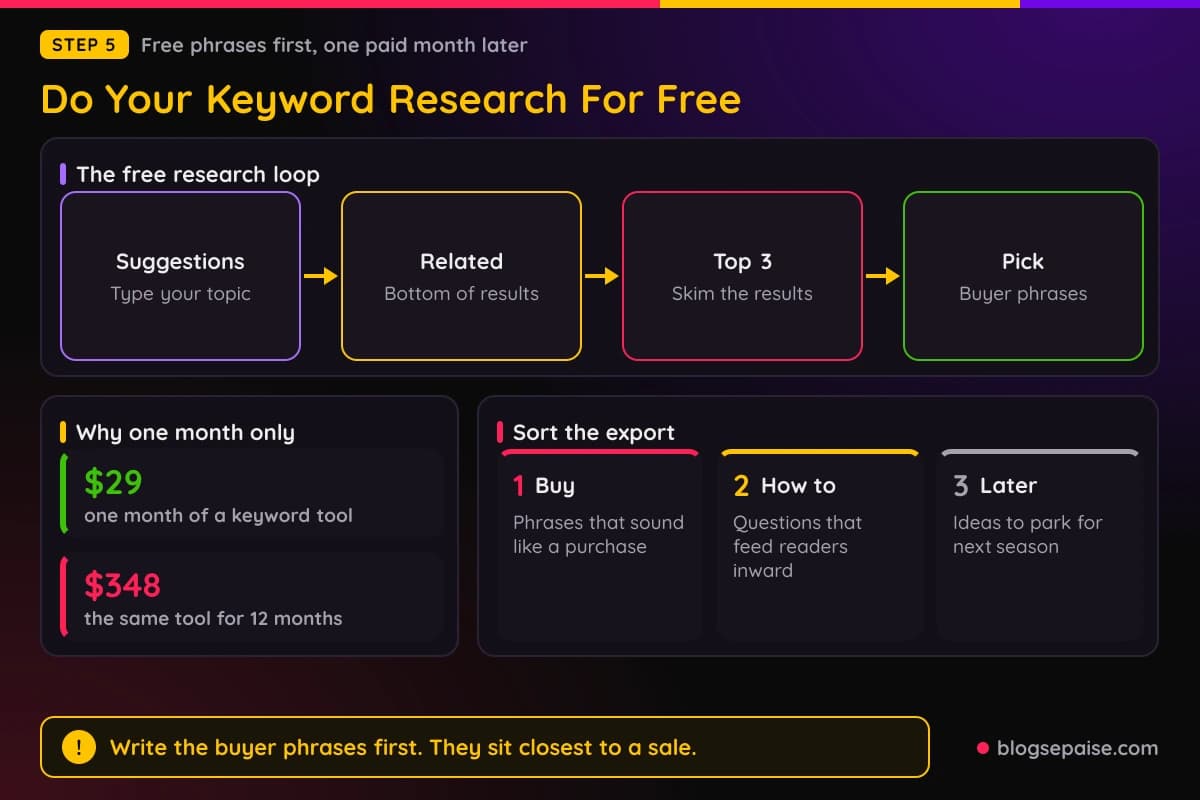
A paid keyword tool is optional in the first months. When you do buy, a keyword tool for one month costs $29 in our example, which is enough time to build a long list of phrases.
Plan that month well. Before you subscribe, write down the topics you want to research, then run every session in a short stretch and cancel.
That beats paying every month for a tool you open twice. It also keeps $29 from turning into $348 over a year.
Sort the phrases you export into three groups. Group one holds phrases that sound like a purchase, group two holds how to questions, and group three holds ideas for later.
Write the first group first, because those posts sit closest to a sale. The how to posts then feed readers into the buyer posts through internal links.
Check the search volume numbers loosely and not as a promise. A small phrase with clear buyer intent can beat a big phrase that attracts casual readers.
Step 6: Get Free Traffic From Day One
Traffic is the real cost of this business, and the best sources cost time rather than cash. Three free options suit a new site.
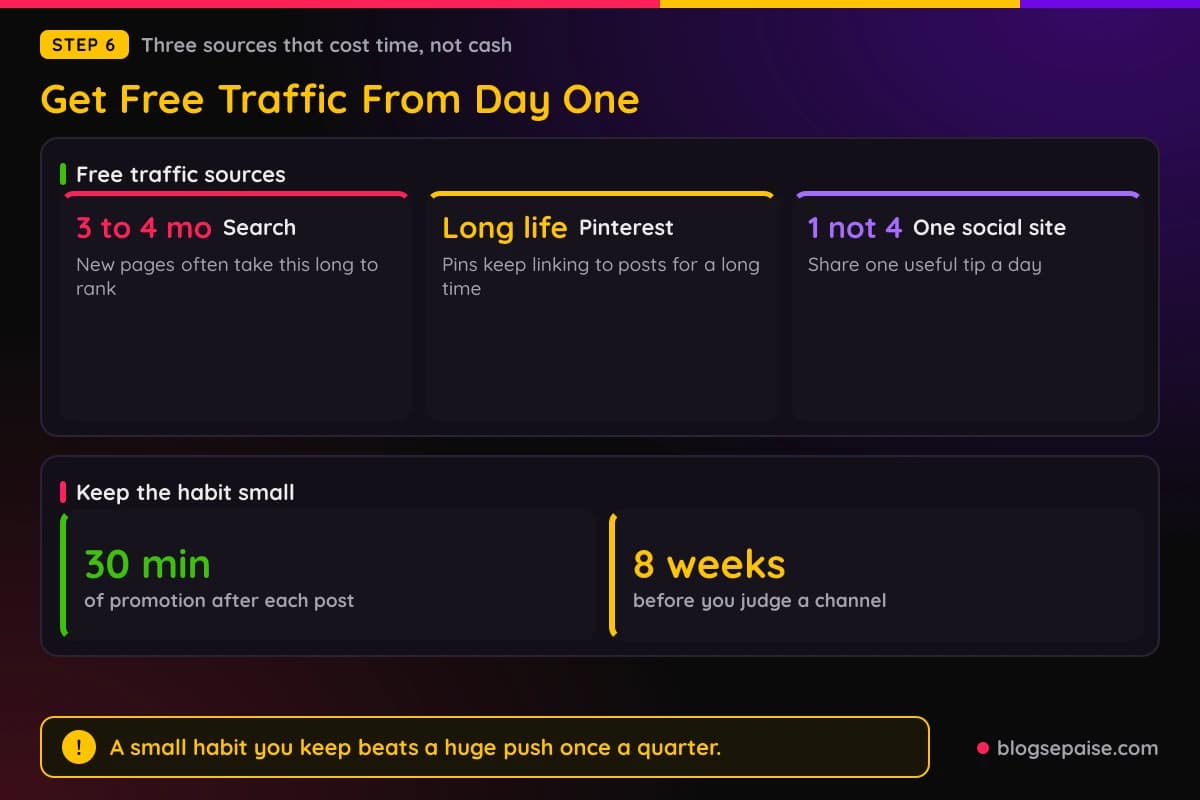
First is search. Posts that answer a clear question can bring readers for years, but new pages often take 3 to 4 months to rank, so plan for that wait.
Second is Pinterest. Pins link to your posts and last a long time, and the platform works like a search engine for ideas.
Third is short posts on one social site that fits your niche. Pick one site, not four, and share one useful tip a day that points back to a post.
Pick the site where your readers already spend time. A cooking niche may suit short video, while a software niche may suit a professional network.
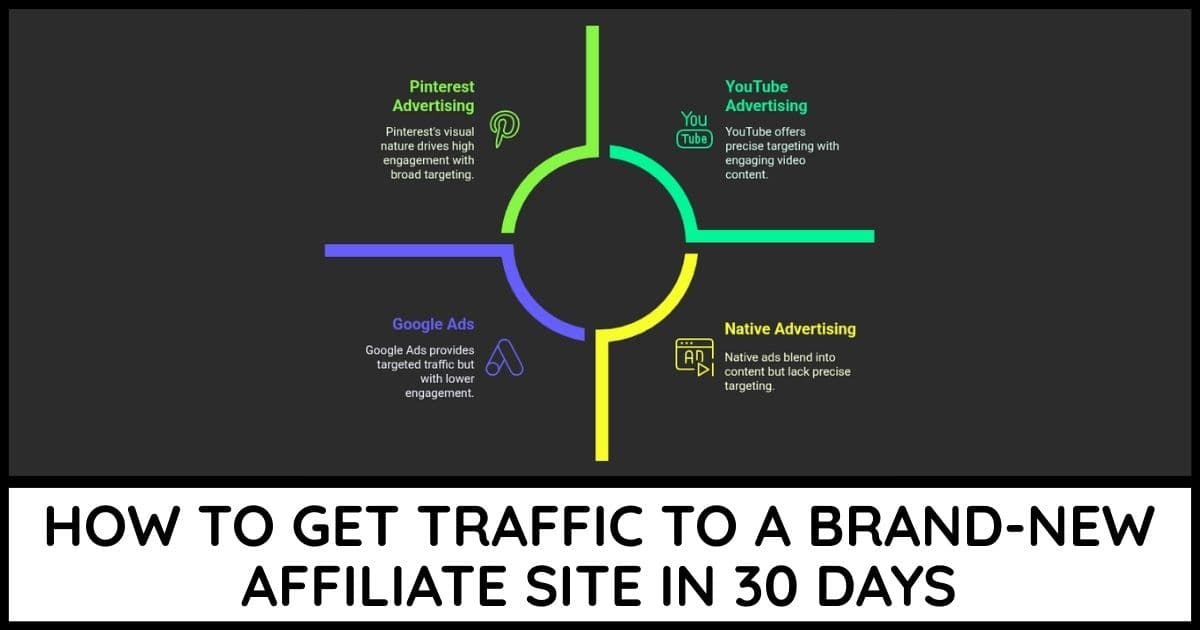
Our guide on how to get traffic to a brand new affiliate site covers all three in detail.
Reply to questions in forums and groups where your topic comes up. Answer the question fully first, and add a link only when it truly helps the person.
Read each group rules before you post. A link dropped in the wrong place can get you banned, and a ban costs more than a missed click.
Make a short list of the places you will share each post, and use the same list every time. A fixed list saves you from deciding again and again.
Keep the habit small enough to stick. Thirty minutes of promotion after each post beats one huge push every few months.
Track what works. Write down which posts get clicks from which place, then do more of the winner.
Do not expect fast numbers from any of these. In the first month it is normal to see only a handful of visits, many of them from you and your friends.
The direction of the line matters most. If each month beats the last one, the habit is working and the budget can stay where it is.
Keep each channel up for at least 8 weeks before you judge it. A source needs time to build, and quitting at week 3 hides what it could have done.
Step 7: Spend The Last Dollars In The Right Order
After a month or two you may have a few posts, a few visitors, and maybe a click or two. That is the moment to start spending, and the order matters.
First comes the domain, because it makes the site yours. Second comes hosting, because it keeps the site fast and online.
Third comes one month of a keyword tool, used for one big research session. Fourth is the $23 reserve.
The reserve covers surprises, such as a plugin that breaks or a month of a design tool you need once. If nothing breaks, the money stays in your pocket.
Notice what is missing. There is no paid theme, no course, no ad budget, and no premium email plan.
Those can come after the first commissions arrive. A good rule is to put half of any early commission back into the business and keep the other half.
Our blog income tracker keeps those numbers honest. Seeing earnings next to costs shows you when the site has started to pay for itself.
Never spend the reserve on something you want. Spend it only on something that is broken or blocks your work.
If the reserve is still whole at the end of the year, you have a head start on year two. It can pay for a renewal, which is a bill you owe even if the site has not grown.
A Made Up Example: Maya And The $100 Plan
Here is a made up example to show the plan in motion. Maya is not a real person, and her numbers are for illustration only.
Maya loves budget travel and works 8 hours a week on her site. In month 1 she spends $0, picks her niche, and drafts six posts in a free document app.
In month 2 she buys a $12 domain and $36 of hosting, then publishes those six posts. She also makes ten pins a week in a free design tool.
In month 4 her pages start to show up for small phrases. She pays $29 for one month of a keyword tool, exports 150 phrases, and cancels.
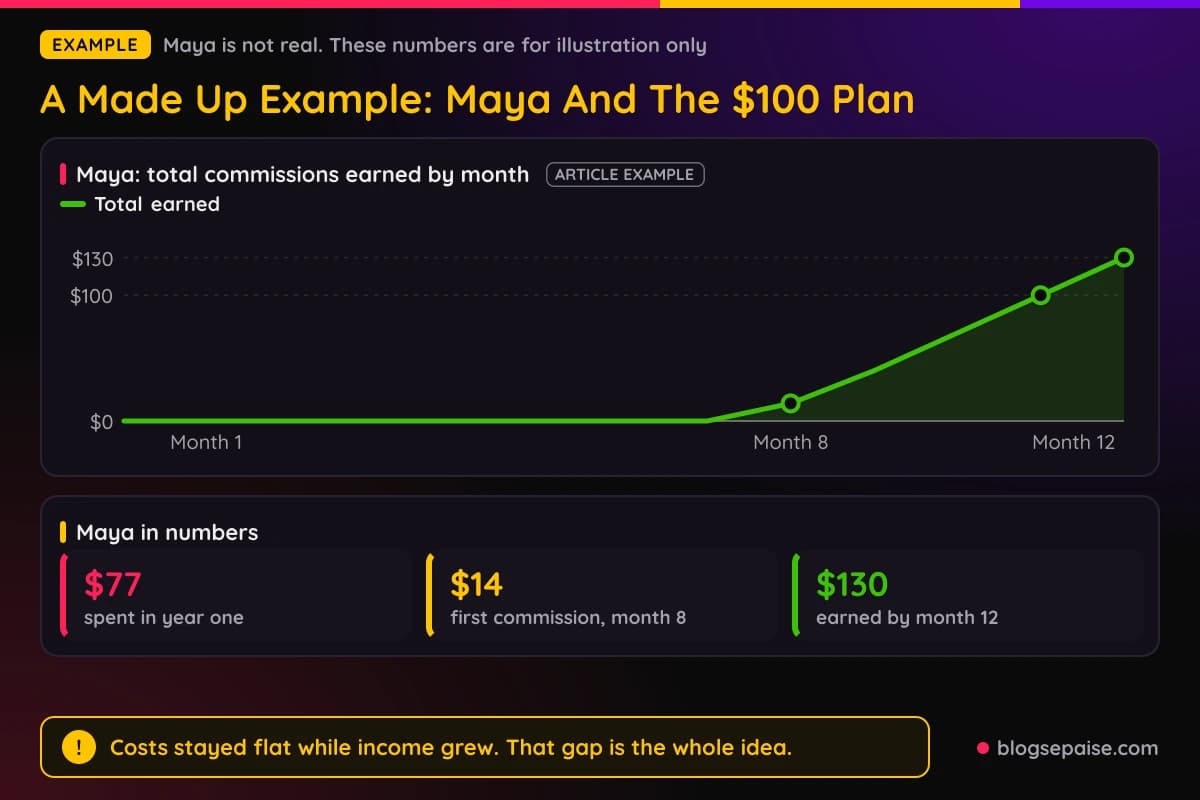
By month 8 she has 30 posts and her first commission of $14. By month 11 she has earned her first $100 in commissions, and by month 12 the total is $130.
Against that, she spent $77 and never touched the $23 reserve. Her site paid for itself without any extra cash from her pocket.
Her costs also stayed flat while her income grew. That gap is the whole idea behind a tight budget, because every extra dollar of income lands as profit instead of covering new bills.
Notice that she did not rush. Every paid item showed up only after content existed to use it.
Notice also that she kept her hours steady. Eight hours a week is about an hour and a bit each day, and that steady pace beat any burst of effort.
Your numbers will differ. Some people reach $100 in half the time and many take longer, so treat Maya as a shape and not a promise.
Check Your Progress Month By Month
A budget plan needs checkpoints, or you cannot tell if you are on track. Use these as a rough guide and not as a rule.
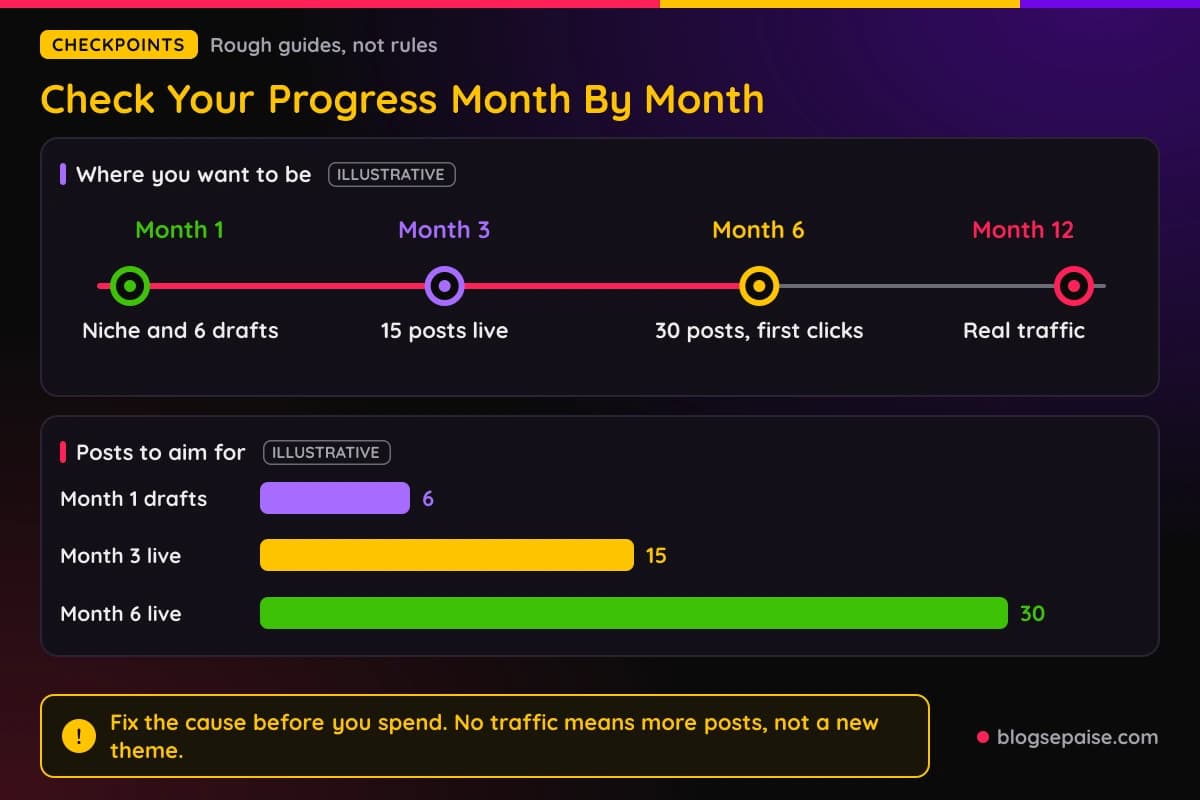
By the end of month 1 you want a picked niche, a free stack, and six drafted posts. By the end of month 3 you want 15 posts live, a domain, hosting, and a steady weekly habit.
By the end of month 6 you want 30 posts, a few pins that bring visits, and your first clicks on affiliate links. Commissions may still be at zero, and that is normal at this point.
By month 12 you want a site with real traffic and at least a few commissions. If you have those, the plan has done its job.
Keep the check short, about fifteen minutes. A long review turns into a habit you will skip.
Check the numbers once a week, on the same day. Look at visits, clicks, and commissions, and write them down even when they are zero.
When a checkpoint slips, fix the cause before you spend. A site with no traffic needs more posts or better keywords, not a new theme.
A site with traffic but no clicks needs better placed links, so look at where the affiliate links sit in your best posts. A site with clicks but no sales may need a different offer, and that is a free fix too.
When To Spend More Than The First $100
The cap is for the first year, not for life. You can lift it once the site gives you a reason.
A good sign is a month with real commissions, even a small one. Another is a post that ranks and brings steady visits, since you can copy what worked.
When that happens, spend on the thing that blocks growth. If writing speed is the block, pay for help with editing or research. If email is the block, upgrade the plan you started for free.
Keep the same rule as before and buy only what solves a problem you can name. Spend half of new commissions on the business and keep the other half.
Raise the cap in small steps, such as another $50, and watch the result for a month. If the money earned more than it cost, raise it again.
Common Mistakes On A Tight Budget
Most budget mistakes come from buying too early. Here are the five we see most.
The first is buying hosting before you have content. The meter starts running on day one, but the posts that give hosting a purpose do not exist yet.
The second is stacking tools. Three tools that do the same job cost three times as much, and you only use one.
The third is chasing discounts. A sale price on a tool you do not need is not a saving.
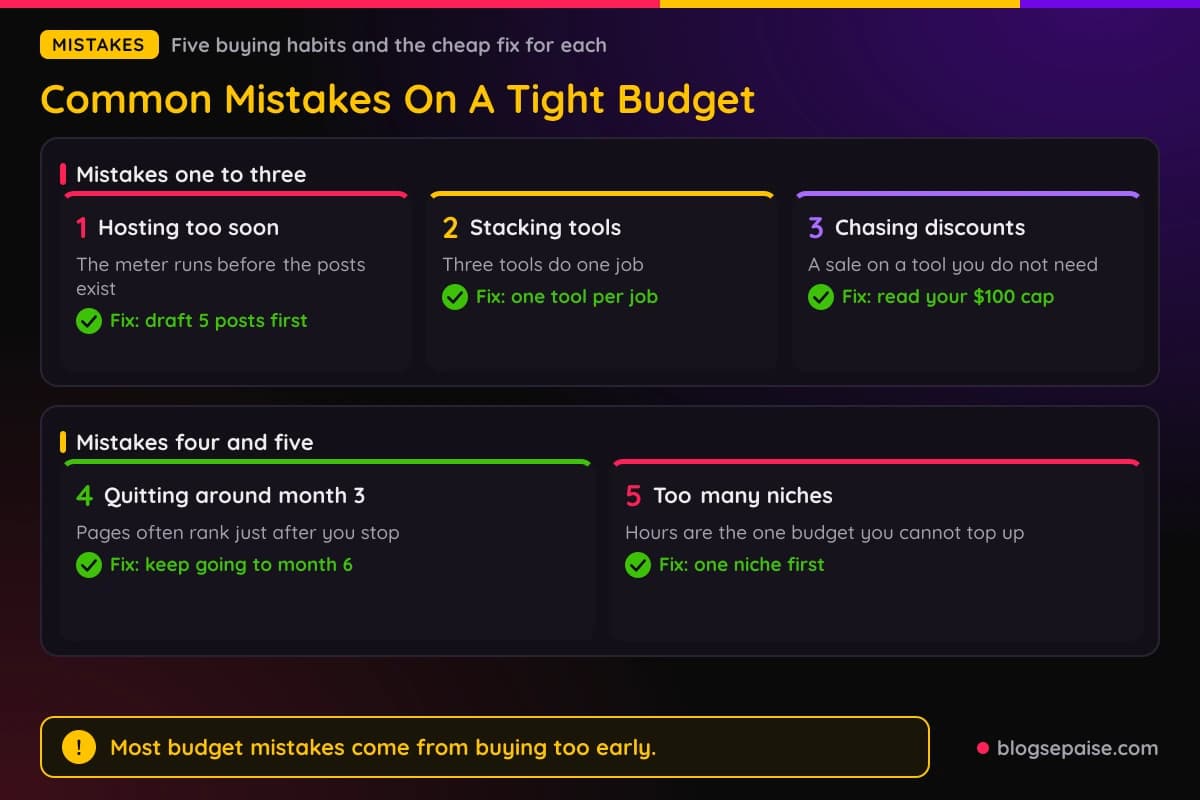
The fourth is quitting around month 3. Search traffic is slow, and many people stop right before their first pages begin to rank.
The fifth is spreading across many niches to stay safe. That spreads your hours too thin, and hours are the one budget you cannot top up.
If a mistake already happened, do not panic. Cancel what you can, log the lesson, and go back to the next post.
Another common trap is copying someone else's stack. A person who earns $5,000 a month uses tools built for that income, and those tools do not fit a site with ten posts.
A sixth trap is waiting for perfect. A rough post that is live can be improved next week, while a perfect post in a drafts folder earns nothing.
A seventh is hiding the affiliate disclosure. Readers and programs both expect you to say plainly that you may earn a commission, and a short note near the top of a post is enough.
Final Thoughts
A tight budget is not a handicap in affiliate marketing. It forces you to do the work that matters, which is picking a good niche and publishing useful posts.
Start with $0 and a free stack. Add the domain, hosting, one month of research, and a small reserve in that order, and stop at $100 until the site earns.
Money speeds up some tasks, but it cannot replace weeks of steady writing. The people who reach their first commissions are usually the ones who kept going while others kept shopping.
Pick your niche this week, write down your three money rules, and draft your first post. The $100 can wait until the work is ready for it.
Frequently Asked Questions
1. Can I start affiliate marketing with $0?
Yes. Free platforms, free tools, and free traffic sources let you publish and promote without paying anything, though a domain of your own is worth buying once you have a few posts.
2. How much money do I really need to start?
About $100 for the first year covers a domain, basic hosting, one month of a keyword tool, and a small reserve. Your real costs depend on the prices you find at the time.
3. What should I buy first with my first dollars?
Buy a domain name first, then hosting. They make the site yours and keep it online, and they cost less than most tools.
4. Do I need a paid keyword tool at the start?
No. Search suggestions, related searches, and a look at the top results are enough for your first posts, and you can pay for one month later to build a bigger list.
5. Can I work on this a few hours a week?
Yes. Eight hours a week is enough to publish about one post a week, and a steady small pace beats a burst followed by a long break.
6. Is it worth paying for a course?
Not at first. Free guides, like our guide to your first post, cover the basics, and you can buy a course later once you know what gap you need to fill.
7. How long until I earn my first $100?
It varies a lot. New pages often take 3 to 4 months to rank, and many beginners see their first commission somewhere between month 6 and month 12.
8. Is a free blog good enough for affiliate marketing?
It works for learning and for your first posts. A site on your own domain is safer for the long run, since a free platform can change its rules or close your account.
9. Should I spend money on ads to speed things up?
Not at this stage. Ads cost real money before you know which offers convert, so wait until you have proof from free traffic.
10. Which affiliate programs should I join on a tight budget?
Join free programs that match your niche and pay a fair commission, and read the terms first. Our guide to affiliate marketing in your first 30 days lays out what to do in order.
11. What if I run out of the $100 early?
Pause spending and go back to free options. Writing, promotion, and tracking cost nothing, so the site keeps moving while the budget recovers.