How To Start Affiliate Marketing With Your Phone (7 Steps)
You can start affiliate marketing from a phone, because Amazon, Awin, and impact.com each ship a phone tool for partners. The seven steps below show how to use them, one at a time.
Some jobs still need a full browser, and each social app treats links differently. The steps flag those spots so you do not hit a wall halfway through.
Every fact comes from the networks and platforms themselves or from a named third-party guide. Rules change, so check the current terms in your own account before you act.
Disclosure: Some of the links I share might be affiliate links. If you click on one and make a purchase, I may earn a small commission as a thank you. But don’t worry, it won’t cost you anything extra. I only recommend stuff I genuinely believe in. Your support helps me keep creating awesome content. You can read my full affiliate disclosure in my disclaimer page.
If you want to save a lot of hours searching for high-paying affiliate programs, check out our exclusive list of 2500+ affiliate programs. You’ll find all the information about the programs inside the list. This list is perfect for affiliate bloggers and influencers.
Why A Phone Can Be Enough
Awin describes its app as a mobile tool designed for content creators who want to run their affiliate activity from their phone. The app has five parts: Explore, Link Builder, Storefronts, Performance, and Offers.
Explore shows offers from several advertisers so you can compare prices and commissions. Link Builder makes a tracking link on your phone, and Storefronts group your picks into one shareable link.
Performance shows clicks, transactions, and commission. Offers gathers advertiser deals and discount codes in one place.
The impact.com app store listing says partners can browse more than 4,000 brands and filter more than 1,000 campaigns by brand, category, and pay type. The listing adds that partners can apply, negotiate terms, and upload agreed content inside the app.
Amazon has a phone feature too. Amazon says Mobile GetLink lets Associates create affiliate links to product pages from the Amazon shopping app.
A phone does have limits. Awin says links made in the web Link Builder do not sync to the app, and one App Store reviewer says they had to log in on Safari to make changes.
If you are brand new, read our page on how affiliate marketing works first. Then come back and follow the seven steps in order.
Step 1: Pick A Program You Can Join From A Phone
Start with the join rules, because they differ a lot. Amazon says its Associates team reviews your application after you have driven qualified sales, and it needs at least three within the first 180 days.
Amazon says personal orders do not count toward those three sales. Amazon also says it cannot reassess an application once it has been rejected.
Amazon reviews every site you list, and the list can include websites, mobile apps, social network pages, and Alexa skills. For social pages, Amazon accepts Facebook, Instagram, Twitter, YouTube, TikTok, and Twitch.
Amazon says a social page needs to be established, usually with at least 500 organic followers or likes, and you must list its exact URL. Every site needs original content, typically at least 10 posts, and must be publicly available.
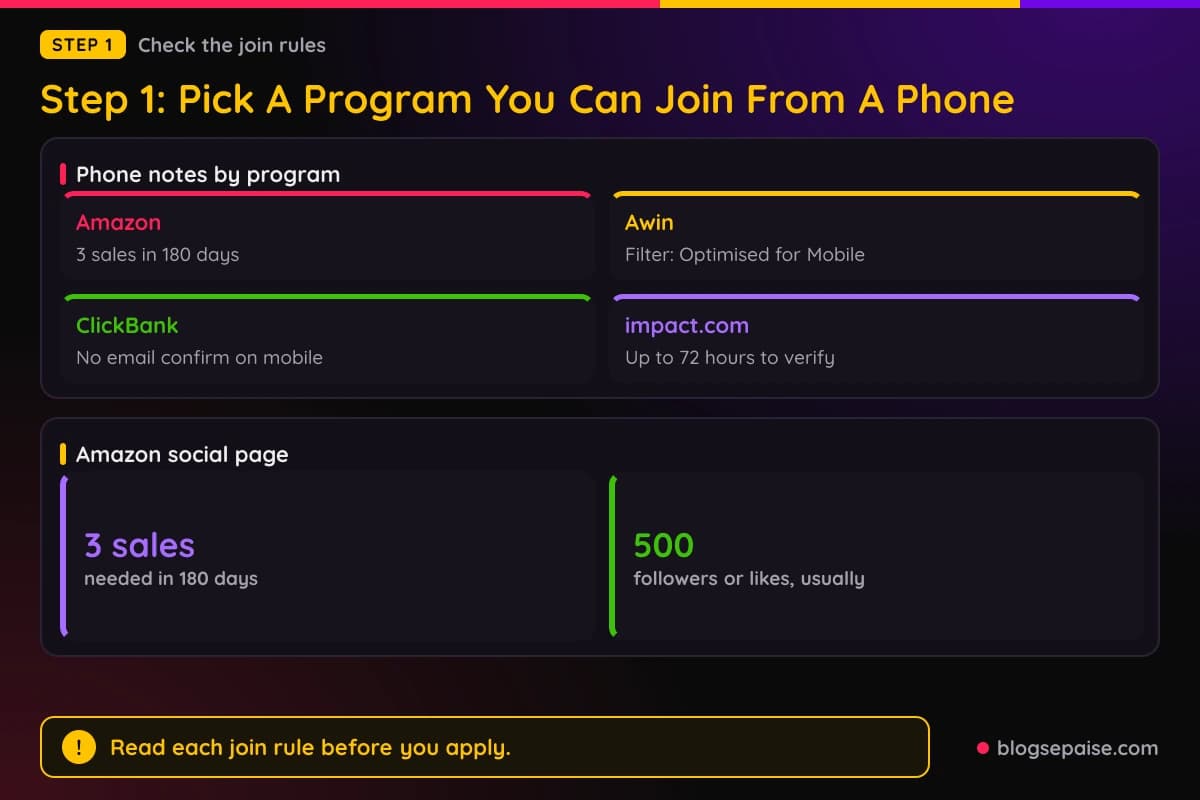
Awin has a filter for phone friendly advertisers. Log in, go to Advertisers, then Join Programmes, and pick Optimised for Mobile or App Tracking in the Filter By panel.
ClickBank sign-up runs on a web form, and its FAQ states that you cannot confirm your email to enable your account via mobile. The FAQ also says to open the confirmation link in the same browser as your inbox, and only the latest link works.
For impact.com, the app needs an existing partner account, and impact.com says a newly created partner account may take up to 72 hours to verify. Plan that wait before you expect to use the app.
Amazon also takes mobile apps, but only through a separate approval. The app must be free to download, offer original content, and sit in the Google Play, Apple, or Amazon app store.
Step 2: Install The Network App
Awin tells publishers to download the app from Google Play or the Apple App Store and log in with their Awin account credentials. If you have more than one account, pick the one you want and switch later from the Account area.
Awin says the app needs an existing Awin account. If login fails, Awin says to update to the latest version from your app store.
The impact.com app only supports partners at this point. Brand and agency users must use the desktop platform.
impact.com lists two device rules. You need Android 7.0 or later, or iOS 16.0 or later, and the app installs only on phones or tablets.
To sign in to the impact.com app, enter your partner username and password or use a single sign-on option. Then tap the sign-in button.

Amazon works differently. Mobile GetLink is built into the Amazon shopping app and turns on automatically when you log in with your Associates account.
Awin's App Store listing says the app is available in English, French, German, Portuguese, and Spanish. The same listing says the Earnings Overview shows commissions, currency breakdowns, and payout dates.
Open the app once before you move on. Make sure you can reach the screens named above.
Step 3: Create Your First Link On Your Phone
For Amazon, install the Amazon shopping app and sign in with your Associates credentials. Open any product page and tap the floating Share button.
Amazon says you will see a Copy Associates Link option there. If you have more than one StoreID or TrackingID, Amazon says you choose them above the copy option.
Mobile GetLink works on iPhones and Android phones, and in every Amazon online store except China. Amazon says it is currently available only for product detail pages.
Amazon also lists categories where it does not work: eBooks, Audible, digital magazines, digital music, and luxury stores.

For Awin, tap Link builder in the bottom bar and then Create a new affiliate link. Pick a partnered advertiser, tap Next, and enter the full URL you want to promote.
Awin lets you add a campaign reference or click reference, for example to label the platform or placement. Tap Create now and the app shows the product image, name, long link, and shortened link.
Tap Share to send the link through apps on your phone. Awin says links made in the app stay in Recent Links for 30 days, and only links made with the app's Link Builder show up there.
The impact.com listing says you can review top-selling and trending items and curated storefronts, then grab a link to promote. Our page on how to find affiliate links covers the other places to look.
Awin's creator guide gives simple advice for the first link. Search for a product you already talk about, create a link, and share it in your next piece of content.
Step 4: Know Where Links Work In Social Apps
Each app has its own link rules, so check them before you post. For Instagram, TechCrunch reported in April 2023 that profiles can hold up to five links in the bio.
The path in the app is Edit profile, then Links, then Add external link. TechCrunch adds that Meta scans links for harmful content and that links open inside the Instagram app.
To use a system browser such as Safari or Chrome, TechCrunch says to tap the three-dot menu and pick the option for the system browser. Dates and limits can change, so check the app.
For TikTok, Shopify says you need a personal account with more than 1,000 followers or a Verified Business Account. Then tap your profile icon, tap Edit, and next to Links tap Add.
Business verification on TikTok needs you to be 18 or older. Shopify says a U.S. document must show your employer identification number and legal business name.
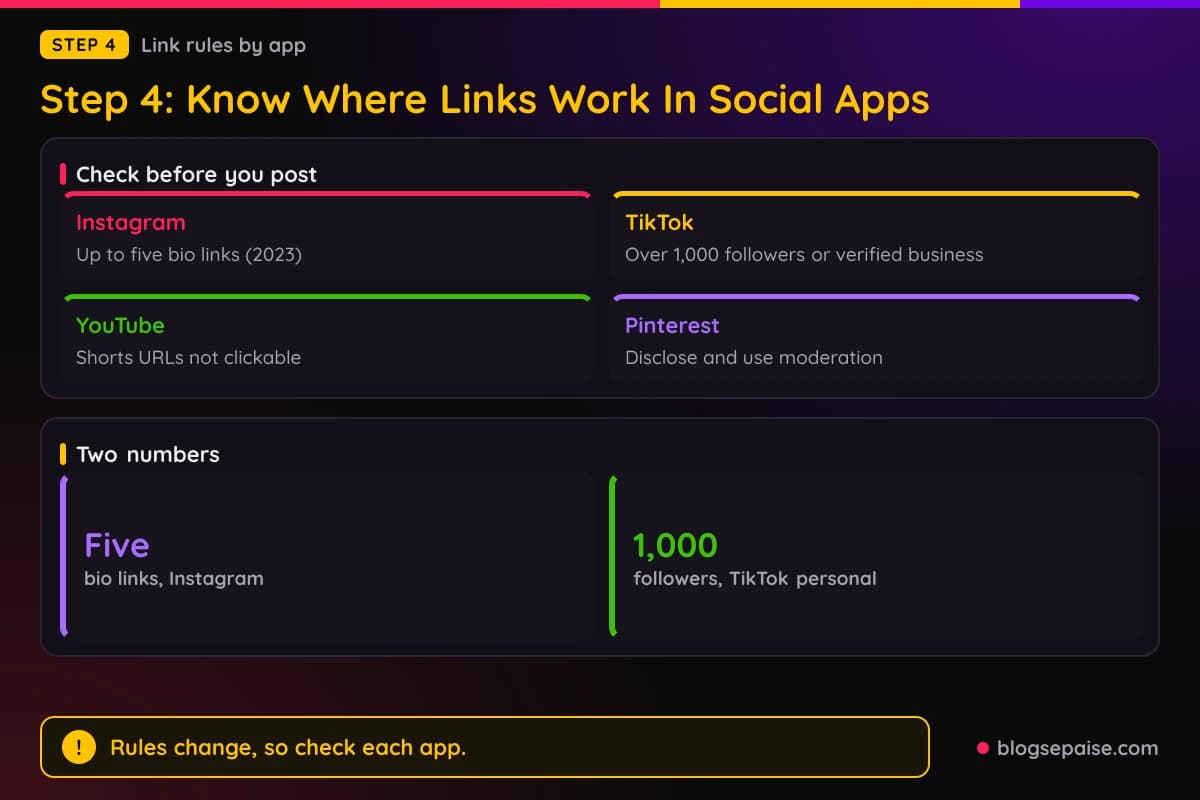
YouTube's Help page says URLs in Shorts comments and Shorts descriptions are non-clickable to reduce spam and scam attempts. Channel profile links, YouTube Shopping affiliate program links, and URLs in long-form video descriptions and comments are clickable.
YouTube adds that you must enable your channel's access to advanced features to add clickable external links in long-form descriptions and comments.
Pinterest allows affiliate links, but its guidelines say to be transparent about the commercial nature of your content and your links. Pinterest also says affiliate content should be original and add unique value, and some shortener services are not supported.
Amazon allows Special Links in emails, SMS, and direct messages from your social media sites, but only when the receiver opted in. Our pages on affiliate links on Pinterest, affiliate links on Facebook, and a bio link page builder go deeper.
Step 5: Add Your Disclosure Where Phone Users Will See It
The FTC says to disclose when you have any financial, employment, personal, or family relationship with a brand. It also says not to assume your followers already know about your brand relationships.
On placement, the FTC says the disclosure should sit with the endorsement message itself and be hard to miss. Disclosures are likely to be missed if they appear only on an About Me or profile page.
The FTC also says not to bury a disclosure at the end of a post, behind a MORE click, or inside a hashtag or link group. A phone screen shows little text, so this matters.
Clear words include advertisement, ad, and sponsored. The FTC says a hashtag like #ad or #sponsored is fine but not necessary.

The FTC warns against vague terms like sp, spon, or collab. It also says not to assume a platform's disclosure tool is good enough on its own.
For video, the FTC says the disclosure should be in the video and not just in the description. For livestreams, it says to repeat the disclosure periodically.
For pictures and Stories, the FTC says to superimpose the disclosure over the picture and give viewers enough time to read it.
Amazon requires this exact statement: As an Amazon Associate I earn from qualifying purchases. Amazon's Influencer Policy also names "#Ad" and "#Sponsored" as examples of wording.
YouTube says selecting the paid promotion button adds a disclosure label at the beginning of your video. Pinterest asks for a clear disclosure such as #ad. See our page on legal disclosures for wording help.
Step 6: Check That Your Mobile Sales Track
Test before you scale. Awin says to make sure you are accepted on an active advertiser program first, and the advertiser's website must be live and working.
After you make a link, Awin says to run a test transaction to confirm it tracks sales correctly.
Awin lists cookie problems that can stop tracking, such as ad blockers, private browsing, and privacy-focused browsers. Awin suggests its Tracking Optimisation plugin to help reduce these issues.
Awin also says your audience needs to accept cookie consent on your site and the advertiser's site.
For app based stores, Awin says it cannot attribute conversions if an advertiser sends users to their app without the right in-app tracking. Confirm the advertiser has it set up before you promote an app.

If in-app tracking is not active, Awin says to send people to the advertiser's mobile website instead. If an advertiser confirms an app attribution exception, Awin says to add &disable_mmp=true to every Awin link.
Tapfiliate says links opened from Instagram or TikTok often run in a controlled browser that restricts cookies and isolates sessions. Tapfiliate recommends testing links from Instagram, TikTok, email, and messaging apps.
Tapfiliate also says to count mostly same-session and same-device conversions, since a click on a phone and a buy on a desktop is hard to connect.
For Amazon, you earn on items added to a cart within 24 hours of arrival through your link. Amazon credits the commission after the customer has bought the item, accepted delivery, and paid in full.
Our page on how to track affiliate income when starting shows how to keep your own record next to the network reports.
Step 7: Follow The Rules And Keep Your Account Safe
Amazon says you cannot promote in an offline manner, which covers printed material, mailings, and oral solicitation. Amazon also says Special Links are not allowed in any client-side software application other than approved mobile applications.
Amazon says you cannot offer incentives for using your links or ask for support through them. You must also identify yourself as an Amazon Associate using the language in the Operating Agreement.
Amazon says an account with no commission income in the 3 years before a calendar month can get a maintenance fee. The fee is the lesser of $10 or the unpaid accrued commission, and Amazon closes the account for dormancy.
Pinterest lists actions to avoid. These include using fake accounts to create or save your affiliate links, trading saves, and asking other users to create Pins with your affiliate identifier.
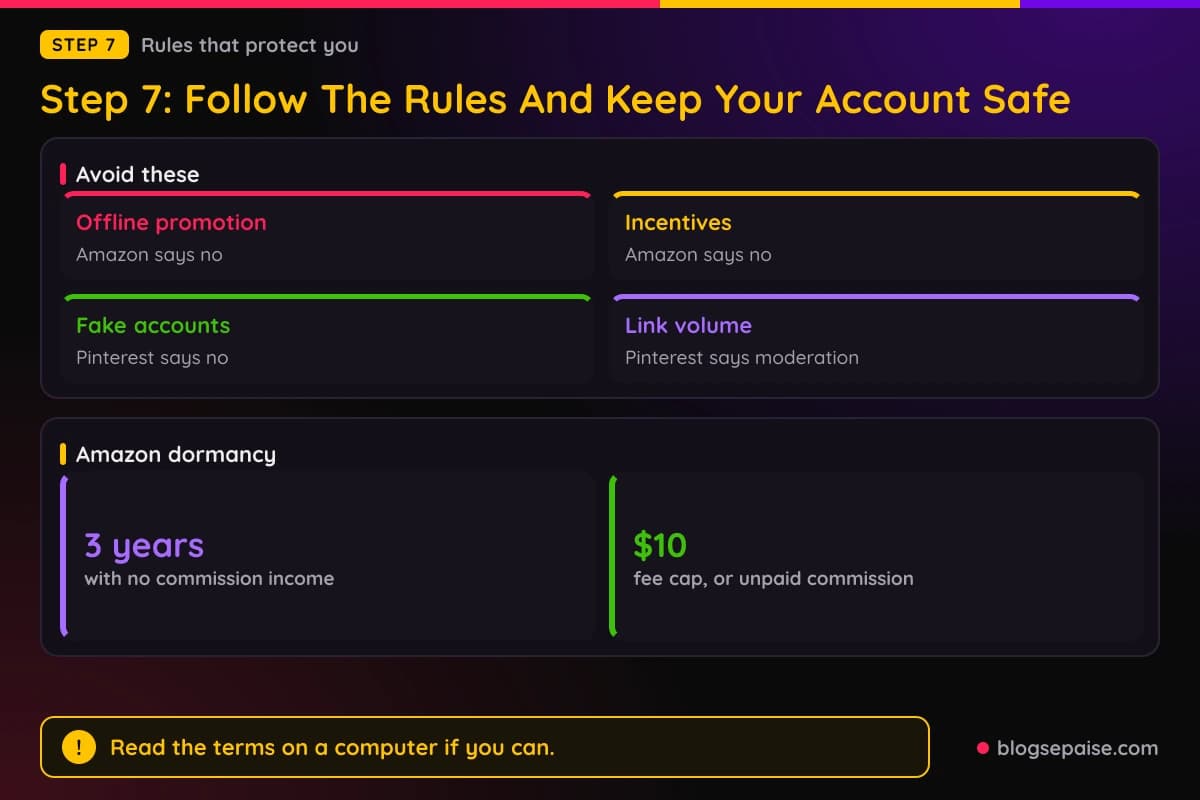
Pinterest also says to use affiliate links in moderation and to follow its spam policy. Creating affiliate Pins repetitively or in large volumes is restricted.
With ClickBank, you must add payment information to receive commission for sales. ClickBank says the default payment method is a mailed check, and it issues 1099 forms to affiliates who earn over $600.
ClickBank also says you do not need a new account nickname for each seller you promote. Extra accounts can make it harder to reach the payment threshold.
Read the full program terms once on a computer if you can. Our page on reading affiliate program terms shows which clauses matter most.
Final Thoughts
A phone is enough to get started, as long as you pick tools that have a phone version. Awin and impact.com have apps, and Amazon has Mobile GetLink inside its shopping app.
Some steps still go best on a computer, like the ClickBank email confirmation. Check each program's current terms before you plan around any number or rule above.
Start small. Pick one program, make one link, add a clear disclosure, and run a test purchase before you post.
Frequently Asked Questions
1. Can I start affiliate marketing with only a phone?
Awin describes its app as a tool for creators who want to run affiliate activity from their phone. Some steps, such as ClickBank email confirmation, are not possible on mobile.
2. Which affiliate apps can I use on a phone?
Awin and impact.com both have apps for partners. Amazon offers Mobile GetLink inside the Amazon shopping app.
3. Is there an Amazon Associates app?
Amazon describes Mobile GetLink as a feature of the Amazon shopping app. It turns on when you log in with your Associates account.
4. Do I need followers to join Amazon Associates with a social page?
Amazon says a social page is usually expected to have at least 500 organic followers or likes. Amazon also needs the exact page URL.
5. Can I put affiliate links in YouTube Shorts descriptions?
No. YouTube says URLs in Shorts comments and descriptions are non-clickable.
6. How many links can I put in my Instagram bio?
TechCrunch reported in 2023 that Instagram allows up to five links in the bio. Check the app for the current limit.
7. Do I need to disclose affiliate links on my phone posts?
The FTC says to disclose any financial relationship with a brand. It says to place the disclosure with the post and make it hard to miss.
8. Why might my phone sales not track?
Awin says ad blockers, private browsing, privacy-focused browsers, and missing in-app tracking can stop attribution. Tapfiliate adds that in-app browsers restrict cookies.
9. Can I sign up for ClickBank on my phone?
ClickBank's FAQ says you cannot confirm your email to enable your account via mobile. Use a computer for that step.