SEO Workflow From Draft To Published Post
Publishing a piece of content that actually ranks takes more steps than most people expect.
There's the keyword research, the brief, the outline, the actual writing, the editing, the on page setup, the internal linking, and then the publishing itself.
Miss a step or rush through one, and the whole piece underperforms no matter how good the writing sounds.
AI tools can now support almost every stage of this process.
They can help pick the right angle for a topic, build a brief faster than a person typing alone, draft sections, check facts, suggest internal links, and even flag on page issues before a post goes live.
Used well, AI turns a process that used to take a full day per article into something that can be done in a few focused hours, without cutting corners on quality.
The guide below lays out a full, practical workflow you can actually follow, stage by stage, from the very first keyword decision all the way through to what happens after a post is published.
Along the way, it points out exactly where AI genuinely speeds things up and where a human still needs to make the final call.
Disclosure: Some of the links I share might be affiliate links. If you click on one and make a purchase, I may earn a small commission as a thank you. But don’t worry, it won’t cost you anything extra. I only recommend stuff I genuinely believe in. Your support helps me keep creating awesome content. You can read my full affiliate disclosure in my disclaimer page.
If you want to save a lot of hours searching for high-paying affiliate programs, check out our exclusive list of 2500+ affiliate programs. You’ll find all the information about the programs inside the list. This list is perfect for affiliate bloggers and influencers.
Why A Structured Workflow Matters
A lot of content creators skip straight from an idea to a blank document and just start typing. Sometimes that works fine for a personal blog post nobody expects to rank.
For content meant to drive real search traffic, skipping the structure almost always shows up later as a weaker result.
Content without a proper brief tends to drift off topic halfway through. Content without an outline often repeats itself or leaves out sections a reader actually needs.
Content that skips a proper editing pass usually has small factual slips or awkward phrasing that a fresh set of eyes would have caught easily.
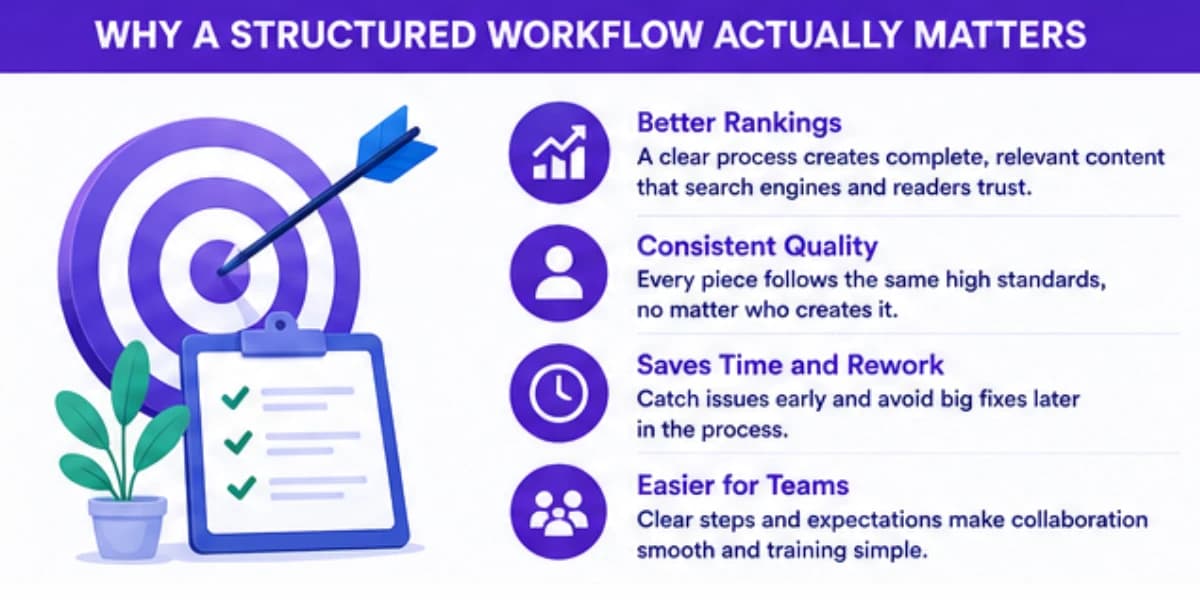
Every one of these small gaps adds up, and competitors who do follow a tight process end up outranking pages that technically cover the same topic but were rushed through production.
Over enough articles, that gap compounds into a real, measurable difference in overall site traffic.
A workflow also makes a team, even a small one, far easier to run.
When everyone knows exactly what a brief needs to include, what the outline should look like before writing starts, and what the final review checklist covers, work gets handed off cleanly between people instead of getting stuck in back and forth questions about what's missing.
New team members can also get up to speed much faster when the process is written down clearly, rather than having to learn the unwritten expectations through trial and error over several weeks.
For a complete overview of how AI fits into every stage of search engine optimization, read our complete AI SEO guide. It covers how AI tools handle everything from keyword research to technical audits.
The Full Workflow At A Glance
Before diving into each stage in detail, here's the shape of the whole process.
It starts with picking the right topic and keyword, moves into building a detailed brief, then an outline, then a full draft, then editing, then on page optimization, then internal linking, then a final quality check, and finally publishing along with the tasks that come right after.
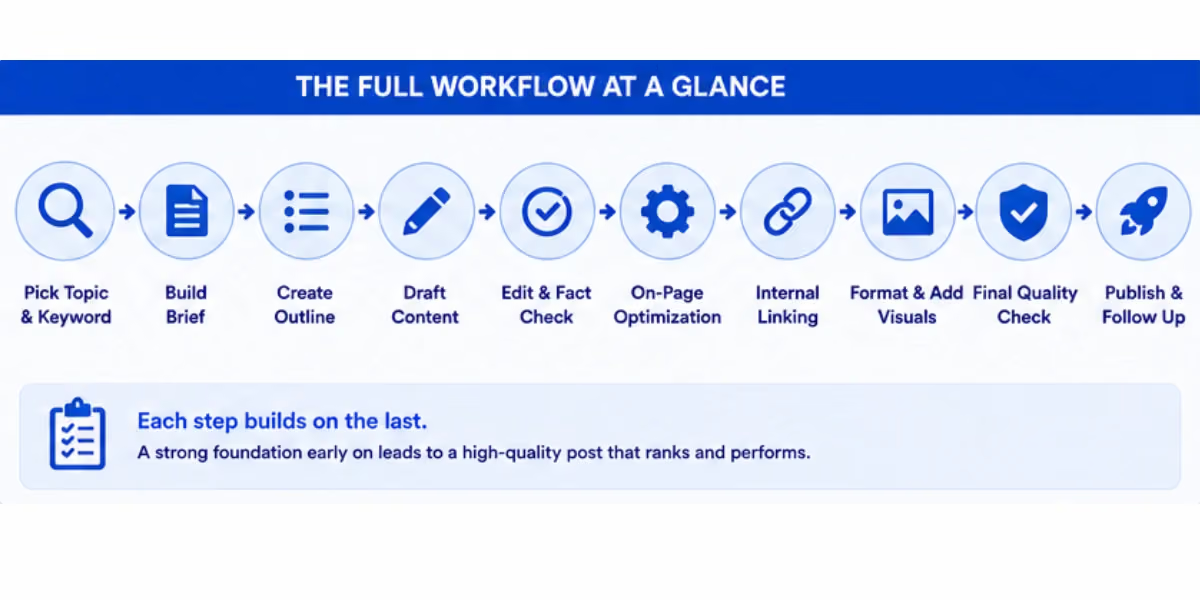
Each stage feeds into the next one. A weak brief leads to a weak outline. A weak outline leads to a draft that wanders.
Getting each stage right before moving to the next one saves a huge amount of rework later, since fixing a structural problem after a full draft is already written takes far longer than catching it at the outline stage.
Understanding how your content fits together is essential for effective workflows. Our guide on what content clusters are explains how pillar pages and supporting articles work together to build topical authority.
Choosing Tools For The Workflow
A workflow like this doesn't require an expensive stack of specialized software to work well.
A general purpose AI assistant with web search enabled can handle a surprising amount of this process, from competitor research during the brief stage through drafting individual sections.
Some teams prefer dedicated SEO content platforms that build several of these stages into one connected system, which can save some manual copying and pasting between tools once a team is producing content at real volume, though these platforms usually come with a higher monthly cost that's only worth it once volume justifies the investment.
Whichever approach you pick, the more important factor is consistency.
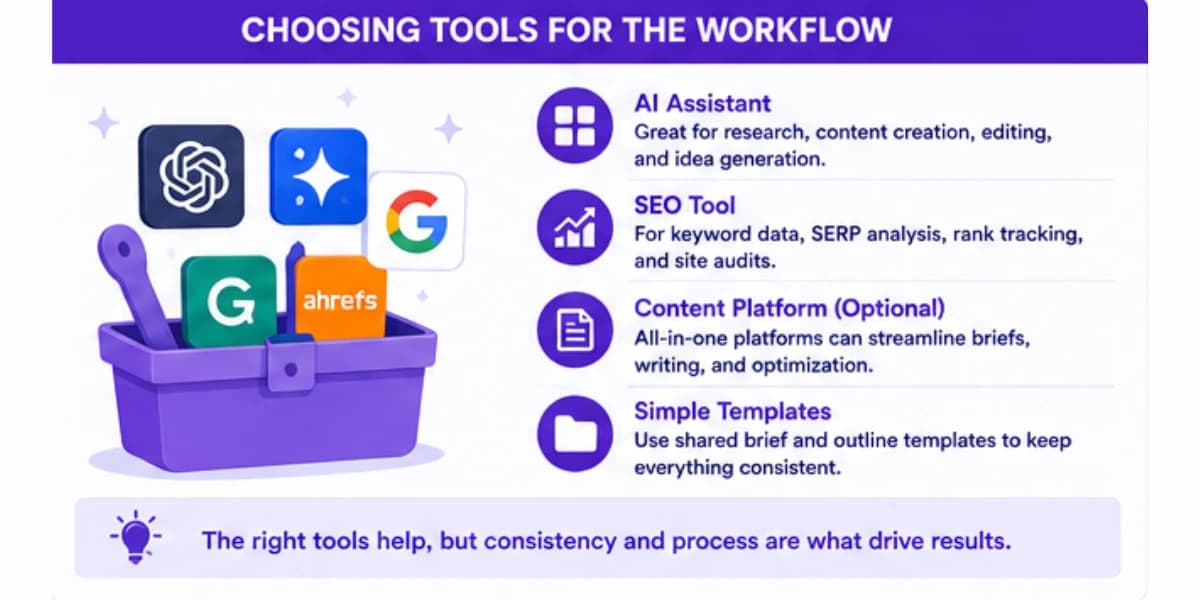
A team using a simpler set of tools but following every stage carefully will consistently outperform a team with an expensive, fully integrated platform that skips the editing and fact checking stages because everyone assumes the tool already handled it.
The workflow itself, not the specific software behind it, is what actually drives the quality difference.
It's also worth keeping a simple shared template for briefs and outlines, even a basic document, so every piece of content starts from the same structure.
That small bit of consistency makes it much easier for anyone on a team to pick up a piece midway through production without needing a long explanation of what's already been done and what's still missing.
For a comprehensive list of tools that can help with every stage of the process, check out our roundup of best keyword research tools for affiliates. Many of these platforms include AI-powered clustering and intent analysis features.
Stage One: Picking The Right Topic & Keyword
Every piece of content starts with a decision about what to actually write and which search term it should target.
AI tools are genuinely useful here because they can process large keyword lists quickly, grouping related terms by intent so you're not picking a keyword in isolation without seeing how it connects to dozens of related searches.
Feed an AI tool a broad topic area, and ask it to suggest specific keyword angles along with the likely intent behind each one.
Some keywords are clearly informational, where a reader wants an explanation. Others are commercial, where a reader is close to making a decision or a purchase.
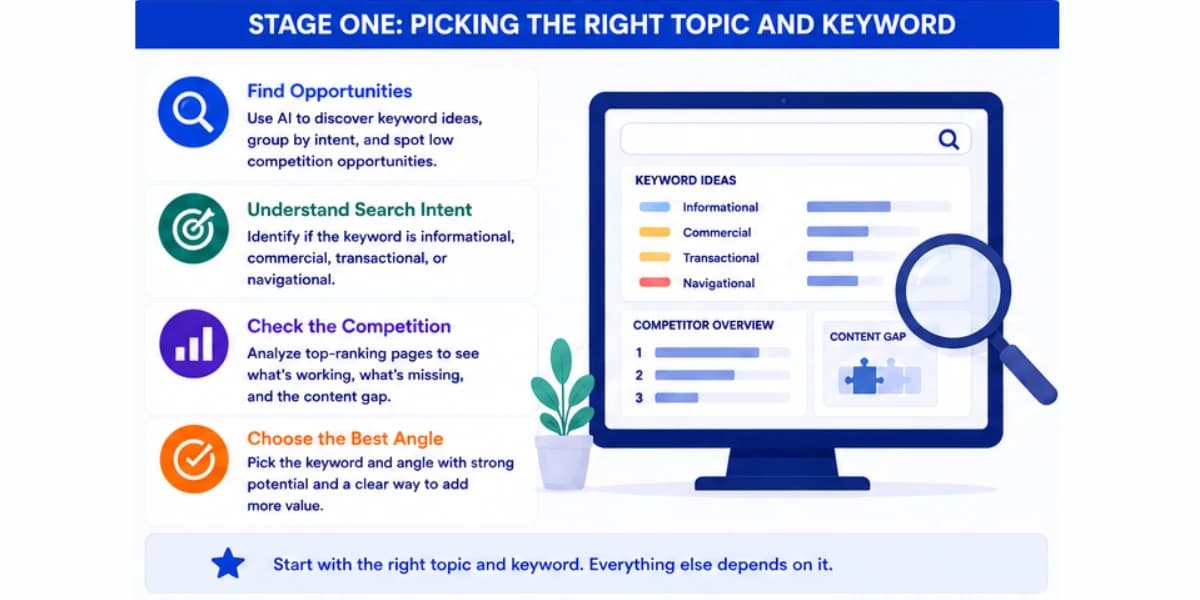
Picking the wrong intent for a keyword, writing a purely informational article for a keyword that's actually commercial, is a fast way to publish content that never converts even if it ranks.
Once you have a shortlist of keyword options, a quick check of what's currently ranking for each one tells you a lot.
If the top results are all thin, outdated, or clearly written for a slightly different intent than what you planned, that's often a real opportunity.
If the top results are already excellent, detailed, and well maintained, you'll need a genuinely stronger angle to compete, not just a longer article covering the same ground.
Learning how to do keyword research properly helps you map which pages should target which queries, so you can spot cannibalization issues before they become structural problems.
Stage Two: Building The Brief
A brief is the bridge between keyword research and actual writing.
A good one tells a writer, human or AI, exactly what the piece needs to cover, what questions it needs to answer, and how it should be positioned compared to what's already ranking.
Start by pulling the current top ranking pages for your target keyword and asking an AI tool to summarize what each one covers.
Look for the common threads that basically every top result includes, since those are almost certainly required to be considered a complete answer.
Then look for gaps, angles or subtopics that none of the current top results cover well, since those gaps are often where you can genuinely stand out.
A solid brief usually includes the target keyword and a handful of closely related terms, the search intent behind the query, a suggested word count range based on what's currently ranking, the key questions the piece needs to answer, any specific data points or examples that should be included, and a short note on tone or angle if the site has a particular voice.
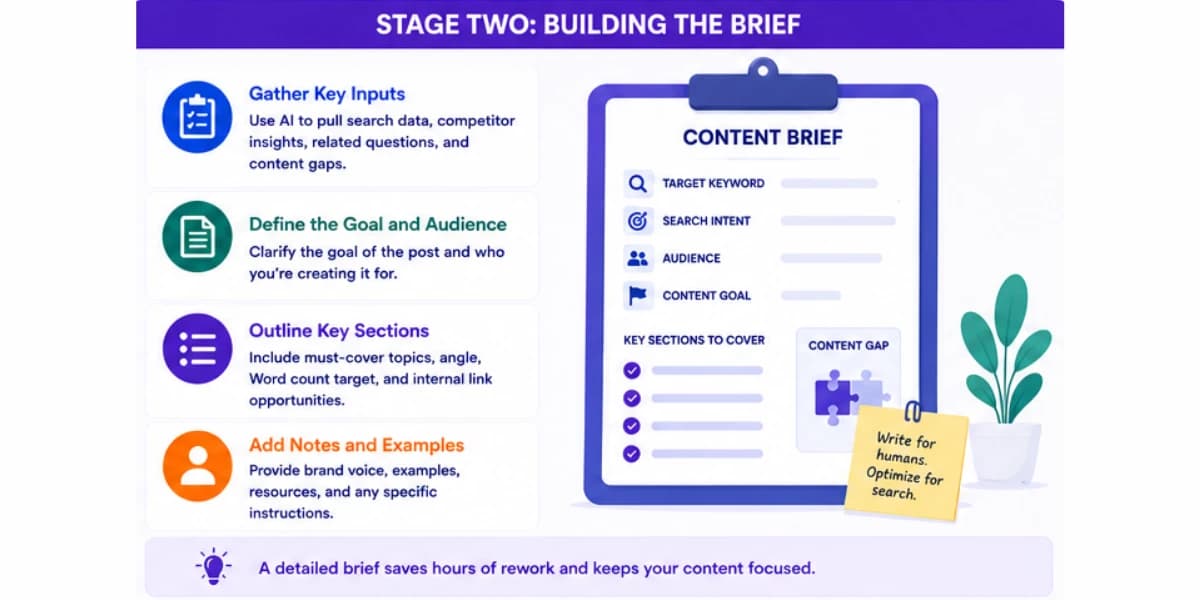
AI can draft a first version of this brief remarkably fast once it has the competitor summaries and keyword data in front of it.
A human should still review it before it goes to a writer, mainly to check that the suggested angle actually fits the site's audience and that nothing important got missed simply because the AI tool didn't have full context about the business behind the content.
A brief that skips the competitor comparison step tends to feel thinner than it should, even if it lists the right keyword and a reasonable word count.
Reading through what's actually working for competitors, not just guessing at what a good article on the topic should include, is what turns a generic brief into one that gives a writer a real shot at outranking the current top results.
It's a small extra step at this stage, but it saves a much bigger amount of rework later if a draft ends up missing something a reader would expect to find.
Turning your keyword research into a consistent publishing schedule is easier when you have a solid plan. Our guide on how to create a content plan for affiliate marketing walks through exactly how to structure your workflow.
Stage Three: Creating The Outline
With a solid brief in hand, the next step is turning it into an actual outline, meaning headings and subheadings in a logical order a reader can follow easily.
AI genuinely saves time at this stage, since it can turn a bullet list of required topics into a properly structured outline with headings that flow naturally from one idea to the next.
A good outline answers the reader's main question early, rather than burying it several sections deep. It breaks the topic into clear, specific sections rather than vague ones, since a heading like how pricing works is far more useful to both readers and search engines than a vague heading like some things to consider.
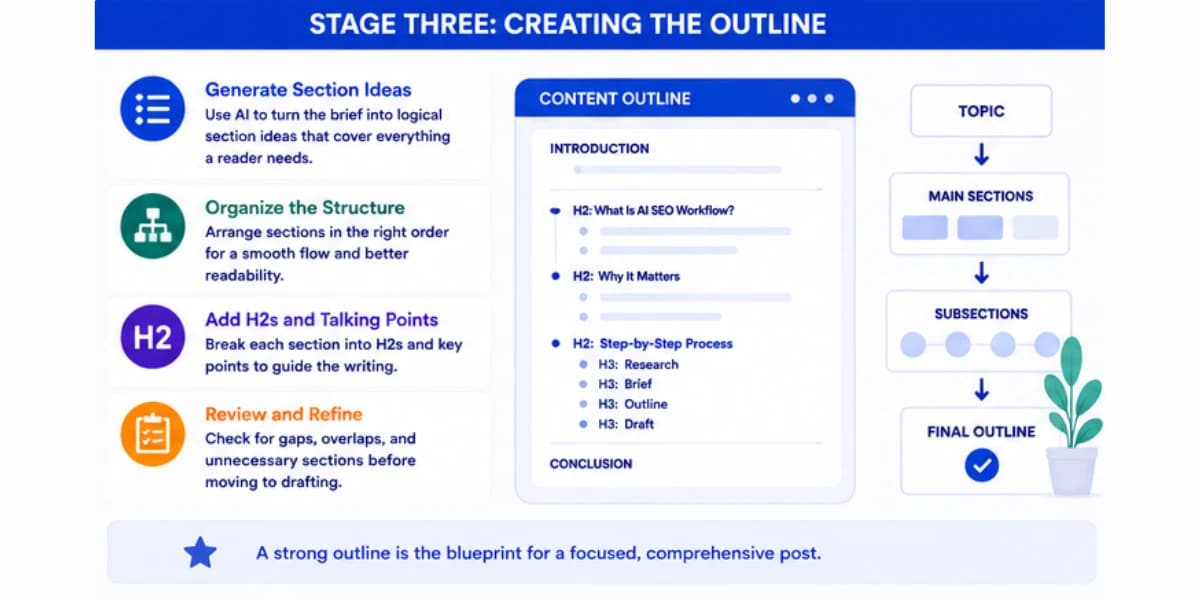
When reviewing an AI generated outline, check for two common problems.
Sometimes sections overlap too much, covering nearly the same ground under two different headings, which makes the final piece feel repetitive.
Other times a section that the brief called out as important gets skipped entirely, especially if the AI tool leaned too heavily on what competitors covered rather than what the brief specifically asked for.
A quick pass fixing these two issues before writing starts saves a lot of rework later.
Stage Four: Drafting The Content
Drafting is the stage most people think of first when they hear AI content workflow, and it's genuinely useful, but it works best as a collaboration rather than a single button press that produces a finished article.
A strong approach is drafting section by section rather than asking for an entire article at once.
Give the tool the specific heading, the key points that section needs to cover from the outline, and any relevant facts or examples gathered during research.
That approach produces far more focused, accurate sections than asking for a full seven section article in one request, where quality tends to drop noticeably by the later sections.
Provide a sample of the site's existing writing style alongside each drafting request, ideally a paragraph or two from a piece the team is happy with.
That single habit makes a bigger difference in tone consistency than almost anything else in the drafting stage, since without it, AI generated sections tend to default to a fairly generic, textbook style voice that rarely matches how an actual publication sounds.
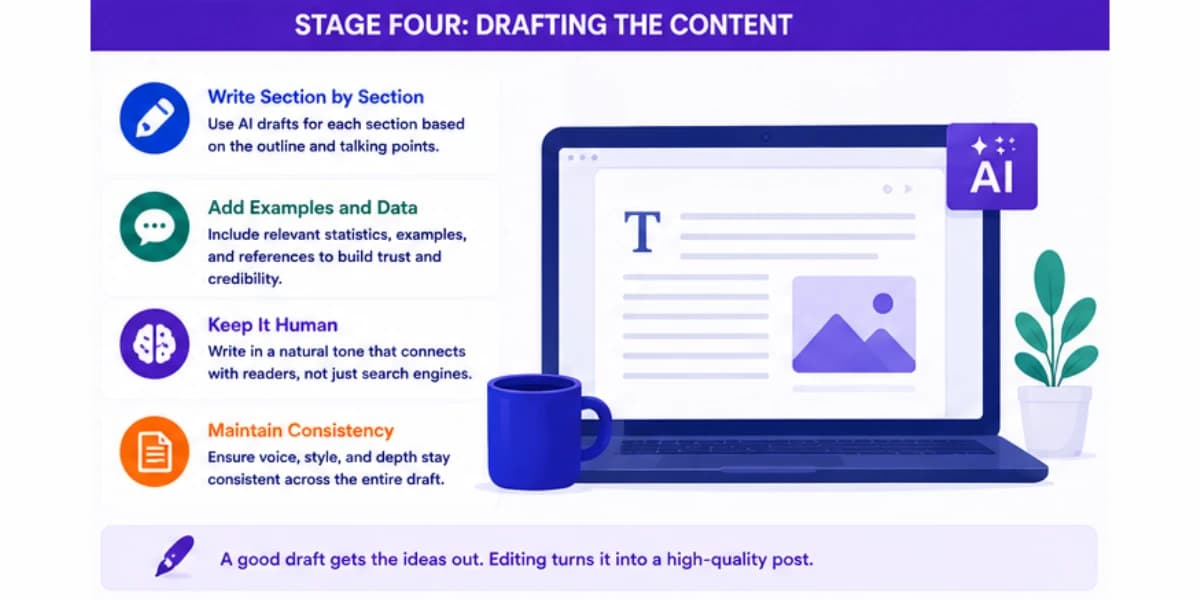
For any section involving specific facts, numbers, or claims, do not fully trust an AI draft without checking it against a real source.
AI tools can occasionally generate a plausible sounding but incorrect fact, especially around specific numbers or recent changes, and catching this before publishing matters far more than saving a few extra minutes.
Some sections are naturally harder for AI to draft well, and it helps to recognize these ahead of time rather than being surprised by a weak draft.
Sections that require genuine firsthand experience, like a personal review of how a product actually performed during real use, tend to come out generic and vague from AI alone, since the tool has no actual experience to draw from.
For sections like these, it works better to write down a few real notes or observations yourself first, even in rough bullet form, and then ask the AI tool to turn those specific notes into polished prose, rather than asking it to invent the experience from scratch.
Stage Five: Editing And Fact Checking
Once a full draft exists, the editing pass is where a human's judgment matters most in the entire workflow.
Read through the piece as an actual reader would, checking that it flows naturally from section to section and that the tone stays consistent throughout, since AI drafted sections written separately can sometimes feel slightly disconnected from each other even when each one reads fine on its own.
Check every specific fact, statistic, and claim against a real source, not just against what sounds reasonable.
That step cannot be skipped, no matter how confident the draft sounds, since confident sounding text is not the same thing as accurate text.
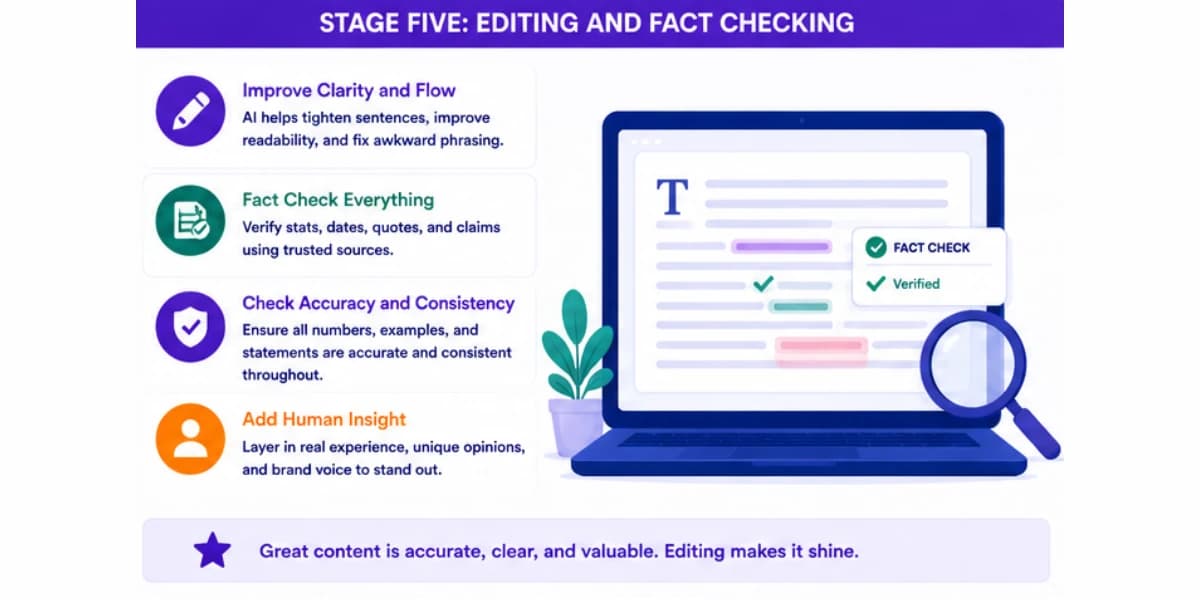
Look for repetition across sections, a common issue when different sections were drafted separately.
If two sections both explain the same basic concept because the outline had some overlap that wasn't fully cleaned up earlier, trim one of them down to just a brief reference back to where it was already explained.
Finally, read the piece out loud, or have a tool read it aloud to you, at least for the introduction and a couple of body sections.
Awkward phrasing that looks fine on a screen often becomes obvious the moment you hear it spoken, and fixing it at this stage is far easier than after the piece is already published and getting traffic.
Stage Six: On Page Optimization
With the content solid, the next stage covers the technical and structural elements that help both readers and search engines understand the page properly.
These elements include the title tag, the meta description, the URL, the headings, and the way images are labeled.
Write a title tag that includes the target keyword naturally while still sounding like something a real person would want to click on, rather than a robotic keyword stuffed phrase.
AI tools can generate several title options quickly, and it's worth generating five or six variations and picking the one that balances clarity, keyword relevance, and genuine appeal to a reader scrolling through search results.
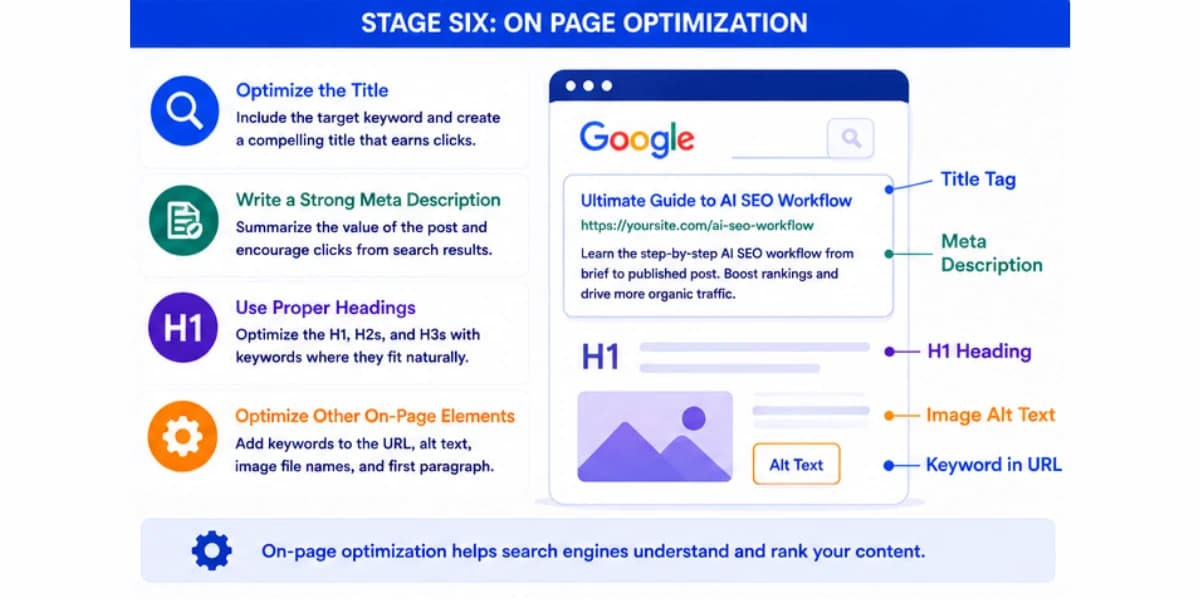
The meta description should give a clear, honest preview of what the page covers, ideally including the target keyword and a reason to click, all within roughly one hundred fifty to one hundred sixty characters so it doesn't get cut off in search results.
Check that headings follow a logical structure, with one main heading at the top and subheadings organized underneath it in a sensible order, rather than jumping around levels randomly.
A clean heading structure like this helps search engines understand the page's organization and also makes the page easier for readers to scan.
Every image should have a short, descriptive alt text that explains what the image shows, both for accessibility reasons and because it gives search engines another small signal about what the page covers.
Using the right SEO plugins for your website can help you manage and monitor your on-page optimization alongside other content tasks.
Stage Seven: Internal Linking
Before publishing, the piece needs to be connected to the rest of the site through internal links, both linking out to other relevant pages and, once published, receiving links back from other appropriate pages already live on the site.
Scan the site for existing pages that relate to the topic and add natural links to a handful of the most relevant ones within the body text, using anchor text that describes what the linked page is actually about rather than a generic phrase like click here.
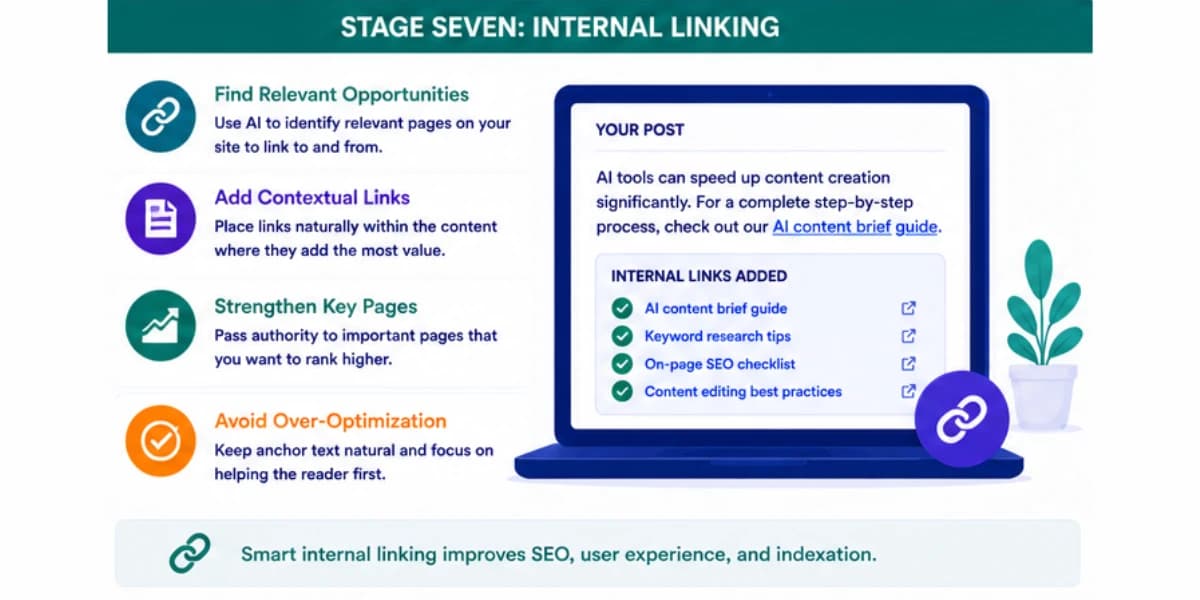
AI tools can help here by scanning a site's content and suggesting genuinely relevant matches, though the final placement decision benefits from a human check to make sure each suggested link actually fits naturally into the sentence it's being added to.
Just as important, go back and add a link to the new piece from a few existing, relevant pages on the site.
A brand new page with zero internal links pointing to it can take much longer to get discovered and ranked properly, so this step should never be treated as optional or left for later.
If you need help finding where to add links in your existing content, try our internal link opportunity finder tool. It scans your pages and highlights where new internal links would add the most value.
Stage Eight: Formatting & Visual Elements
A wall of plain text, even if it's accurate and well written, tends to perform worse than content broken up with helpful visual elements.
Before publishing, look for places where a comparison table, a simple chart, a screenshot, or an image would genuinely help a reader understand something faster than a paragraph of text alone.
Keep paragraphs reasonably short. Long, dense blocks of text are harder to read on a phone screen, and most readers today are browsing on mobile.
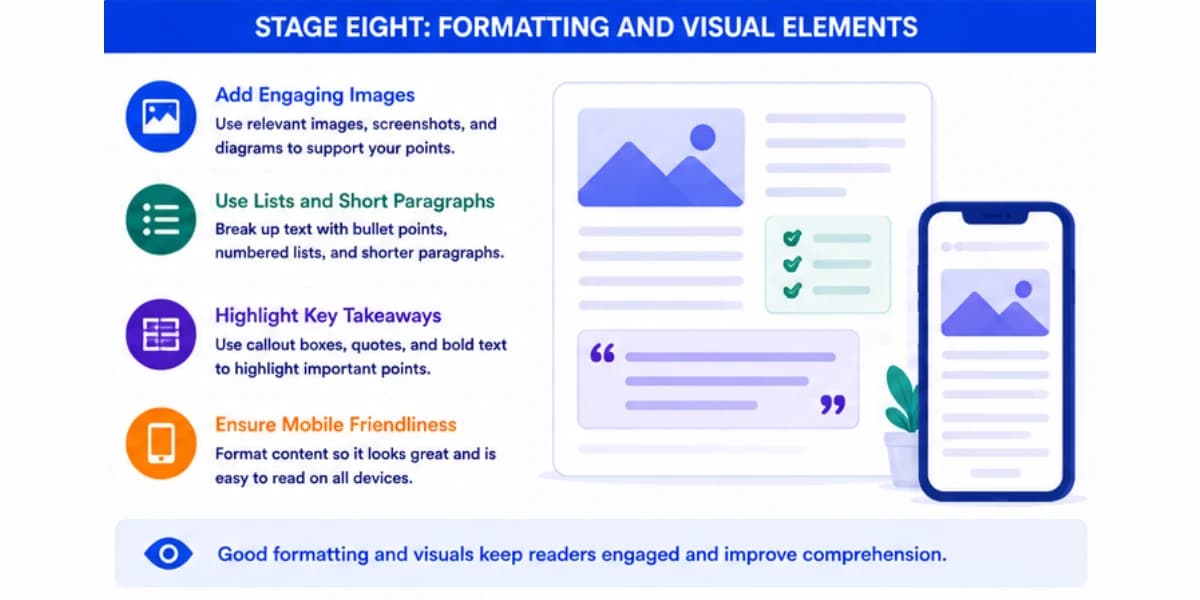
Breaking a longer paragraph into two shorter ones, with a clear point in each, almost always improves readability without losing any actual information.
Make sure any tables or lists used are genuinely helping present information more clearly, rather than being forced in just because formatted content tends to perform well in general.
A table comparing five specific features across three products is genuinely useful. A table awkwardly summarizing what a single flowing paragraph already explained clearly adds little real value.
Stage Nine: Final Quality Check Before Publishing
Right before hitting publish, run through a final checklist rather than relying on memory to catch everything.
Confirm the target keyword appears naturally in the title, the first paragraph, and at least one heading, without feeling forced or repeated excessively throughout the piece.
Double check every link on the page, both internal and any external links included, to make sure none of them are broken.
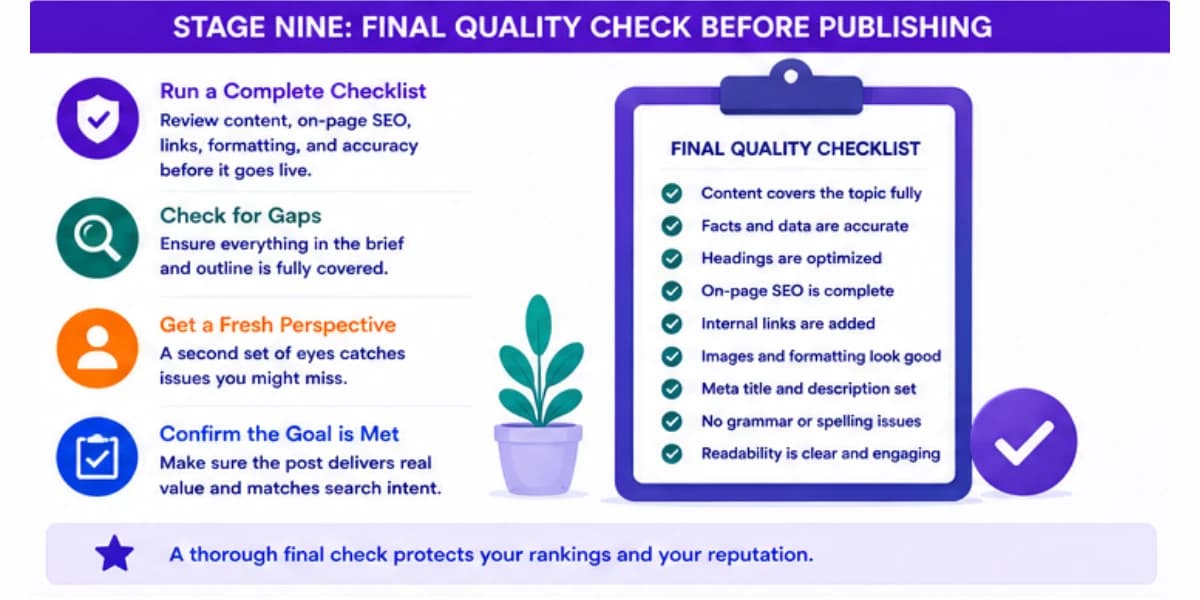
A broken link discovered by a reader right after publishing creates a bad first impression that's easy to avoid with a quick check beforehand.
Verify the meta title and meta description are actually set correctly in the content management system, not just written somewhere in a document, since it's surprisingly common for a well written title tag to get lost in the process and never actually applied to the live page.
Read the introduction one more time specifically.
It's the section that determines if a reader keeps going or leaves immediately, so it deserves one final close read even after everything else has already been checked.
Stage Ten: Publishing & What Comes After
Once the piece goes live, the workflow isn't quite finished.
Submit the new URL for indexing through your search console tool if that option is available, which can speed up how quickly a search engine actually discovers and crawls the new page rather than waiting for a routine crawl to find it naturally.
Share the piece through whatever channels the site normally uses, an email newsletter, social media, or a community the site is active in.
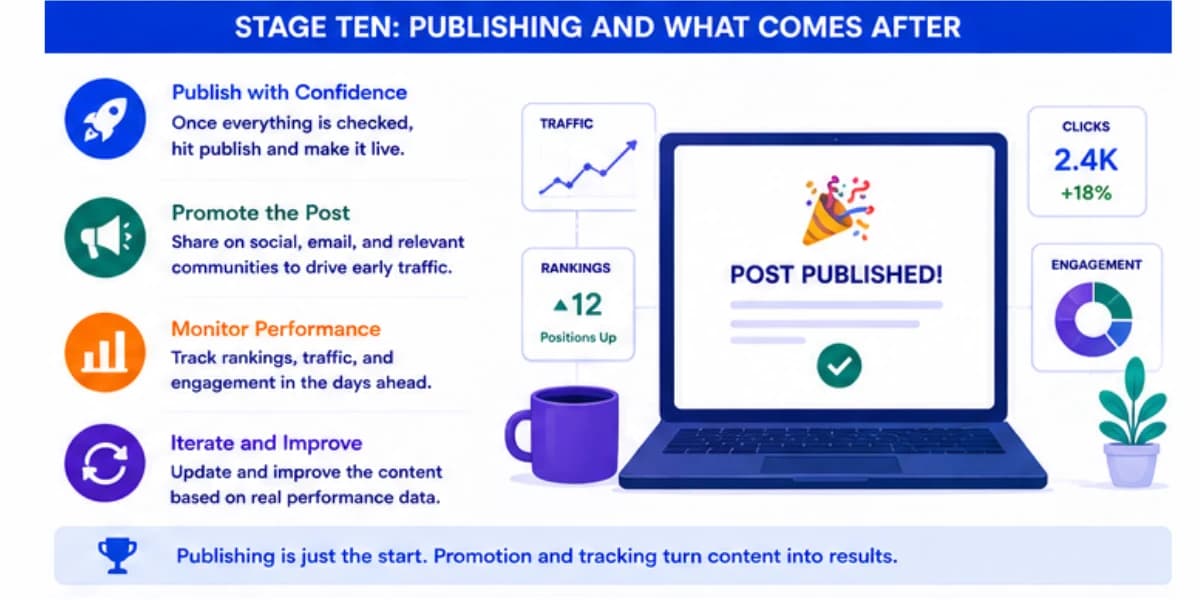
Early traffic and engagement, even a modest amount, can help a new page establish itself faster than if it sits completely untouched waiting for organic search traffic alone to slowly build up.
Set a reminder to check back on the piece's performance after a few weeks.
Look at what it's actually ranking for, since it will often start ranking for keywords slightly different from the original target, and use that information to decide if a small update is worth making early on, rather than waiting months to notice the piece never quite took off the way it was expected to.
Creating content that stays relevant for years requires a different approach than chasing trends. Our article on creating evergreen content explains how to write articles that continue driving traffic long after publication.
A Realistic Example Of The Workflow In Practice
Picture a site covering home coffee brewing that decides to write about pour over coffee makers.
The keyword research stage turns up a strong option with clear commercial intent, along with a related informational keyword that gets solid search volume too.
The brief pulls in summaries of the five current top ranking pages, noticing that all five cover basic brewing steps but only one includes a genuinely useful comparison of grind size across different pour over methods.
That gap becomes the angle for the new piece.
The outline gets built around that gap, with a dedicated section comparing grind sizes placed prominently rather than buried near the end.
Drafting happens section by section, with real product research fed into the buying guide portion so the recommendations reflect current pricing and availability rather than generic advice.
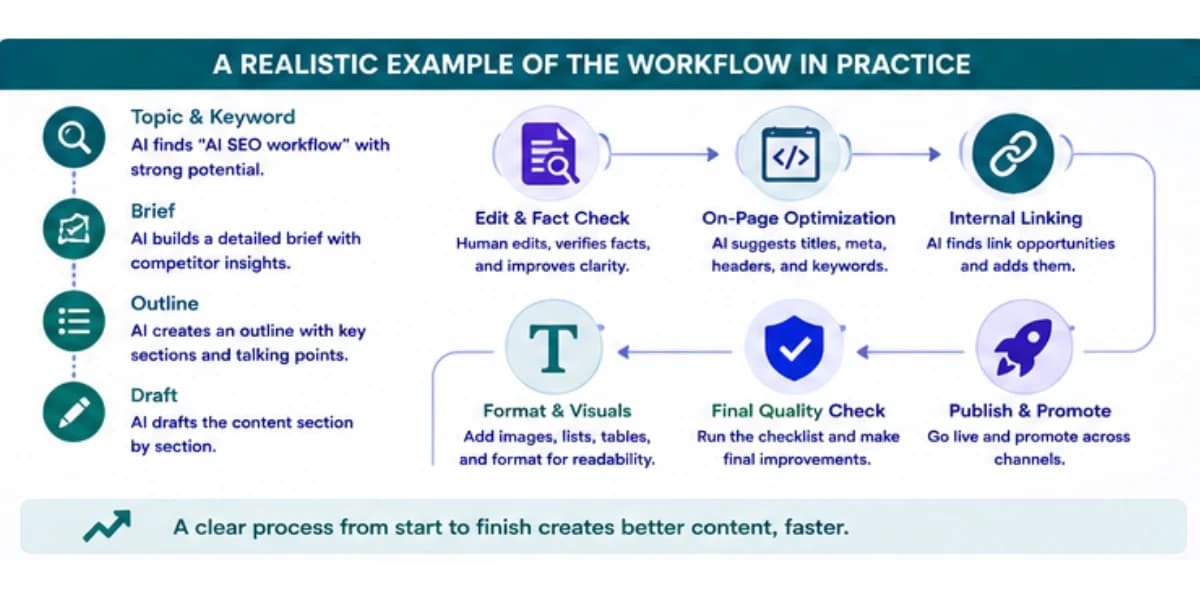
During editing, a reviewer catches that two sections both explained the same basic pour over technique, so one gets trimmed down to a brief mention with a link back to the other section instead.
On page elements get set up carefully, internal links connect the piece to three related existing articles on the site, and a comparison table gets added for the grind size section, since that information is genuinely easier to scan in table form than in a paragraph.
Before publishing, every link gets checked, the meta description gets confirmed as actually applied in the system, and the introduction gets one final read.
After publishing, the URL gets submitted for indexing and the piece gets shared in the site's newsletter that week.
Three weeks later, the page has picked up several ranking positions and is already showing up for a few keyword variations nobody specifically targeted, which becomes useful information for the next piece in that same content area.
That kind of unexpected ranking, picking up traffic for a variation nobody planned around, happens often enough that it's worth checking new pages for it regularly rather than only paying attention to the exact keyword the piece was originally built for.
Building a topical map for AI SEO gives you the content structure that makes workflow decisions much easier, since you already know which pages should support which others.
Handling This Workflow With A Team
Solo creators can run through all ten stages themselves without much friction, but teams need a bit more structure to keep the process from breaking down.
A common setup splits the work so one person handles keyword research and briefs, another handles drafting, and a third handles editing and final publishing, with each stage passed along once it's genuinely complete rather than half finished.
Handoffs work best when each stage produces a clear, standalone deliverable rather than a vague status update.
A finished brief should be something a writer can pick up and start working from immediately, without needing to ask clarifying questions about the target keyword or the required sections.
A finished draft should be something an editor can review without needing to guess which parts were AI generated and which parts came from original research, since knowing that distinction affects how carefully certain sections need to be fact checked.
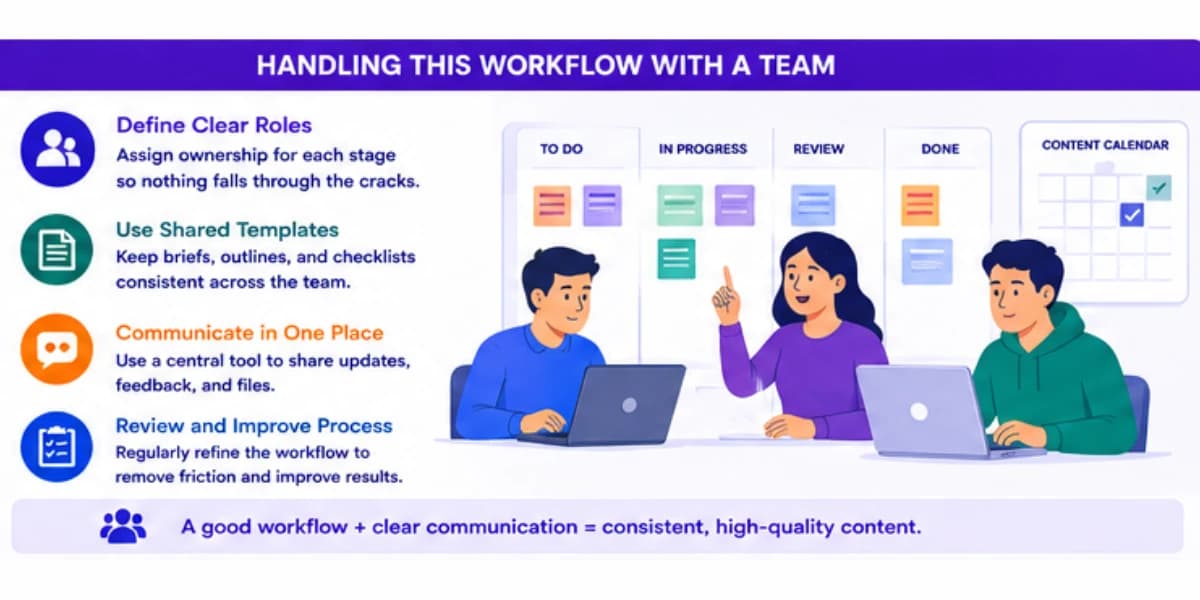
It also helps to build in a short check in partway through longer pieces, especially ones with a lot of original research or data involved.
Catching a missing subtopic or a wrong angle halfway through drafting is far cheaper to fix than catching it after the piece is fully written, edited, and ready for final review.
For teams producing content regularly, keeping a simple running log of what worked and what didn't for past pieces makes a real difference over time.
If pieces built around a strong competitor gap analysis during the brief stage consistently outperform ones that skipped it, that's worth noticing and reinforcing as a required step, rather than letting it stay an optional nice to have that gets skipped whenever the team is busy.
How This Workflow Changes For Different Content Types
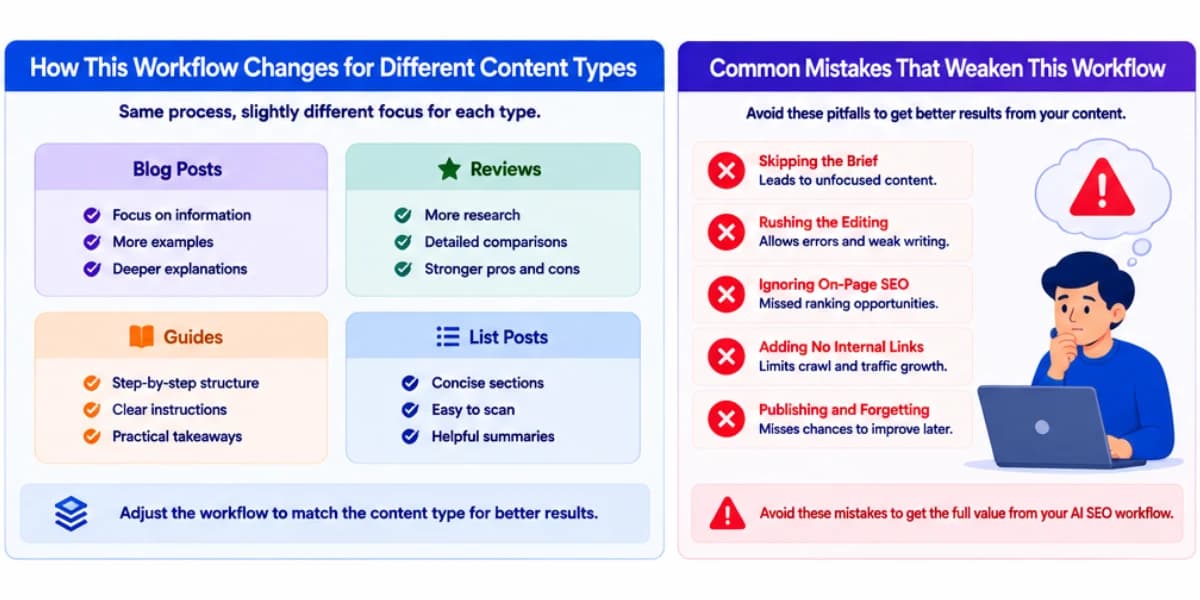
Not every piece of content needs the exact same depth at every stage.
A short news style update covering a recent industry change can move through the brief and outline stages quickly, since the structure is usually simple and doesn't need an extensive competitor comparison.
A long form buying guide or comparison article, the kind of content that typically drives the most search traffic and revenue for a commercial site, benefits from spending real time on every single stage, especially the brief and the fact checking pass, since these pieces tend to include the most specific claims and numbers that need to be accurate.
An evergreen educational piece meant to rank for years benefits from extra attention during the outline stage, making sure the structure will still make sense even as small details around it change over time, and from a slightly more generous approach to internal linking, since these pieces often become natural hub pages that other content links back to.
Recognizing which type of content you're producing before starting the workflow helps you allocate your time sensibly.
Spending three hours on the brief for a short news update wastes time that would be better spent elsewhere, while rushing through the brief for a major comparison guide often shows up later as a piece that underperforms despite a polished final draft.
For a complete overview of how AI fits into every aspect of search engine optimization, including content workflows, read our AI content refresh workflow guide to understand how to keep your content current and competitive.
Common Mistakes That Weaken This Workflow
One common mistake is skipping the brief entirely and jumping straight from a keyword to a full AI generated draft.
Without a proper brief built from real competitor research, the resulting draft usually misses important subtopics and doesn't have a clear angle that sets it apart from what's already ranking.
Another mistake is generating an entire article in a single AI request rather than working section by section.
Quality tends to drop noticeably in longer single requests, and it becomes much harder to catch and fix issues when the whole piece was produced in one shot rather than reviewed and adjusted stage by stage.
A third mistake is treating the editing stage as optional or rushing through it in a few minutes.
That stage is consistently where the biggest quality gap shows up between content that performs well and content that quietly underperforms despite decent research and a solid outline behind it.
A fourth mistake is forgetting the internal linking stage entirely, publishing a piece with zero connection to the rest of the site.
A page sitting completely isolated from the rest of a site's content structure struggles to get discovered and ranked properly, no matter how good the writing itself turned out to be.
Building topical authority in a niche depends heavily on keeping your content accurate and current, since search engines use freshness signals to determine which pages deserve to rank.
Final Thoughts On SEO Workflow
A workflow like this only works if it's actually followed consistently rather than treated as a loose set of suggestions.
Write down the stages, even in a simple shared document, so anyone working on content for the site knows exactly what's expected at each step and what a finished, ready to publish piece actually needs to include.
AI genuinely speeds up the research, brief building, outline creation, and first draft stages in a way that's hard to overstate compared to a fully manual process.
It's far less reliable at the judgment calls that matter most, like picking the right angle, checking facts against real sources, and deciding if a piece actually sounds like it belongs on your site.
Keep those judgment calls firmly in human hands, and this workflow becomes a genuine advantage rather than just a faster way to publish more content that performs the same as everyone else's.
The teams and creators who get the most out of this kind of workflow tend to treat it as a living process rather than a fixed checklist carved in stone.
Revisit which stages are taking longer than they should, which ones consistently get skipped under time pressure, and which ones seem to matter most for the specific type of content your site publishes.
A workflow that's reviewed and adjusted every few months, based on what's actually working, will keep improving in ways a rigid, unchanging process never will.
Start small if this feels like a lot to adopt all at once.
Even applying just the brief stage and the fact checking stage consistently, on top of whatever process you're already using, tends to produce a noticeable improvement in how well new content performs.
Add the remaining stages gradually as they become second nature, and the full workflow will end up feeling far less like extra work and more like the natural way any piece of content gets made.
For a complete overview of how AI fits into every aspect of search engine optimization, read our AI internal linking guide to understand how link structures support your content strategy.
Frequently Asked Questions
1. How long should this entire workflow take for one piece of content?
It depends heavily on the topic's complexity and how much original research or data gathering is needed, but for a typical two thousand word article, a well practiced workflow using AI at each stage can realistically be completed in four to six focused hours, compared to what might have taken a full day or more with a fully manual process. Teams new to this kind of workflow should expect the first several pieces to take longer than that, simply because getting comfortable with each handoff and each tool takes a bit of practice before the process starts feeling natural.
2. Can AI handle the entire workflow without any human involvement?
It's technically possible to automate most of it, but the editing and fact checking stage, along with the final judgment call on angle and positioning during the brief stage, genuinely benefit from human review. Fully automated content without any human check tends to accumulate small errors and generic phrasing that readers and search engines both notice over time.
3. What's the single most important stage in this whole workflow?
The brief stage tends to have the biggest impact on final quality, since everything downstream depends on it. A weak brief leads to a weak outline and a draft that lacks a clear, differentiated angle, no matter how much editing effort gets applied afterward.
4. Should every piece of content go through all ten stages, even short posts?
Shorter, lower priority posts can reasonably skip some of the more detailed steps, like an extensive competitor summary during the brief stage. Content targeting genuinely competitive, high value keywords benefits from following the full process closely, since that's exactly the content facing the toughest competition in search results.
5. How do I know if the AI generated draft is actually good enough to publish with minimal editing?
Read it as if you were a stranger encountering the topic for the first time, checking if it actually answers the core question clearly and if the tone matches the rest of the site. If it takes more than a light pass to fix tone and flow issues, that's a normal part of the process rather than a sign something went wrong, and it usually still saves significant time compared to writing the whole piece from scratch.
6. Is it worth using AI for the keyword research stage if I already have a list of topics I want to cover?
Yes, even with a topic list already in hand, running each planned topic through an AI assisted intent and competitor check before writing often reveals a better angle or a related keyword opportunity that wasn't obvious from the topic list alone, and that extra step tends to be worth the small amount of time it takes.